Erabiltzailearen eskuliburua: ANBERNIC RG351M Eskuko joko retro kontsola
Model: RG351M
Sarrera
The ANBERNIC RG351M is a portable retro game handheld console designed for an immersive gaming experience. Featuring a 3.5-inch IPS screen and powered by an RK3326 quad-core processor, it supports a wide range of classic game formats. This manual provides essential information for setting up, operating, maintaining, and troubleshooting your device.
Segurtasun Informazioa
- Ez jarri gailua tenperatura altuen, eguzki-argiaren eraginpean edo hezetasun handiaren eraginpean.
- Saihestu gailua kolpe gogorrak erortzea edo jasaten.
- Use only the provided USB charging cable and a compatible power adapter (maximum load 2A) for charging.
- Ez saiatu gailua zeuk desmuntatzen edo konpontzen. Jarri harremanetan zerbitzu-langile kualifikatuekin.
- Mantendu gailua uretatik eta beste likidoetatik urrun.
- Ziurtatu aireztapen egokia erabiltzen eta kargatzen ari den bitartean.
Paketearen edukia

Image: The ANBERNIC RG351M console, its retail packaging, and the included USB charging cable.
Mesedez, egiaztatu paketearen edukia kutxa irekitzean, elementu guztiak bertan daudela ziurtatzeko:
- 1 x RG351M Game Console
- 1 x USB kablea
- 1 x Erabiltzailearen eskuliburua (dokumentu hau)
- 1 x 64GB TF Card (pre-installed with games)
Produktua amaituview
Aurrealdea View

Irudia: Aurrealdea view of the RG351M console, highlighting the 3.5-inch IPS screen, D-pad, dual analog joysticks, and action buttons (A, B, X, Y), along with SELECT and START buttons.
- 3.5 hazbeteko IPS pantaila: High-definition display for clear visuals.
- D-Pad: Directional pad for navigation and game control.
- Analog Joysticks: Dual 3D rocker sticks for precise movement.
- Ekintza botoiak (A, B, X, Y): Jokoetarako sarrera-botoi estandarrak.
- Aukeratu botoia: Used for various in-game functions and menu navigation.
- HASI botoia: Used for pausing games, confirming selections, and menu navigation.
Goian eta Behean Views (Ports and Controls)

Image: Top edge of the console, displaying the L1, L2, R1, R2 shoulder buttons, a Type-C OTG port, a 3.5mm earphone jack, and another Type-C port labeled OTG/DC for data transfer and charging.

Image: Bottom edge of the console, showing the TF card slot for expandable storage and the recessed Reset button.
- L1/L2/R1/R2 Buttons: Shoulder buttons for additional in-game controls.
- OTG 1 (Type-C): USB Type-C port for data transfer.
- 3.5 mm-ko aurikularretarako konektua: Entzungailuak konektatzeko.
- OTG 2 (Type-C / Charging Port): USB Type-C port for data transfer and charging.
- TF txartelaren zirrikitua: For inserting the game TF card (supports up to 256GB).
- Berrezarri botoia: A small, recessed button to restart the device if it becomes unresponsive.
- Hizlariak: High-quality double horn stereo speakers.
Itzuli View

Irudia: Atzealdea view of the RG351M console, displaying the ANBERNIC logo, model number (RG351M), and battery specifications (Li-Po 3500mAh).
Konfigurazioa
1. Hasierako kargatzea
Before first use, fully charge the console. Connect the provided USB Type-C cable to the OTG 2 (charging) port on the top of the device and the other end to a compatible USB power adapter (not included, recommended 5V/1.3A to 2A). The charging indicator light will illuminate. A full charge typically takes about 4 hours.
2. TF txartela sartzea
The console comes with a 64GB TF card pre-installed with games. If you need to remove or insert the TF card, gently push it into the TF card slot on the bottom of the device until it clicks into place. To remove, push it again until it springs out.
Funtzionamendu-argibideak
Piztu/Itzali
- Pizteko: Press and hold the Power button (located on the left side) for a few seconds until the screen illuminates.
- Itzaltzeko: Press and hold the Power button until a power-off menu appears on the screen. Select "Power Off" or "Shutdown". Alternatively, a quick press of the power button will put the device into sleep mode.
Sisteman nabigatzea
The RG351M runs on an open-source Linux system. Use the D-pad or analog joysticks to navigate through menus and game lists. The 'A' button typically confirms selections, and the 'B' button typically goes back.
Jolasetan jolasten
Select a game from the main menu. The console supports various game formats including PSP, N64, NDS, PS1, CPS1, CPS2, FBA, NEOGEO, GBA, GBC, GB, SFC, FC, MD, SMS, GG, MSX, PCE, WSC, and transplant games. Refer to specific emulator controls within the system for optimal gameplay.
Wi-Fi konexioa

Image: The RG351M console showing a game in progress, with an overlay graphic indicating fast Wi-Fi connectivity (2.4GHz 802.11b/g/n).
The RG351M supports 2.4GHz Wi-Fi (802.11b/g/n) for online features, such as game updates or online multiplayer (where supported by the game/emulator).
- Nabigatu sistemaren ezarpenen menura.
- Select "Network" or "Wi-Fi settings".
- Enable Wi-Fi and select your desired network from the list.
- Sartu pasahitza eskatzen bazaizu.
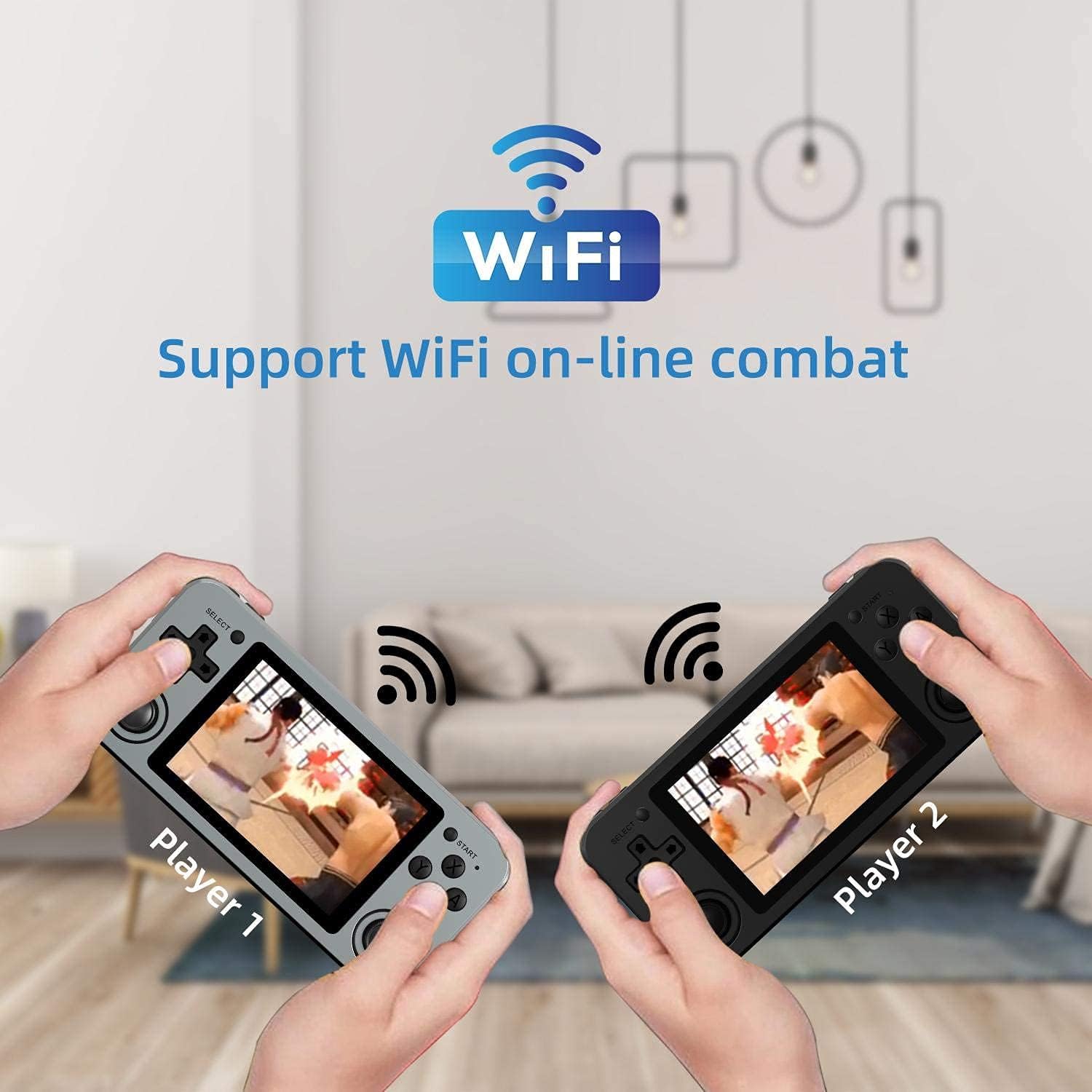
Image: Two RG351M consoles held by hands, illustrating the capability for Wi-Fi online combat between players.
Mantentzea
- Garbiketa: Use a soft, dry cloth to clean the console's exterior. For the screen, use a microfiber cloth specifically designed for electronics. Do not use liquid cleaners directly on the screen.
- Biltegiratzea: When not in use for extended periods, store the console in a cool, dry place, away from direct sunlight.
- Bateria zaintzea: To prolong battery life, avoid fully discharging the battery frequently. Charge the device regularly, even if not in use, to maintain battery health.
- Software eguneraketak: Periodically check for system updates (if available through the open-source community) to ensure optimal performance and compatibility.
Arazoak konpontzea
| Arazoa | Irtenbide posiblea |
|---|---|
| Gailua ez da pizten. | Ziurtatu bateria kargatuta dagoela. Konektatu kargagailua eta itxaron minutu batzuk berriro pizten saiatu aurretik. |
| Pantaila izoztuta dago edo ez du erantzuten. | Locate the recessed Reset button on the bottom of the device and press it gently with a thin, non-metallic object (e.g., a paperclip) to restart the console. |
| Games are not loading or running slowly. | Ensure the TF card is properly inserted. Some games may require specific emulator settings or may be too demanding for the hardware. Check online communities for compatibility lists or optimization tips. |
| Ez dago soinurik bozgorailuetatik edo entzungailuetatik. | Check the volume level using the volume buttons on the right side of the console. Ensure headphones are fully plugged in. Restart the device. |
| Wi-Fi konexio arazoak. | Ensure you are within range of a 2.4GHz Wi-Fi network. Double-check the Wi-Fi password. Restart the console and your Wi-Fi router. |
Zehaztapenak
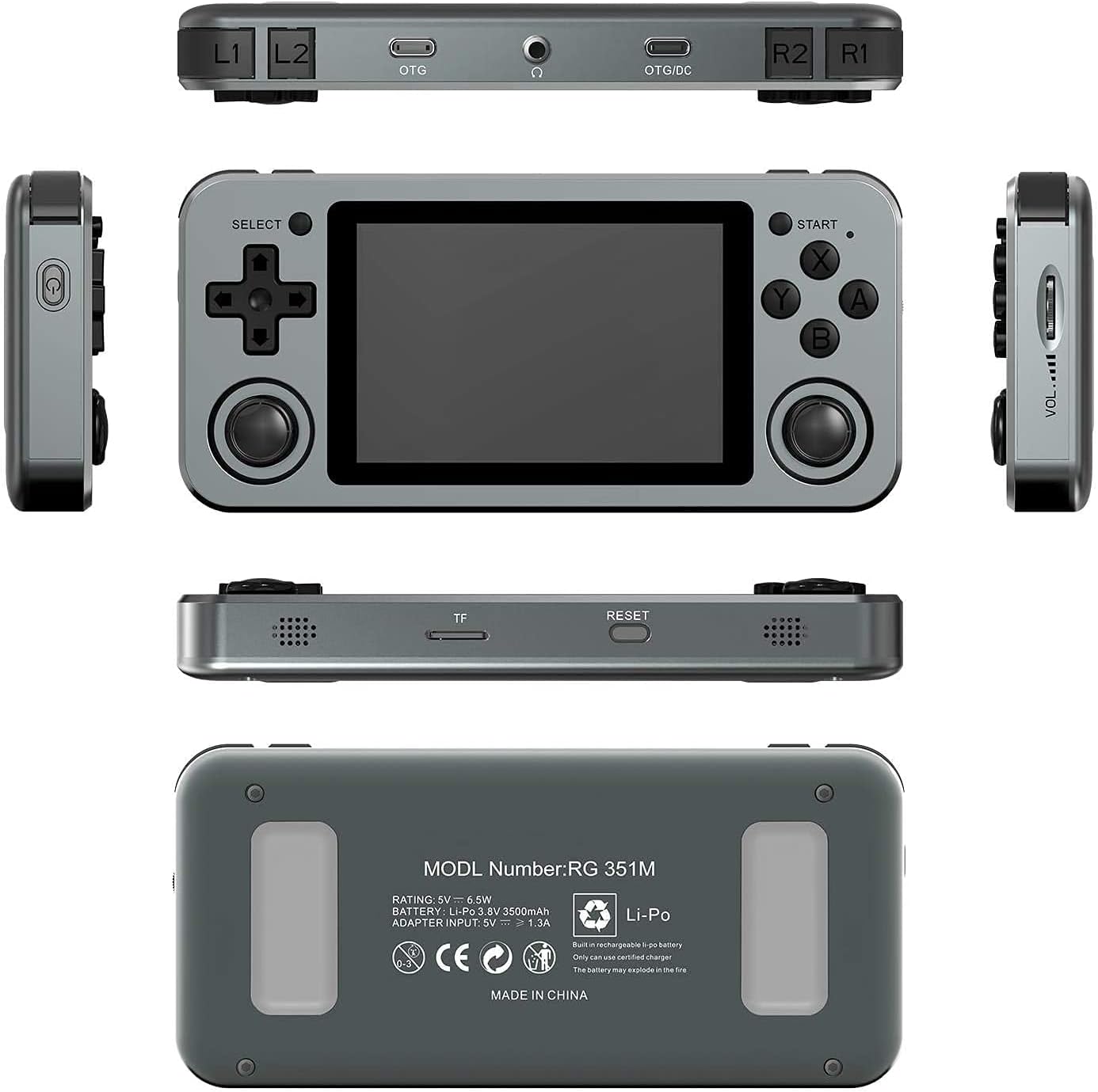
Image: A composite image showing the ANBERNIC RG351M from various angles, including front, top, bottom, sides, and back, providing a comprehensive view of its design and ports.
| Ezaugarri | Xehetasuna |
|---|---|
| Eredua | RG351M |
| CPU | RK3326 quad core 1.5 GHz |
| GPU | Mali-G31 MP2 |
| RAM | DDR3L 1GB |
| Memoria | 64 GB (TF txartela) |
| Pantaila | 3.5 inch IPS, OCA full lamination, 320*480 resolution |
| Sistema | Open source Linux system |
| Bateria | Li-polymer 3500 mAh, up to 8 hours battery life |
| Kargatzen | 1.3A charging, max 2A, USB Type-C, 4 hours full charge |
| TF txartelaren euskarria | Gehienez 256 GB |
| Interfazea | TF Card Slot, 3.5mm Earphone, OTG 1 (Type-C), OTG 2 (Type-C Data/Charging) |
| Dimentsioak (Konsola) | 15.2 cm (L) x 7.1 cm (W) x 1.8 cm (H) |
| Pisua (kontsola) | 0.19kg (approx. 6.7 oz) |
Bermea eta Laguntza
For warranty information and technical support, please refer to the retailer or the official ANBERNIC website. Keep your proof of purchase for warranty claims. This manual provides general guidance; specific software-related issues may require consulting community forums or official support channels.


