1. Sarrera
The HUION Kamvas Pro 16 (4K) is a professional pen display designed for digital art, graphic design, and creative work. This device features a 4K UHD display, full lamination, anti-glare glass, and a battery-free stylus with PenTech 3.0 technology. It is compatible with various operating systems and software, offering a natural and precise drawing experience.
Please note: The Kamvas Pro 16 (4K) Pen Display is not a standalone product. It requires connection to a computer, laptop, or Android device to function.
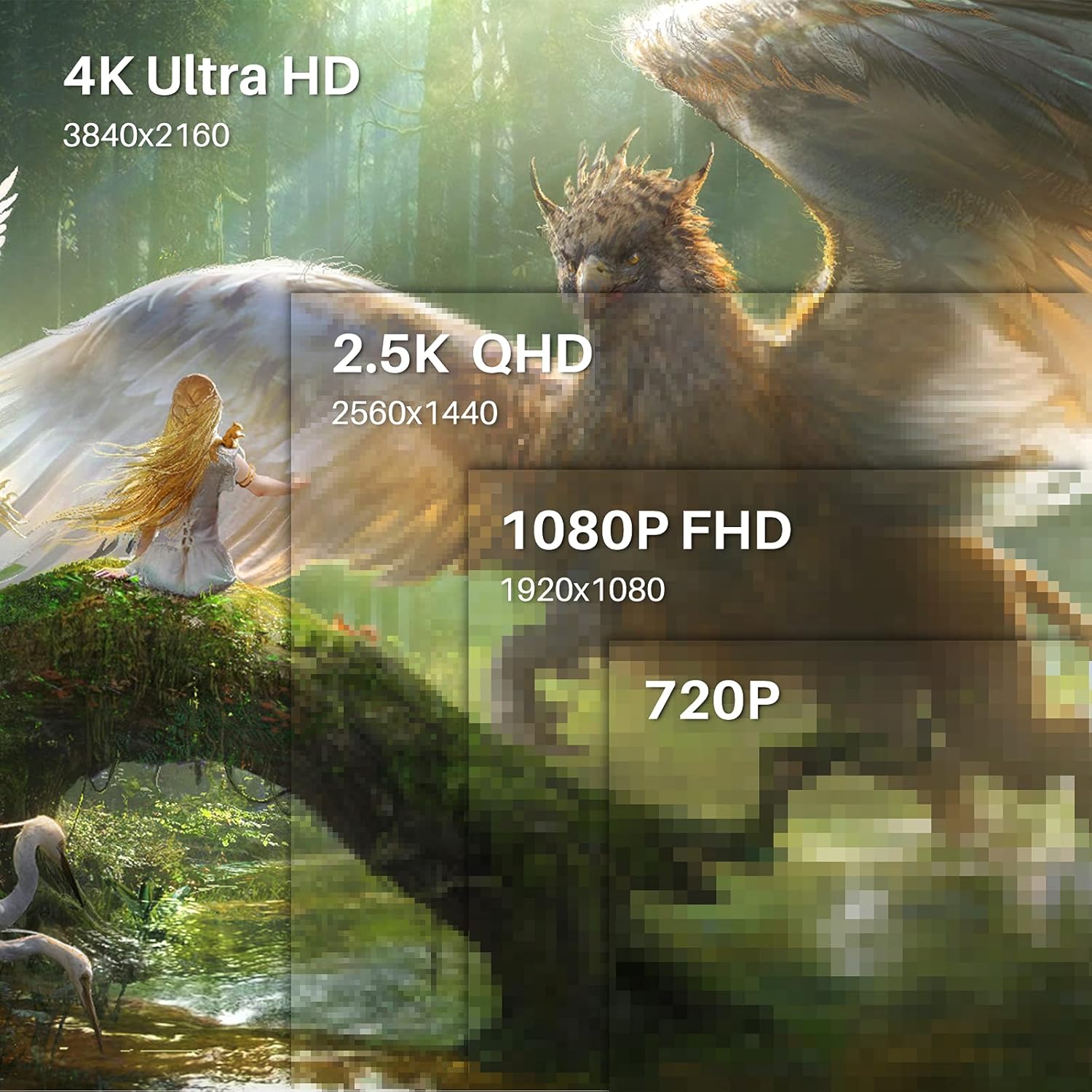
Image 1.1: The HUION Kamvas Pro 16 (4K) UHD Drawing Tablet.
2. Zer dago kutxan
Egiaztatu elementu guztiak paketean daudela:
- Boligrafoaren pantaila
- Boligrafo digitala
- Pen Holder PH05A
- Boligrafoa x 10
- Boligrafo-zorroa
- Nib Clip
- 3-en 1 kablea
- USB luzapena kablea
- USB-C USB-C kablea
- USB Power kablea
- USB Power egokitzailea
- Stand tolesgarria
- Eskularrua
- Garbiketa Oihala
- Hasierako gida azkarra

Image 2.1: All items included in the Kamvas Pro 16 (4K) package.
3. Konfigurazioa
3.1 PC batera konektatzea
The Kamvas Pro 16 (4K) offers flexible connectivity options. You can connect it via a single 3-in-1 HDMI cable or a full-featured USB-C cable and a power cable. Ensure your device supports USB 3.1 Gen1 and DP1.2 for full-featured USB-C connection.
Video 3.1: Instructions on how to connect the Kamvas Pro 16 (4K) to a PC.
3.2 Setting Screen Resolution (macOS)
For macOS users, it is important to correctly set the screen resolution to ensure optimal display quality. The native resolution of the Kamvas Pro 16 (4K) is 3840x2160.
Video 3.2: Guide on setting the screen resolution for Kamvas Pro 16 (4K) on macOS.
3.3 Zutik erregulagarria
The included multi-angle adjustable stand allows you to set the tablet at an angle between 20° and 80° for comfortable drawing. This helps in reducing strain during extended use.
4. Funtzionamendua
4.1 Boligrafo digitala erabiltzea
The digital pen PW517 features PenTech 3.0, offering 8192 levels of pressure sensitivity and ±60° tilt support for precise and natural strokes. The pen is battery-free, eliminating the need for charging.

Image 4.1: Features of the HUION PenTech 3.0 Stylus.
4.2 Adjusting OSD Menu
The On-Screen Display (OSD) menu allows you to adjust various display settings such as brightness and color temperature. The PW517 digital pen can be used to navigate and adjust these settings.
Video 4.2: Guide on how to adjust the OSD Menu on Kamvas Pro 16 (4K).
5. Ezaugarri nagusiak
5.1 4K UHD pantaila
Experience stunning visual clarity with a 4K UHD resolution of 3840x2160 (16:9). This provides four times more pixels than a Full HD screen, revealing intricate details in your artwork. The display boasts a 120% sRGB color gamut volume and 16.7 million display colors for vibrant and natural color presentation.

Image 5.1: Comparison illustrating the clarity of 4K UHD display.
5.2 Full-Laminated Anti-Glare Screen
The full-laminated anti-glare screen minimizes reflections and reduces eye strain. It also ensures minimal parallax between the pen tip and the cursor, providing a natural pen-on-paper drawing experience.

Image 5.2: Illustration of anti-glare etched glass reducing reflections.
5.3 Dual USB-C Ports
Dual USB-C ports offer versatile connectivity, allowing easy connection to PCs, Macs, and Android devices. This simplifies cable management and provides a tidy workspace.
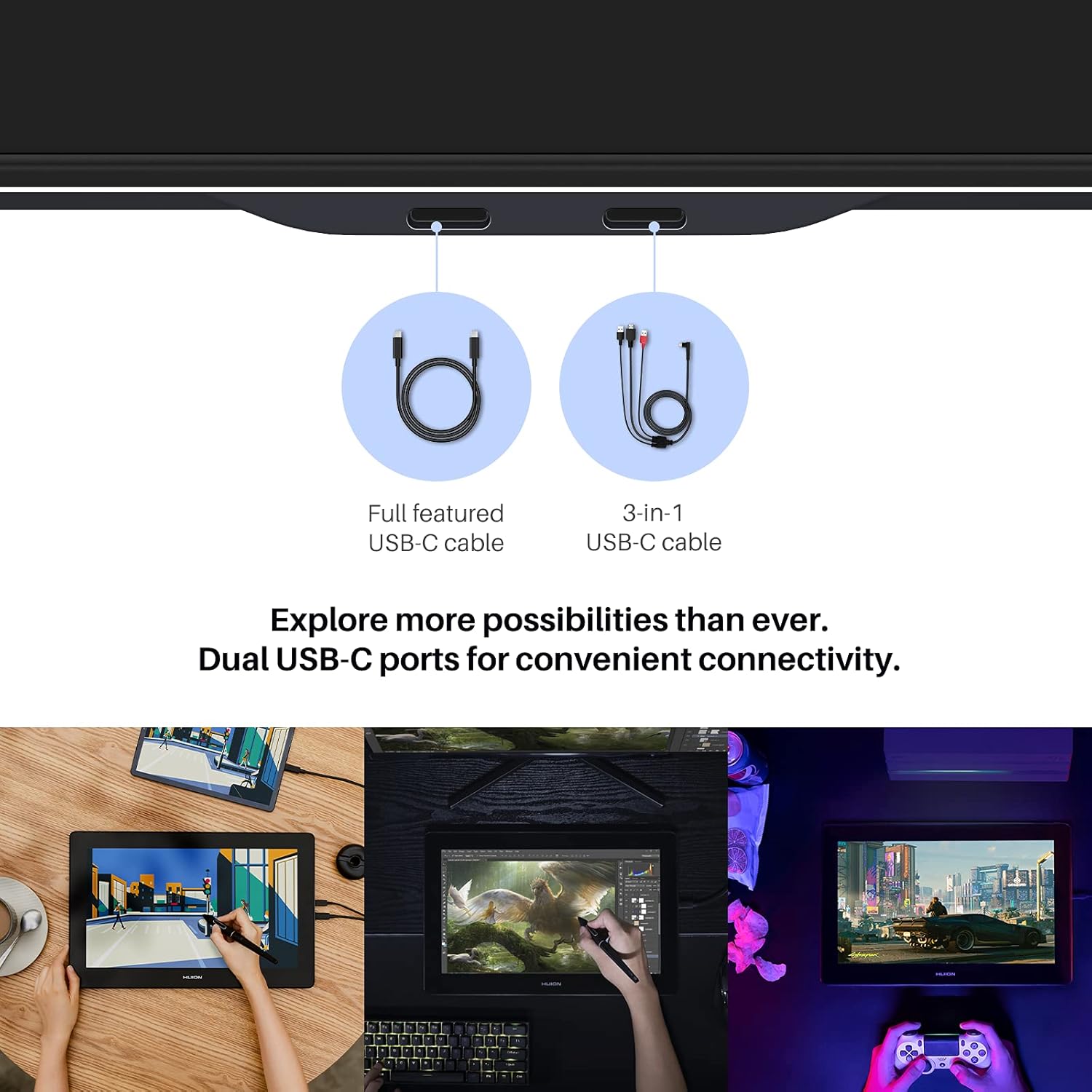
Image 5.3: Dual USB-C ports for convenient connectivity.
6. Bateragarritasuna
The Kamvas Pro 16 (4K) is broadly compatible with various operating systems and mainstream design software.
6.1 Onartutako sistema eragileak
- Windows 7 edo berriagoa
- macOS 10.12 edo berriagoa
- Linux (Ubuntu 20.04 LTS)
- Android phones and tablets (supporting USB3.1 GEN and DP1.2)
6.2 Compatible Software
Works seamlessly with popular creative software including, but not limited to:
- Adobe Photoshop
- Corel Painter
- Comic Studio
- SAI
- Zbrush
- Medibang Pintura

6.1. irudia: Amaituview of compatible operating systems and software.
7. Zehaztapenak
| Ezaugarri | Xehetasuna |
|---|---|
| Produktuaren neurriak | 13.6 x 7.65 x 0.1 hazbete |
| Elementuaren pisua | 7.65 kilo |
| Elementuaren eredu-zenbakia | GT1561 |
| Konektibitate Teknologia | USB-C USB-C-ra |
| Presio-sentsibilitatea | 8192 Maila |
| Sistema eragileen bateragarritasuna | Android 6.0+, Linux (Ubuntu 20.04 LTS), Windows 7+, macOS 10.12+ |
| Ezaugarri bereziak | 4K UHD resolution, 60° Tilt Support, Anti-Glare Glass, Full Lamination, USB-C Connection |
8. Mantentzea
To ensure the longevity and optimal performance of your Kamvas Pro 16 (4K), follow these maintenance guidelines:
- Garbiketa: Use the provided cleaning cloth to gently wipe the screen. Avoid harsh chemicals or abrasive materials.
- Biltegiratzea: Erabiltzen ez duzunean, gorde tableta leku garbi eta lehor batean, eguzki-argitik eta muturreko tenperaturetatik babestuta.
- Estilete-puntak: Replace the pen nibs when they show signs of wear to maintain drawing precision. Use the included nib clip for easy replacement.
- Kableen zainketa: Handle connection cables carefully to prevent damage. Avoid bending or twisting them excessively.
9. Arazoak
If you encounter any issues with your Kamvas Pro 16 (4K), consider the following:
- Pantailarik/Energiarik ez: Ensure all cables are securely connected and the power adapter is functioning. If using a USB-C to USB-C connection, confirm your device provides sufficient power or connect the additional power cable.
- Boligrafoak ez du erantzuten: Check if the pen nib is properly inserted. Reinstall the tablet driver on your computer.
- Bereizmen okerra: Refer to Section 3.2 for instructions on setting the screen resolution, especially for macOS.
- Gidariaren arazoak: Download the latest drivers from the official HUION website for your specific operating system.
10. Bermea eta Laguntza
For warranty information and technical support, please refer to the warranty policy document included in your product package or visit the official HUION webgunea. Gorde erosketa-agiria erosketaren frogagiri gisa berme-erreklamazioetarako.
Ofiziala Webgunea: www.huion.com


