1. Sarrera
The JVC HA-A5T Gumy Mini True Wireless Earbuds are designed for convenient, high-quality audio on the go. These compact and lightweight earbuds feature a Neodymium magnet driver for clear sound, Bluetooth 5.1 for stable wireless connection, and an IPX4 rain-proof rating for durability. They offer hands-free calling with voice assistant compatibility and simple one-button control.
Ezaugarri nagusiak:
- Diseinu trinkoa eta arina
- High sound quality with Neodymium magnet driver
- Bluetooth Version 5.1 for stable wireless connectivity
- Rain Proof (IPX4) for protection against splashes and sweat
- Up to 15 hours of total battery life (including charging case)
- Hands-free microphone with Voice Assistant compatibility
- Botoi bakarreko kontrola funtzionamendu erraza izateko
- Auto on/off/connect function
- Compatible with iOS, Android, and Windows devices
2. Paketearen edukia
Mesedez, ziurtatu elementu guztiak paketean daudela:
- JVC HA-A5T True Wireless Earbuds (Left and Right)
- Kargatzeko kaxa
- Regular Silicon Earpieces (S/M/L sizes)
- USB kargatzeko kablea

Image: The retail packaging for the JVC HA-A5T Gumy Mini True Wireless Earbuds, showing the earbuds and charging case.
3. Konfigurazioa
3.1 Entzungailuak eta zorroa kargatzea
Before first use, fully charge the earbuds and the charging case. The charging case provides additional power to the earbuds, extending their usage time.
- Jarri entzungailuak kargatzeko zorroan dagokien zirrikituetan. Ziurtatu ondo sartuta daudela.
- Connect the supplied USB charging cable to the charging port on the case and to a USB power source (e.g., computer, USB wall adapter).
- The indicator lights on the case will show the charging status. Refer to the indicator light section for details.
- Once fully charged, disconnect the USB cable. The earbuds and case together provide up to 15 hours of playback.

Image: The JVC HA-A5T earbuds placed inside their open charging case, ready for charging.
3.2 Bluetooth gailu batekin parekatzea
The earbuds feature an auto on/off/connect function for seamless pairing.
- Ireki kargatzeko zorroa. Aurikularrak automatikoki piztuko dira eta parekatze moduan sartuko dira.
- Zure Bluetooth gailuan (smartphone-a, tableta, etab.), gaitu Bluetooth eta bilatu eskuragarri dauden gailuak.
- Select "JVC HA-A5T" from the list of found devices.
- Once connected, a confirmation sound or indicator will notify you. The earbuds will automatically reconnect to the last paired device when taken out of the case.
3.3 Selecting the Right Earpieces
For optimal sound quality and comfort, choose the silicone earpieces that best fit your ears. The package includes Small (S), Medium (M), and Large (L) sizes.
- Try each size to find the one that creates a snug seal in your ear canal. A good seal enhances bass response and noise isolation.
- Gently insert the earbud into your ear and twist slightly until it feels secure and comfortable.
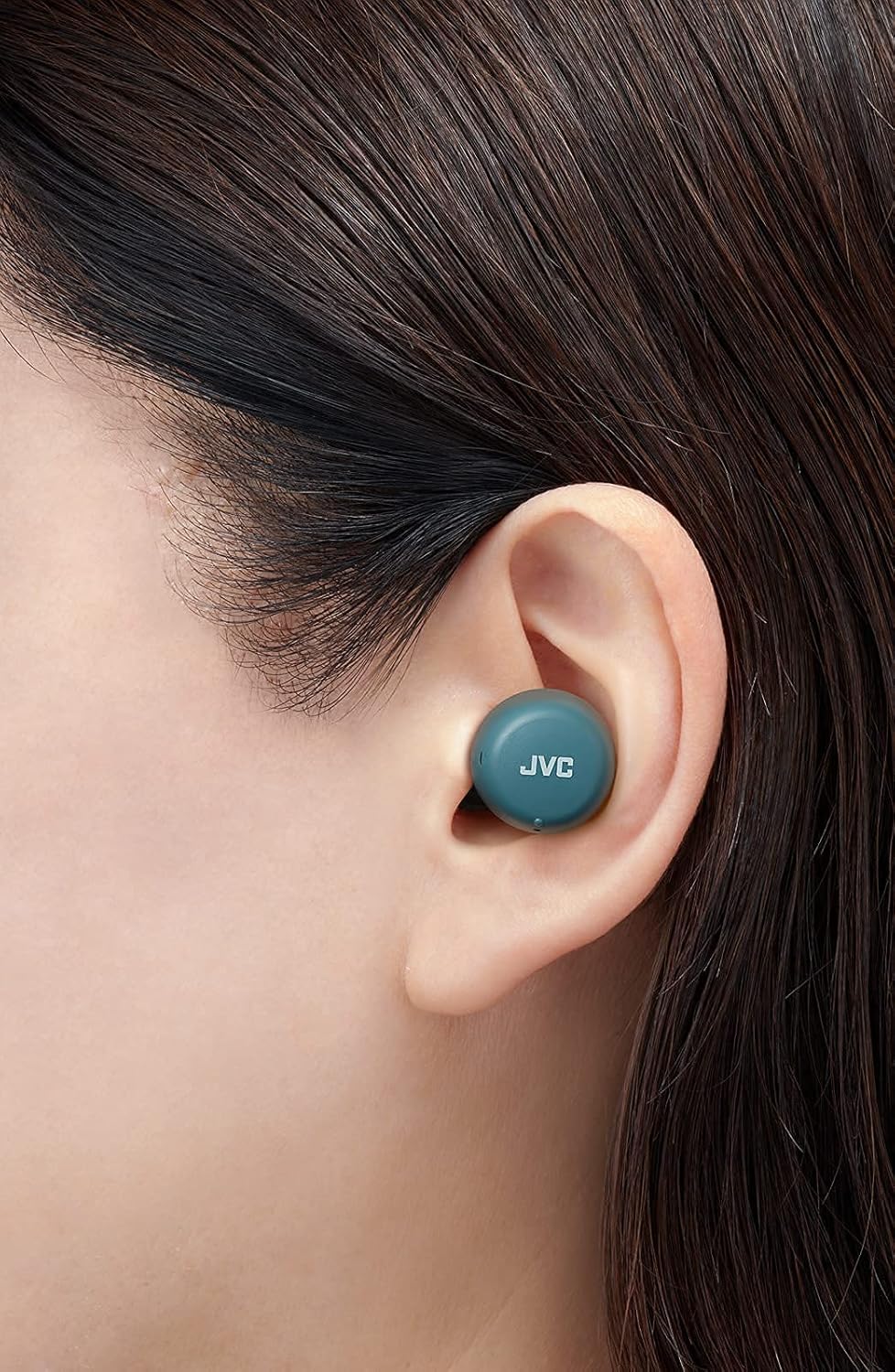
Irudia: Gertutik view of a JVC HA-A5T earbud correctly positioned in a user's ear, demonstrating proper fit.
4. Entzungailuen erabilera
4.1 Piztu/Itzali
- Piztu: Open the charging case or press and hold the button on each earbud for approximately 2 seconds.
- Itzali: Place the earbuds back into the charging case and close the lid, or press and hold the button on each earbud for approximately 5 seconds.
4.2 Basic Controls (One-Button Operation)
Each earbud features a multi-function button for controlling playback and calls.
| Funtzioa | Ekintza |
|---|---|
| Erreproduzitu/Pausatu | Sakatu behin entzungailuetako edozeinetako botoia. |
| Hurrengo Pista | Sakatu eskuineko entzungailuko botoia bi aldiz. |
| Aurreko Pista | Sakatu bi aldiz ezkerreko entzungailuko botoia. |
| Erantzun/Amaitu deia | Press the button on either earbud once during an incoming call or active call. |
| Deia baztertu | Sakatu eta eutsi entzungailuetako edozeinetako botoia 2 segundo inguru sarrerako dei bat jasotzen duzun bitartean. |
| Aktibatu Ahots Laguntzailea | Sakatu entzungailuetako edozeinetako botoia hiru aldiz. |
4.3 Entzungailu bakarreko erabilera
The JVC HA-A5T earbuds support single earbud use, specifically with the left earbud. This allows you to use one earbud while the other is charging or stored.
- To use only the left earbud, simply take it out of the case. It will automatically connect to your device if previously paired.
- The right earbud cannot be used independently for calls or music playback.
4.4 Ahots laguntzailea
Activate your smartphone's voice assistant (e.g., Siri, Google Assistant) directly from the earbuds.
- Press the multi-function button on either earbud three times to activate the voice assistant.
- Speak your command after the prompt.

Image: A woman wearing JVC HA-A5T earbuds, demonstrating their use for listening to audio.
5. Mantentzea
5.1 Garbiketa
Aurikularren errendimendua eta iraupena mantentzen laguntzen du aldizka garbitzeak.
- Garbitu astiro-astiro entzungailuak eta kargatzeko zorroa oihal leun, lehor eta pelusik gabeko batekin.
- Remove the silicone earpieces and clean them with a mild soap solution if necessary. Rinse thoroughly and dry completely before reattaching.
- Do not use harsh chemicals, abrasive materials, or immerse the earbuds or case in water.
5.2 Biltegiratzea
Erabiltzen ez dituzunean, gorde entzungailuak kargatzeko zorroan hautsetik, kalteetatik babesteko eta kargatuta mantentzeko.
- Gorde leku fresko eta lehor batean, eguzki-argitik eta muturreko tenperaturatik urrun.
5.3 Urarekiko Erresistentzia (IPX4)
The earbuds are rated IPX4, meaning they are protected against splashing water from any direction. This makes them suitable for workouts and light rain.
- Ez murgildu entzungailuak uretan.
- Kargatzeko kontaktuak kaltetu ez daitezen, ziurtatu entzungailuak lehor daudela kargatzeko zorroan berriro sartu aurretik.

Image: A woman engaged in physical activity while wearing the JVC HA-A5T earbuds, highlighting their sweat and rain-proof capabilities.
6. Arazoak
If you encounter issues with your JVC HA-A5T earbuds, refer to the following common solutions:
| Arazoa | Kausa posiblea | Irtenbidea |
|---|---|---|
| Aurikularrak ez dira pizten. | Bateria baxua. | Jarri entzungailuak kargatzeko zorroan eta kargatu guztiz. |
| Ezin da gailuarekin parekatu. | Bluetooth-a itzalita dago gailuan; entzungailuak ez daude parekatze moduan; aurretik parekatuta dagoen gailua interferentziak daude. | Ensure Bluetooth is enabled on your device. Place earbuds in case, close, then open to re-enter pairing mode. Forget "JVC HA-A5T" from your device's Bluetooth list and try pairing again. |
| Soinurik ez edo bolumen baxua. | Volume too low on device; earbuds not properly seated; poor earpiece fit. | Increase volume on your connected device. Ensure earbuds are properly inserted. Try different earpiece sizes for a better seal. |
| Intermittent connection or audio dropouts. | Distance from device; interference; low earbud battery. | Keep earbuds within 10 meters (33 feet) of your device. Avoid areas with strong Wi-Fi or other Bluetooth signals. Charge earbuds fully. |
| Mikrofonoa ez dabil. | Mikrofonoa blokeatuta; gailuaren ezarpenak. | Ensure the microphone port is not obstructed. Check your device's audio input settings to confirm "JVC HA-A5T" is selected. |
7. Zehaztapenak
| Ezaugarri | Zehaztapena |
|---|---|
| Ereduaren izena | HA-A5T |
| Konektibitate Teknologia | Bluetooth, Haririk gabekoa |
| Bluetooth bertsioa | 5.1 |
| Uraren Erresistentzia Maila | IPX4 (Rain Proof) |
| Bateriaren iraupena | Gehienez 15 ordu (kargatzeko zorroarekin) |
| Energia iturria | Battery-Powered (2 Lithium Polymer batteries included) |
| Mikrofonoaren formatua | Eraikitakoa |
| Kontrol mota | One-button control, Voice Control |
| Materiala | Plastikoa |
| Forma-faktorea | Belarrian |
| Inpedantzia | 16 ohmio |
| Elementuaren pisua | 90 g |
| Produktuaren neurriak | 40 x 47 x 23 zentimetro |
| Dakarten osagaiak | Regular Silicon Earpieces (S/M/L), USB charging cable, Charging case |
8. Bermea eta Laguntza
For warranty information and customer support, please refer to the warranty card included with your product or visit the official JVC webgunea. Gorde erosketaren egiaztagiria berme-erreklamazioetarako.
- Lineako laguntza: Visit the JVC official webMaiz egiten diren galderen, gidarien deskargaren eta harremanetarako informazioaren gunea.
- Harremanetarako informazioa: Refer to your product packaging or the JVC webeskualdeko bezeroarentzako arreta-zerbitzuko harremanetarako datuak lortzeko webgunea.


