
Sarrera
Thank you for choosing the DIZO Watch 2 Smartwatch. This manual provides essential information and instructions to help you get started, operate, and maintain your device effectively. Please read this manual thoroughly before using your smartwatch to ensure proper function and safety.
Paketearen edukia
- DIZO Watch 2 Smartwatch
- Kargatzeko kablea
- Erabiltzailearen eskuliburua
Konfigurazioa
1. Erloju adimenduna kargatzea
Before initial use, fully charge your DIZO Watch 2. Connect the charging cable to the charging port on the back of the watch and plug the USB end into a power adapter (not included) or a computer's USB port. A full charge typically takes approximately 2 hours.
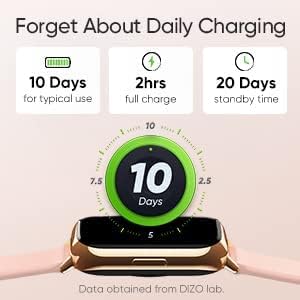
Image: The DIZO Watch 2 displaying its battery life, indicating 10 days for typical use, 2 hours for a full charge, and 20 days standby time.
2. Downloading the DIZO App
To unlock all features and synchronize data, download the official DIZO app on your Android smartphone. Bilatu "DIZO App" in the Google Play Store.
3. Zure telefonoarekin parekatzea
- Ziurtatu zure telefonoaren Bluetooth-a gaituta dagoela.
- Open the DIZO app and follow the on-screen instructions to create an account or log in.
- Hautatu "Gehitu gailua" edo antzeko aukera bat aplikazioaren barruan.
- The app will search for your DIZO Watch 2. Select your watch from the list of available devices.
- Berretsi parekatze eskaera zure erlojuan eta telefonoan.
Funtzionamendu-argibideak
Oinarrizko Nabigazioa
- Ukipen-pantaila: Swipe up, down, left, or right to navigate through menus and notifications. Tap to select an option.
- Alboko botoia: Press the side button to return to the home screen or wake up the display.

Image: A close-up of the DIZO Watch 2's 1.69-inch bright full touch screen, highlighting its sharp display.
Osasunaren Jarraipena
The DIZO Watch 2 offers comprehensive health tracking features:
- Odol-oxigenoa (SpO2) monitorea: Measures your blood oxygen saturation levels throughout the day and during sleep.
- Real-time Heart Rate Monitor: Continuously tracks your heart rate, providing insights into your cardiovascular health and workout intensity.
- Loaren Jarraipen Aurreratua: Analyzes your sleep patterns, including light, deep, and REM sleep stages, along with heart rate, stress, and breathing data.
- Hilekoaren jarraipena: Provides tracking and predictions for the menstrual cycle.
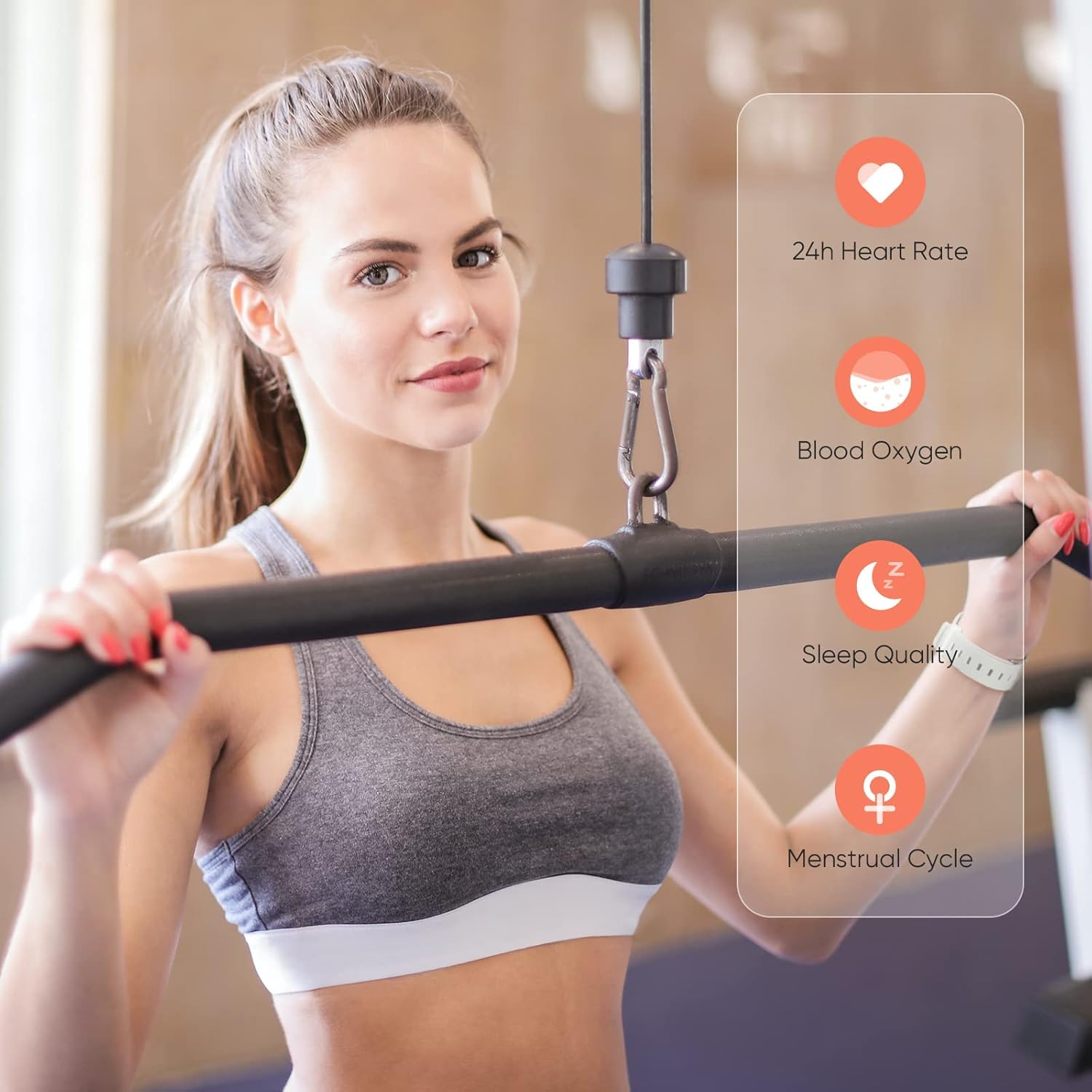
Image: A user wearing the DIZO Watch 2, with an overlay showing the watch's ability to monitor 24-hour heart rate, blood oxygen, sleep quality, and menstrual cycle.
Kirol modalitateak
The watch supports 15 dedicated sports modes to accurately track your workouts. Select your activity from the watch's menu to record data such as duration, calories burned, and heart rate.

Image: The DIZO Watch 2 screen showing "15 Sports Modes" with icons representing different activities like running, cycling, and swimming, surrounded by images of people engaging in these sports.
Erloju aurpegi pertsonalizagarriak
Choose from over 100 watch faces available through the DIZO app. You can also customize a watch face using your own pictures.

Image: The DIZO Watch 2 displaying a custom watch face with a personal photo, surrounded by other available watch face designs and a smartphone screen showing customization options.
Smart Controls and Notifications
Connect your smartwatch to the DIZO app to enable smart features:
- Musika kontrola: Kontrolatu musika erreprodukzioa zure telefonoan zuzenean zure erlojutik.
- Kameraren kontrola: Erabili zure erlojua zure telefonoaren kamerarentzako urrutiko obturadore gisa.
- Jakinarazpen adimendunak: Jaso deien, mezuen eta aplikazioen jakinarazpenen alertak.
- Calls Reject: Decline incoming calls from your watch.
- Steps Counter: Track your daily steps and activity.
- Alarma: Set alarms directly on your watch.

Image: The DIZO Watch 2 displaying icons for various smart controls, including Music Control, Camera Control, Smart Notifications, Calls Reject, Steps Counter, and Alarm.
Urarekiko erresistentzia (5ATM)
The DIZO Watch 2 is 5ATM water resistant, meaning it can withstand pressures equivalent to a depth of 50 meters (164 feet). This allows for use during swimming, showering, or other shallow water activities. Avoid hot water, steam, or high-velocity water streams.

Image: A person swimming while wearing the DIZO Watch 2, with text indicating its 5ATM (164 ft./50 meters) waterproof rating.
Mantentzea
- Garbiketa: Garbitu erlojua eta uhala aldizka zapi leun eta lehor batekin. Beharrezkoa bada, erabili zapi apur bat lehorra.amp zapi xaboi leun batekin, eta ondoren garbitu eta ondo lehortu.
- Kargatzen: Use only the provided charging cable. Avoid exposing the charging contacts to water or sweat.
- Biltegiratzea: Gorde erlojua leku fresko eta lehor batean erabiltzen ez duzunean.
- Uraren erresistentzia: While 5ATM water resistant, avoid prolonged submersion in saltwater or chemical liquids, which can degrade seals over time.
Arazoak konpontzea
- Erlojua ez da pizten: Ziurtatu erlojua guztiz kargatuta dagoela. Konektatu kargagailura gutxienez 10 minutuz.
- Ezin da telefonoarekin parekatu: Check if Bluetooth is enabled on your phone. Ensure the watch is within range and the DIZO app is open. Try restarting both the watch and your phone.
- Osasun-datu okerrak: Ensure the watch is worn snugly on your wrist, not too tight or too loose. Clean the sensors regularly.
- Jaso ez diren jakinarazpenak: Check app permissions on your phone to ensure the DIZO app has access to notifications. Verify notification settings within the DIZO app.
- Pantailak ez du erantzuten: Try restarting the watch by pressing and holding the side button until it powers off, then power it back on.
Zehaztapenak
| Ereduaren izena | Ikusi 2 |
| Fabrikatzailearen Erreferentzia | DW-123 |
| Marka | DIZO |
| Bistaratzea | 1.69 inch (4.3cm) Bright Full Touch Screen |
| Uraren Erresistentzia | 5ATM (up to 50 meters / 164 feet) |
| Osasunaren Jarraipena | Blood Oxygen (SpO2), Heart Rate, Sleep Tracking, Menstrual Cycle |
| Kirol modalitateak | 15 modu |
| Bateriaren iraupena | Up to 10 days (typical use), 20 days (standby) |
| Kargatzeko Denbora | Gutxi gorabehera. 2 ordu |
| Konektibitatea | Bluetooth, USB (kargatzeko) |
| Bateragarritasuna | Android |
| Neurriak | 21.49 x 2.01 x 1.22 cm |
| Pisua | 191 gramo |
Bermea eta Laguntza
The DIZO Watch 2 Smartwatch comes with a standard manufacturer's warranty. Please refer to the warranty card included in your package for specific terms and conditions. For technical support, troubleshooting assistance, or warranty claims, please contact DIZO customer service through their official webgunea edo bermearen dokumentazioan emandako harremanetarako informazioa.