Sarrera
This manual provides instructions for the SZELAM 5.6-inch LCD Digital Alarm Clock, Model 2199. This versatile device functions as both a wall-mounted and tabletop clock, displaying time, temperature, and humidity with a large, easy-to-read font. It is designed to help you monitor your indoor environment and manage your schedule effectively.
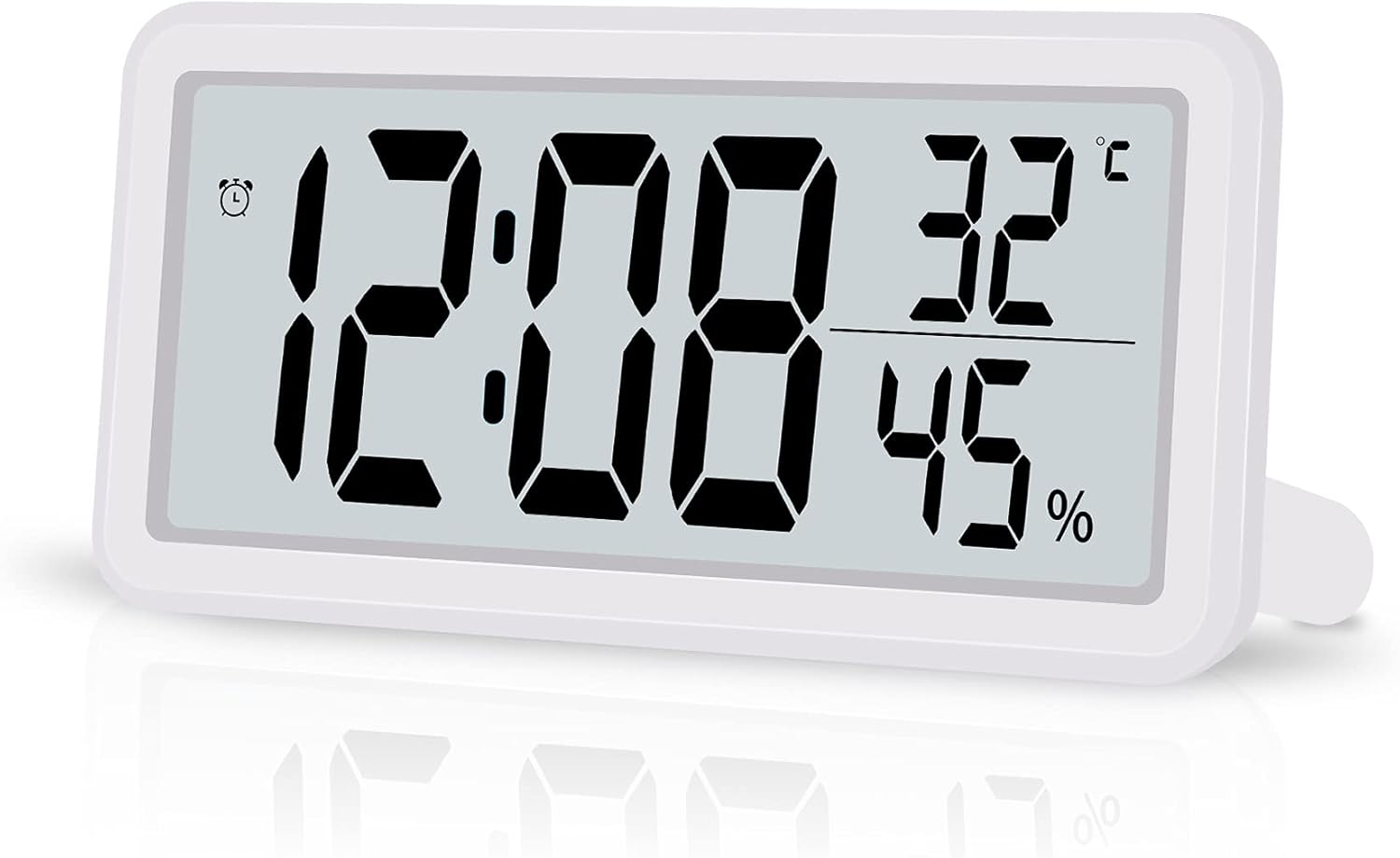
Figure 1: SZELAM 5.6-inch LCD Digital Alarm Clock
The image shows the SZELAM 5.6-inch LCD Digital Alarm Clock from a slight angle, displaying the time (12:08), temperature (32°C), and humidity (45%). The clock has a white casing and a clear digital display.
Produktuaren Ezaugarriak
- Pantaila LCD handia: Features a 5.6-inch screen with bold, large fonts for clear visibility of time, temperature, and humidity.
- Tenperatura eta hezetasuna kontrolatzea: Built-in sensors detect and display indoor temperature (Celsius/Fahrenheit switchable) and humidity levels.
- Alarm with Snooze Function: Set alarms to wake up or for important events. The snooze function provides an additional 5 minutes of sleep.
- 12/24 orduko denbora-formatua: Easily switch between 12-hour (with AM/PM indicator) and 24-hour time formats.
- Bateriak: Operates on a CR2032 battery (included), offering portability and freedom from power outlets.
- Kokapen polifazetikoa: Designed for both tabletop use with a fold-out stand and wall mounting via a hanging hole.

Figure 2: Product Dimensions and Feature Icons
This image illustrates the clock's dimensions: 5.8 inches wide and 2.9 inches high, with a thickness of 0.47 inches. Below the clock, six icons represent its main features: Battery Powered, Humidity, 12/24H Mode, Temperature, Date Display, and Snooze Mode.
Osagaiak amaitu diraview
Familiarize yourself with the main components of your digital alarm clock.

Figure 3: Front and Back Panel Components
The top part of the image shows the front display with labels for 12H Mode (AM/PM), Alarm icon, Time, Temperature, and Humidity. The bottom part shows the back of the clock, labeling the Hanging Hole, Vents Hole, Battery Compartment, Speaker, Bracket (fold-out stand), and control buttons: MODE, UP, DOWN, MAX/MIN, and SNOOZE.
Kontrol-botoiak:
- JARRAIBIDEAK: Used to switch between time, alarm, and date display modes, and to enter setting modes.
- GORA: Used to increase values during setting or switch between 12/24-hour format.
- BEHERA: Used to decrease values during setting or switch between Celsius/Fahrenheit.
- MAX / MIN: Displays maximum and minimum temperature/humidity records.
- SNOOZE: Activates the snooze function when the alarm sounds.
Konfigurazioa
1. Bateriaren instalazioa
- Kokatu bateriaren konpartimendua erlojuaren atzealdean.
- Ireki bateriaren konpartimenduaren estalkia.
- Insert one CR2032 battery, ensuring the correct polarity (+/-).
- Itxi bateriaren konpartimenduaren estalkia ondo.

4. irudia: bateriaren instalazioa
This image shows a close-up of the back of the clock, with a hand inserting a CR2032 coin cell battery into the designated battery compartment.
2. Initial Settings (Time, Date, 12/24H, Temperature Unit)
Upon battery installation, the clock will power on. You may need to set the current time, date, and preferred display formats.
- Eduki sakatuta MODUA botoia ordua ezartzeko moduan sartzeko. Orduko digituak keinuka hasiko dira.
- Erabili UP or BEHERA ordua doitzeko botoiak.
- Sakatu MODUA again to move to minute setting. Adjust with UP or BEHERA.
- Jarraitu sakatzen MODUA to cycle through setting the year, month, and day. Adjust each with UP or BEHERA.
- After setting the date, press MODUA to select 12-hour or 24-hour format. Use UP or BEHERA txandakatzeko.
- Sakatu MODUA again to select the temperature unit (°C or °F). Use UP or BEHERA txandakatzeko.
- Sakatu MODUA one last time or wait a few seconds for the settings to save and return to normal display.
Note: Setting the date can sometimes require careful timing with button presses. If the screen changes unexpectedly, simply re-enter the setting mode.
Funtzionamendu-argibideak
1. Time and Date Display
- In normal display mode, the clock shows time, temperature, and humidity.
- Sakatu MODUA button briefly to switch between time display and date display (month and day).
- To change between 12-hour and 24-hour format, press the UP botoia ordua bistaratzeko modu normalean.
2. Tenperatura eta hezetasunaren bistaratzea
- The current temperature and humidity are continuously displayed on the screen.
- Celsius (°C) eta Fahrenheit (°F) artean aldatzeko, sakatu BEHERA button in normal display mode.
- Sakatu MAX/MIN botoia view the maximum and minimum recorded temperature and humidity values. Press again to return to current readings.
3. Alarma ezartzea
- From normal display mode, press the MODUA button repeatedly until the alarm time is displayed (an alarm icon may appear).
- Eduki sakatuta MODUA botoia. Alarmaren orduko digituak keinuka hasiko dira.
- Erabili UP or BEHERA alarma-ordua doitzeko botoiak.
- Sakatu MODUA again to move to alarm minute setting. Adjust with UP or BEHERA.
- Sakatu MODUA azken aldiz edo itxaron segundo batzuk alarmaren ezarpena gordetzeko.
- Alarma aktibatzeko edo desaktibatzeko, sakatu tekla UP button while the alarm time is displayed. An alarm icon will appear/disappear to indicate its status.
4. Errepikapen funtzioa
Alarmak jotzen duenean, sakatu SNOOZE botoia alarma aldi baterako isilarazteko. Alarma berriro joko du gutxi gorabehera 5 minutu igaro ondoren.

Figure 5: Snooze Function in Use
This image depicts a woman sleeping peacefully with the SZELAM Digital Alarm Clock on her bedside table. A magnified inset highlights the "SNOOZE" button on the top of the clock, indicating its easy accessibility for activating the snooze function.
5. Kokapen aukerak
The clock offers flexible placement options:
- Mahai gaineko erabilera: Extend the fold-out bracket on the back of the clock to stand it upright on any flat surface, such as a desk or bedside table.
- Horman muntatzea: Use the hanging hole on the back of the clock to mount it securely on a wall.

Figure 6: Wall-Mounted and Desk Placement
This image demonstrates the clock's versatility. The top section shows the clock mounted on a wall above a television, highlighting the hanging hole. The bottom section shows the clock placed on a desk with its fold-out stand extended, next to a notebook and pen.
Mantentzea
1. Garbiketa
To clean the clock, gently wipe the surface with a soft, dry cloth. Avoid using abrasive cleaners or solvents, as these can damage the display or casing.
2. Bateria ordezkatzea
When the display becomes dim or the clock functions erratically, it's time to replace the CR2032 battery. Follow the battery installation steps outlined in the "Setup" section. Ensure proper disposal of old batteries according to local regulations.
Arazoak konpontzea
| Arazoa | Kausa posiblea | Irtenbidea |
|---|---|---|
| Pantaila ilun edo hutsik dago. | Bateria baxua edo agortuta. | Ordeztu CR2032 bateria. |
| Cannot set time/date correctly. | Incorrect button sequence or timing. | Refer to the "Initial Settings" section and follow the steps carefully. Practice the button presses. |
| Alarmak ez du jotzen. | Alarma ez dago aktibatuta. | Ensure the alarm icon is displayed, indicating the alarm is active. Refer to "Setting the Alarm". |
| Temperature/humidity readings seem inaccurate. | Clock placed near heat/cold sources or in extreme conditions. | Relocate the clock to a stable indoor environment away from direct sunlight, vents, or moisture. |
Zehaztapenak
| Marka | SZELAM |
| Modelo zenbakia | 2199 |
| Bistaratzeko mota | LCD digitala |
| Produktuaren neurriak | Approx. 14.7 cm (Width) x 7.4 cm (Height) x 1.2 cm (Depth) |
| Produktuaren pisua | Gutxi gorabehera 0.1 kg (100 g) |
| Energia iturria | 1 x CR2032 bateria (barne) |
| Funtzioak | Time (12/24H), Date, Alarm, Snooze, Temperature (°C/°F), Humidity, MAX/MIN Records |
| Kolorea | Zuria |
| Erabilera-ingurunea | Barruan |
Bermea eta Laguntza
Specific warranty information for the SZELAM 5.6-inch LCD Digital Alarm Clock, Model 2199, is not provided in this manual. Please refer to the product packaging or the retailer's webwebgunea bermearen estaldurari eta bezeroarentzako laguntzari buruzko xehetasunak lortzeko.
Laguntza edo kontsulta gehiago behar badituzu, jarri harremanetan saltzailearekin edo fabrikatzailearekin produktua erosi zenuen plataformaren bidez.


