1. Hasteko
1.1 Paketearen edukia
Mesedez, egiaztatu paketea elementu hauek dituen:
- WENKEY E2 Wireless Earbuds (Left and Right)
- Kargatzeko kaxa
- USB kargatzeko kablea
- Multiple Sizes of Ear Tips (XS, S, M, L, XL)
- Erabiltzailearen eskuliburua
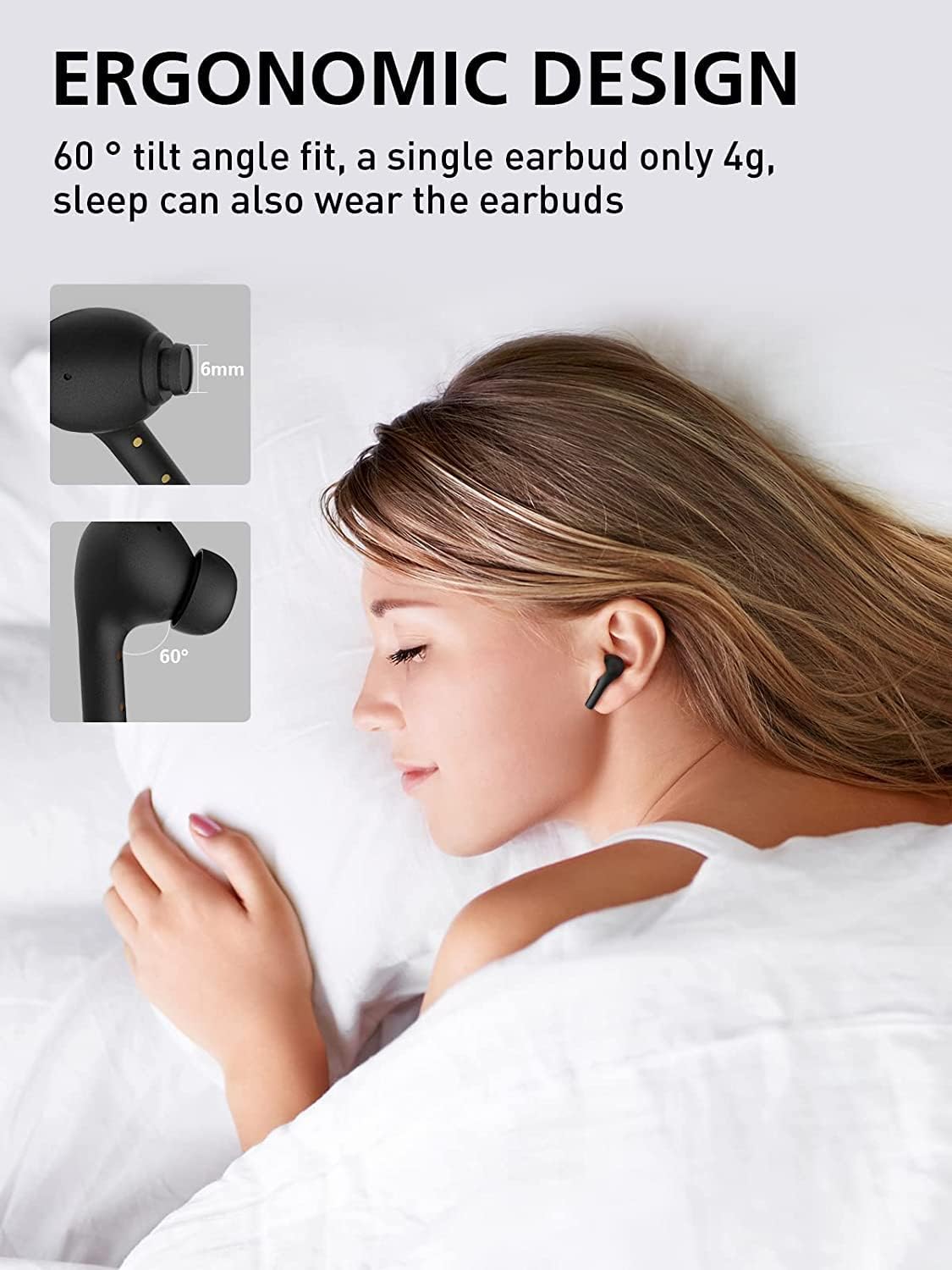
Image: All components included in the WENKEY E2 Earbuds package.
1.2 Entzungailuak eta zorroa kargatzea
Before first use, fully charge the earbuds and the charging case. The charging case provides up to 5 full charges for the earbuds, extending total listening time to 30 hours.
- Place the earbuds into the charging case. Ensure they are correctly seated; the indicator lights on the earbuds will illuminate.
- Konektatu kargatzeko zorroa USB elikatze-iturri batera emandako USB kablea erabiliz.
- The LED indicators on the charging case will show the charging status. Four lights indicate a full charge.

Image: WENKEY E2 Earbuds seated in their charging case, ready for charging.

Image: Visual representation of the charging case's LED indicators and their battery level meanings.
1.3 Zure gailuarekin parekatzea
Entzungailuek urrats bakarreko parekatze-aukera dute erosotasunerako.
- Ireki kargatzeko zorroa. Aurikularrak automatikoki piztuko dira eta parekatze moduan sartuko dira.
- Zure gailuan (telefono adimenduna, tableta, ordenagailu eramangarria), gaitu Bluetooth-a.
- Bilatu "WENKEY E2" in the list of available Bluetooth devices and select it to connect.
- Behin konektatuta, baieztapen-tonu bat entzungo duzu, eta entzungailuak erabiltzeko prest egongo dira.
The advanced Bluetooth 5.1 technology ensures a fast, stable connection with a range of up to 15 meters.
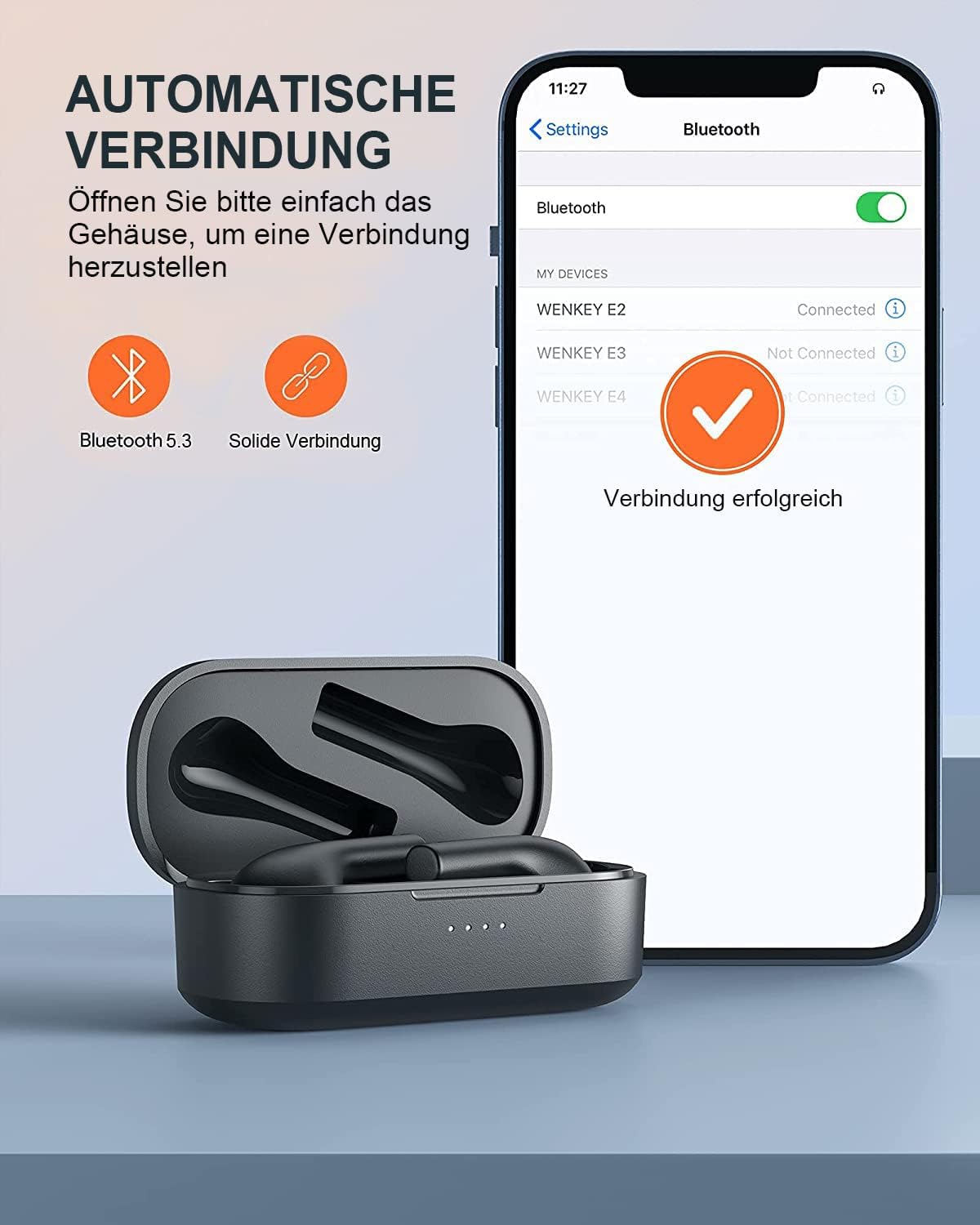
Image: Automatic pairing process shown on a smartphone's Bluetooth settings.
2. Entzungailuen erabilera
2.1 Entzungailuak janztea
The WENKEY E2 earbuds are designed with an ergonomic 60-degree tilt angle for a secure and comfortable fit. Choose the ear tips that best fit your ear canal for optimal sound quality and noise isolation.

Image: Ergonomic design of the earbuds for comfortable and secure wear.

Image: Selection of ear tip sizes for a customized and comfortable fit.
2.2 Ukitu Kontrolak
The earbuds feature intuitive touch controls for managing media playback and calls.
| Funtzioa | Ekintza |
|---|---|
| Erreproduzitu/Pausatu | Sakatu birritan bi entzungailu batean |
| Hurrengo Pista | Ukitu eta eutsi eskuineko entzungailua 2 segundoz |
| Aurreko Pista | Touch and hold the left earbud for 2 seconds |
| Erantzun/Amaitu deia | Sakatu birritan bi entzungailu batean |
| Deia baztertu | Eduki sakatuta bi entzungailu bi segundoz |
| Ahots Laguntzailea | Triple-tap either earbud |

Irudia: Entzungailuen ukipen-kontrol funtzioen gida bisuala.
2.3 Call Functions and Audio Quality
The earbuds feature ENC (Environmental Noise Cancellation) microphones, ensuring clear calls even in noisy environments. Experience Hi-Fi stereo sound with enhanced bass for an immersive audio experience.

Image: Explanation of the noise-canceling microphone technology for clear calls.

Image: Internal structure of the earbud driver, emphasizing high-fidelity audio.
2.4 Entzungailu bakarreko erabilera
Either earbud can be used independently as a mono Bluetooth headset, allowing you to stay aware of your surroundings while enjoying audio or making calls.

Image: Demonstrating the flexibility of using a single earbud.
3. Mantentzea
3.1 Garbiketa
Errendimendu eta higiene optimoa mantentzeko, garbitu entzungailuak eta kargatzeko zorroa aldizka.
- Erabili zapi leun, lehor eta lihorik gabeko bat entzungailuak eta kargatzeko zorroa garbitzeko.
- Kendu astiro-astiro belarri-puntetatik eta bozgorailu-saretik belarri-argizaria edo hondakinak eskuila txiki eta garbi bat edo kotoi-hagaxka bat erabiliz.
- Ez erabili garbitzaile urratzailerik, alkoholik edo disolbatzaile kimikorik.
3.2 Urarekiko Erresistentzia (IPX6)
The WENKEY E2 earbuds are IPX6 waterproof, meaning they are resistant to sweat, water splashes, and rain. They are suitable for sports and outdoor activities.
Note: The charging case is not waterproof. Do not expose the charging case to liquids.

Image: Visual representation of the earbuds' IPX6 water resistance.
3.3 Biltegiratzea
Erabiltzen ez dituzunean, gorde entzungailuak kargatzeko zorroan babesteko eta kargatuta jarraitzen dutela ziurtatzeko.
4. Arazoak
If you encounter any issues with your WENKEY E2 earbuds, please refer to the following common solutions:
| Arazoa | Irtenbide posiblea |
|---|---|
| Aurikularrak ez dira parekatzen/konektatzen |
|
| Soinurik ez edo bolumen txikia |
|
| Intermittent connection/sound flickering |
|
| Aurikularrak ez dira kargatzen |
|
5. Zehaztapenak
| Ezaugarri | Xehetasuna |
|---|---|
| Modelo zenbakia | E2 |
| Marka | WENKEY |
| Konektibitate Teknologia | Haririk gabekoa (Bluetooth 5.1) |
| Haririk gabeko Komunikazio Teknologia | Bluetootha |
| Uraren Erresistentzia Maila | IPX6 (Sweatproof, Water-resistant) |
| Bateriaren iraupena (entzungailuak) | Gehienez 5 ordu karga bakarrean |
| Kargatzeko zorroarekin jolasteko denbora osoa | Gehienez 30 ordu |
| Ezaugarri bereziak | Fast Charging, ENC Noise Cancellation, Hi-Fi Stereo Sound |
| Kolorea | Beltza |
| Forma-faktorea | Belarri barnean |
| Materiala | Plastikoa |

Image: Illustration of the extended battery life with the charging case.

Image: Compatibility of WENKEY E2 earbuds with various operating systems.
6. Bermea eta Laguntza
6.1 Bermearen informazioa
Specific warranty details for the WENKEY E2 earbuds are not provided in the product data. Please refer to the warranty card included in your product packaging or contact the retailer/manufacturer directly for warranty terms and conditions.
6.2 Bezeroarentzako laguntza
For further assistance, technical support, or inquiries, please contact WENKEY customer service. Contact information is typically found on the product packaging, the official WENKEY webgunea edo zure erosketa plataformaren bidez.
7. Produktu Ofizialen Bideoak
Ez da saltzailearen produktuaren bideo ofizialik aurkitu emandako datuetan.


