1. Sarrera
The Hama MW-650 is a versatile 6-button optical wireless mouse designed for multi-device use. It offers flexible connectivity options via a 2.4 GHz USB-A receiver and Bluetooth, allowing seamless switching between up to three devices. The optical sensor provides precise cursor control, and adjustable DPI settings cater to various user preferences. This manual provides detailed instructions for setup, operation, maintenance, and troubleshooting to ensure optimal performance of your device.
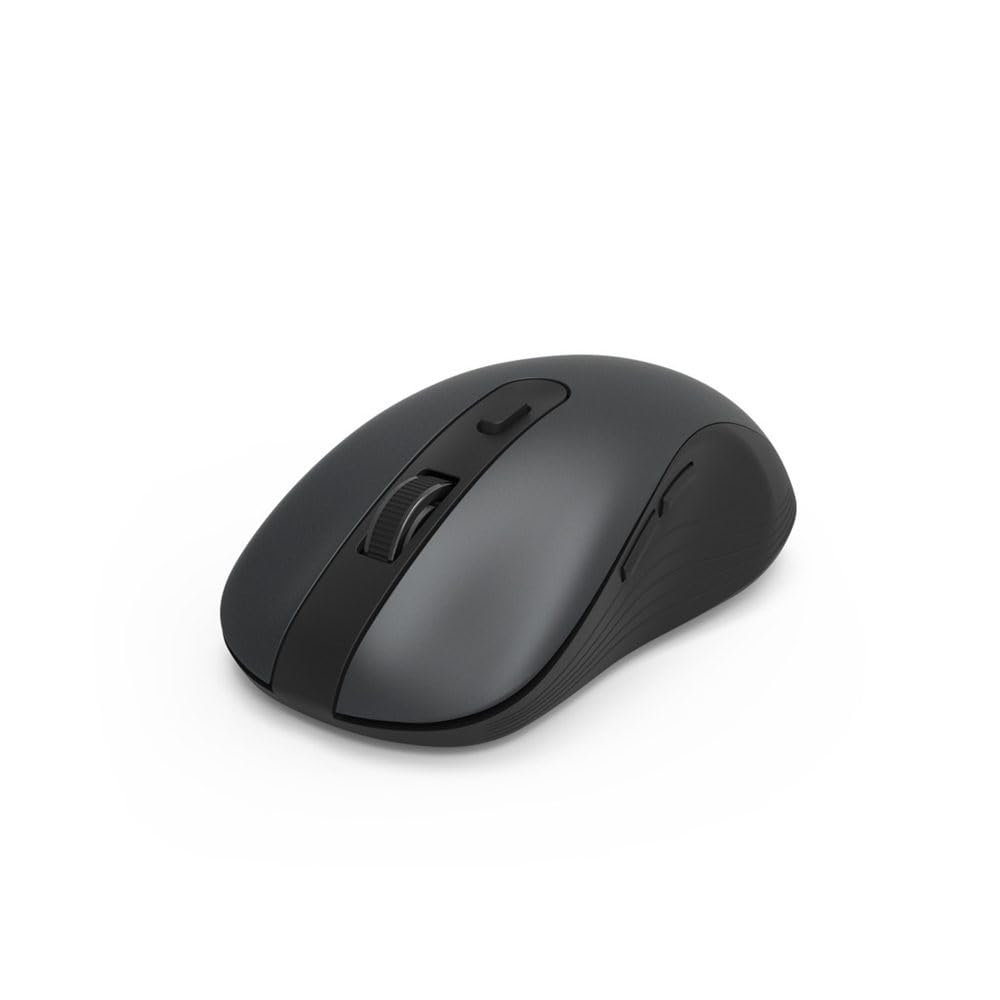
Image 1.1: Hama MW-650 Wireless Mouse (Top View)
2. Paketearen edukia
Mesedez, egiaztatu paketea elementu hauek dituen:
- 1 x Hama MW-650 6-Button Optical Wireless Mouse
- 1 x USB-A hargailua
- 2 x AA Mignon Batteries
- 1 x Argibide eskuliburua (dokumentu hau)

Image 2.1: Hama MW-650 Product Packaging
3. Konfigurazioa
3.1. Bateriaren instalazioa
- Kokatu bateriaren konpartimendua saguaren azpialdean.
- Ireki bateriaren konpartimenduaren estalkia.
- Insert the two AA Mignon batteries, ensuring correct polarity (+/-).
- Itxi bateriaren konpartimenduaren estalkia ondo.
3.2. Piztu/Itzali
On the underside of the mouse, slide the ON/OFF switch to the 'ON' position to power on the mouse. Slide it to 'OFF' when not in use to conserve battery life.

Image 3.1: Underside of Hama MW-650 Mouse with ON/OFF Switch and Receiver
3.3. Konektibitate-aukerak
The Hama MW-650 mouse supports two wireless connection methods: 2.4 GHz via USB-A receiver and Bluetooth.
3.3.1. 2.4 GHz USB-A Receiver Connection
- Remove the USB-A receiver from its storage slot on the underside of the mouse.
- Plug the USB-A receiver into an available USB-A port on your computer or laptop.
- Sistema eragileak automatikoki detektatu eta instalatu beharko lituzke beharrezko kontrolatzaileak.
- The mouse will connect automatically. The LED indicator for BT1/BT2 will not be lit when using the USB receiver.
3.3.2. Bluetooth konexioa
The mouse can connect to two separate Bluetooth devices (BT1 and BT2).
- Ziurtatu sagua piztuta dagoela.
- Press the 'BT1' or 'BT2' button on the underside of the mouse to select the desired Bluetooth channel. The corresponding LED will flash slowly.
- To enter pairing mode, press and hold the selected 'BT1' or 'BT2' button for approximately 3 seconds until the LED flashes rapidly.
- Zure gailuan (ordenagailua, ordenagailu eramangarria, tableta, telefono adimenduna), gaitu Bluetooth-a eta bilatu gailu berriak.
- Select "Hama MW-650" from the list of available devices to pair.
- Once successfully paired, the LED will stop flashing and remain steadily lit for a few seconds before turning off.
4. Funtzionamendu-argibideak
4.1. Saguaren oinarrizko funtzioak
The Hama MW-650 features 6 buttons and a scroll wheel:
- Ezkerreko klik botoia: Primary function, typically for selecting items or opening links.
- Eskuineko botoiarekin klik egiteko: Secondary function, typically for context menus.
- Korritzeko gurpila: For scrolling up and down documents or web orrialdeak. Erdiko botoiarekin klik egiteko ere sakatu daiteke.
- DPI botoia: Located behind the scroll wheel, used to adjust cursor sensitivity.
- Aurrera/Atzera botoiak: Located on the side of the mouse, typically used for navigating web orrialdeak edo karpetak.
4.2. Gailuen artean aldatzea
The MW-650 mouse allows you to switch between three connected devices (one via USB receiver, two via Bluetooth).
- To switch to a Bluetooth-connected device, press the 'BT1' or 'BT2' button on the underside of the mouse. The corresponding LED will light up briefly.
- To switch to the device connected via the USB receiver, press the 'USB' button (or the button without a BT label) on the underside of the mouse.

Image 4.1: Multi-Device Connectivity Example

Image 4.2: Multi-Device Setup with Monitor
4.3. DPI Sensitivity Adjustment
The mouse offers adjustable DPI (Dots Per Inch) settings to control cursor speed and sensitivity. Press the DPI button located behind the scroll wheel to cycle through the available sensitivities:
- 800 DPI
- 1200 DPI (lehenetsia)
- 1600 DPI
- 2000 DPI
- 2400 DPI
Each press of the DPI button will change the sensitivity, allowing you to find the setting that best suits your task or preference.
5. Energiaren kudeaketa
The Hama MW-650 mouse is designed with intelligent power management features to conserve battery life:
- Egonean modu automatikoa: The mouse will automatically enter a standby mode after a period of inactivity. To wake it up, simply move the mouse or click any button.
- Piztu/Itzali etengailua: For extended periods of non-use, slide the ON/OFF switch on the underside of the mouse to the 'OFF' position to completely power down the device and maximize battery life.
6. Zainketa eta Mantentzea
6.1. Garbiketa
Saguaren errendimendua eta itxura mantentzeko:
- Ziurtatu sagua itzalita dagoela garbitu aurretik.
- Erabili zapi leun, lehor eta lihorik gabeko bat saguaren gainazala garbitzeko.
- Zikinkeria egoskorrerako, apur bat lehortuampGarbitu zapi bat urarekin edo garbiketa-soluzio leun batekin. Saihestu produktu kimiko gogorrak edo material urratzaileak.
- Clean the optical sensor area on the underside of the mouse periodically with a cotton swab to ensure accurate tracking.
6.2. Bateria ordezkatzea
Saguaren errendimendua okertzen denean edo erantzuteari uzten dionean, baliteke bateriak ordezkatzeko garaia izatea.
- Power off the mouse using the ON/OFF switch.
- Ireki bateriaren konpartimendua beheko aldean.
- Remove the old AA batteries and dispose of them according to local regulations.
- Insert new AA Mignon batteries, observing correct polarity.
- Itxi bateriaren konpartimendua.
7. Arazoak
If you encounter issues with your Hama MW-650 mouse, please refer to the following common solutions:
| Arazoa | Irtenbide posiblea |
|---|---|
| Mouse does not respond. |
|
| Kurtsorearen mugimendua irregularra edo motela da. |
|
| Ezin da gailuen artean aldatu. |
|
| Bluetooth parekatzeak huts egiten du. |
|
8. Zehaztapen Teknikoak
| Modelo zenbakia | 00182617 (MW-650) |
| Konektibitate Teknologia | 2.4GHz RF (USB-A Receiver), Bluetooth 5.0 |
| Mugimenduak detektatzeko teknologia | Optikoa |
| DPI sentikortasuna | 800 / 1200 / 1600 / 2000 / 2400 DPI (adjustable) |
| Botoi kopurua | 6 (including scroll wheel) |
| Forma-faktorea | Eskuineko eskua |
| Energia iturria | 2 x AA Mignon Batteries (included) |
| Bateriaren iraupena | Gehienez 288 egun (erabileraren arabera) |
| Sistema eragile bateragarriak | Windows 11/10/8/7, Android 4.3 or higher, macOS 10.10 or higher, iOS 13 or higher |
| Produktuaren neurriak (L x W x H) | 11.3 x 6.3 x 4 cm (4.41 x 2.48 x 1.57 hazbete) |
| Elementuaren pisua | 3.62 ontza |
| Kolorea | Beltza |
9. Bermea eta Laguntza
For warranty information and technical support, please refer to the official Hama webwebgunera edo jarri harremanetan zuzenean bezeroarentzako arreta-zerbitzura. Gorde erosketaren frogagiria berme-erreklamazioetarako.
- Fabrikatzailea: Hama GmbH & Co KG
- Webgunea: www.hama.com