Sarrera
This manual provides essential instructions for the safe and effective use of your Sony WF-C500 True Wireless Headphones. Please read this manual thoroughly before using the product and retain it for future reference. The WF-C500 headphones offer high-quality audio, sound customization, and a secure fit, designed for comfortable, all-day use with Bluetooth connectivity.
Kutxan dagoena
Egiaztatu behean zerrendatutako elementu guztiak zure produktuaren ontzian daudela:
- Wireless Stereo Headset (Left and Right earbuds)
- Kargatzeko kaxa
- Hybrid silicone rubber earbuds (SS/M/LL sizes, two of each)
- USB motako kablea
- Funtzionamendu-argibideak (eskuliburu hau)

Image: Contents of the Sony WF-C500 packaging, showing the two earbuds, the charging case, a USB Type-C charging cable, and three pairs of hybrid silicone rubber ear tips in different sizes.
Konfigurazioa
1. Entzungailuak eta zorroa kargatzea
Before initial use, fully charge the headphones and the charging case. The charging case provides additional battery life for the earbuds.
- Place the left and right earbuds into their respective slots in the charging case.
- Connect the supplied USB Type-C cable to the charging case's USB port and then to a USB power adapter or a computer's USB port.
- The indicator light on the charging case will illuminate to show charging status. A full charge typically takes approximately 3 hours for the case and earbuds.
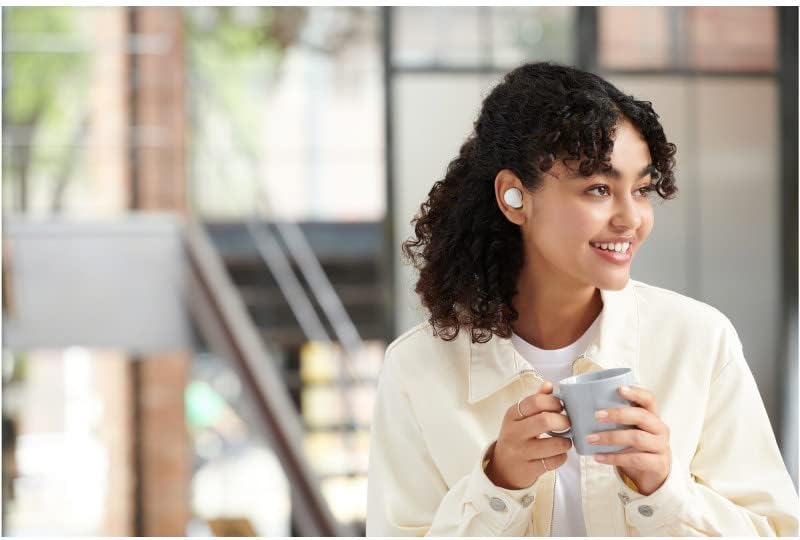
Image: The Sony WF-C500 earbuds are placed inside their open charging case, with orange indicator lights visible, signifying charging status.
2. Bluetooth Gailu batekin parekatzea
To connect your WF-C500 headphones to a smartphone or other Bluetooth device:
- Ziurtatu entzungailuak kargatuta daudela eta kargatzeko zorroan sartuta daudela.
- Open the charging case. The headphones will automatically enter pairing mode if it's their first time being used, or if you manually initiate pairing.
- On your Bluetooth device, go to the Bluetooth settings and enable Bluetooth.
- Select "WF-C500" from the list of available devices.
- Once connected, a voice guidance will confirm "Bluetooth connected."
Oharra: If pairing fails, place the headphones back in the case, close it, and then reopen it to restart the pairing process.
3. Entzungailuak jartzea
Proper fit is crucial for sound quality and comfort. Experiment with the different sizes of hybrid silicone rubber earbuds provided to find the best seal for your ears.
- Sartu aurikular bakoitza astiro-astiro belarri-hodian.
- Biratu entzungailua apur bat ondo finkatuta eta eroso sentitu arte.
- Ensure the ear tip forms a good seal to optimize bass response and noise isolation.

Image: A close-up of a person's ear with a white Sony WF-C500 earbud correctly inserted, illustrating a secure and comfortable fit.
Funtzionamendu-argibideak
Oinarrizko Kontrolak
The WF-C500 headphones feature intuitive button controls on each earbud.
- Erreproduzitu/Pausatu: Sakatu behin entzungailuetako edozeinetako botoia.
- Hurrengo ibilbidea: Sakatu eskuineko entzungailuko botoia bi aldiz.
- Aurreko pista: Sakatu bi aldiz ezkerreko entzungailuko botoia.
- Bolumena igo: Sakatu eskuineko entzungailuko botoia hiru aldiz.
- Bolumena jaitsi: Sakatu ezkerreko entzungailuko botoia hiru aldiz.
- Deia erantzun/amaitu: Press the button on either earbud once during an incoming call.
- Deia baztertu: Sakatu eta eutsi entzungailuetako edozeinetako botoia 2 segundo inguru sarrerako dei bat jasotzen duzun bitartean.
- Aktibatu Ahots Laguntzailea: Press and hold the button on either earbud for approximately 2 seconds.
Using the Sony | Headphones Connect App
Enhance your listening experience by downloading the Sony | Headphones Connect app. This application allows for sound customization, equalizer adjustments, and firmware updates.
- Soinuaren pertsonalizazioa: Adjust sound quality with various presets or create your own using the EQ Custom feature.
- DSEE (Digital Sound Enhancement Engine): Restore high-frequency elements lost during compression for a richer sound.
- Firmware eguneraketak: Mantendu zure entzungailuak eguneratuta azken funtzio eta hobekuntzekin.

Image: A user wearing the Sony WF-C500 earbuds, demonstrating the integration with the Sony | Headphones Connect App for personalized sound settings.
Mantentzea
Garbiketa
Garbiketa erregularrak soinuaren kalitatea eta higienea mantentzen laguntzen du.
- Garbitu entzungailuak eta kargatzeko zorroa oihal leun eta lehor batekin.
- Remove ear tips and clean them with mild soap and water, then rinse thoroughly and dry completely before reattaching.
- Gently remove any earwax or debris from the earbud nozzles using a small, dry brush or cotton swab.
- Ziurtatu entzungailuen eta zorroaren kargatzeko kontaktuak garbi eta hautsik gabe daudela.
Biltegiratzea
Erabiltzen ez dituzunean, gorde entzungailuak kargatzeko zorroan babesteko eta kargatuta mantentzeko.
- Saihestu entzungailuak muturreko tenperaturen, hezetasunaren edo eguzki-argiaren eraginpean jartzea.
- Mantendu haurren eta maskoten eskura.
Arazoak konpontzea
If you encounter issues with your WF-C500 headphones, refer to the following common solutions:
| Arazoa | Irtenbidea |
|---|---|
| No power/Cannot turn on | Charge the headphones and the charging case fully. Ensure the earbuds are correctly seated in the case. |
| Ezin da Bluetooth gailuarekin parekatu | Ensure Bluetooth is enabled on your device. Place earbuds back in the case, close, then reopen to re-enter pairing mode. Check if "WF-C500" appears in your device's Bluetooth list. |
| Soinurik ez edo bolumen txikia | Check volume levels on both the headphones and your connected device. Ensure earbuds are properly seated in your ears and form a good seal. Re-pair the headphones. |
| Soinua saltatu edo moztu egiten da | Move closer to your Bluetooth device to reduce interference. Avoid placing obstacles between the headphones and the device. Close unnecessary apps on your device. |
| Mikrofonoa ez dabil deietan zehar | Ensure the headphones are selected as the audio input device on your phone. Check for any debris blocking the microphone ports. |
For further assistance, please visit the official Sony support webgunea.
Zehaztapenak
| Ezaugarri | Xehetasuna |
|---|---|
| Ereduaren izena | WF-C500 |
| Konektibitate Teknologia | Haririk gabekoa (Bluetooth 5.0) |
| Bluetooth barrutia | Gehienez 10 metro (33 oin) |
| Bateriaren iraupena (entzungailuak) | Gehienez 10 ordu |
| Bateriaren iraupen osoa (zorroarekin) | Gehienez 20 ordu |
| Kargatzeko denbora (aurikularrak) | Gutxi gorabehera. 2.5 ordu |
| Kargatzeko denbora (kasua) | Gutxi gorabehera. 3 ordu |
| Maiztasun Erantzuna | 20 Hz - 20,000 Hz |
| Gidari mota | Gidari dinamikoa |
| Pisua (aurikularra bakoitza) | Gutxi gorabehera 5.4 gramo (0.19 ontza) |
| Uraren Erresistentzia | IPX4 (zipriztinak) |
| Dakarten osagaiak | Wireless Charging Case, Hybrid silicone rubber earbuds (SS/M/LL), USB Type-C Cable |
Oharra: zehaztapenak aldatu egin daitezke, jakinarazi gabe.
Segurtasun Informazioa
- Do not expose the headphones to excessive heat, direct sunlight, or fire.
- Ez desmuntatu edo aldatu entzungailuak.
- Saihestu bolumen maila altuetan entzutea denbora luzez, entzumenaren kalteak saihesteko.
- Ez erabili entzungailuak inguruko soinuak entzutea ezinezkoa izan daitekeen egoeretan (adibidez, gidatzen, bizikletan ibiltzean, trafikoan oinez).
- The headphones are IPX4 water-resistant, meaning they are protected against splashes of water from any direction. They are not designed for submersion in water.
Bermea eta Laguntza
For warranty information, product registration, and technical support, please visit the official Sony support webwebgunera edo jarri harremanetan zure tokiko Sony bezeroarentzako arreta-zerbitzuarekin. Gorde erosketaren frogagiria bermearen erreklamazioetarako.
Sonyren laguntza ofiziala: www.sony.com/electronics/support


