Sarrera
Thank you for choosing the HTC True Wireless Bluetooth Earbuds 2. This manual provides detailed instructions on how to set up, operate, and maintain your earbuds to ensure optimal performance and longevity. Please read this manual carefully before using the product.
Kutxan dagoena
- 1x Kargatzeko kasua
- 1x USB C motako kablea
- 1x Abiadura Gida Gida
- 2x True Wireless Earbuds (Left and Right)
- 2x pairs of rubber tips (large and small) - Note: A medium pair is likely pre-installed.
Produktua amaituview
Familiarize yourself with the components of your HTC True Wireless Bluetooth Earbuds 2 and their charging case.

Image: The HTC True Wireless Earbuds 2, with one earbud outside the open charging case, showing the charging contacts and indicator light.
The charging case features a USB-C port for charging and an LED indicator to show charging status. Each earbud has touch-sensitive surfaces for control and charging contacts at the bottom.
Konfigurazioa
1. Entzungailuak eta zorroa kargatzea
Lehenengo aldiz erabili aurretik, ziurtatu entzungailuak eta kargatzeko zorroa guztiz kargatuta daudela.
- Place the earbuds into the charging case. Ensure they are correctly seated; the indicator lights on the earbuds should illuminate, indicating charging.
- Konektatu USB C motako kaxako kargatzeko atakara eta beste muturra USB elikatze iturri batera (adibidez, ordenagailua, hormako egokitzailea).
- The charging case's indicator light will show charging status. A full charge for the case provides up to 3 additional charges for the earbuds, extending total playtime to 32 hours.

Image: The HTC True Wireless Earbuds 2 in their charging case, illustrating the long battery life performance with up to 8 hours listening time per charge and 32 hours total with the 500mAh charging case.
2. Gailu batekin parekatzea
The earbuds utilize Bluetooth 5.1 for fast and stable connections.
- Ireki kargatzeko zorroa. Aurikularrak automatikoki sartuko dira parekatze moduan.
- Zure gailuan (telefono adimenduna, tableta, ordenagailu eramangarria), gaitu Bluetooth-a.
- Bilatu "HTC TWS3" or "HTC True Wireless Earbuds 2" in the list of available Bluetooth devices.
- Hautatu konektatu nahi dituzun entzungailuak. Konektatu ondoren, baieztapen-tonu bat entzungo duzu.

Image: The HTC True Wireless Earbuds 2 and their charging case positioned near a smartphone, demonstrating the quick and easy pairing process facilitated by the latest Bluetooth 5.1 chipset.
The earbuds can be used individually or together. For optimal stereo sound, use both earbuds. They maintain a stable connection up to 10 meters (32 feet) from your device.
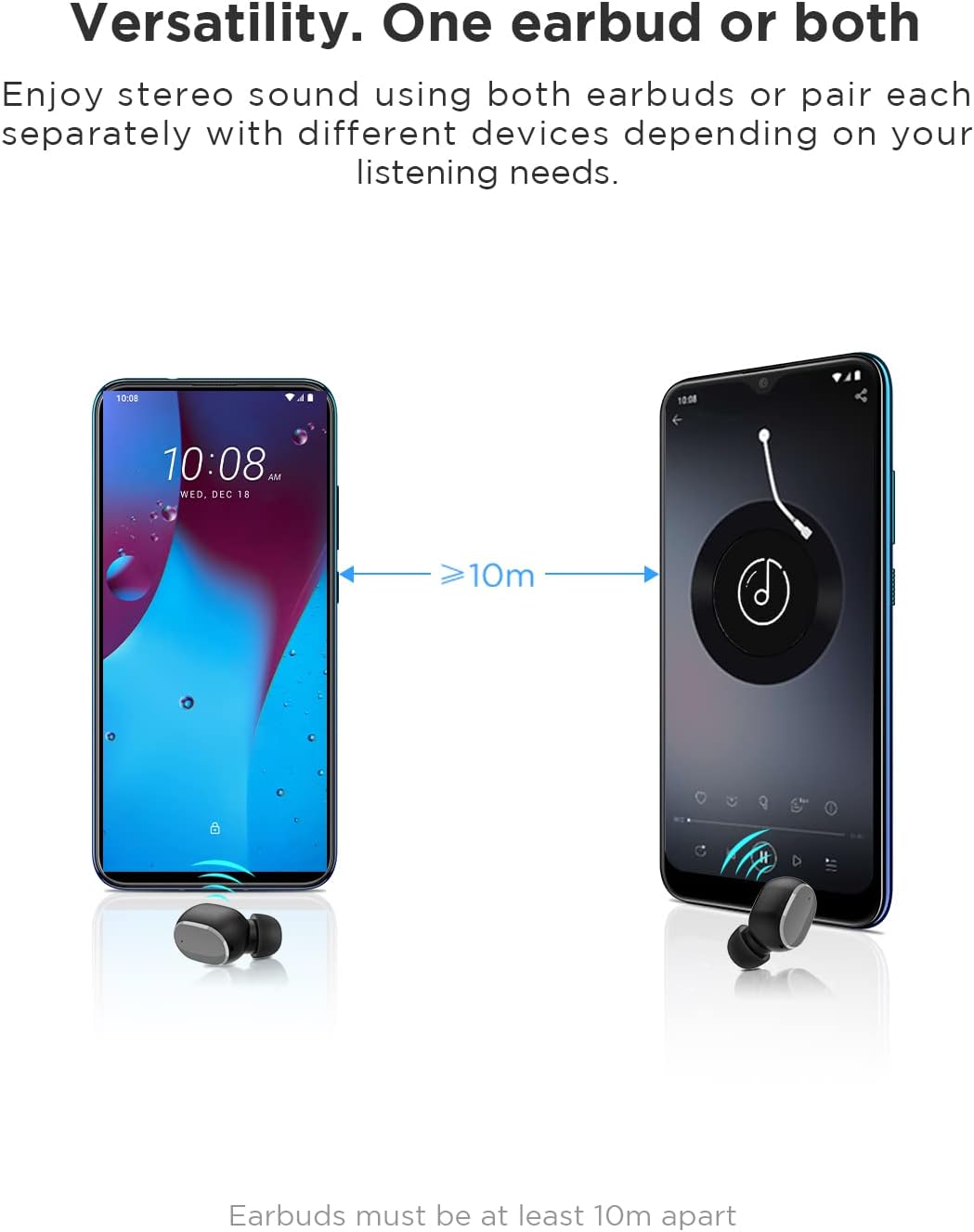
Image: An illustration showing two smartphones and earbuds, emphasizing the versatility of using one or both earbuds and the effective operating range of at least 10 meters.
Funtzionamendu-argibideak
The HTC True Wireless Bluetooth Earbuds 2 feature intuitive touch controls for various functions.

Image: A detailed diagram illustrating the simple touch controls for the HTC True Wireless Earbuds 2, including commands for play/pause, track navigation, call management, voice assistant, and volume control.
| Ekintza | Funtzioa |
|---|---|
| Sakatu behin aurikularretako bat | Play / Pause music, Answer / End call |
| Sakatu ezkerreko aurikularra bi aldiz | Bolumena handitu |
| Sakatu eskuineko aurikularra bi aldiz | Bolumena gutxitu |
| Sakatu entzungailuetako bat hiru aldiz | Aktibatu Ahots Laguntzailea |
| Eduki sakatuta ezkerreko aurikularra 2 segundoz | Erreproduzitu Aurreko Abestia |
| Eduki sakatuta eskuineko aurikularra 2 segundoz | Erreproduzitu Hurrengo Abestia |
| Tap and hold either earbud for 2 seconds (during incoming call) | Baztertu deia |
| Tap either earbud 5 times | Clear pairing / Restore factory settings |
The earbuds are designed for comfortable, long-term wear, weighing only 4.4g per earbud. They come with three different sizes of ear tips to ensure a secure and comfortable fit.

Image: A person comfortably wearing an HTC earbud, accompanied by illustrations highlighting the ergonomic design, skin-friendly material, and the inclusion of three different earplug sizes for optimal fit and comfort.
Mantentzea
Garbiketa
Garbiketa erregularrak soinuaren kalitatea eta higienea mantentzen laguntzen du.
- Erabili zapi leun, lehor eta lihorik gabeko bat entzungailuak eta kargatzeko zorroa garbitzeko.
- Belarri-puntetan edo bozgorailuen sarean belarri-argizaria edo hondakinak badituzu, erabili eskuila txiki eta leun bat edo kotoi-puska bat. Ez erabili objektu zorrotzik.
- Saihestu garbitzaile urratzaileak, alkohola edo disolbatzaile kimikoak erabiltzea.
Biltegiratzea
Erabiltzen ez dituzunean, gorde entzungailuak kargatzeko zorroan babesteko eta kargatuta mantentzeko.
- Gorde leku fresko eta lehor batean, tenperatura altuetatik eta eguzki-argitik babestuta.
- Saihestu hautsez betetako edo zikin dauden inguruneetan gordetzea.
Urarekiko erresistentzia (IPX5)
The HTC True Wireless Bluetooth Earbuds 2 are rated IPX5 water-resistant, meaning they can withstand a sustained, low-pressure water jet spray. This makes them suitable for workouts and light rain.
- Ez murgildu entzungailuak uretan.
- The charging case is not water-resistant. Keep it dry.
- Ziurtatu entzungailuak lehor daudela kargatzeko zorroan berriro sartu aurretik, kalteak ekiditeko.
Arazoak konpontzea
Entzungailuekin arazoak badituzu, jo ezazu honako ohiko irtenbide hauetara:
| Arazoa | Irtenbidea |
|---|---|
| Entzungailuak ez dira parekatzen gailuarekin |
|
| Only one earbud has sound |
|
| Aurikularrak ez dira kargatzen |
|
| Soinuaren kalitate eskasa edo deskonexioak |
|
Zehaztapenak
Detailed technical specifications for the HTC True Wireless Bluetooth Earbuds 2.
| Ezaugarri | Xehetasuna |
|---|---|
| Ereduaren izena | TWS 2 (HTC TWS3) |
| Konektibitate Teknologia | Haririk gabekoa (Bluetooth 5.1) |
| Aurikularretarako Jack | USB (kargatzeko zorrorako) |
| Kontrol mota | Ukitu, bolumenaren kontrola |
| Uraren Erresistentzia Maila | IPX5 (aurikularra) |
| Mikrofonoaren formatua | Barneratua, Estereoa |
| Erreproduzitzeko denbora (aurikularra) | Gehienez 8 ordu (karga bakarra) |
| Talk Time (Earbuds) | Gehienez 6 ordu (karga bakarra) |
| Kargatzeko zorroarekin jolasteko denbora osoa | Gehienez 32 ordu |
| Kargatzeko kasua bateriaren edukiera | 500mAh |
| Entzungailuen pisua (bakarra) | 4.4 g |
| Gehieneko Eragiketa Distantzia | 32 oin (gutxi gorabehera 10 metro) |
| Gailu bateragarriak | Android, Laptops, iPhone |
| Materiala | Plastikoa |
| Produktuaren neurriak | 4.34 x 4.34 x 3.45 cm; 160 g (overall package) |
Segurtasun Informazioa
Please observe the following safety guidelines for safe and effective use:
- Ez desmuntatu, konpondu edo aldatu produktua. Honek sua, deskarga elektrikoak edo produktua erabat kaltetu dezake.
- Produktua tenperatura altuetatik, eguzki-argitik eta hezetasun handitik urrun mantendu.
- Saihestu produktua erortzea edo kolpe gogorrak jasan behar izatea.
- Ez erabili entzungailuak bolumen altuegietan denbora luzez, entzumen-kalteak eragin ditzakeelako.
- Mantendu haurren eta maskoten eskura.
- Tokiko araudien arabera bota produktua eta bateriak arduraz.
Bezeroarentzako Arreta
For further assistance or inquiries, please contact HTC customer support through their official channels. Refer to the product packaging or the official HTC webharremanetarako informazioa lortzeko gunea.
Note: Specific warranty details are not provided in this manual. Please refer to your purchase documentation or the manufacturer's webbermearen informazioa lortzeko gunea.


