1. Produktua amaitu daview
The WulaWindy Mini Digital Alarm Clock is a compact and stylish timekeeping device featuring a wood-grain finish and an LED display. It offers multiple functionalities designed for convenience and ease of use in various indoor settings.

Irudia: Aurrealdea view of the WulaWindy Mini Digital Alarm Clock displaying the current time.
Ezaugarri nagusiak:
- Digital LED display with adjustable brightness.
- Three independent alarm settings with weekday mode option.
- Adjustable alarm volume with five levels.
- 12 orduko edo 24 orduko ordu formatuaren hautaketa.
- Errepikatzeko funtzioa.
- Sound control and power-saving mode (display activates by sound or touch).
- Internal battery for time memory during power outages (clock is corded electric).
2. Konfigurazioa
2.1 Unpacking and Power Connection
Carefully remove the alarm clock from its packaging. Connect the provided power cord to the input port on the back of the clock and plug the other end into a standard electrical outlet. The clock is designed for corded electric operation and is not battery-operated for primary function.

Image: The WulaWindy Mini Digital Alarm Clock connected to a power source via its cord.
2.2 Kontrolakview
The back of the clock features several buttons and switches for configuration:

Irudia: Xehetasun handikoa view of the back panel of the alarm clock, highlighting control buttons and input port.
- SET: Ezarpenak sartzeko eta berresteko erabiltzen da.
- GORA/BEHERA botoiak: Adjust values (time, alarm, brightness, volume).
- ALARM 1-2-3 switches: Individually enable or disable alarms.
- 12H/24H switch: Toggles between 12-hour and 24-hour time formats.
- SOUND CONTROL switch: Activates or deactivates sound control/power-saving mode.
- BRIGHTNESS ADJUSTMENT dial: Manually adjusts display brightness.
2.3 Hasierako orduaren ezarpena
- Eduki sakatuta EZARTU botoia sakatu orduko digituak keinuka hasi arte.
- Erabili GORA/BEHERA ordua doitzeko botoiak.
- Sakatu EZARTU berriro minutuen ezarpenera joateko. Erabili GORA/BEHERA minutuak egokitzeko.
- Jarraitu sakatzen EZARTU urte, hilabete eta egun ezarpenak zeharkatzeko, bakoitza doituz GORA/BEHERA.
- Sakatu EZARTU azken aldiz ordua ezartzeko modutik irteteko.
2.4 12/24 orduko formatua
Irristatu 12H/24H switch on the back of the clock to select your preferred time display format.
3. Funtzionamendu-argibideak
3.1 Setting Alarms (A1, A2, A3)
The clock allows for three independent alarm settings.

Image: Visual representation of setting and activating multiple alarms.
- Sakatu EZARTU button repeatedly until 'A1' appears on the display.
- Luze sakatu EZARTU until the hour digits for A1 flash. Use GORA/BEHERA ordua ezartzeko.
- Sakatu EZARTU again, then use GORA/BEHERA minutuak ezartzeko.
- Sakatu EZARTU to confirm. You can then choose to set the alarm for everyday (ON), Monday-Friday (E), or turn it off (OFF). Use GORA/BEHERA hautatzeko.
- Repeat steps for A2 and A3 if desired.
- To activate an alarm, slide the corresponding ALARM 1-2-3 switch on the back of the clock to the 'ON' position.
3.2 Snooze funtzioa
When an alarm sounds, press any button on the top or back of the clock (except the ALARM switches) to activate the snooze function. The alarm will temporarily stop and sound again after a few minutes.
3.3 Distira doitzea
Pantailaren distira zure lehentasunetara egoki daiteke.

Image: Display showing various brightness levels from dim to bright.
- Erabili DISSIRA EGOKITZAPENA dial on the back of the clock to manually increase or decrease the LED display brightness.
- The clock also features an automatic brightness adjustment option, which can be enabled or disabled via the settings.
3.4 Alarmaren bolumena doitzea
The alarm volume has five levels. To adjust:
- Ordua bistaratzeko modu normalean zaudela, sakatu tekla BEHERA button. The current volume level ('VOLS' followed by a number) will appear.
- Erabili GORA/BEHERA buttons to select the desired volume level (1-5).
- The setting will automatically save after a few seconds.
3.5 Sound Control / Power Saving Mode
This mode allows the display to turn off automatically and activate when sound (e.g., a clap) or touch is detected.
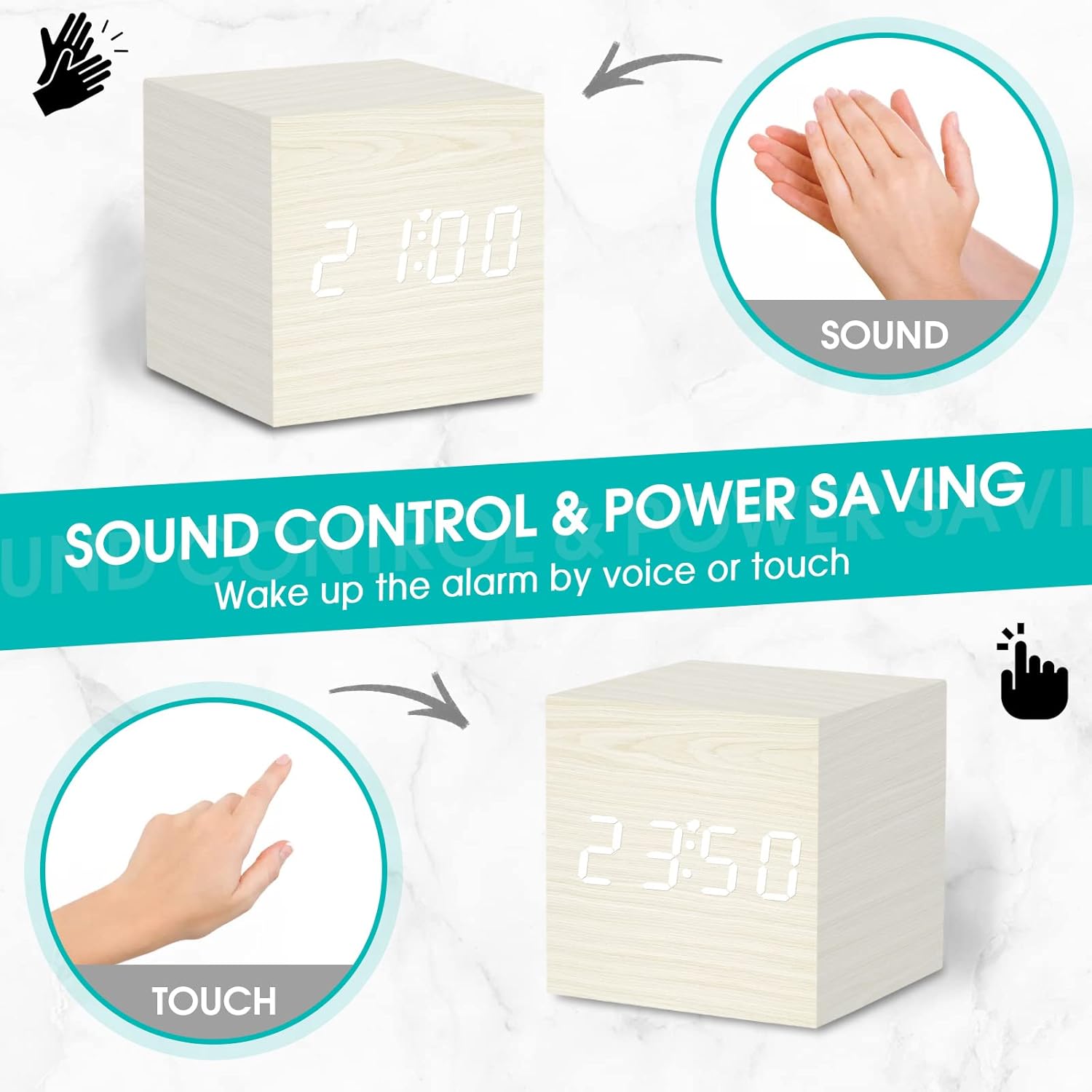
Image: Demonstrating how sound or touch can activate the clock display in power-saving mode.
Irristatu SOINUAREN KONTROLA switch on the back of the clock to 'ON' to enable this feature, or 'OFF' to keep the display continuously on.
3.6 Bideo erakustaldia
Video: This video provides a review of the WulaWindy Mini Digital Alarm Clock, demonstrating its features and functionality, including setting the time, alarms, and adjusting brightness and volume.
4. Mantentzea
4.1 Garbiketa
To clean the clock, gently wipe the surface with a soft, dry cloth. Avoid using abrasive cleaners, solvents, or excessive moisture, as these can damage the wood finish or electronic components.
4.2 Power Source Care
Ensure the power cord is not bent, twisted, or placed under heavy objects. Always unplug the device by grasping the plug, not the cord, when disconnecting from the power outlet.
5. Arazoak
5.1 Display Not Showing
- Check if the power cord is securely plugged into both the clock and the wall outlet.
- Ziurtatu SOINUAREN KONTROLA switch is not in the 'ON' position, which would turn off the display until activated by sound or touch.
- Egokitu DISSIRA EGOKITZAPENA dial to ensure the brightness is not set to 0%.
5.2 Alarmak ez du jotzen
- Verify that the specific alarm switch (A1, A2, or A3) on the back of the clock is in the 'ON' position.
- Check the alarm time setting to ensure it is correctly configured.
- Ensure the alarm volume is not set to level 0. Adjust using the BEHERA botoia.
5.3 Denboraren zehaztasunik eza
- If the time becomes inaccurate, reset the time following the instructions in Section 2.3.
- Ensure the clock is receiving consistent power. Power fluctuations can sometimes affect timekeeping.
6. Zehaztapenak
| Marka | WulaWindy |
| Eredua | Mini iratzargailu digitala |
| Kolorea | Zuria |
| Bistaratzeko mota | Digitala |
| Estiloa | Modernoa |
| Ezaugarri Berezia | Alarma, Errepikatu |
| Produktuaren neurriak | 2.5"Z x 2.5"A |
| Energia iturria | Kable elektrikoa |
| Gela Mota | Logela |
| Barruko/Kanpoko erabilera | Barruan |
| Materiala | Egurra |
| Markoaren materiala | Egurra |
| Pilak barne | No (Internal battery for memory only) |
| Muntatze Mota | Mahaigaina |
| Elementuaren pisua | 5 ontza |
7. Bermea eta Laguntza
For warranty information or technical support, please refer to the product packaging or contact WulaWindy customer service directly. Contact details can typically be found on the manufacturer's webgunean edo produktuaren dokumentazioan.


