1. Sarrera
Eskerrik asko erosketagatik.asing the SHIDU H8 25W Voice Amplifier with UHF Wireless Microphone. This portable PA system is designed to provide clear and powerful sound amplification for various applications, including teaching, presentations, public speaking, and outdoor activities. Please read this manual carefully before use to ensure proper operation and to maximize the product's lifespan.
2. Segurtasun informazioa
- Ez jarri gailua uraren, hezetasunaren edo muturreko tenperaturen eraginpean.
- Saihestu gailua kolpe gogorrak erortzea edo jasaten.
- Ez saiatu gailua zeuk desmuntatzen edo konpontzen. Jarri harremanetan zerbitzu-langile kualifikatuekin.
- Mantendu haurren eskura.
- Kalteak saihesteko, erabili emandako kargatzeko kablea eta egokitzailea soilik.
3. Paketearen edukia
Mesedez, egiaztatu paketea elementu hauek dituen:
- SHIDU H8 Voice Ampbiziagoa
- UHF Wireless Headset Microphone
- Charging Cable (for ampbiziagoa)
- Data Line (USB)
- Audio Line (AUX)
- gerriko
- Urruneko Kontrola
- Erabiltzailearen eskuliburua

Image: Contents of the SHIDU H8 Voice Ampbizigarri paketea.
4. Produktua amaitu daview
Familiarize yourself with the components and controls of your SHIDU H8 Voice Amplifier and UHF Wireless Microphone.
Bideoa: Amaiera batview of the SHIDU H8 Voice Amplifier and its UHF Wireless Microphone, showcasinbere diseinua eta ezaugarriak g.
4.1 Amplifier Layout and Dimensions

Irudia: Aurrealdea eta atzealdea view ren amplifier with dimensions: 6.45 inches (width), 9.44 inches (height), 3.6 inches (depth).
4.2 Kontrol-panela
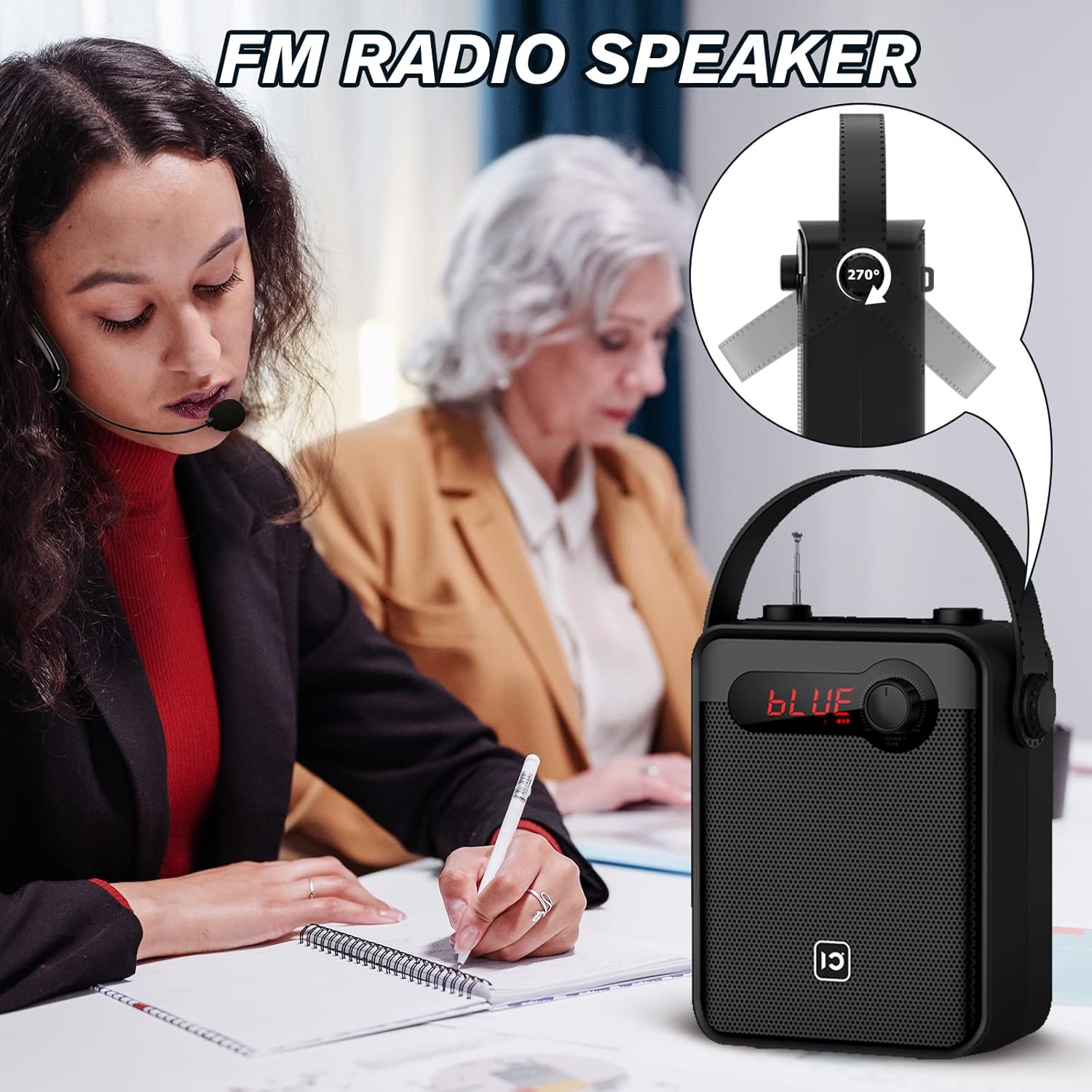
Image: Top panel controls including Microphone Volume, Bluetooth/UHF switch, Echo control, and One-Key Recording button.
4.3 Sarrera/Irteera Portuak
Image: Side panel ports for TF Card, U Disk, AUX, OUT, and MIC.
4.4 Haririk gabeko mikrofonoa

Image: UHF Wireless Headset Microphone showing volume buttons and one-key pairing button.
5. Konfigurazioa
5.1 Kargatzea Ampbiziagoa
- Konektatu kargatzeko kablea amplifier's charging port.
- Plug the other end into a standard USB power adapter (not included) or a computer's USB port.
- LED adierazleak kargatze-egoera erakutsiko du. Karga oso batek normalean 4-6 ordu behar ditu.
5.2 Haririk gabeko mikrofonoa kargatzea
- Connect the data line (USB) to the microphone's charging port.
- Konektatu beste muturra USB elikadura iturri batera.
- The indicator light will show charging status. A full charge typically takes 2-3 hours and provides 3-5 hours of use.
5.3 Wearing the Wireless Microphone

Image: Visual guide on how to properly wear the UHF wireless headset microphone.
- Place the headset over your ear, ensuring a comfortable fit.
- Adjust the microphone boom so the microphone is positioned close to your mouth, about 1-2 cm away.
- Ensure the microphone is facing towards your mouth for optimal sound pickup.
6. Funtzionamendu-argibideak
6.1 Piztu/Itzali
- Pizteko amplifier, rotate the Volume knob clockwise until the display lights up.
- To power off, rotate the Volume knob counter-clockwise until it clicks off.
- For the wireless microphone, press and hold the power button until the indicator light turns on/off.
6.2 Bolumen kontrola
- Amplifier Volume: Use the main Volume knob on the amplifier to adjust the overall output volume.
- Microphone Volume (MIC.VOL): Use the dedicated MIC.VOL knob on the amplifier to adjust the microphone input volume independently.
- Microphone Volume (Headset): Use the volume buttons on the wireless headset microphone for fine-tuning.
6.3 Pairing the UHF Wireless Microphone
- Turn on both the amplifijadorea eta haririk gabeko mikrofonoa.
- Press the 'One Key Pairing' button on the wireless microphone (refer to Product Overview kokapenagatik).
- The amplifier should automatically connect to the microphone. A successful connection is usually indicated by a stable light on the microphone or a specific display on the ampbiziagoa.
- If you encounter difficulties pairing, please refer to the troubleshooting section or contact SHIDU customer support for a pairing method video.
6.4 Bluetooth modua

Irudia: The amplifier connected via Bluetooth to various devices.
- Piztu ampbiziagoa.
- Press the 'Mode' button (or cycle through modes using the Selection/LED button) until 'BLUE' appears on the display, indicating Bluetooth mode.
- On your external device (smartphone, tablet, PC), enable Bluetooth and search for 'SHIDU H8' (or similar).
- Select the device to pair. Once paired, you can play audio from your device through the ampbiziagoa.
6.5 USB/TF Card/U Disk Playback
- Insert a USB flash drive or TF card into the corresponding port on the ampbiziagoa.
- The amplifier will automatically switch to USB/TF card mode and begin playing audio files.
- Use the control buttons (e.g., Play/Pause, Next/Previous) on the amplifier or remote control to manage playback.
6.6 FM Irratia

Irudia: The amplifier with its extendable antenna for FM radio reception.
- Press the 'Mode' button (or cycle through modes) until FM radio mode is activated.
- Extend the antenna for better reception.
- Erabili sintonizazio botoiak eskuragarri dauden irrati-kateak bilatzeko.
6.7 Tekla bakarreko grabaketa
- Ensure a USB flash drive or TF card is inserted into the ampbiziagoa.
- Press the 'One-Key Recording' button to start recording.
- Press it again to stop recording. The recording will be saved to the inserted storage device.
6.8 TWS parekatzea (benetako haririk gabeko estereoa)
This feature allows you to pair two SHIDU H8 amplifiers for a true wireless stereo sound experience.
Irudia: Bi amplifiers connected for True Wireless Stereo (TWS) pairing.
- Turn on both SHIDU H8 ampigogailuak.
- Ensure both are in Bluetooth mode and not connected to any other device.
- On one amplifier, press and hold the TWS button (refer to product overview or manual for exact button). The amplifier will search for another TWS-compatible device.
- Once paired, one amplifier will act as the left channel and the other as the right, providing stereo sound.
6.9 Urruneko agintea erabiltzea
The included remote control allows for convenient operation from a distance. Functions include power, mode selection, volume adjustment, track control, and digital selection for FM radio or track numbers.
7. Mantentzea
- Garbiketa: Use a soft, dry cloth to clean the surface of the amplifier and microphone. Do not use abrasive cleaners or solvents.
- Biltegiratzea: Denbora luzez erabiltzen ez duzunean, gorde gailua leku fresko eta lehor batean, eguzki-argitik babestuta.
- Bateria zaintzea: To prolong battery life, fully charge the device before first use and recharge it at least once every three months if not used regularly.
8. Arazoak
| Arazoa | Kausa posiblea | Irtenbidea |
|---|---|---|
| Ez dago soinurik ampbiziagoa | Low battery; Volume too low; Incorrect mode; Microphone not paired. | Kargatu amplifier; Increase volume; Select correct mode (e.g., MIC, Bluetooth); Pair microphone. |
| Wireless microphone not connecting/pairing | Microphone not powered on; Out of range; Pairing error; Interference. | Ensure microphone is charged and powered on; Move closer to amplifier; Re-attempt one-key pairing; Try pairing in a different location. If issues persist, contact SHIDU support for a pairing method video. |
| Bluetooth gailua ez da parekatzen | Amplifier not in Bluetooth mode; Device Bluetooth off; Amplifier already paired to another device. | Aldatu amplifier to Bluetooth mode; Enable Bluetooth on your device; Disconnect from other devices and try again. |
| FM irratiaren harrera eskasa | Antena ez dago luzatuta; Seinale ahula; Interferentzia. | Fully extend the antenna; Try moving to a different location; Rescan for stations. |
9. Zehaztapenak
| Ezaugarri | Xehetasuna |
|---|---|
| Irteera Potentzia | 25W |
| Bozgorailuaren tamaina | 4 hazbetekoa |
| AmpBateria bizigarria | 2000 mAh litiozko bateria |
| Amplifier Charge Time | 4-6 ordu |
| Microphone Battery Use Time | 3-5 ordu |
| Konektibitatea | Bluetooth, UHF Wireless, USB, TF Card, AUX |
| Funtzioak | Ahotsa Amplification, Bluetooth Speaker, FM Radio, One-Key Recording, TWS Pairing |
| Neurriak (Ampbiziagoa) | Gutxi gorabehera. 6.45 x 9.44 x 3.6 hazbete |
| Pisua | 3.89 kilo |
10. Bermea eta Laguntza
SHIDU provides a 12 hilabeteko bermea for this product from the date of purchase. We also offer lifetime technical support to ensure your satisfaction.
If you have any questions, require assistance with setup, operation, or encounter any issues with your SHIDU H8 Voice Amplifier, please do not hesitate to contact our customer service team. Refer to the contact information provided with your product or visit the official SHIDU webgunea laguntza xehetasunetarako.


