Sarrera
Eskerrik asko erosketagatik.asing the SZELAM Digital Alarm Clock. This manual provides detailed instructions for setting up and operating your new alarm clock. Please read it thoroughly to ensure proper use and to maximize the features of your device.
Produktua amaituview
Ezaugarri nagusiak:
- Large 14cm LED Display: High-resolution display clearly shows time, date, and temperature. HD white LED digits ensure visibility from a distance.
- Distira erregulagarria: 6 levels of brightness (5% to 100%) to suit various lighting conditions.
- 8 Alarm Ringtones: Choose from 8 distinct alarm tones.
- Alarmaren bolumena doigarria: 6 volume levels, ranging from 30 to 90 dB.
- Atzeratzea Funtzioa: Alarma jo ondoren 9 minutu gehiagoko loa ematen du.
- 12/24 orduko formatua: Switch between 12-hour (AM/PM) and 24-hour time displays.
- Date and Temperature Display: Shows current date and indoor temperature.
- USB Powered with Battery Backup: Operates via USB cable; 3 AAA batteries (not included) provide memory function for settings during power outages.
Paketearen edukia:
- 1 x SZELAM Digital Alarm Clock
- 1 x USB kargatzeko kablea
- 1 x Erabiltzailearen eskuliburua
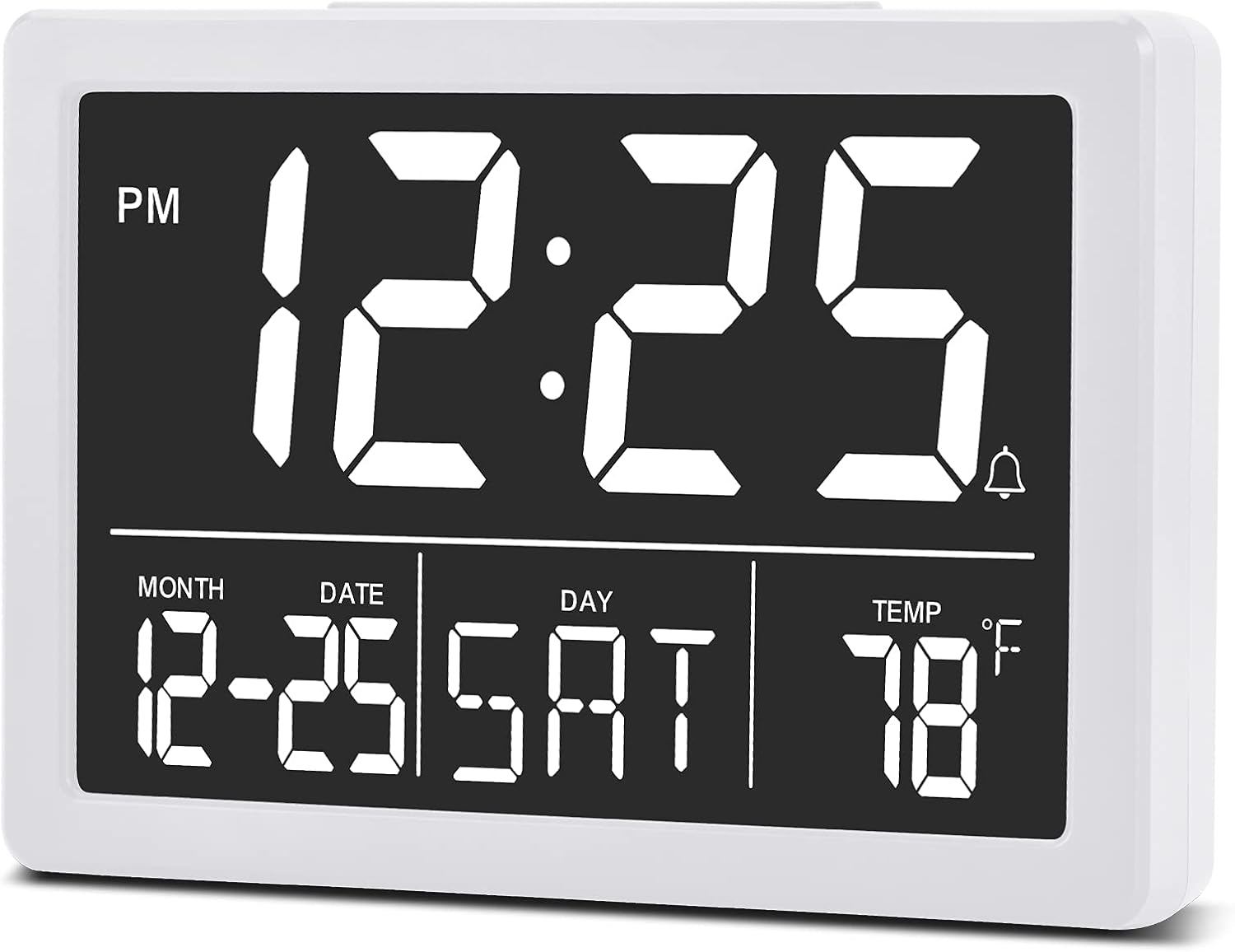
Irudia: Aurrealdea view of the SZELAM Digital Alarm Clock displaying time, date, and temperature.
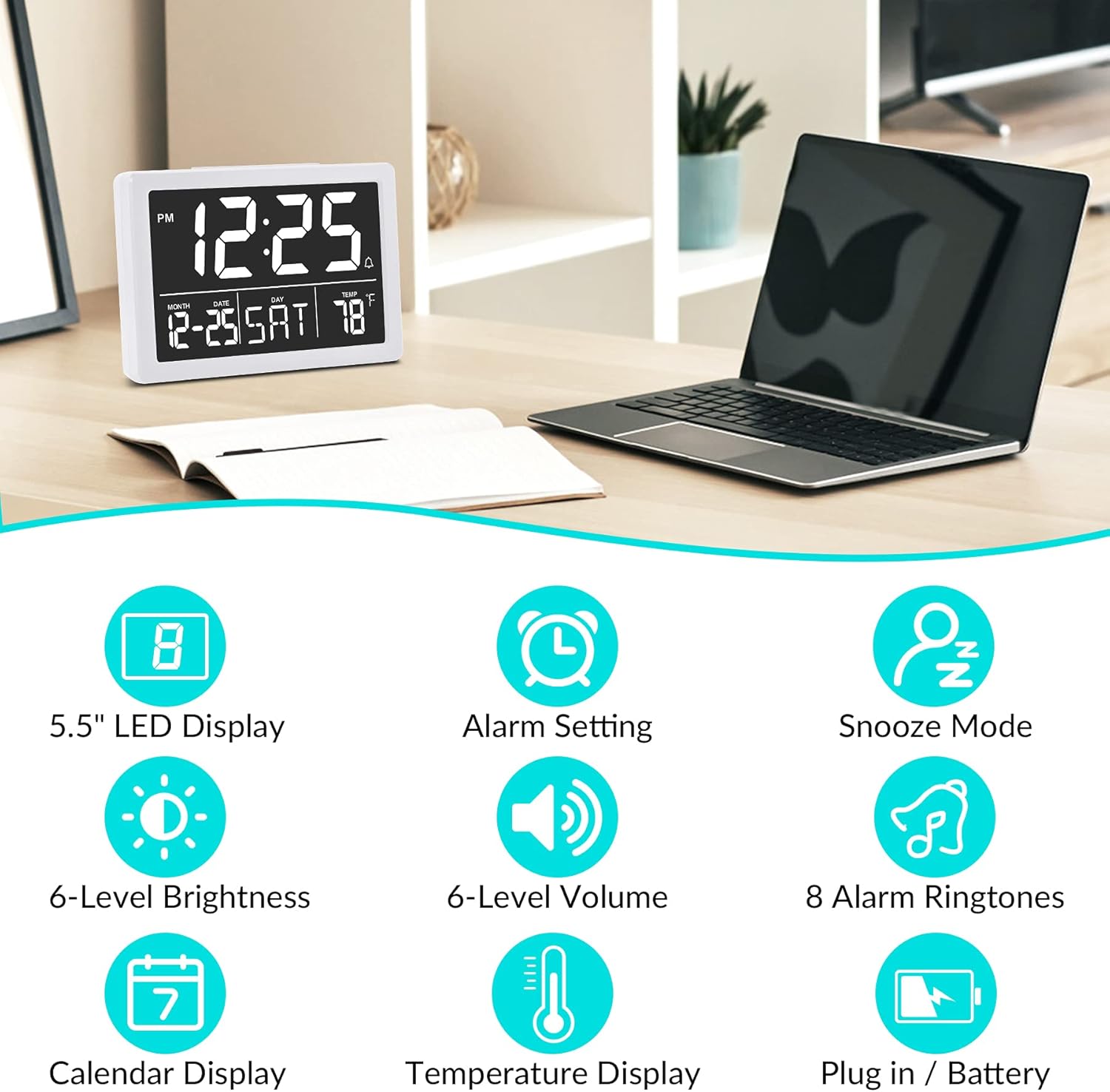
Irudia: Graphic illustrating key features: 5.5" LED Display, Alarm Setting, Snooze Mode, 6-Level Brightness, 6-Level Volume, 8 Alarm Ringtones, Calendar Display, Temperature Display, Plug in / Battery operation.
Konfigurazioa
Powering the Clock:
- Konektatu USB Power: Insert the provided USB cable into the clock's USB port and connect the other end to a USB power adapter (not included) or a powered USB port. The clock will power on and the display will illuminate.
- Install Backup Batteries (Optional but Recommended): Open the battery compartment on the back of the clock. Insert 3 new AAA batteries (not included), ensuring correct polarity (+/-). These batteries will preserve your time and alarm settings in case of a power outage. Oharra: The clock display will not remain continuously lit when operating solely on battery power. The display will turn off after 10 seconds to conserve energy; press any button to temporarily illuminate it. For continuous display, USB power is required.

Irudia: Illustration showing the alarm clock powered by a USB cable for continuous display and a note about battery backup for memory function only.
Funtzionamendu-argibideak
Refer to the back panel diagram for button locations.

Irudia: Atzekoa view of the alarm clock, highlighting the USB port, 6 Levels Volume switch, Alarm/Time Setting buttons, Alarm Sounds Switch, °C/°F switch, and 12/24H switch, and 6 Levels Brightness switch.
1. Ordua eta data ezartzea:
- Eduki sakatuta "EZARRI" button (located on the back) until the hour digits flash.
- Erabili "GORA" or "BEHERA" ordua doitzeko botoiak.
- Sakatu "EZARRI" again to move to minute setting, then use "GORA" or "BEHERA" minutuak egokitzeko.
- Jarraitu sakatzen "EZARRI" urte, hilabete eta egun ezarpenak zeharkatzeko, bakoitza doituz "GORA" or "BEHERA".
- Sakatu "EZARRI" one last time or wait a few seconds for the settings to save automatically.
2. Switching 12/24 Hour Format:
- Kokatu "12/24H" switch on the back of the clock.
- Slide the switch to select either 12-hour (with AM/PM indicator) or 24-hour format.
3. Alarma ezartzea:
- Sakatu "ALARMA" button (located on the back) once. The alarm time will appear, and the hour digits will flash.
- Erabili "GORA" or "BEHERA" alarma-ordua doitzeko botoiak.
- Sakatu "ALARMA" again to move to minute setting, then use "GORA" or "BEHERA" alarmaren minutuak doitzeko.
- Sakatu "ALARMA" azken aldiz edo itxaron segundo batzuk alarmaren ezarpena gordetzeko.
- Alarma aktibatzeko/desaktibatzeko, sakatu "ALARMA" button briefly. An alarm icon (bell symbol) will appear on the display when the alarm is active.
4. Adjusting Alarm Volume:
- Kokatu "6 Levels Volume" switch on the back of the clock.
- Slide the switch to your desired volume level (L1 to L6).

Irudia: A family enjoying the alarm clock, illustrating the 8 pleasant alarm bells feature and volume adjustment levels.
5. Selecting Alarm Ringtones:
- Kokatu "Alarm Sounds Switch" on the back of the clock.
- Slide the switch to cycle through the 8 available alarm tones. Select your preferred tone.
6. Using the Snooze Function:
- Alarma jotzen duenean, sakatu botoi handia "SNOOZE" button on the top of the clock.
- Alarma 9 minutuz geldituko da eta gero berriro joko du.
- To turn off the alarm completely, press any other button on the back of the clock.
7. Pantailaren distira doitzea:
- Kokatu "6 Levels Brightness" switch on the back of the clock.
- Slide the switch to cycle through the 6 brightness levels (from 5% to 100%).
- The clock also features an automatic dimming function between 6 PM and 7 AM. You can adjust the brightness during these hours, and the setting will be saved for the night mode.

Irudia: A series of six alarm clock displays showing the different brightness levels from dimmest to brightest.
8. Tenperatura bistaratzea:
- The clock displays the indoor temperature by default.
- To switch between Celsius (°C) and Fahrenheit (°F), locate the "°C/°F" switch on the back of the clock and slide it to your desired unit.
Mantentzea
- Garbiketa: Garbitu erlojua zapi leun eta lehor batekin. Ez erabili garbitzaile edo disolbatzaile urratzailerik.
- Bateria ordezkatzea: If using backup batteries, replace them annually or when the clock fails to retain settings during a power interruption. Ensure correct polarity when inserting new batteries.
- Biltegiratzea: If storing the clock for an extended period, remove the AAA batteries to prevent leakage.
Arazoak konpontzea
| Arazoa | Kausa posiblea | Irtenbidea |
|---|---|---|
| Display is off or flickering. | No USB power; loose USB connection; batteries depleted (if running on battery only). | Ensure USB cable is securely connected to a working power source. If using batteries, replace them. Remember, continuous display requires USB power. |
| Clock does not keep correct time. | Incorrect time setting; backup batteries depleted or not installed. | Re-set the time following the "Setting Time and Date" instructions. Ensure fresh AAA batteries are installed for backup. |
| Alarmak ez du jotzen. | Alarm not activated; alarm volume too low; incorrect alarm time set. | Verify the alarm icon is visible on the display. Adjust alarm volume using the switch. Check and re-set the alarm time. |
| Atzerapen funtzioa ez dabil. | Snooze button not pressed correctly. | Ensure you press the large "SNOOZE" button on top when the alarm sounds. Pressing other buttons will turn off the alarm. |
| Pantaila oso distiratsua edo oso iluna da. | Brightness level needs adjustment. | Adjust the "6 Levels Brightness" switch on the back of the clock to your preferred level. |
Zehaztapenak
| Marka: | SZELAM |
| Eredua: | Erloju digitala |
| Kolorea: | Zuria |
| Bistaratzeko mota: | LED digitala |
| Produktuaren neurriak (L x W x H): | 13.31 x 3.81 x 9.3 cm (5.24 x 1.5 x 3.66 hazbete) |
| Elementuaren pisua: | 200 gramo |
| Energia iturria: | USB Powered (for continuous display), 3x AAA Batteries (for memory backup only, not included) |
| Ezaugarri bereziak: | Temperature Display, Alarm, Snooze, Adjustable Brightness, Adjustable Volume, 12/24H Format |

Irudia: Diagram showing the approximate visual dimensions of the SZELAM Digital Alarm Clock, including display size and overall width.
Bermea eta Laguntza
Your SZELAM Digital Alarm Clock comes with a 1 urteko bermea erosketa-datatik aurrera. Gainera, eskaintzen dugu 30-day unconditional refund/exchange policy.
If you encounter any issues or have questions regarding your product, please contact our customer support team via email. We aim to provide solutions within 24 hours.
For further assistance, please refer to the contact information provided on the product packaging or the seller's page.


