1. Sarrera
This manual provides comprehensive instructions for the setup, operation, maintenance, and troubleshooting of your BOMAKER Mini WiFi Projector 10''. Please read this manual thoroughly before using the projector to ensure proper operation and to maximize its lifespan. Keep this manual for future reference.
The BOMAKER Mini WiFi Projector 10'' is a portable 720P HD LCD projector designed for home cinema, gaming, and various multimedia applications. It features WiFi connectivity for smartphone mirroring, multiple input options including HDMI, USB, and AV, and supports projection sizes up to 300 inches.
2. Segurtasun informazio garrantzitsua
To prevent fire, electric shock, or injury, always observe the following safety precautions:
- Ez blokeatu aireztapen-irekidurak. Ziurtatu aire-fluxu egokia proiektorearen inguruan.
- Ez begiratu zuzenean proiektorearen lenteari l dagoenean.amp piztuta dago. Argi biziak begietan kalteak eragin ditzake.
- Do not expose the projector to rain or moisture to avoid electric shock.
- Erabili proiektorearekin batera datorren korronte-egokitzailea soilik.
- Jarri proiektorea gainazal egonkor eta berdinean.
- Unplug the projector from the power outlet during lightning storms or when unused for long periods.
- Ez saiatu produktu hau zeuk konpontzen. Konponketa guztiak zerbitzu-langile kualifikatuei eskatu.
3. Paketearen edukia
Egiaztatu behean zerrendatutako elementu guztiak zure paketean sartuta daudela:
- 1 x BOMAKER Mini WiFi Projector
- 1 x Urruneko kontrola
- 1 x korronte egokitzailea
- 1 x HDMI kablea
- 1 x AV kablea
- 1 x Erabiltzailearen eskuliburua
4. Produktua amaitu daview
Ezagutu zure proiektorearen atal eta konexio desberdinak.

4.1. irudia: Aurrealdea view of the BOMAKER Mini WiFi Projector. This image shows the projector's lens, focus ring, and keystone correction dial, with a smartphone wirelessly connected and displaying content on its screen, illustrating the WiFi mirroring capability.
4.1. Sarrera/Irteera Ataken
The projector features a variety of ports for connecting different devices.

4.2. irudia: Atzekoa view of the projector displaying its connectivity options. From left to right, the ports include AV, USB, Audio Out, VGA, HDMI, and Micro SD card slot, allowing for versatile device connections.
- AV ataka: Connect to older devices using the included AV cable.
- USB ataka: USB unitateak konektatzeko multimedia erreproduzitzeko files.
- Audio irteera: Konektatu kanpoko bozgorailuak edo entzungailuak.
- VGA ataka: Connect to computers or laptops with a VGA output.
- HDMI ataka: Connect to devices like laptops, gaming consoles (PS4), TV sticks, etc.
- Mikro SD txartelaren zirrikitua: Sartu mikro SD txartel bat multimedia erreproduzitzeko files.
5. Konfigurazioa
5.1. Kokapen
Choose a suitable location for your projector. For optimal viewing, place the projector on a flat, stable surface or mount it. The optimal projection distance is between 8.2 and 11.2 feet (2.5 to 3.4 meters) for a screen size of 30 to 300 inches.
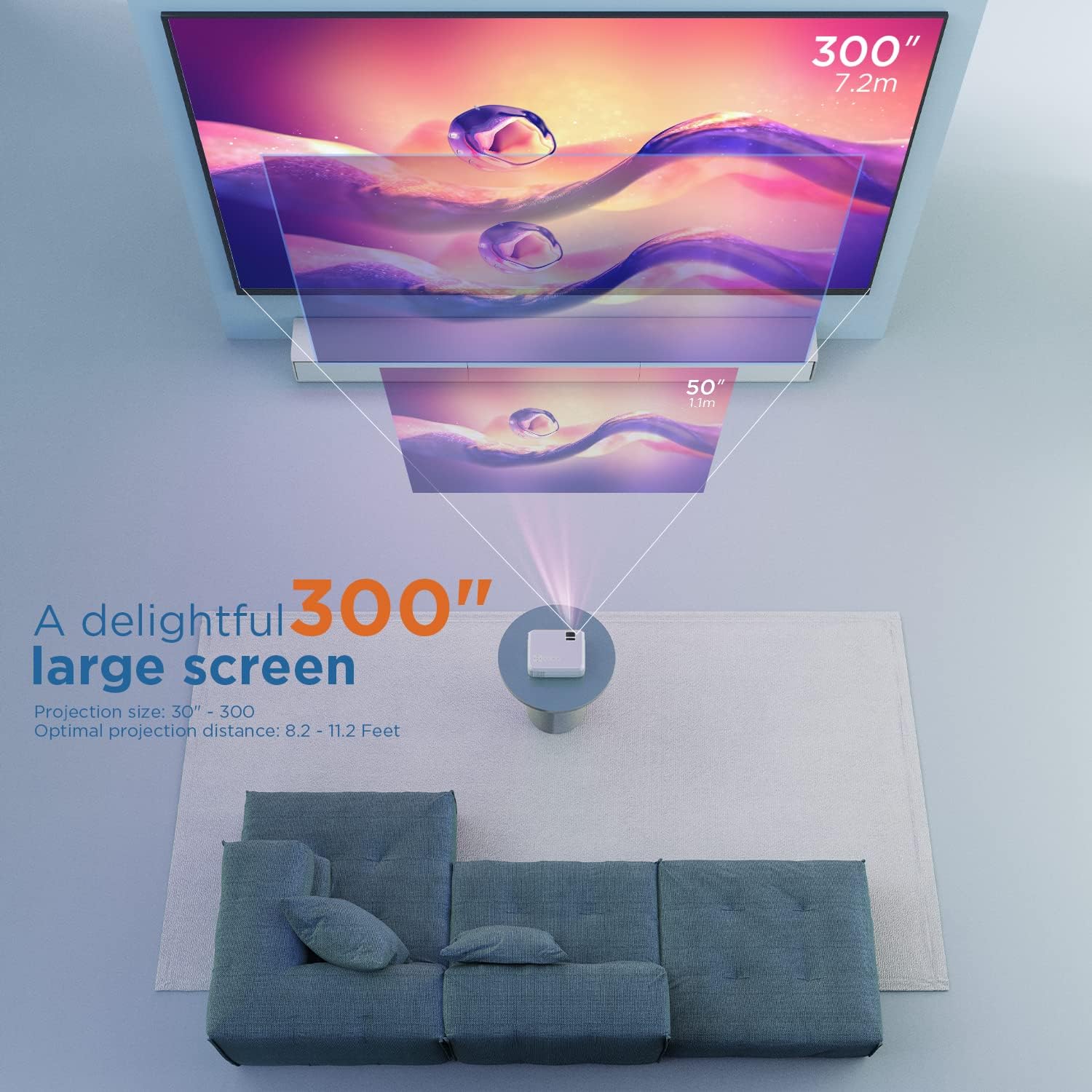
5.1. irudia: Illustration of projection distances and corresponding screen sizes. The image demonstrates how varying the distance between the projector and the screen affects the projected image size, from 50 inches (1.1m) to 300 inches (7.2m).
5.2. Energia-konexioa
- Konektatu korronte-egokitzailea proiektorearen elikatze-sarrera atakara.
- Entxufatu korronte-egokigailua hormako entxufe batera.
- Sakatu proiektorearen edo urrutiko agintearen pizteko botoia pizteko.
5.3. Fokua eta Keystone Zuzenketa
- Fokua: Biratu proiektorearen lentearen fokatze-eraztuna irudia garbi eta zorrotz egon arte.
- Giltzarria: If the projected image appears trapezoidal, adjust the keystone correction dial (usually located near the lens) until the image is rectangular.
6. Funtzionamendu-argibideak
6.1. Oinarrizko Funtzionamendua
- Piztu/Itzali: Sakatu proiektorearen edo urrutiko agintearen pizteko botoia.
- Sarrera-iturria hautatzea: Use the "Source" button on the remote or projector to select the desired input (HDMI, AV, USB, Micro SD, WiFi).
- Bolumenaren doikuntza: Use the volume buttons on the remote control.
6.2. Gailuak konektatzea
The projector supports various connection methods:
6.2.1. HDMI konexioa
Connect your laptop, gaming console (PS4), TV stick (e.g., Roku, Fire TV), or other HDMI-enabled devices using an HDMI cable. Select "HDMI" as the input source.
6.2.2. USB/Micro SD Connection
Insert a USB drive or Micro SD card into the respective port. Select "USB" or "Micro SD" as the input source. The projector will display a menu to browse and play media files (photos, videos, music, text).
6.2.3. AV Connection
Use the included AV cable to connect to devices with AV output. Select "AV" as the input source.
6.2.4. WiFi Mirroring (Smartphone Connection)
The projector supports wireless screen mirroring from smartphones (iOS and Android).
- Select "WiFi" as the input source on the projector.
- Follow the on-screen instructions to connect your smartphone to the projector's WiFi network.
- Once connected, enable screen mirroring/casting feature on your smartphone (e.g., "Screen Mirroring" for iOS, "Smart View" or "Cast" for Android).
- Hautatu proiektorea eskuragarri dauden gailuen zerrendatik.
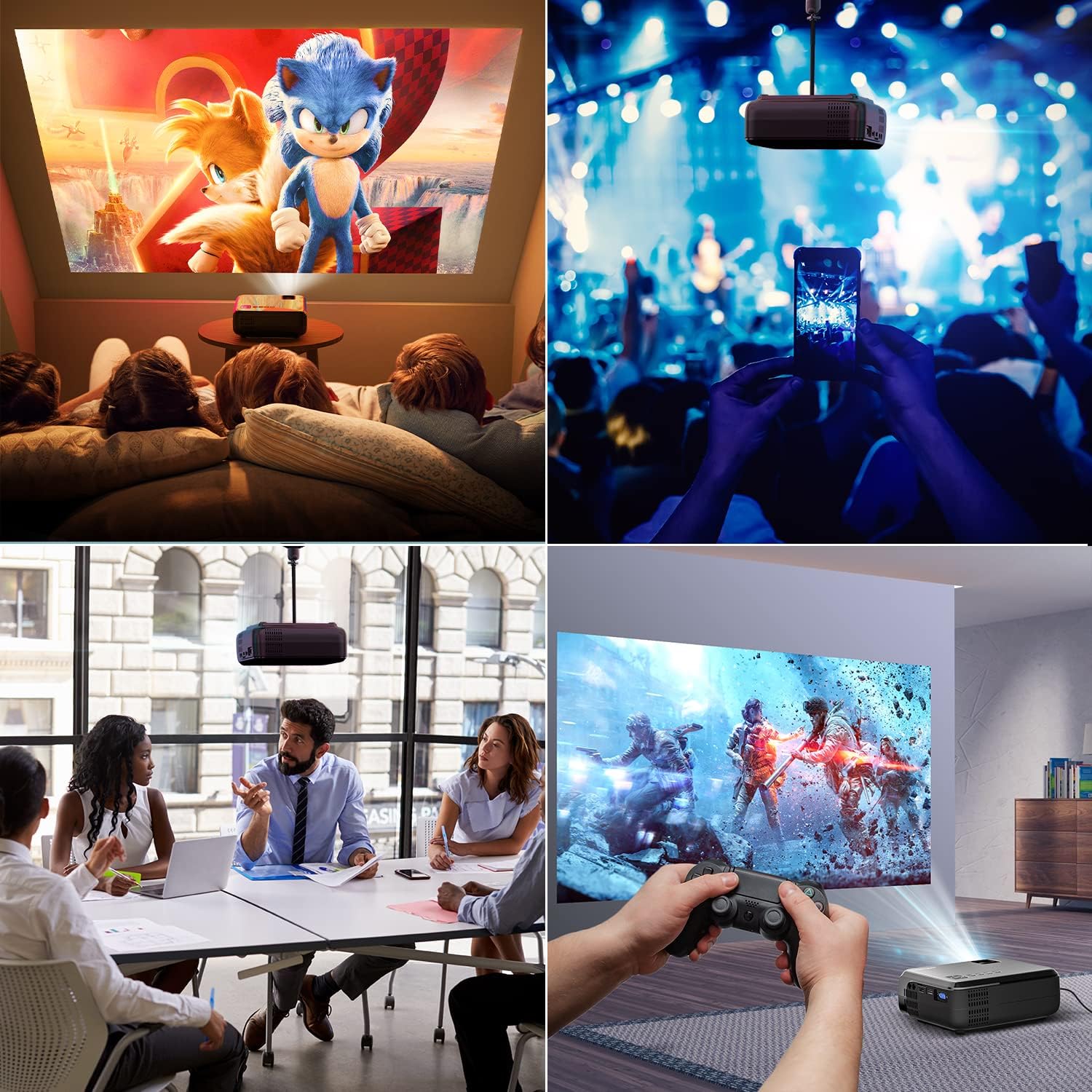
6.1. irudia: This image displays a collage of the projector in different environments: a family watching a movie, a person using a smartphone to control the projector at a concert, a business meeting with a presentation, and a person playing video games. It highlights the versatility of the BOMAKER Mini WiFi Projector for entertainment and professional use.
6.3. Visual Experience
The projector delivers a native 720P HD resolution, ensuring clear and detailed images. It supports 1080P decoding and features a high brightness output for vibrant visuals.
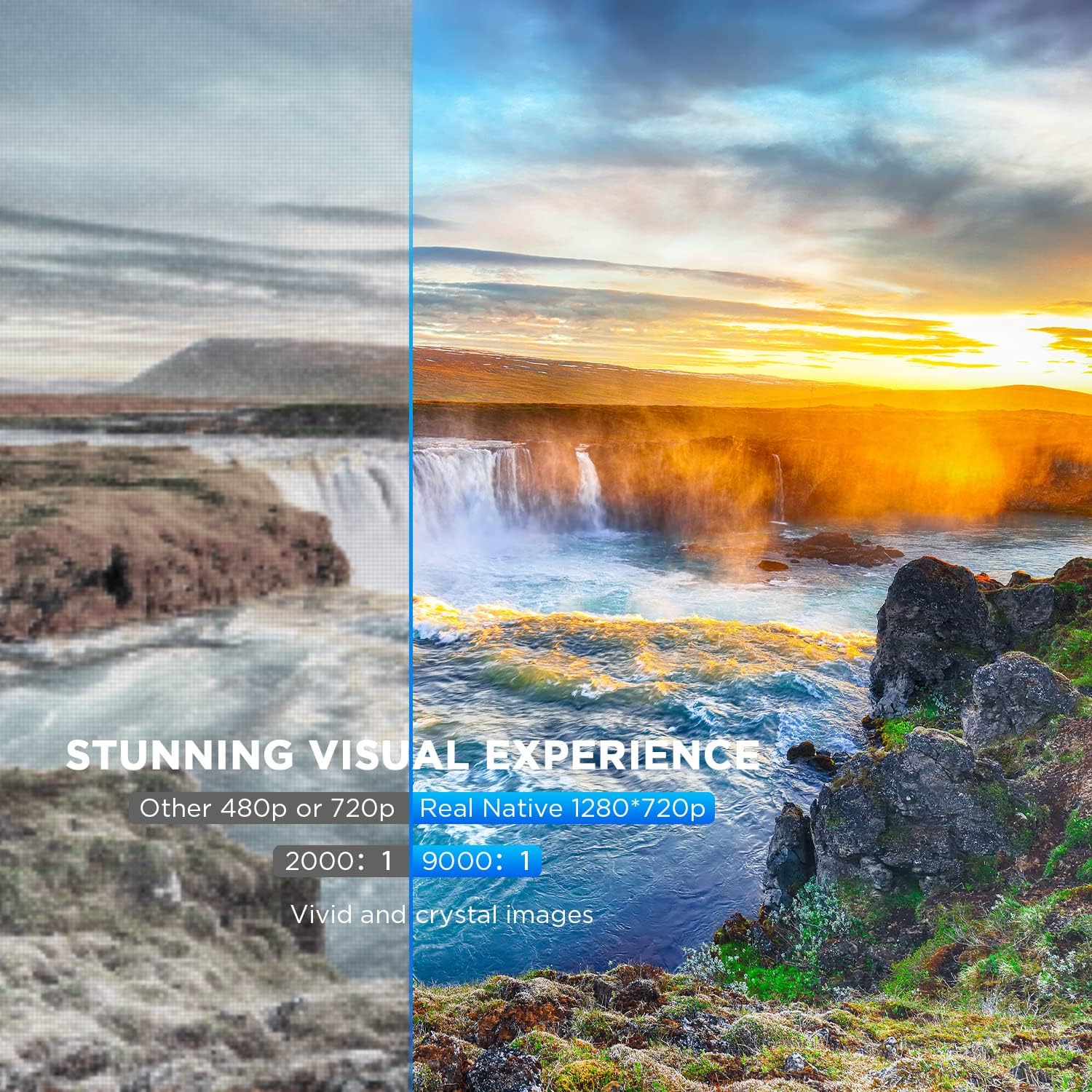
6.2. irudia: A side-by-side comparison demonstrating the difference between standard 480p/720p projection and the projector's real native 1280x720p resolution. The native resolution side shows significantly sharper details and richer colors in a landscape image, emphasizing the "Stunning Visual Experience" and "Vivid and crystal images".

6.3. irudia: This image illustrates the projector's "Crystal Clear Picture with Ultra-low Latency" feature, showing a vibrant, high-definition projection of a car racing scene on a large screen in a living room setting. The text highlights upgraded lens settings for a new visual experience with latency less than 30ms.
7. Mantentzea
7.1. Lentea garbitzea
Use a soft, lint-free cloth specifically designed for cleaning optical lenses. Do not use abrasive cleaners or solvents. Gently wipe the lens to remove dust or smudges.
7.2. Proiektorearen gorputza garbitzea
Garbitu proiektorearen kanpoaldea oihal leun eta lehor batekin. Zikinkeria egoskorra bada, garbitu pixka bat.amp cloth can be used, followed by a dry cloth. Ensure no liquid enters the ventilation openings.
7.3. Biltegiratzea
When not in use, store the projector in a cool, dry place, away from direct sunlight and extreme temperatures. Cover the lens with its cap to protect it from dust.
8. Arazoak
Proiektorearekin arazoak badituzu, jo ezazu honako arazo eta irtenbide ohikoenei:
| Arazoa | Kausa posiblea | Irtenbidea |
|---|---|---|
| Ez dago irudirik pantailan | Power cable not connected; incorrect input source; device not powered on. | Check power connection; select correct input source; ensure connected device is on. |
| Irudia lausoa da | Fokua ez dago doituta; proiektorea pantailatik gertuegi/urrunegi dago. | Adjust the focus ring; reposition the projector. |
| Irudia trapezoidala da | Keystone correction not adjusted. | Adjust the keystone correction dial. |
| Soinurik ez | Volume too low; external speakers not connected; audio settings on source device. | Increase volume; connect external speakers if needed; check audio output settings on source device. |
| WiFi mirroring issues | Incorrect WiFi connection; smartphone mirroring feature not activated. | Ensure correct WiFi network is selected; activate screen mirroring on your smartphone. |
9. Zehaztapenak
| Ezaugarri | Xehetasuna |
|---|---|
| Marka | BOMAKER |
| Modelo zenbakia | Mini WiFi Projector 10'' |
| Bistaratzeko ebazpena | Native 1280 x 720 (Supports 1080P decoding) |
| Bistaratzeko mota | LCDa |
| Konektibitate Teknologia | HDMI, Wi-Fi |
| Gailu bateragarriak | Smartphone, TV Stick, PS4, Laptop, USB Drive, Micro SD Card |
| Produktuaren neurriak | 22L x 17l x 9H centimeters |
| Forma-faktorea | Eramangarria |
| Gomendatutako Erabilerak | Etxeko zinema, jokoak |
| Kolorea | Zuria |
10. Bermea eta Laguntza
For warranty information or technical support, please refer to the documentation included with your purchase or contact BOMAKER customer service. Details regarding specific warranty periods and support channels are typically provided on the manufacturer's official webgunean edo produktuaren ontzian.


