1. Sarrera
Eskerrik asko erosketagatik.asing the BUFFBEE Digital Alarm Clock FM Radio with Wireless Charging. This device combines a digital alarm clock, FM radio, 10W fast wireless charger, and a USB charging port into a single unit. It features five distinct wake-up sounds, adjustable volume control, and a full brightness dimmer for optimal comfort in your bedroom environment. Please read this manual carefully to ensure proper setup and operation.

Figure 1.1: BUFFBEE Digital Alarm Clock with a smartphone wirelessly charging on top.
2. Konfigurazioa
2.1 Energia-konexioa
- Connect the provided power adapter to the DC 9V port on the back of the alarm clock.
- Entxufatu korronte-egokitzailea entxufe elektriko estandar batera. Erlojuaren pantaila piztuko da.
- Oharra: The internal battery backup is for saving time and alarm settings only. The device requires a continuous power connection to function.
2.2 Ordua ezartzea
- Eduki sakatuta DENBORA button located on the top panel. The hour digits will begin to flash.
- Erabili UP (▲) edo BEHERA (▼) buttons to adjust the hour.
- Sakatu DENBORA button again to confirm the hour and proceed to set the minutes. The minute digits will flash.
- Erabili UP (▲) edo BEHERA (▼) buttons to adjust the minutes.
- Sakatu DENBORA button one more time to save the time setting.
2.3 Alarma ezartzea
- Eduki sakatuta ALARMA button. The alarm hour digits will begin to flash.
- Erabili UP (▲) edo BEHERA (▼) buttons to adjust the alarm hour.
- Sakatu ALARMA button again to confirm the hour and proceed to set the alarm minutes. The minute digits will flash.
- Erabili UP (▲) edo BEHERA (▼) buttons to adjust the alarm minutes.
- Sakatu ALARMA button one more time to save the alarm time.
- Alarma aktibatzeko edo desaktibatzeko, sakatu laburki tekla ALARMA botoia. Alarma ikono bat agertuko da pantailan aktibatzen denean.

Figure 2.1: Rear panel with power and USB connections.
3. Funtzionamendu-argibideak
3.1 Haririk gabeko kargatzea
The top surface of the alarm clock features a 10W fast wireless charging pad. This is compatible with 5W, 7.5W, and 10W wireless-enabled phones.
- Place your wireless-enabled smartphone directly on the charging pad located on the top of the clock.
- Ensure the phone is centered on the charging pad for optimal connection.
- A lightning icon will appear on the clock's display to indicate that your phone is charging.

Figure 3.1: Wireless charging in progress.
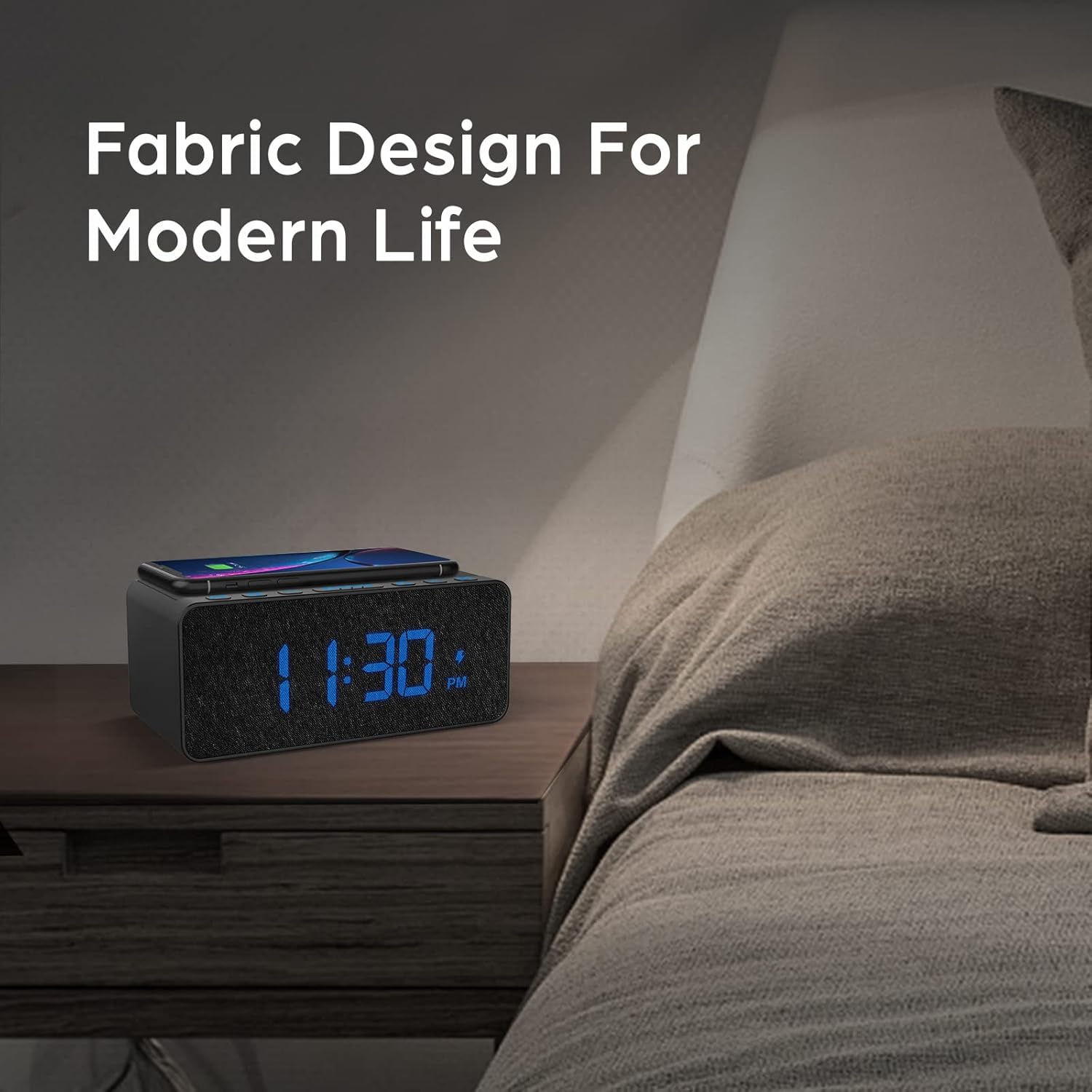
Figure 3.2: Wireless charging compatibility.
3.2 USB kargatzeko ataka
An additional USB port is located on the back of the unit for charging other devices, such as smartwatches or non-wireless charging phones.
- Connect your device's USB charging cable to the USB port on the back of the alarm clock.
- Konektatu kablearen beste muturra zure gailura.

Figure 3.3: Simultaneous wireless and USB charging.
3.3 FM irratiaren funtzionamendua
The alarm clock includes an FM radio with a frequency range of 87.5-108.0 MHz.
- To turn on the FM radio, press the IRRATIA botoia.
- To scan for stations, press and hold the UP (▲) edo BEHERA (▼) buttons. The radio will automatically tune to the next available station.
- Eskuz sintonizatzeko, sakatu laburki tekla UP (▲) edo BEHERA (▼) botoiak.
- Aurrez ezarritako irrati bat gordetzeko, sakatu eta eutsi botoiari IRRATIA button until the preset number flashes, then use the UP (▲) edo BEHERA (▼) buttons to select a preset slot. Press IRRATIA berriro baieztatzeko.
- Aurrez ezarritako irrati bat berreskuratzeko, sakatu laburki tekla IRRATIA botoia gordetako aurrezarpenen artean mugitzeko.
- Adjust the radio volume using the volume control dial or buttons (if present, otherwise use general volume controls).
- To improve FM reception, ensure the radio antenna on the back of the unit is fully extended.
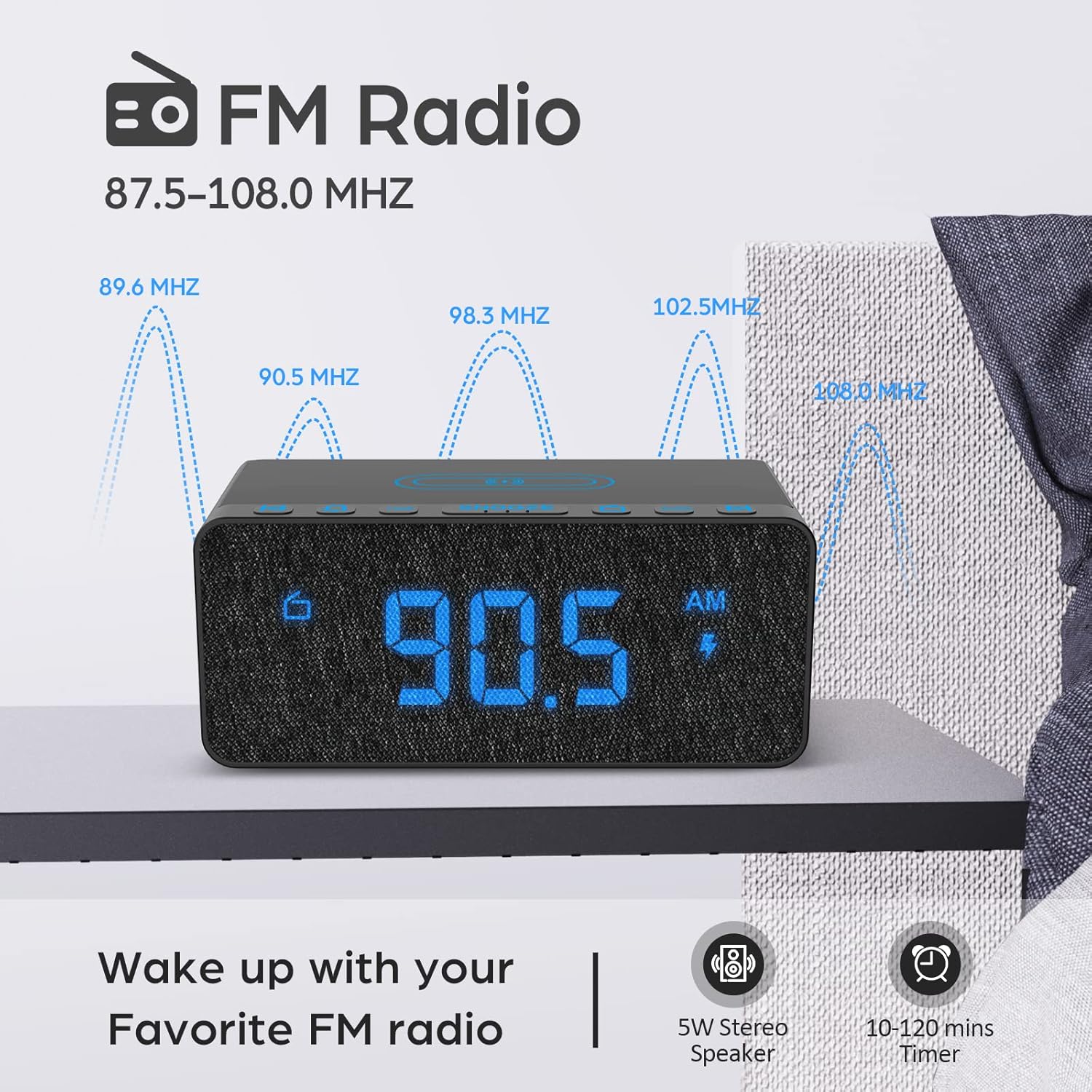
Figure 3.4: FM Radio display.
3.4 Alarm Sounds and Volume
The alarm clock offers 5 distinct wake-up sounds and adjustable alarm volume (0-15 levels).
- When setting the alarm, after setting the time, you can select the alarm sound.
- Sakatu ALARMA-SOINUAK button to cycle through the available sounds: Beep, Bird Sound, Bells, Piano Sound, or FM Radio.
- To adjust the alarm volume, use the dedicated volume buttons or dial on the unit.

Figure 3.5: Available alarm sounds.
3.5 Pantailaren argitasun-iluntzailea
The display brightness can be adjusted from 0% to 100% to suit your preference.
- Kokatu PANTAILAREN DIMMER switch or dial, typically on the back or side of the unit.
- Adjust the switch/dial to increase or decrease the display brightness.

Figure 3.6: Display brightness adjustment.
3.6 Kontrolakview
For a visual guide to the top panel controls, please refer to the video below.
3.1. bideoa: Amaitu daview of BUFFBEE Digital Alarm Clock features and top panel controls, including time setting, alarm, radio, and snooze functions.
4. Mantentzea
4.1 Garbiketa
- Gailua garbitzeko, erabili zapi leun eta lehor bat.
- Ez erabili garbitzaile likidorik, garbitzaile urratzailerik edo spray kimikorik, gainazala edo barneko osagaiak kaltetu baititzakete.
- Ziurtatu gailua deskonektatuta dagoela garbitu aurretik.
4.2 Arreta orokorra
- Saihestu gailua muturreko tenperatura, eguzki-argi zuzena edo hezetasun handiaren eraginpean jartzea.
- Do not disassemble the unit. Any repairs should be performed by qualified personnel.
- Mantendu gailua uretatik edo beste likidoetatik urrun.
5. Arazoak
- G: Zergatik dago pantaila hutsik konektatu ondoren?
- A: Please check if the DISPLAY DIMMER switch on the back of the unit is set to the HIGH position. If it is set to a very low position, the display may appear blank in bright environments.
- Q: How can I tell if my phone is wirelessly charging?
- A: A lightning icon will appear on the alarm clock's display when a compatible phone is correctly placed on the wireless charging pad and is actively charging.
- Q: Does the battery backup allow the clock to work without a power cord?
- A: No, the battery backup is solely for saving the time and alarm settings during a power outage. The device requires the power cord to be plugged in for full functionality (display, radio, charging, alarm sound).
- Q: Which phones are supported by wireless charging?
- A: The wireless charger is compatible with most Qi-enabled smartphones, including but not limited to: iPhone 13/13 Pro/13 Pro Max/13 Mini/12/12 Pro/12 Pro Max/12 Mini/11/11 Pro/11 Pro Max/X/XS/XS Max/XR/8/8+/SE; Samsung S21/S21+/21 Ultra/S20/S20+/S20 Ultra/S10/S10+/S10E/S9/S9+/S8/S8+/S7/S7+/S6/S6E; Note 20/20 Ultra/Note 10/10 Pro/Note 9/8/5; Google Nexus 4/5/6, and other wireless-enabled phones.
6. Zehaztapenak
| Marka | BUFFBEE |
| Eredua | B09LCCJZ3H |
| Bistaratzeko mota | Digitala |
| Estiloa | Modernoa |
| Ezaugarri bereziak | Adjustable Brightness, Charging Port, Music |
| Produktuaren neurriak | 6.9"Z x 2.8"A |
| Energia iturria | Kable elektrikoa |
| Gela Mota | Logela |
| Barruko/Kanpoko erabilera | Barruan |
| Markoaren materiala | Akrilonitrila Butadiene estirioa |
| Pilak barne | No (for operation, backup only) |
| Iratzargailua | Bai |
| Elementu kopurua | 1 |
| Eragiketa modua | Elektrikoa |
| Elementuaren pisua | 14.9 ontza |
| UPC | 766891334623 |
7. Bermearen informazioa
BUFFBEE products are designed and manufactured to the highest quality standards. This product is covered by a limited warranty against defects in materials and workmanship for a period of one (1) year from the original date of purchase. This warranty does not cover damage caused by accident, misuse, abuse, improper installation or operation, or unauthorized repairs. Please retain your proof of purchase for warranty claims.
8. Bezeroarentzako arreta
If you have any questions, concerns, or require assistance with your BUFFBEE Digital Alarm Clock, please contact our customer support team. For the most up-to-date contact information, please visit the official BUFFBEE webgunea edo kontsultatu zure produktuaren ontzia.
Lineako laguntza: Visit the BUFFBEE Store on Amazon


