Sarrera
This manual provides comprehensive instructions for the safe and efficient use of your Coby True Wireless Earbuds (Model CETW535). Please read this manual thoroughly before using the product and retain it for future reference.
The Coby True Wireless Earbuds offer a seamless audio experience with Bluetooth 5.3 technology, a smart battery display, and intuitive controls for music and calls. They are designed for comfort and convenience, featuring a built-in microphone for hands-free communication.
Paketearen edukia
- Coby True Wireless entzungailuak (ezkerrekoa eta eskuinekoa)
- Charging Case with Smart Battery Display
- USB kargatzeko kablea
- Erabiltzailearen eskuliburua (dokumentu hau)
Konfigurazioa
1. Hasierako kargatzea
Before first use, fully charge the earbuds and the charging case. Connect the charging case to a USB power source using the provided USB cable. The digital display on the case will indicate the charging status and battery level.

Image: The Coby True Wireless Earbuds are shown inside their open charging case, which displays "100%" on its digital screen, indicating a full charge. The earbuds are black and fit snugly into their respective slots.
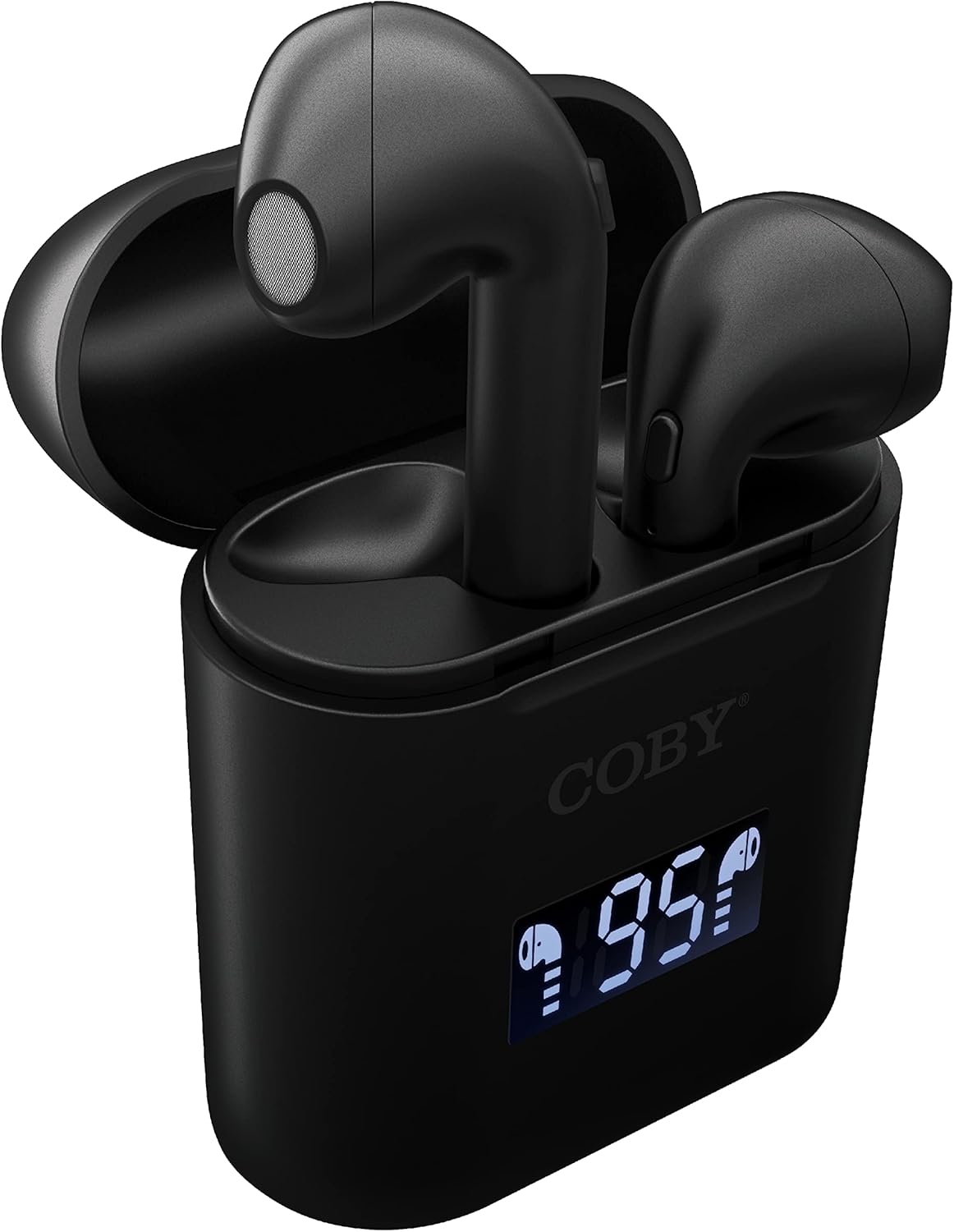
Irudia: Gertutik view of the Coby True Wireless Earbuds resting in their open charging case. The case features a digital display showing "95%", indicating the current battery level of the case. The black earbuds are visible, with their microphones facing upwards.
2. Bluetooth Gailu batekin parekatzea
- Ziurtatu entzungailuak kargatuta daudela eta kargatzeko zorroaren barruan daudela.
- Ireki kargatzeko zorroa. Aurikularrak automatikoki piztuko dira eta parekatze moduan sartuko dira.
- Zure gailuan (smartphone-an, tabletan, etab.), gaitu Bluetooth-a.
- Bilatu "CETW535" or "Coby Earbuds" in the list of available Bluetooth devices.
- Hautatu konektatzeko gailuaren izena. Konektatu ondoren, baieztapen-tonu bat entzungo duzu.
- The earbuds will automatically re-pair with the last connected device when removed from the case, if Bluetooth is enabled on the device.
3. Entzungailuak jartzea
Gently insert each earbud into the corresponding ear (L for left, R for right). Adjust them slightly until they feel secure and comfortable. A proper fit ensures optimal sound quality and comfort.

Image: A woman is shown smiling while wearing a black Coby True Wireless Earbud in her right ear, demonstrating a comfortable and secure fit.
Funtzionamendu-argibideak
Piztu/Itzali
- Piztu: Open the charging case, or press and hold the touch control area on each earbud for 3 seconds.
- Itzali: Place the earbuds back into the charging case and close the lid, or press and hold the touch control area on each earbud for 5 seconds.
Musika Kontrolak
The earbuds feature touch-sensitive controls for easy management of your audio playback.
- Erreproduzitu/Pausatu: Sakatu behin aurikular batean.
- Hurrengo ibilbidea: Sakatu birritan eskuineko aurikularra.
- Aurreko pista: Sakatu birritan ezkerreko aurikularra.
- Bolumena igo: Sakatu hiru aldiz eskuineko aurikularra.
- Bolumena jaitsi: Sakatu hiru aldiz ezkerreko aurikularra.

Image: A man is shown wearing a Coby True Wireless Earbud in his right ear, taking a drink from a water bottle, illustrating the earbuds' use during active moments.
Deien kontrolak
Manage your calls effortlessly with the built-in microphone and touch controls.
- Deia erantzun/amaitu: Sakatu behin aurikular batean.
- Deia baztertu: Eduki sakatuta aurikularretako bat 2 segundoz.

Image: A man is depicted wearing a Coby True Wireless Earbud in his left ear while concentrating on a laptop screen, highlighting the earbuds' suitability for work or study environments.
Ahots-laguntzailearen aktibazioa
Activate your device's voice assistant (Siri or Google Assistant) for hands-free commands.
- Aktibatu Ahots Laguntzailea: Press and hold either earbud for 3 seconds (after powering on, before powering off gesture).
Intelligent Digital Battery Display
The charging case features a digital display that shows the remaining battery percentagKaxaren e eta entzungailuen banakako kargatze-egoera.
- The large number indicates the charging case's battery percentage.
- Small icons next to the percentage indicate the charging status of the left and right earbuds.

Image: The Coby True Wireless Earbuds are shown in their open charging case, with the digital display indicating "95%" battery life for the case. The black earbuds are visible, ready for use or charging.
Mantentzea
- Garbiketa: Erabili zapi leun, lehor eta lihorik gabeko bat entzungailuak eta kargatzeko zorroa garbitzeko. Ez erabili produktu kimiko gogorrik edo material urratzailerik.
- Biltegiratzea: Erabiltzen ez dituzunean, gorde entzungailuak kargatzeko zorroan babesteko eta kargatuta mantentzeko. Gorde leku fresko eta lehor batean, muturreko tenperaturetatik urrun.
- Kargatzen: To prolong battery life, avoid fully discharging the battery frequently. Charge the case and earbuds regularly, even if not in constant use.
Arazoak konpontzea
| Arazoa | Irtenbide posiblea |
|---|---|
| Aurikularrak ez dira gailuarekin parekatzen. |
|
| Entzungailu bakarra ari da soinua jotzen. |
|
| Kargatzeko kaxa ez da kargatzen ari. |
|
| Soinuaren kalitate eskasa edo deskonexioak. |
|
Zehaztapenak
| Ezaugarri | Xehetasuna |
|---|---|
| Marka | Coby |
| Ereduaren izena | Egiazko haririk gabeko entzungailuak |
| Modelo zenbakia | CETW535 |
| Konektibitate Teknologia | Bluetooth 5.3 |
| Kolorea | Beltza |
| Entzungailuak jolasteko denbora | 6.5 ordu arte (karga osoarekin) |
| Jolas-denbora osoa (zorroarekin) | Gehienez 22 ordu |
| Mikrofonoa | Eraikituta |
| Ahots Laguntzailea laguntza | Siri, Google laguntzailea |
| Neurriak (L x W x H) | 0.99 x 1.85 x 2.44 hazbete (Kargatzeko kaxa) |
| Elementuaren pisua | 6.1 ontza |
| UPC | 643620020982 |
| Fabrikatzailea | Summit Electronics, LLC |
Bermea eta Laguntza
Specific warranty information for the Coby True Wireless Earbuds (Model CETW535) is not provided within this manual. For details regarding warranty coverage, terms, and conditions, please refer to the warranty card included with your product packaging or visit the official Coby webgunea.
For technical support or further assistance, please contact Coby customer service through the contact information provided on their official webgunea edo produktuaren ontziak.