Sarrera
This manual provides detailed instructions for the setup, operation, maintenance, and troubleshooting of your MageGee V510 Wireless RGB Gaming Keyboard. Please read this manual carefully before using the product to ensure optimal performance and longevity.

Image: MageGee V510 Wireless RGB Gaming Keyboard, showcasing its full layout and vibrant backlighting.
1. Konfiguratzeko argibideak
1.1 Paketearen edukia
- MageGee V510 Wireless RGB Gaming Keyboard
- 2.4G USB hargailua
- C motako karga-kablea
- Erabiltzailearen eskuliburua (dokumentu hau)
1.2 Teklatua konektatzea
- Locate the 2.4G USB receiver. It is typically stored in a compartment on the keyboard or included separately in the packaging.
- Plug the 2.4G USB receiver into an available USB port on your PC or laptop.
- Turn on the keyboard using the power switch, usually located on the side or back of the keyboard.
- The keyboard should automatically connect to your device. If not, ensure the receiver is properly inserted and the keyboard is powered on.
The 2.4G wireless connection provides a stable transmission with reduced latency, offering a working distance of up to 10 meters.
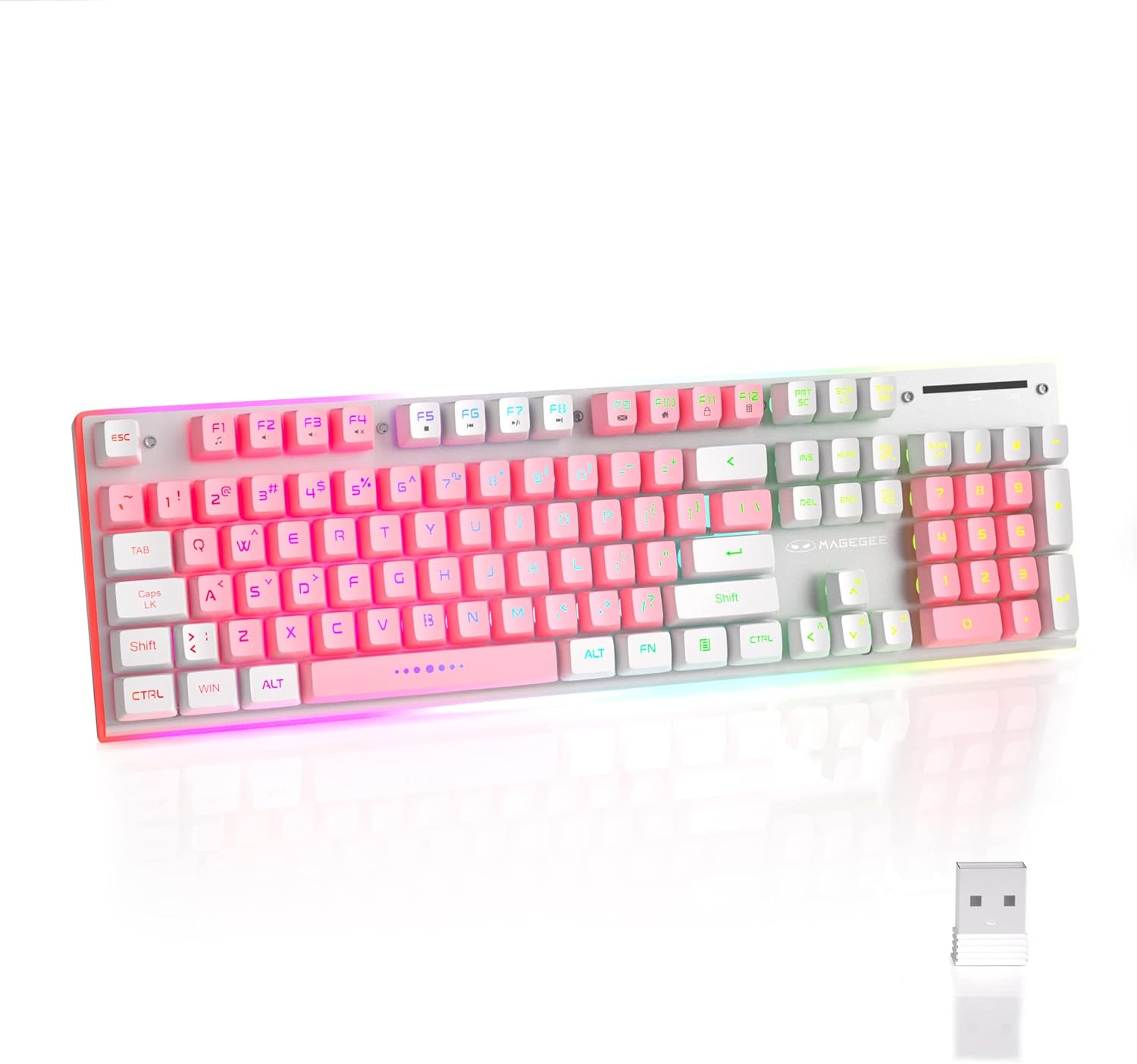
Image: The MageGee V510 keyboard shown alongside its compact 2.4G USB receiver, ready for wireless connection.

Image: Diagram illustrating the wireless connection between the keyboard and a laptop via the USB receiver, indicating a stable connection.
2. Funtzionamendu-argibideak
2.1 RGB atzeko argiaren kontrola
The V510 keyboard features dynamic RGB backlighting and unique side ambient lighting.
- Switch Backlight Effect: Sakatu Fn + 1-5 to cycle through multiple backlight modes and 8 different colors.
- Atzeko argia piztu/desaktibatu: Sakatu Fn + Scr (Scroll Lock key) to toggle the backlight on or off. Turning off the backlight conserves battery.
- Brighten/Dim Light: Sakatu Fn + ↑ (Up Arrow) to increase brightness, and Fn + ↓ (Down Arrow) to decrease brightness.
- Argiaren abiadura doitzea: Sakatu Fn + ← (Left Arrow) to slow down the light effect speed, and Fn + → (Right Arrow) to speed up the light effect.

Image: Visual guide to RGB backlight controls on the MageGee V510 keyboard, showing key combinations for changing effects, brightness, and speed.

Image: The MageGee V510 keyboard highlighting its unique surround LED strip, providing ambient lighting around all sides, not just keycap glow.

Image: A series of MageGee V510 keyboards demonstrating various brilliant RGB backlighting modes and switchable colors.
2.2 Multimedia lasterbide-teklak
The keyboard includes 12 multimedia shortcut keys for quick access to frequently used programs and functions.
| Tekla-konbinazioa | Funtzioa |
|---|---|
| Fn + F1 | Jokalari |
| Fn + F2 | Bolumena jaitsi |
| Fn + F3 | Bolumena igo |
| Fn + F4 | Isildu |
| Fn + F5 | Azken Abestia |
| Fn + F6 | Hurrengo Abestia |
| Fn + F7 | Erreproduzitu/Pausatu |
| Fn + F8 | Gelditu |
| Fn + F9 | Hasiera |
| Fn + F10 | Posta |
| Fn + F11 | Nire Ordenagailua |
| Fn + F12 | Gogokoak |

Image: A diagram illustrating the 12 multimedia shortcut keys (Fn + F1-F12) and their corresponding functions on the MageGee V510 keyboard.
2.3 Teklatua kargatzea
The MageGee V510 keyboard is equipped with a 2000mAh rechargeable battery.
- Connect the included Type-C charging cable to the charging port on the keyboard and to a USB power source (e.g., computer USB port, USB wall adapter).
- Charging time: Approximately 3.5 to 4 hours for fast charging, or 8 to 10 hours for slow charging.
- Battery life: Up to 20 hours of continuous use with RGB backlight, or up to 60 hours with monochrome backlight.

Irudia: Gertuko planoa view of the MageGee V510 keyboard's side, showing the power switch and the Type-C charging port.

Image: Graphic displaying the 2000mAh battery capacity and up to 60 hours of usage time for the MageGee V510 keyboard.
3. Mantentzea
3.1 Teklatua garbitzea
The MageGee V510 features a waterproof design and floating keycaps for easy cleaning.
- To clean dust and debris, use a soft brush or compressed air.
- For spills, gently wipe the surface with a damp cloth. Ensure the keyboard is powered off and disconnected from any charging cable before cleaning.
- Avoid submerging the keyboard in water.

Image: The MageGee V510 keyboard with water droplets on its surface, illustrating its waterproof design and floating keycaps for easy cleaning.
3.2 Keycap Information
The keyboard uses mixed-color double-shot keycaps, which are wear-resistant, durable, and do not fade. The keycaps are removable for deeper cleaning or customization.

Irudia: Gertuko planoa view of the MageGee V510 keyboard's mixed-color double-shot keycaps, showing a keycap removed to reveal the underlying switch mechanism.
4. Arazoak
- Teklatuak ez du erantzuten:
- Ensure the 2.4G USB receiver is securely plugged into a USB port on your computer.
- Egiaztatu teklatuaren pizteko etengailua "ON" posizioan dagoela.
- Egiaztatu bateriaren maila. Baxua bada, konektatu kargatzeko kablea.
- Saiatu USB hargailua beste USB ataka batera konektatzen.
- Berrabiarazi ordenagailua.
- Atzeko argia ez dabil:
- Ensure the backlight is not turned off (press Fn + Scr).
- Check backlight brightness (press Fn + ↑).
- Ziurtatu teklatuak bateria nahikoa duela.
- Giltzak ez dira erregistratzen edo mamuak agertzen dira:
- The keyboard features 25-key anti-ghosting. If issues persist, ensure the keyboard is clean and free of debris under the keycaps.
- Saiatu USB hargailua berriro konektatzen.
- Konexio arazoak:
- Ensure there are no significant obstructions between the keyboard and the USB receiver.
- Avoid placing the receiver near strong interference sources (e.g., Wi-Fi routers, other wireless devices).
If you encounter any persistent issues, please contact MageGee customer support for assistance.
5. Zehaztapenak
| Ezaugarri | Xehetasuna |
|---|---|
| Marka | MageGee |
| Eredua | V510 |
| Konektibitate Teknologia | 2.4G Haririk gabekoa (USB Hartzailea) |
| Teklatuaren deskribapena | Gaming, Standard 104-key layout |
| Ezaugarri bereziak | Ergonomic, RGB Backlit, Waterproof, 25-key Anti-ghosting, Metal Panel, Detachable Keycaps |
| Gailu bateragarriak | Laptop, PC (Win 2000 / XP / ME / 7 / 8 / 10 / Vista / Mac) |
| Kolorea | Zuria/Arrosa |
| Atzeko argiaren koloreen kudeaketa | RGB |
| Materiala | Plastic (with metal panel) |
| Bateria Edukiera | 2000mAh |
| Wireless Range | Gehienez 10 metro |
| Neurriak | Approx. 422mm (17.40in) x 133mm (5.37in) x 37mm (1.47in) |

Image: Technical drawing of the MageGee V510 keyboard showing its length (422mm), width (133mm), and height (37mm).

Irudia: Alboko profesionalafile of the MageGee V510 keyboard illustrating its ergonomic design with an 8-degree tilt and adjustable foot supports.

Irudia: Gehiagoview graphic highlighting key features of the MageGee V510 keyboard, including 2.4G Wireless, RGB Backlight, Surround Lighting, Mixed-Color Keycaps, Large Battery Capacity, Anti-Ghosting, and Ergonomic Design.
6. Bermea eta Laguntza
MageGee is committed to providing quality products and customer satisfaction.
- For any product issues or inquiries, please contact MageGee customer support.
- Bermearen baldintza eta zehaztapen zehatzak ikusteko, kontsultatu erosketa-dokumentazioa.
Contact information for support is typically available on the official MageGee webgunea edo zure dendariaren bidez.


