Sarrera
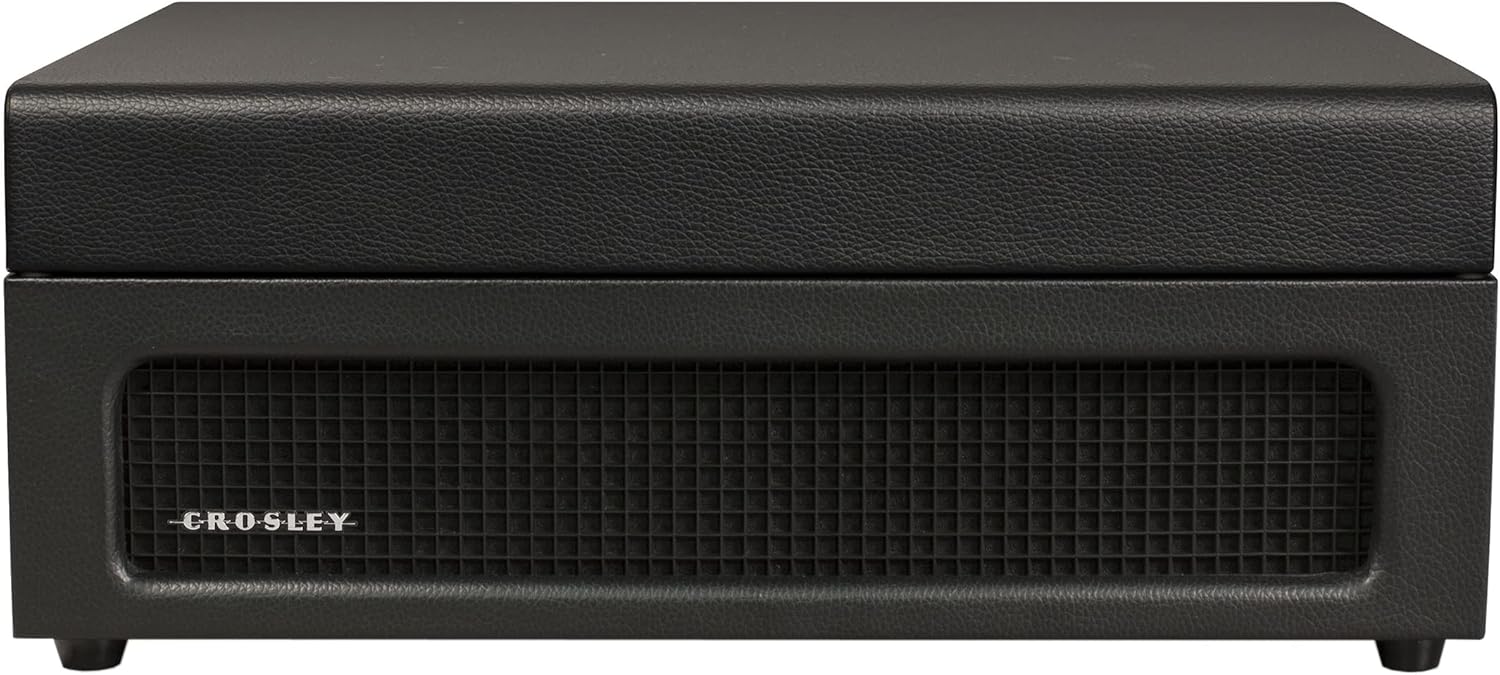
The Crosley Voyager Record Player is designed to combine classic vinyl listening with modern audio technology. This portable turntable supports multiple record speeds and features built-in speakers, Bluetooth connectivity for both input and output, and various audio ports for versatile use. This manual provides essential information for setting up, operating, and maintaining your record player.
Kutxan dagoena
- CR8017B-BK Turntable Unit
- 45 RPM egokitzaile
- Elikatze-moldagailua
Produktuaren Ezaugarriak
- Three-Speed Belt-Drive Turntable: Plays 33 1/3, 45, and 78 RPM records.
- Adjustable Pitch Control: Fine-tune playback speed.
- Kueing palanka: Gently lowers and raises the needle.
- Bluetooth In: Stream digital music from your device to the turntable's built-in speakers.
- Bluetooth irteera: Connect the turntable wirelessly to external Bluetooth speakers.
- Built-in Dynamic Full-Range Stereo Speakers: Audio irteera integratua.
- Sarrera osagarria: Konektatu kanpoko audio iturriak 3.5 mm-ko audio kable baten bidez.
- RCA irteera: Connect to an external stereo system for enhanced audio.
- Aurikularrak Jack: Entzun pribaturako.
- Maleta eramangarriaren diseinua: Compact and easy to transport with a carry handle.

Image: Key features of the Crosley Voyager turntable, highlighting the 3-speed selector, compact and portable design, and built-in stereo speakers.
Konfigurazioa
- Deskonprimitu biragailuaren mahaia: Carefully remove all components from the packaging. Ensure all packing materials are removed from the turntable platter and tonearm.
- Jarri bira-plataforma: Position the turntable on a flat, stable surface away from direct sunlight, heat sources, or excessive vibration.
- Konektatu energia: Insert the power adaptor into the DC 12V input jack on the back of the turntable, then plug the adaptor into a wall outlet.
- Kendu arkatz babeslea: Kendu astiro-astiro orratzaren plastikozko estilete babesle zuria.
- Hasierako piztea: Biratu POWER/VOLUME botoia erlojuaren orratzen noranzkoan unitatea pizteko. Pizteko adierazlearen argia piztuko da.

Image: Rear panel of the turntable, displaying the DC 12V power input, RCA Line Out, and Aux In ports for external connections.
Funtzionamendu-argibideak
Diskoak jotzen
- Hautatu Abiadura: Set the speed selector switch (33, 45, or 78 RPM) to match the record you are playing. Use the included 45 RPM adapter for 7-inch records with large center holes.
- Lekuaren erregistroa: Jarri disko bat disko-plateran.
- Desblokeatu besoa: Release the tonearm clip.
- Raise Tonearm: Altxatu seinaleztapen palanka besoa altxatzeko.
- Besoaren posizioa: Manually move the tonearm over the desired track of the record.
- Beheko besoa: Gently lower the cueing lever to place the stylus on the record. The platter will begin to spin.
- Doitu bolumena: Rotate the POWER/VOLUME knob to adjust the sound level.
- Doitu tonua: Use the PITCH control knob to fine-tune the playback speed if needed.
- Erreprodukzioaren amaiera: When the record finishes, the tonearm will automatically return to its rest position (if auto-stop is enabled). Lift the tonearm, return it to the rest, and secure the clip.
Irudia: Goitik behera view of the turntable with a record spinning, illustrating the tonearm in position and the control panel.
Bluetooth Input (Streaming to Turntable)
- Hautatu Bluetooth modua: Slide the PHONO/BT switch to the BT position. The Bluetooth indicator light will flash blue.
- Parekatu gailua: On your Bluetooth-enabled device (e.g., smartphone, tablet), search for "Crosley Voyager" in the Bluetooth settings and pair. Once connected, the indicator light will glow solid blue.
- Erreproduzitu musika: Start playing music on your device. The audio will stream through the turntable's built-in speakers.
- Doitu bolumena: Control the volume using both your device and the turntable's POWER/VOLUME knob.
Image: The turntable with a smartphone icon and Bluetooth logo, indicating the ability to stream digital music through its built-in speakers.
Bluetooth Output (Streaming from Turntable)
- Enable Pairing on External Speaker: Put your external Bluetooth speaker into pairing mode.
- Select Bluetooth Output Mode: Slide the PHONO/BT switch to the BT position. The Bluetooth indicator light will flash blue.
- Hasi parekatzea: The turntable will automatically search for and connect to the nearest Bluetooth speaker in pairing mode. Once connected, the indicator light will glow solid blue.
- Erreproduzitu erregistroa: Place a record and begin playback as described above. The audio will now stream to your external Bluetooth speaker.

Image: The turntable with a Bluetooth logo, illustrating its capability to stream vinyl audio to external Bluetooth speakers (speaker not included).
Using Aux Input or Headphone Jack
- Sarrera osagarria: Connect an external audio device (e.g., MP3 player) to the AUX IN port on the back of the turntable using a 3.5mm audio cable. The audio will play through the turntable's speakers.
- Aurikularrak Jack: For private listening, plug headphones into the headphone jack on the front panel. The built-in speakers will be muted.
Mantentzea
- Estiletoa garbitzea: Use a soft brush to gently clean the stylus (needle) from back to front. Avoid touching the stylus with your fingers.
- Cleaning the Turntable: Wipe the turntable cabinet with a soft, dry cloth. Do not use harsh chemicals or abrasive cleaners.
- Erregistroen zaintza: Mantendu diskoak garbi eta hautsik gabe. Gorde itzazu bertikalki beren zorroetan deformatu ez daitezen.
- Estiletearen ordezkapena: The stylus has a limited lifespan. If sound quality deteriorates, replace the stylus. Consult Crosley support for compatible replacement styli.
Arazoak konpontzea
If you experience issues with your Crosley Voyager turntable, please refer to the following common solutions:
- Potentziarik gabe: Ensure the power adaptor is securely connected to both the turntable and a working wall outlet. Check if the POWER/VOLUME knob is turned on.
- Soinurik ez:
- Check the POWER/VOLUME knob and turn it up.
- If using Bluetooth output, ensure the external speaker is powered on and paired correctly.
- If using RCA output, verify connections to your stereo system and its input selection.
- If using headphones, ensure they are fully plugged in.
- Ensure the stylus protector has been removed.
- Soinua saltoka edo distortsionatuta:
- Clean the record and stylus.
- Ziurtatu birakari-plataforma gainazal egonkor eta mailakatu batean dagoela.
- Check if the record is warped or damaged.
- Verify the correct speed setting (33 1/3, 45, or 78 RPM) is selected.
- Bluetooth parekatzearen arazoak:
- Ensure the turntable is in the correct Bluetooth mode (input or output).
- Make sure your device or external speaker is in pairing mode and within range.
- Try restarting both the turntable and the Bluetooth device.
Zehaztapenak
| Produktuaren neurriak: | 12 x 14.5 x 6 hazbete |
| Elementuaren pisua: | 7.25 kilo |
| Biraketa-abiadura maximoa: | 78 RPM |
| Materiala: | Plastikoa |
| Estiloa: | Bluetooth In/Out |
| Kolorea: | Beltza |
| Ereduaren izena: | Voyager |
| Gailu bateragarriak: | Hizlaria, entzungailuak |

Image: Detailed diagram illustrating the overall dimensions of the Crosley Voyager turntable.
Produktuaren bideo ofiziala
Bideoa: Produktu ofizial baten bideo-erakustaldiaasing the Crosley CR8017B-BK Voyager Record Player, highlighting its design and features.
Bermea eta Laguntza
Crosley products are proudly designed in the USA and come with USA-based customer support. For warranty information, technical assistance, or replacement parts, please visit the official Crosley webwebgunera edo jarri harremanetan bezeroarentzako arreta-zerbitzuarekin. Gorde erosketa-agiria berme-erreklamazioetarako.
65. proposamena Abisua: Produktu honek Kaliforniako Estatuak minbizia eta jaiotzetiko akatsak edo bestelako ugalketa-arazoak eragiten dituztela ezagutzen dituen produktu kimikoak izan ditzake. Informazio gehiago lortzeko, joan honera www.P65Warnings.ca.gov.


