1. Sarrera
Thank you for choosing the Edifier W280NB Bluetooth Wireless Neckband Earbuds. These earbuds are designed to provide a high-quality audio experience with features like Active Noise Cancellation (ANC), Ambient Sound Monitoring, and AI call noise reduction. Their lightweight, comfortable design and IP55 water resistance make them ideal for various activities, including gym workouts and running.
2. Zer dago kutxan
- Edifier W280NB Earbuds
- Kargatzeko kablea
- Multiple Sizes of Eartips and Ear Wings
3. Produktua amaitu daview
Familiarize yourself with the components of your Edifier W280NB earbuds:

3.1. irudia: Edifier W280NB Neckband Earbuds. The image shows the black neckband-style earbuds with the control module visible on the right side of the neckband.
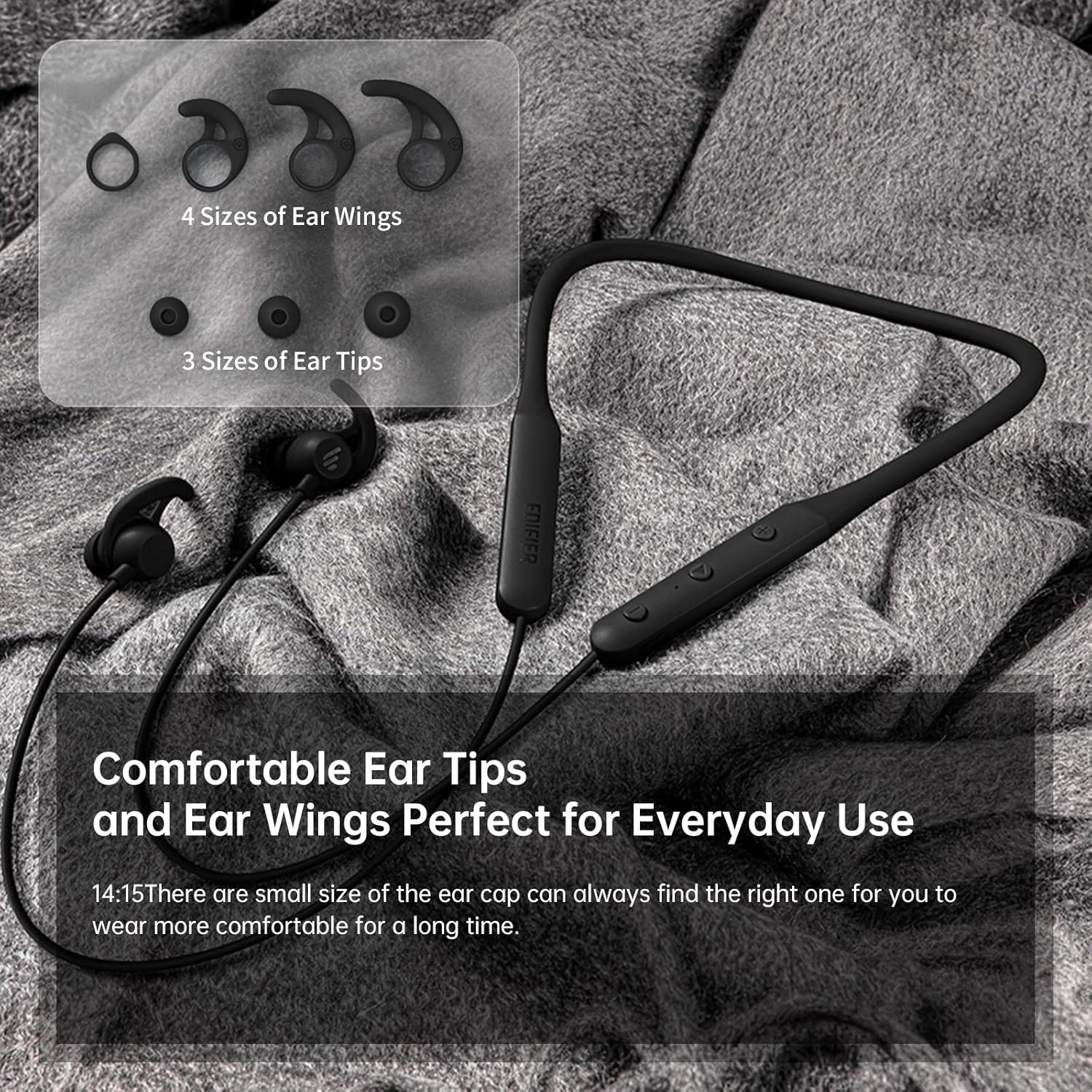
3.2. irudia: Comfortable Ear Tips and Ear Wings. This image displays different sizes of silicone ear tips and ear wings, highlighting the customizable fit for user comfort.
The earbuds feature a flexible neckband for secure wear, with integrated controls for easy access to functions like volume, playback, and call management. The ear tips and ear wings are designed for a comfortable and stable fit during various activities.
4. Konfigurazioa
4.1 Entzungailuak kargatzea
Before first use, fully charge the earbuds. Connect the provided charging cable to the charging port on the neckband and to a USB power source. The indicator light will show charging status. A full charge provides up to 13 hours of playtime (ANC off). For quick use, a 2-minute charge can provide approximately 2 hours of playtime.

4.1. irudia: Fast Charge and Long Playback Time. This image illustrates the battery life with ANC on (11 hours) and ANC off (13 hours), and the quick charge capability (10 minutes charge for 2.5 hours use).
4.2 Bluetooth parekatzea
- Ensure the earbuds are charged and powered off.
- Press and hold the power button until the indicator light flashes blue and red, indicating pairing mode.
- Zure gailuan (smartphone-a, tableta, ordenagailu eramangarria), gaitu Bluetooth-a eta bilatu eskuragarri dauden gailuak.
- Select "Edifier W280NB" from the list of found devices.
- Behin konektatuta, adierazle-argia urdin finko bihurtuko da.
5. Funtzionamendu-argibideak
5.1 Kontrolak
The control module on the neckband allows you to manage various functions:
- Pizteko botoia: Sakatu eta eutsi pizteko/itzaltzeko. Sakatu labur musika erreproduzitzeko/pausatzeko edo deiak erantzuteko/amaitzeko.
- Bolumena igo (+): Sakatu labur bolumena igotzeko. Sakatu luze hurrengo abestirako.
- Bolumena jaitsi (-): Sakatu labur bolumena jaisteko. Sakatu luze aurreko abestira joateko.
- Funtzio botoia: (Specific button for ANC/Ambient mode, refer to product diagram if available, otherwise assume integrated with power/volume)
5.2 Zarata Deuseztatze Aktiboa (ANC)
The ANC feature reduces ambient noise, providing a more immersive listening experience. Activate or deactivate ANC using the designated control button (often a long press on the power button or a dedicated button).

5.1. irudia: Active Noise Cancellation. A man is shown wearing the earbuds, with text indicating the ANC technology for a quieter experience.
5.3 Ambient Sound Monitoring
This mode allows you to hear your surroundings without removing the earbuds, enhancing safety and awareness. Toggle this mode on/off via the control module.

5.2. irudia: Ambient Sound Mode. A woman is shown wearing the earbuds, with text explaining the real-time sensation of ambient sound monitoring.
5.4 Dei-funtzioak
The earbuds support hands-free calling with AI call noise reduction technology, ensuring clear conversations by filtering out ambient noise.
- Deia erantzun/amaitu: Sakatu labur pizteko botoia.
- Deia baztertu: Luze sakatu pizteko botoia.

5.3. irudia: Call Noise Cancellation. A woman is shown wearing the earbuds, with text describing the AI call noise-cancelling technology for clear calls.
6. Mantentzea
6.1 Garbiketa
- Garbitu belarri-puntak aldizka zapi leun eta lehor batekin.
- If necessary, remove the ear tips and wash them with mild soap and water, ensuring they are completely dry before reattaching.
- Wipe the neckband and earbud surfaces with a slightly damp oihal. Saihestu produktu kimiko gogorrak edo material urratzaileak erabiltzea.
6.2 Urarekiko eta hautsarekiko erresistentzia (IP55)
The Edifier W280NB earbuds are IP55 rated, meaning they are protected against dust ingress and low-pressure water jets from any direction. This makes them suitable for use during workouts and in light rain. However, they are not designed for submersion in water.

6.1. irudia: IP55 Dust and Water Resistance. A man is shown wearing the earbuds, with text highlighting their IP55 protection against dust and water.
6.3 Biltegiratzea
Store the earbuds in a cool, dry place away from direct sunlight and extreme temperatures. Avoid tangling the neckband to prevent damage.
7. Arazoak
| Arazoa | Kausa posiblea | Irtenbidea |
|---|---|---|
| Entzungailuak ez dira pizten | Bateria baxua | Kargatu entzungailuak guztiz. |
| Ezin da gailuarekin parekatu | Earbuds not in pairing mode; Bluetooth off on device; too far from device | Ensure earbuds are in pairing mode (flashing blue/red). Turn on Bluetooth on your device. Move earbuds closer to your device (within 10 meters). |
| Soinurik ez edo bolumen txikia | Volume too low; earbuds not connected; incorrect audio output selected | Increase volume on earbuds and device. Reconnect earbuds. Check your device's audio output settings. |
| Soinuaren kalitatea eskasa da | Interference; ear tips not sealed properly; dirty earbuds | Move away from sources of interference. Adjust ear tips for a secure fit. Clean ear tips and earbud nozzles. |
8. Zehaztapenak
| Ezaugarri | Xehetasuna |
|---|---|
| Modelo zenbakia | W280NB |
| Konektibitate Teknologia | Haririk gabekoa |
| Haririk gabeko Komunikazio Teknologia | Bluetooth 5.0 |
| Dakarten osagaiak | Cable, Eartip |
| Materiala | Silikona |
| Produkturako erabilera espezifikoak | Kirolak eta Ariketa |
| Produkturako gomendatutako erabilerak | Calling, Running |
| Gailu bateragarriak | Smartphone-ak, tabletak, ordenagailu eramangarriak, mahaigaineko ordenagailuak |
| Kontrol mota | Komunikabideen kontrola |
| Kable Ezaugarri | Kablerik gabe |
| Uraren Erresistentzia Maila | Iragazgaitza (IP55) |
| Maiztasun barrutia | 20Hz - 20KHz |
| Kontrol-metodoa | Ukitu |
| Elementu kopurua | 1 |
| Bateriaren iraupena | 13 Hours (ANC off) |
| Audio kontrolatzaile mota | Gidari dinamikoa |
| Bluetooth barrutia | 10 metro |
| Entzungailuaren forma | Belarri barnean |
| USB 2 ataka kopurua | 1 |
| UPC | 875674006623 |
9. Bermea eta Laguntza
Edifier products typically come with a limited warranty. Please refer to the warranty card included with your product or visit the official Edifier website for detailed warranty terms and conditions. For technical support, product inquiries, or service requests, please contact Edifier customer service through their official channels.


