1. Sarrera
The GTMEDIA V7 Pro is a versatile satellite receiver designed to provide access to DVB-S/S2/S2X and DVB-T/T2 digital television broadcasts. This device supports advanced features such as VCM/ACM/Multi-Stream, HEVC 10bit decoding, and includes a CA card slot for conditional access. It also offers USB WiFi connectivity for network features and online content. This manual provides essential information for setting up, operating, and maintaining your GTMEDIA V7 Pro receiver.
2. Segurtasun informazioa
- Ensure the device is placed on a stable, flat surface with adequate ventilation.
- Avoid exposing the receiver to moisture, extreme temperatures, or direct sunlight.
- Do not block ventilation openings on the device.
- Deskonektatu korrontea garbiketa edo mantentze-lanak egin aurretik.
- Only use the provided power adapter to prevent damage.
- Ez saiatu gailua zeuk irekitzen edo konpontzen. Jarri harremanetan zerbitzu-langile kualifikatuekin.
3. Paketearen edukia
Egiaztatu behean zerrendatutako elementu guztiak zure paketean sartuta daudela:
- GTMEDIA V7 Pro Satellite Receiver
- Elikatze-moldagailua
- IR Urruneko Kontrola
- HDMI kablea
- Erabiltzailearen eskuliburua (dokumentu hau)
- Berme Txartela
- USB WiFi dongle-a

Image 3.1: All items included in the GTMEDIA V7 Pro package, showing the receiver, remote control, power adapter, HDMI cable, USB WiFi dongle, user manual, and warranty card.
4. Produktua amaitu daview
The GTMEDIA V7 Pro features a compact design with essential ports for connectivity. Understanding the layout of the device will assist in proper setup and operation.
4.1 Front and Side Panels
- Pantaila: Shows channel numbers, time, and status indicators.
- Power LED: Gailuaren energia-egoera adierazten du.
- CA Card Slot: Located on the side, for inserting conditional access cards.
4.2 Atzeko panelaren konexioak

4.1 irudia: Xehetasun zehatza view of the GTMEDIA V7 Pro's rear panel, illustrating the various input and output ports including LNB IN, ANT IN, HD OUT, AV OUT, RF TO TV, USB ports, DC 12V Power input, and the Power ON/OFF switch.
- LNB IN: Connects to your satellite dish LNB for DVB-S/S2/S2X signals (950MHz to 2150MHz).
- INURRIA: Connects to a terrestrial antenna for DVB-T/T2 signals.
- HD IRTEERA: HDMI output for connecting to a high-definition television (up to 1080p).
- AV IRTEERA: Analog video and audio output for older televisions.
- RF TO TV: RF output for connecting to a TV's antenna input.
- USB atakak: Two USB ports for connecting USB storage devices (for PVR, media playback, firmware upgrade) or the included USB WiFi dongle.
- 12V korronte zuzeneko potentzia: Connects to the provided 12V power adapter.
- Piztu/Itzali: Gailuaren etengailu nagusia.
5. Konfigurazioa
Follow these steps to set up your GTMEDIA V7 Pro receiver:
- Telebistara konektatu: Connect the receiver to your television using an HDMI cable (for best quality) or AV cables. Ensure the TV input is set to the corresponding HDMI or AV port.
- Connect Antenna/LNB:
- For satellite reception, connect your satellite dish LNB cable to the LNB IN portua.
- For terrestrial reception, connect your terrestrial antenna cable to the INURRIA SARTU portua.
- Connect USB WiFi Dongle: Insert the provided USB WiFi dongle into one of the USB ports on the rear panel.
- Konektatu energia: Entxufatu korronte-egokigailua DC 12V potentzia input on the receiver, then plug the adapter into a wall outlet.
- Piztu: Irauli Piztu/Itzali switch to the ON position. The front display will show "boot" then "Load" as the system starts.
- Hasierako konfigurazio morroia: Upon first power-on, the receiver may guide you through an initial setup wizard. Follow the on-screen prompts to select your preferred language and configure basic settings.
- Sarearen konfigurazioa: Nabigatu Sarea menua. Hautatu Sarearen konfigurazioa, orduan WiFi. Scan for available networks, select your network, and enter the password to connect.
- Kanalen bilaketa:
- Joan zaitez Instalazioa menua.
- Hautatu Sateliteen zerrenda for satellite channels or Lurrekoa for terrestrial channels.
- Choose your desired satellite (e.g., Hot Bird 13B/13C) or ensure the correct terrestrial region is selected.
- Perform an Bilaketa automatikoa or Blind Scan to find available channels. This process may take several minutes.
Video 5.1: This video demonstrates the physical overview, port connections, initial power-on sequence, and basic menu navigation for the GTMEDIA V7 Pro Satellite Receiver, including satellite list selection, channel search, and network configuration.
6. Funtzionamendu-argibideak
6.1 Oinarrizko nabigazioa
Use the included remote control to navigate the receiver's menus and functions. The arrow keys are used for selection, OK for confirmation, and EXIT/MENU for returning to previous screens or the main menu.
6.2 Kanalen kudeaketa
After performing a channel search, you can organize your channels. The receiver supports various channel sorting options and allows you to create favorite lists.
6.3 Multimedia erreprodukzioa (USB)
Insert a USB storage device containing media files (music, pictures, movies) into a USB port. Navigate to the Komunikabideak menu to browse and play your content.
6.4 Programaren grabaketa (PVR)
With a connected USB storage device, you can record live TV programs. Access the PVR functions through the remote control or the Komunikabideak menu. You can also set timers for scheduled recordings.
6.5 Online Features
Once connected to the internet via WiFi, the receiver provides access to online applications such as YouTube and Youporn. Navigate to the Sarea menua, ondoren Online Movie App ezaugarri horietara sartzeko.
6.6 Conditional Access (CA Card)
The GTMEDIA V7 Pro includes a CA card slot. Insert your smart card into the slot to decrypt encrypted channels. Ensure the card is inserted correctly according to the card's orientation. The receiver supports various card types including Albertis/Tivusat/BBC Satback/Irdeto Card.

Image 6.1: A hand inserting a smart card into the CA card slot of the GTMEDIA V7 Pro receiver, demonstrating the conditional access feature for viewing encrypted programs.
6.7 Multi-Room Functionality
The Multi-Room feature allows you to share program resources across multiple satellite receivers within the same local area network, eliminating the need for multiple subscription cards for different devices.
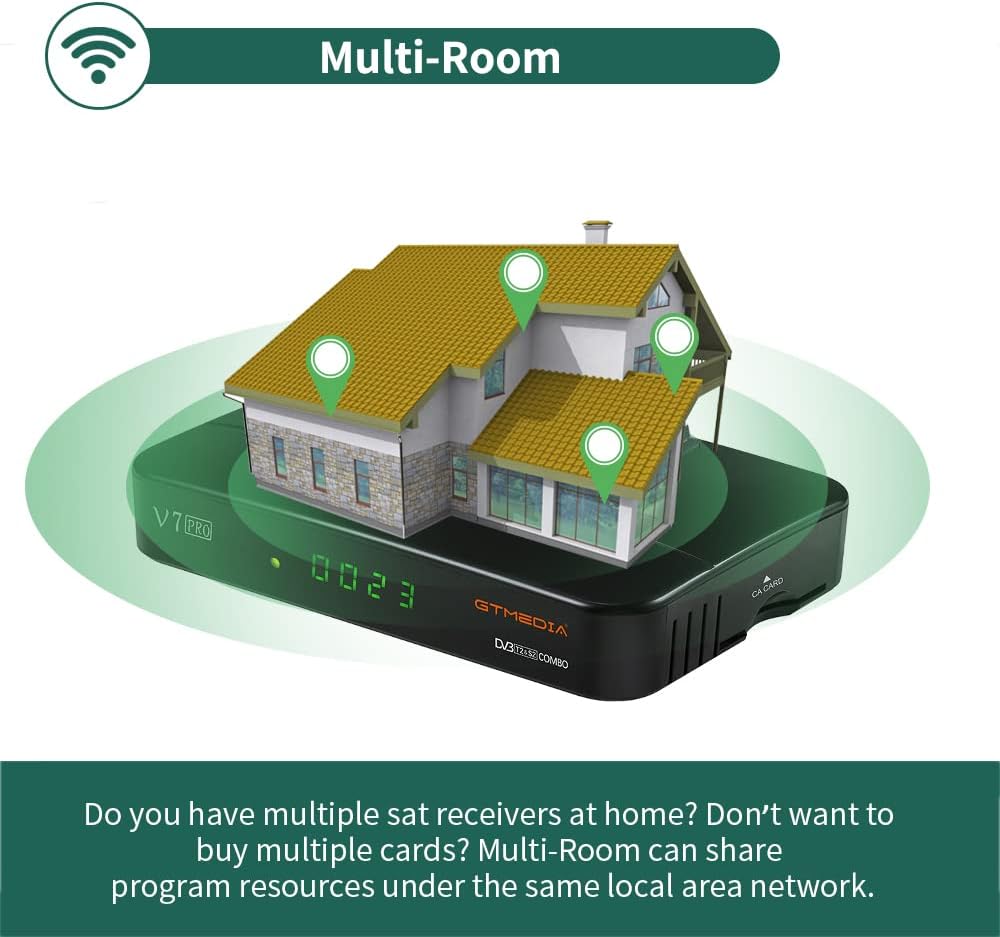
Image 6.2: An illustration depicting the GTMEDIA V7 Pro receiver connected to a house, symbolizing its Multi-Room capability to share content across multiple devices on a local network.
7. Mantentzea
7.1 Garbiketa
To clean the receiver, disconnect it from the power supply. Use a soft, dry cloth to wipe the exterior. Do not use liquid cleaners or abrasive materials.
7.2 Firmware eguneraketak
The GTMEDIA R&D center continuously optimizes and improves the receiver's firmware. New firmware versions are released on the official forum for users to download and update. To update, download the firmware to a USB drive, insert it into the receiver, and navigate to Tools > USB Upgrade menuan.
8. Arazoak
If you encounter issues with your GTMEDIA V7 Pro, refer to the following common problems and solutions:
- Seinalerik ez:
- Check all cable connections (LNB IN, ANT IN) to ensure they are secure.
- Verify that your satellite dish or terrestrial antenna is properly aligned.
- Ensure the correct satellite is selected in the Installation menu.
- Irudi/soinurik ez:
- Confirm the HDMI or AV cable is securely connected to both the receiver and the TV.
- Check that your TV's input source is set to the correct HDMI or AV port.
- Ensure the TV volume is not muted or set too low.
- Urruneko kontrola ez dabil:
- Egiaztatu eta ordezkatu urrutiko agintearen bateriak.
- Ensure there are no obstructions between the remote control and the receiver's IR sensor.
- Sareko konexio arazoak:
- Verify the USB WiFi dongle is properly inserted.
- Check your WiFi network name and password in the Network Config menu.
- Berrabiarazi zure WiFi bideratzailea.
9. Zehaztapenak
The GTMEDIA V7 Pro is equipped with the following technical specifications and features:
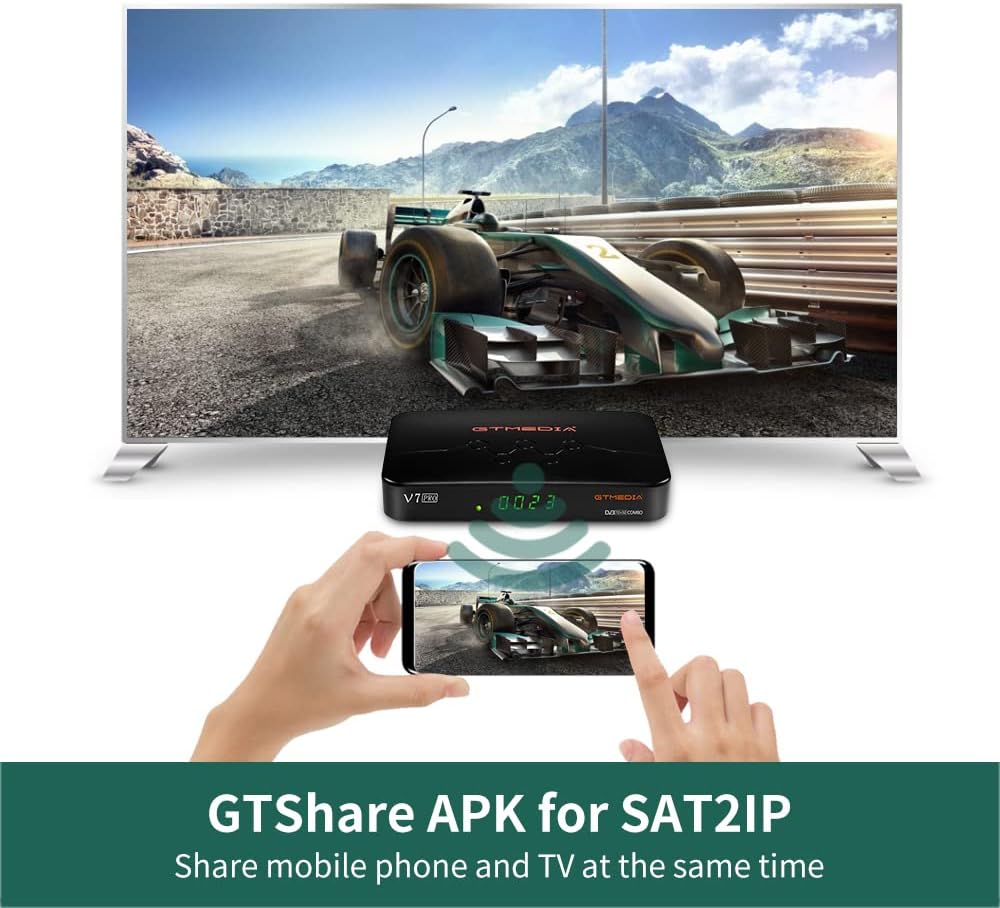
Image 9.1: A table detailing the product parameters of the GTMEDIA V7 Pro, including dimensions, unit weight, power supply, operating and storage temperatures, humidity, and included accessories.
| Ezaugarri | Deskribapena |
|---|---|
| Tuner Support | DVB-S/S2/S2X + DVB-T/T2 |
| Bideo Deskodetzea | VCM/ACM/Multi-Stream/T2MI, Multi-PLP, HEVC main 10 profile (10bit), AVS+ |
| Baldintzapeko Sarbidea | CA Card Slot, supports BISS auto roll, Full PowerVu, DRE & Biss key, Albertis/Tivusat/BBC Satback/Irdeto Card |
| DiSEqC Support | Unicable, DiSEqC1.0/1.1/1.2/USALS Motor |
| Konektibitatea | USB (2 ports), USB WiFi dongle support, USB 3/4G dongle support |
| Lineako Zerbitzuak | YouTube, Youporn, CCCAM, NEWCAM, MGCAM |
| Anitzeko Aretoa | Supported for sharing program resources on a local network |
| Hizkuntzak | English, Spanish, French, Russian, Portuguese, Polish, Indonesian, Arabic, Turkish, German, Italian, Persian, Thai, etc. |
| Neurriak (L*W*H) | 7.09 x 4.92 x 1.18 hazbete (180 x 125 x 30 mm) |
| Unitatearen pisua | 8.8 ontza (0.25 kilogramo) |
| Elikatze Hornidura | AC 100-250V, 50Hz/60Hz |
| Funtzionamendu-tenperatura | 0°C eta +45°C artean |
| Biltegiratze Tenperatura | -10°C eta +60°C artean |
| Hezetasuna | 20% to 90% (Non-condensed) |
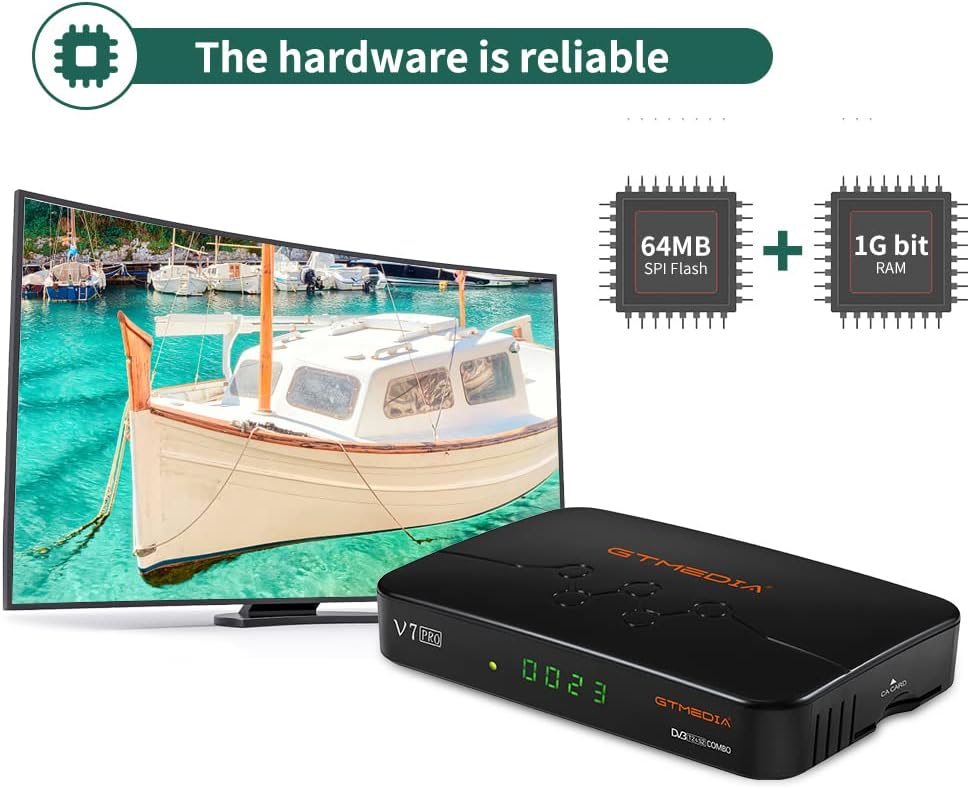
9.2 irudia: Barneko bat view of the GTMEDIA V7 Pro's hardware, highlighting the 64MB SPI Flash and 1G bit RAM components, indicating reliable performance.
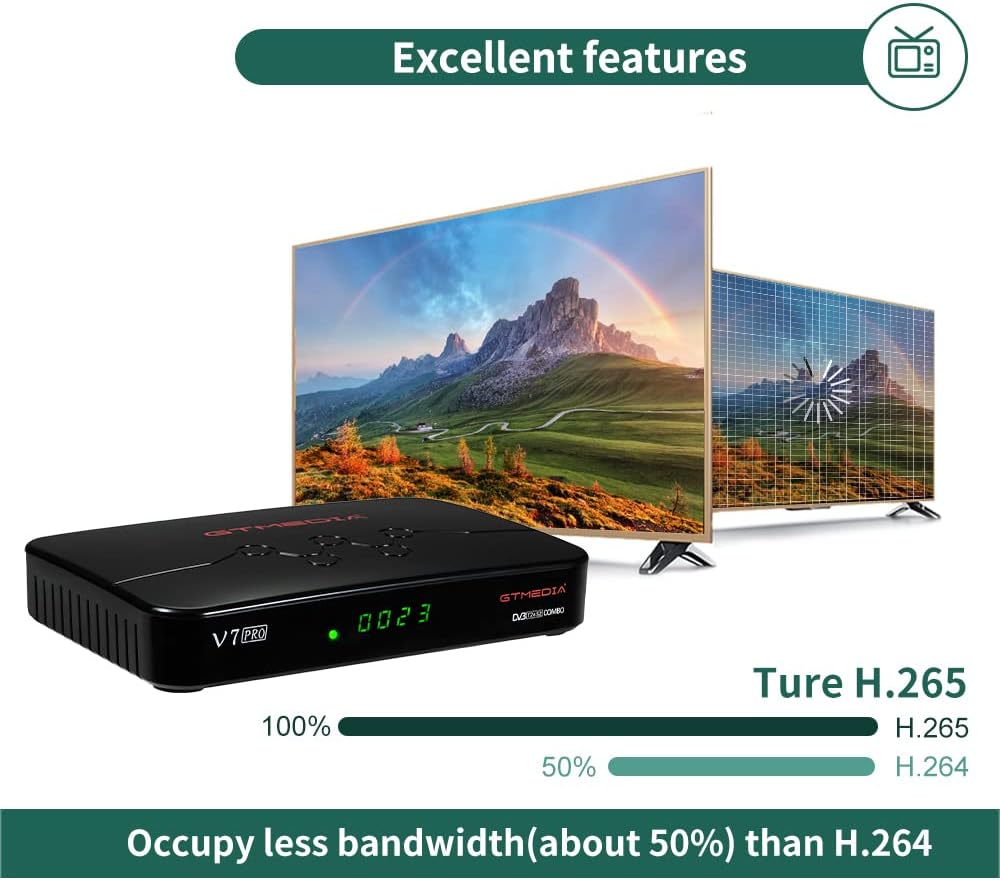
Image 9.3: An illustration demonstrating the GTMEDIA V7 Pro's H.265 (HEVC) decoding capability, which occupies approximately 50% less bandwidth compared to H.264, leading to more efficient video streaming.
10. Bermea eta laguntza
For detailed warranty information, please refer to the Warranty Card included in your product package.
For technical support, firmware updates, and community assistance, visit the official GTMEDIA R&D center forum. You can post your questions on the forum and expect a response within 24 hours.
Sareko baliabideak:
- GTMEDIA Official Webgunea: www.gtmedia.cc
- GTMEDIA Support Forum: (Refer to product packaging or official website for specific forum link)


