Sarrera
Eskerrik asko erosketagatik.asing the Bell+Howell BH65TWS Bluetooth True Wireless Stereo Link Cinema Speaker. This portable speaker offers high-quality audio with the convenience of wireless connectivity. Featuring Bluetooth and auxiliary input options, a built-in microphone for hands-free calls, and True Wireless Stereo (TWS) technology for pairing two speakers, it provides a versatile listening experience. This manual will guide you through the setup, operation, and maintenance of your new speaker.
Paketearen edukia
Mesedez, ziurtatu elementu guztiak paketean daudela:
- BH65TWS bozgorailua
- USB kargatzeko kablea
- Audio-kable osagarria
- Argibide eskuliburua (dokumentu hau)
- Berme Txartela
Produktua amaituview
Familiarize yourself with the various parts and controls of your BH65TWS speaker.

Irudia: Goiena view of the Bell+Howell BH65TWS speaker, highlighting the control panel with power, volume, and playback buttons.
The top panel features intuitive controls for power, volume adjustment, and media playback. The rear panel includes ports for charging and auxiliary input.
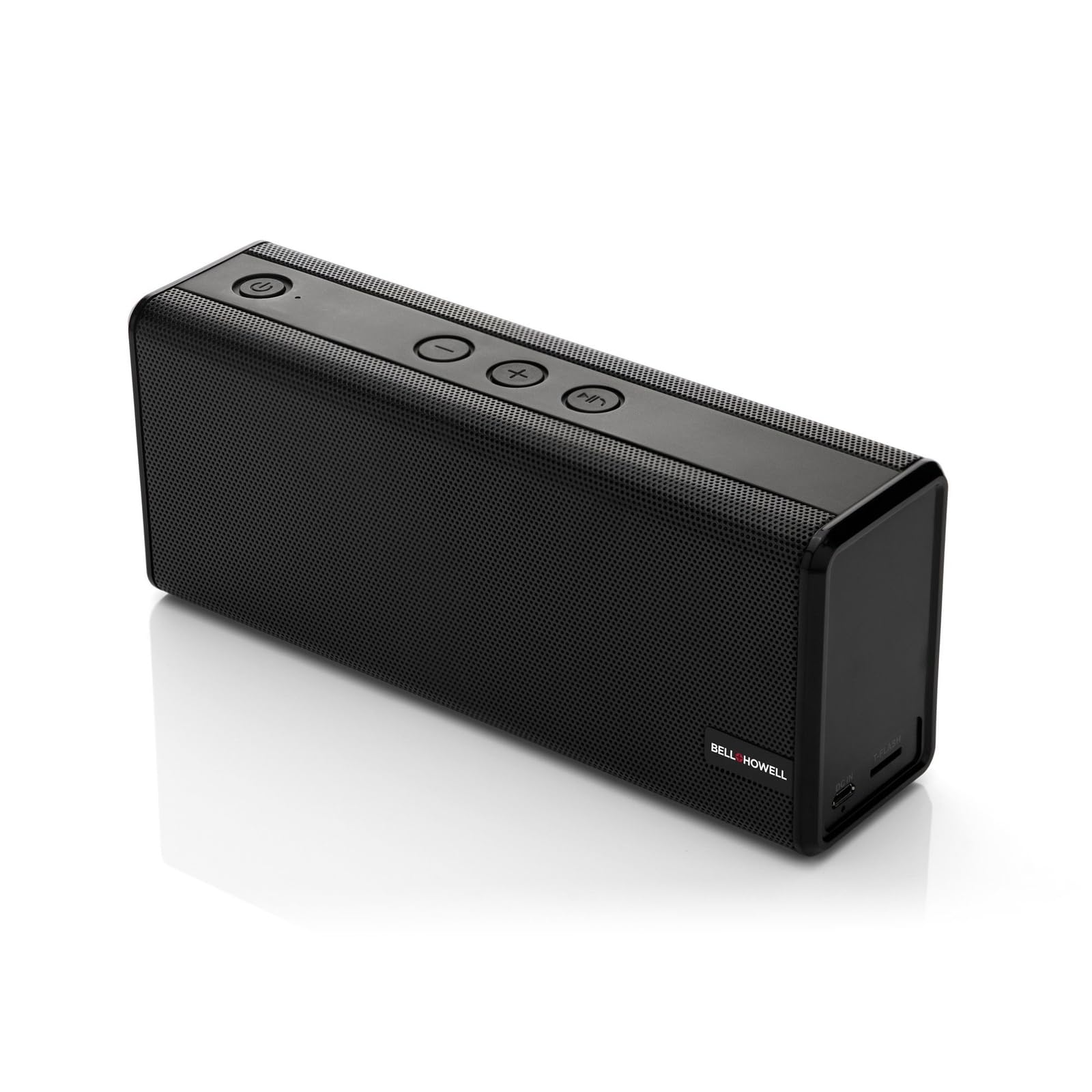
Irudia: Aurrealdea view of the Bell+Howell BH65TWS speaker, showcasing its sleek, rectangular design and speaker grille.
Konfigurazioa
Hizlaria kargatzen
Before first use, fully charge the speaker. A full charge takes approximately 3-4 hours.
- Konektatu emandako USB kargatzeko kablearen mutur txikia bozgorailuaren kargatzeko atakara.
- Konektatu USB kablearen mutur handia USB elikatze-egokitzaile batera (ez dago barne) edo ordenagailuaren USB ataka batera.
- Kargatzeko adierazlearen argia piztuko da kargatzen ari den bitartean eta itzali egingo da guztiz kargatzen denean.

Irudia: The Bell+Howell BH65TWS speaker with a visual representation of a charging battery, indicating the charging process.
Piztu/Itzaltzea
- Pizteko, eduki sakatuta Pizteko botoia () for approximately 3 seconds until you hear an audible tone and the LED indicator lights up.
- Itzaltzeko, luze sakatu Pizteko botoia for approximately 3 seconds until you hear an audible tone and the LED indicator turns off.
Funtzionamendu-argibideak
Bluetooth parekatzea
Connect your speaker to a Bluetooth-enabled device for wireless audio streaming.
- Ensure the speaker is powered on and within 33 feet (10 meters) of your Bluetooth device.
- Bozgorailuak automatikoki Bluetooth parekatze moduan sartuko da, LED argi keinukari batek adierazita.
- Zure Bluetooth gailuan, gaitu Bluetootha eta bilatu eskuragarri dauden gailuak.
- Hautatu "BH65TWS" gailuen zerrendatik.
- Once paired, the LED indicator will stop flashing and remain solid, and you will hear a confirmation tone.

Irudia: The Bell+Howell BH65TWS speaker positioned beside a smartphone, illustrating a successful Bluetooth connection for audio playback.
True Wireless Stereo (TWS) parekatzea
Pair two BH65TWS speakers together for an immersive stereo sound experience.
- Ensure both BH65TWS speakers are powered on and not connected to any Bluetooth device.
- Bozgorailu batean (hau izango da bozgorailu nagusia), sakatu eta eutsi botoiari Erreproduzitu/Pausatu botoia for approximately 3 seconds until you hear a tone, indicating it's searching for another TWS speaker.
- The two speakers will automatically connect to each other. You will hear a confirmation tone once TWS pairing is successful.
- Orain, konektatu zure Bluetooth gailua bozgorailu nagusira Bluetooth parekatzea atalean azaltzen den bezala. Audioa bi bozgorailuetatik erreproduzituko da estereoan.

Irudia: Two Bell+Howell BH65TWS speakers displayed side-by-side with a wireless signal icon between them, illustrating the True Wireless Stereo (TWS) pairing feature.
Sarrera laguntzaile modua
Use the auxiliary input for devices without Bluetooth capability.
- Connect one end of the provided 3.5mm auxiliary audio cable to the AUX port on the speaker.
- Konektatu kablearen beste muturra zure gailuko aurikularretara edo audio irteerara.
- Bozgorailua automatikoki modu laguntzailera aldatuko da.
- Kontrolatu erreprodukzioa eta bolumena konektatutako gailutik.
Esku libreko deiak
Bluetooth bidez konektatuta dagoenean, mikrofono integratuak esku libreko deiak egitea ahalbidetzen du.
- Dei bat sartzen denean, musika pausatuko da. Sakatu botoia Erreproduzitu/Pausatu botoia deiari erantzuteko.
- Dei bat amaitzeko, sakatu Erreproduzitu/Pausatu botoia berriz.
- Jasotako dei bat ukatzeko, luze sakatu Erreproduzitu/Pausatu botoia 2 segundoz.
Mantentzea
Proper care ensures the longevity of your speaker.
- Garbiketa: Erabili zapi leun eta lehor bat bozgorailuen gainazala garbitzeko. Ez erabili garbitzaile edo disolbatzaile urratzailerik.
- Biltegiratzea: Gorde bozgorailua leku fresko eta lehor batean, eguzki-argitik eta muturreko tenperaturetatik babestuta.
- Uraren esposizioa: Hizlari hau da EZ iragazgaitzaSaihestu uraren edo gehiegizko hezetasunaren eraginpean egotea.
- Bateria zaintzea: To maintain battery life, charge the speaker at least once every three months if not in regular use.
Arazoak konpontzea
Arazoak badituzu, jo ezazu honako ohiko irtenbide hauetara:
| Arazoa | Irtenbide posiblea |
|---|---|
| Bozgorailuak ez du pizten. | Ziurtatu bozgorailua guztiz kargatuta dagoela. Konektatu energia-iturri batera eta saiatu berriro. |
| Ezin da Bluetooth bidez parekatu. | Make sure the speaker is in pairing mode (flashing LED). Turn off and on Bluetooth on your device. Ensure no other devices are connected to the speaker. Move closer to the speaker. |
| Ez dago soinurik Bluetooth moduan. | Check the volume levels on both the speaker and your connected device. Ensure the speaker is successfully paired. |
| TWS parekatzeak huts egin du. | Ensure both speakers are not connected to any other Bluetooth device. Place speakers close to each other during pairing. Repeat the TWS pairing steps carefully. |
| Soinu distortsioa. | Reduce the volume on your device or the speaker. Ensure the speaker is not too far from the Bluetooth source. |
Zehaztapenak
Detailed technical specifications for the Bell+Howell BH65TWS speaker:
| Ezaugarri | Xehetasuna |
|---|---|
| Ereduaren izena | BH65TWS-BK |
| Hizlari mota | Txiogailua |
| Ezaugarri bereziak | Built-in Microphone, Stereo Pairing (TWS) |
| Erabilera gomendatua | Musika |
| Kolorea | Beltza |
| Elementuaren pisua | 1.6 libra (0.73 kg) |
| Iragazgaitza | Ez |
| Haririk gabeko Teknologia | Bluetootha |
| Bozgorailuaren tamaina | 3.5 milimetro |
| Energia iturria | Bateriaren funtzionamendua (litio-ioizko bateria 1 barne) |
| Produktuaren neurriak | 8.7 x 4.7 x 2.8 hazbete (22.1 x 11.9 x 7.1 cm) |
| Bozgorailuen irteerako potentzia maximoa | 6 Watts (Dual 3-watt drivers) |
| Konektibitate Teknologia | Laguntzailea, Bluetooth |
| Audio irteera modua | Stereo, Surround (with TWS) |
| Bateriaren iraupena | Up to 10 hours (2,200mAh battery) |
Segurtasun Informazioa
Please read and follow these safety guidelines for safe operation:
- Ez jarri bozgorailua tenperatura altuen, eguzki-argiaren eraginpean edo hezetasun handiaren eraginpean.
- Saihestu bozgorailua kolpe gogorrak erortzea edo jasaten.
- Ez desmuntatu, konpondu edo aldatu bozgorailua zeuk. Horrek bermea baliogabetuko du.
- Mantendu bozgorailua bero-iturrietatik urrun, hala nola erradiadoreetatik, bero-erregistroetatik, sukaldeetatik edo beste aparatu batzuetatik (adibidez, ampberoa sortzen duten argitzaileak).
- Do not use the speaker near water or in wet conditions.
- Erabili emandako kargatzeko kablea edo baliokide ziurtatu bat soilik.
- Tokiko araudien arabera bota bateria eta bozgorailua arduraz.
Bermea eta Laguntza
Your Bell+Howell BH65TWS speaker comes with a limited warranty. Please refer to the included Warranty Card for detailed terms and conditions, including coverage period and how to make a claim.
For technical support, troubleshooting assistance, or warranty inquiries, please contact Bell+Howell customer service. Contact information can typically be found on the warranty card or the official Bell+Howell webgunea.


