1. Sarrera
Thank you for choosing the MageGee GT860 Wired Keyboard. This manual provides detailed instructions for setting up, operating, and maintaining your new keyboard. The GT860 is a 96-key compact layout keyboard designed for gaming and daily use, featuring RGB backlighting and an ergonomic design.

Image: The MageGee GT860 wired keyboard showcasin96 teklako diseinu trinkoa eta RGB atzeko argiztapen bizia ditu.
2. Ezaugarriak
- 92% Compact Minimalism Layout: Retains all commonly used keys in a space-saving design.
- Membrane with Mechanical Feeling: Utilizes advanced imitation mechanical technology for a tactile typing experience.
- Diseinu ergonomikoa: Key layout is engineered for comfortable use, reducing fatigue during long sessions.
- Upgrade RGB Backlit Lighting Effect: Features a variety of light colors and modes, with adjustable brightness and breathing speed. Letters on keys are illuminated.
- High Quality and Reliable Performance: Plug and play functionality, compatible with Windows 10/8/7/XP/VISTA and Mac OS.

Image: Visual representation of the keyboard's ergonomic design, RGB lighting effects, and adjustable foot support for improved performance.

Irudia: Gertutik view of the keyboard with some keycaps removed, illustrating the underlying membrane switch mechanism that provides a mechanical-like feel.
3. Konfigurazio gida
- Deskonprimitu teklatua: Kontu handiz atera teklatua bere paketetik.
- Konektatu ordenagailura: Locate an available USB port on your computer. Insert the USB cable from the MageGee GT860 keyboard into the USB port.
- Gidariaren instalazioa: Teklatua plug-and-play da. Zure sistema eragileak (Windows, Mac OS) automatikoki detektatu eta instalatuko ditu beharrezko kontrolatzaileak. Ez da software gehigarririk instalatu behar.
- Lekua: Place the keyboard on a stable, flat surface. Adjust the integrated feet on the underside of the keyboard for your preferred typing angle.
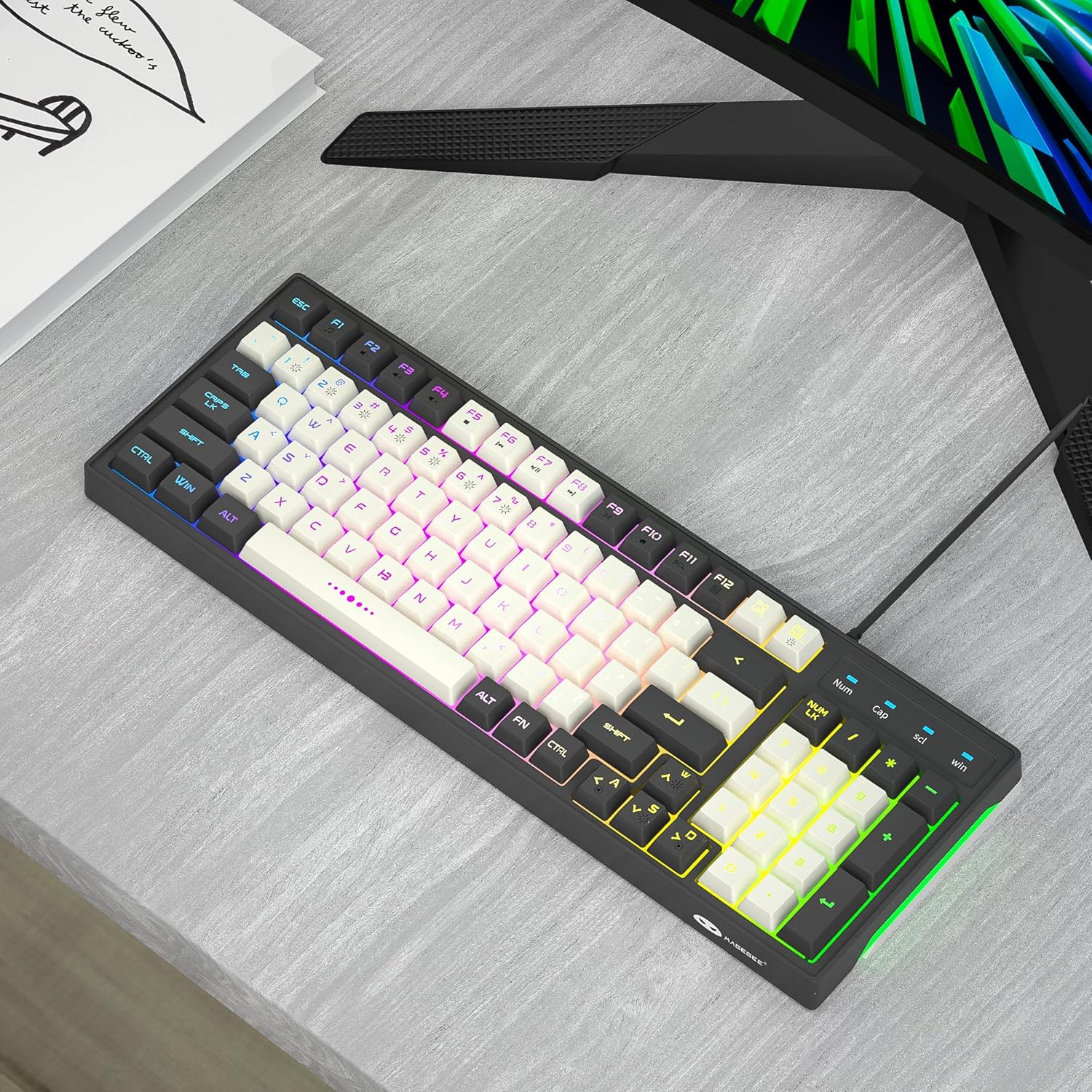
Image: The MageGee GT860 keyboard positioned on a desk, ready for use with a computer monitor, demonstrating a typical setup.
4. Funtzionamendu-argibideak
4.1 RGB atzeko argiaren kontrola
The MageGee GT860 keyboard features multiple RGB lighting modes. Use the Function (Fn) key in combination with other keys to control the backlight:
- Fn + Scroll Lock (SCL): Cycle through different RGB lighting modes.
- Fn + Page Up (PGUP): Handitu atzeko argiaren distira.
- Fn + Page Down (PGDN): Atzeko argiaren distira txikitu.
- Fn + Arrow Keys (Left/Right): Adjust lighting effect speed (for dynamic modes).

Image: The MageGee GT860 keyboard showcasing its 18 distinct RGB lighting modes, illustrating the variety of visual effects available.

Image: A detailed diagram illustrating the various Function (Fn) key combinations for controlling RGB backlight effects and accessing multimedia functions on the MageGee GT860 keyboard.
4.2 Multimedia funtzioak
Access multimedia controls by holding the Fn key and pressing the corresponding F-keys:
- Fn+F1: Multimedia erreproduzitzailea
- Fn+F2: Bolumena jaitsi
- Fn+F3: Bolumena igo
- Fn+F4: Isildu
- Fn+F5: Aurreko Pista
- Fn+F6: Hurrengo Pista
- Fn+F7: Erreproduzitu/Pausatu
- Fn+F8: Gelditu
- Fn+F9: Posta elektronikoa
- Fn+F10: Hasiera Orria
- Fn+F11: Korritzeko blokeoa
- Fn+F12: Kalkulagailua
5. Mantentzea
To ensure the longevity and optimal performance of your MageGee GT860 keyboard, follow these maintenance guidelines:
- Garbiketa: Regularly clean the keyboard with a soft, dry cloth. For dust and debris between keys, use compressed air. For stubborn dirt, a slightly damp xaboi leun batekin oihal bat erabil daiteke, likidorik teklatuan sartzen ez dela ziurtatuz.
- Saihestu likidoak: Do not spill liquids on the keyboard. If a spill occurs, immediately disconnect the keyboard from your computer and allow it to dry completely before reconnecting.
- Biltegiratzea: Denbora luzez erabiltzen ez duzunean, gorde teklatua leku garbi eta lehor batean, eguzki-argitik eta muturreko tenperaturetatik urrun.
- Kontuz maneiatu: Saihestu teklatua erortzea edo kolpe gogorren eraginpean jartzea.
6. Arazoak
If you encounter issues with your MageGee GT860 keyboard, refer to the following common problems and solutions:
| Arazoa | Irtenbide posiblea |
|---|---|
| Teklatuak ez du erantzuten. |
|
| Backlight is not working or is dim. |
|
| Giltza batzuk ez dirabiltzen. |
|
7. Zehaztapenak
| Ezaugarri | Xehetasuna |
|---|---|
| Eredua | GT860 |
| Konektibitate Teknologia | USB kableduna |
| Gako kopurua | 96 |
| Teklatuaren deskribapena | Jolasa |
| Ezaugarri bereziak | RGB Backlit, Ergonomic Design, Anti-Ghosting |
| Gailu bateragarriak | PC, joko-kontsola (USB bidez) |
| Sistema eragileen bateragarritasuna | Windows 10, Windows 8, Windows 7, Windows XP, Windows VISTA, Mac OS |
| Produktuaren neurriak | 14 x 6 x 2 hazbete (35.56 x 15.24 x 5.08 cm) |
| Elementuaren pisua | 1.63 libra (0.74 kg) |
| Kolorea | Grey White Keycaps |
8. Bermea eta Laguntza
MageGee products are designed for reliability and performance. For any product inquiries, technical support, or warranty claims, please refer to the contact information provided with your purchase or visit the official MageGee webgunea. Gorde erosketaren egiaztagiria bermearen ondorioetarako.
For further assistance, you may visit the MageGee store on Amazon: MageGee Amazon Store


