Sarrera
This manual provides essential information for the safe and efficient operation of your Audiolab Omnia All-in-One Music System. Please read these instructions carefully before use and retain them for future reference. The Audiolab Omnia is designed to deliver high-fidelity audio performance from various sources, including CD, streaming, and external devices.
Segurtasun informazio garrantzitsua
- Elikatze-iturria: Connect the unit only to an AC power source of the type marked on the rear panel. Ensure the power cord is securely plugged into the unit and the wall outlet.
- Aireztapena: Ez blokeatu aireztapen-irekidurak. Ziurtatu aire-fluxu egokia dagoela unitatearen inguruan gehiegi berotzea saihesteko.
- Ura eta hezetasuna: Ez jarri unitatea euripean, hezetasunean edo gehiegizko hezetasunean. Ez jarri likidoz betetako objekturik, hala nola loreontziak, unitatearen gainean.
- Bero iturriak: Mantendu unitatea bero-iturrietatik urrun, hala nola erradiadoreetatik, bero-erregistroetatik, sukaldeetatik edo beroa sortzen duten beste aparatu batzuetatik.
- Zerbitzua: Ez saiatu produktu hau zuk zeuk ematen. Bidali zerbitzu guztiak zerbitzu kualifikatuko langileengana.
- Garbiketa: Deskonektatu unitatea hormako entxufetik garbitu aurretik. Erabili zapi leun eta lehor bat garbitzeko. Ez erabili garbitzaile likidorik edo aerosolik.
Paketearen edukia
Egiaztatu elementu guztiak paketean daudela:
- Audiolab Omnia All-in-One Music System
- Elikatze-kablea
- Urruneko Kontrola
- Wi-Fi Antennas (x2)
- Erabiltzailearen eskuliburua (dokumentu hau)
Konfigurazioa
1. Desontziratzea eta kokatzea
Carefully remove the Audiolab Omnia from its packaging. Place the unit on a stable, level surface with adequate ventilation. Avoid placing it near strong magnetic fields or direct sunlight.
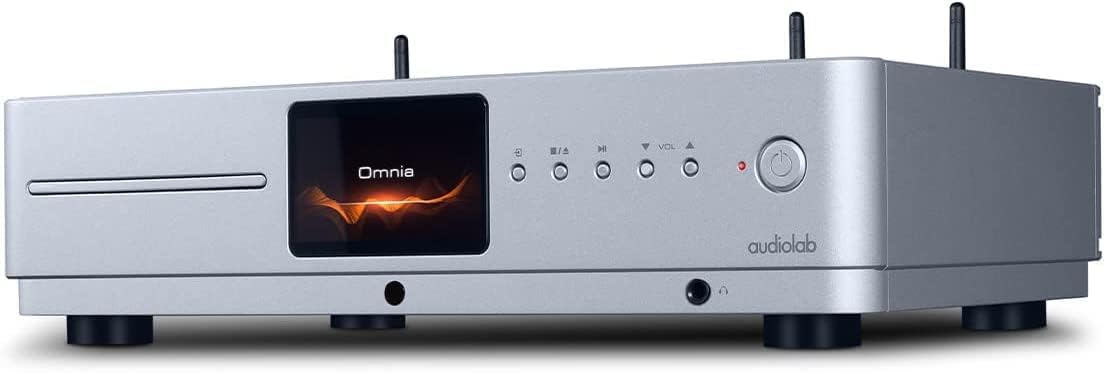
Aurrealdea view of the Audiolab Omnia All-in-One Music System, showcasing its silver finish, central display, CD slot, and control buttons.
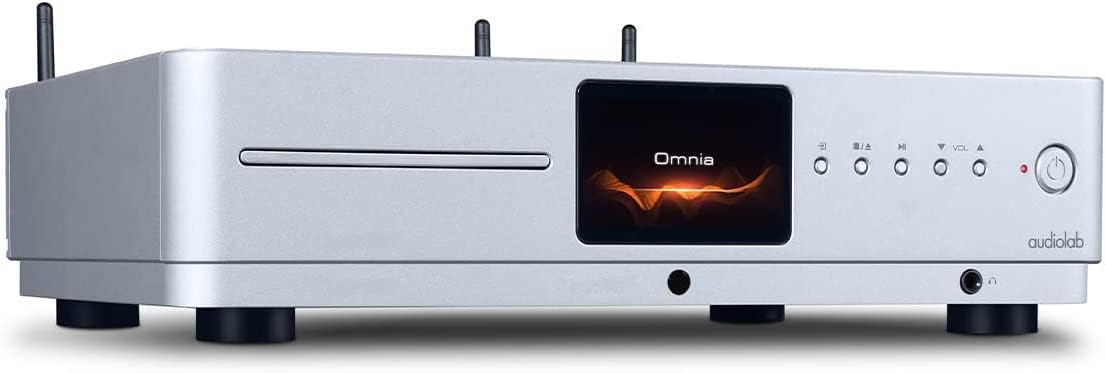
Aurrealde angeluatua view of the Audiolab Omnia, highlighting its sleek design and integrated display.
2. Bozgorailuak konektatzea
Connect your passive speakers to the speaker terminals on the rear panel of the Omnia. Ensure correct polarity (+ to + and - to -) for optimal sound quality. Use high-quality speaker cables.

The rear panel of the Audiolab Omnia, displaying speaker terminals, digital and analog inputs, network ports, and power input.
3. Sare-konexioa
For network streaming features, connect the supplied Wi-Fi antennas to the rear panel. Alternatively, connect an Ethernet cable from your router to the LAN port on the Omnia for a wired connection.
Detail of the rear panel, indicating the locations for Wi-Fi antenna attachment and the Ethernet port for network connectivity.
4. Energia-konexioa
Connect the power cable to the AC inlet on the rear panel and then to a suitable wall outlet. Ensure the power switch is in the OFF position before connecting.
Funtzionamendu-argibideak
1. Piztu/Itzaltzea
Press the power button on the front panel or the remote control to turn the unit on or off. The display will illuminate upon power-on.
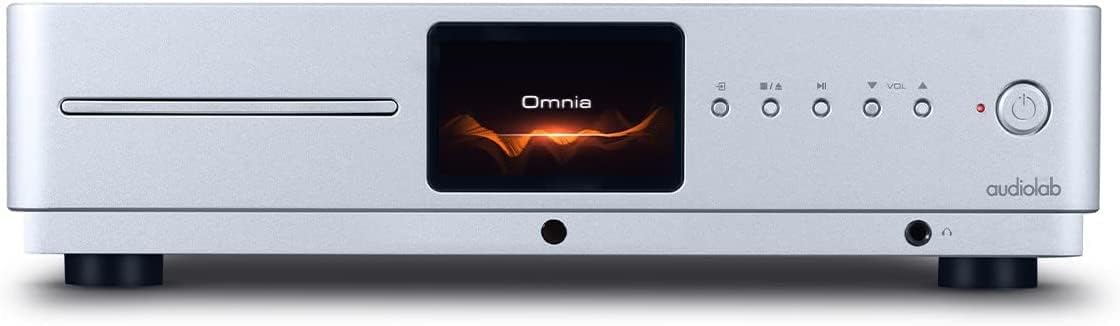
Front panel of the Omnia, showing the power button on the right and the central display.
2. Iturriaren hautaketa
Use the 'Input' button on the front panel or the remote control to cycle through available input sources (e.g., CD, Optical, Coaxial, USB, Network, Bluetooth, Analog).
3. CD erreprodukzioa
Insert a CD into the slot on the front panel. The unit will automatically detect the CD and begin playback. Use the play/pause, stop, and track skip buttons on the front panel or remote control.
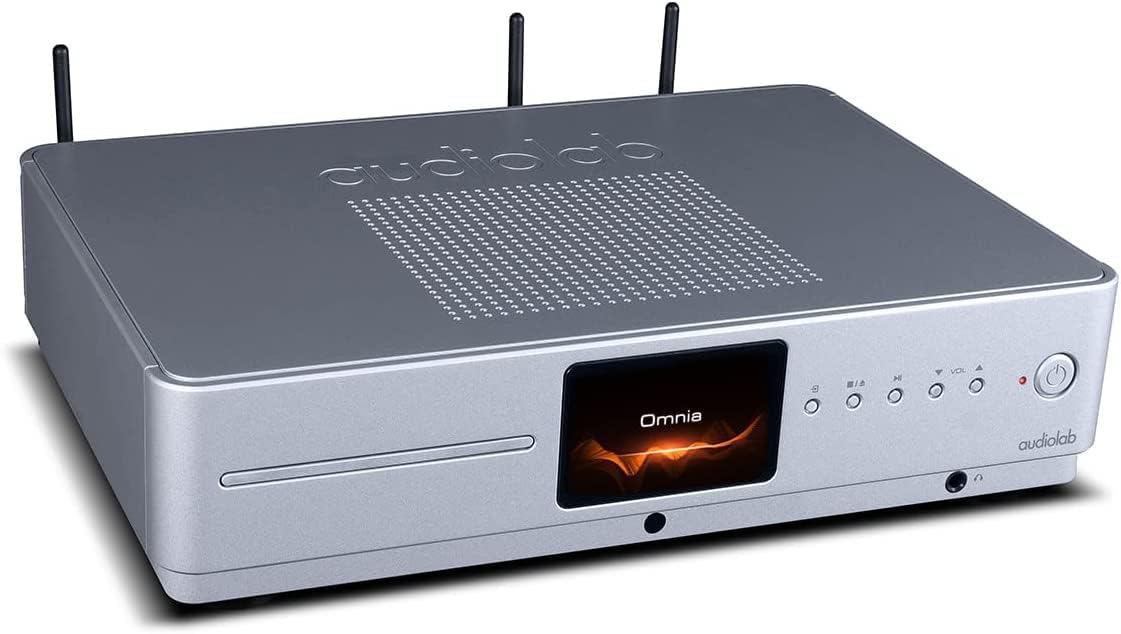
The CD slot on the front left of the Audiolab Omnia, ready for disc insertion.
4. Sareko erreprodukzioa
Once connected to your network, use the dedicated Audiolab app (available for iOS and Android) to control streaming services, internet radio, and local network music files. Follow the in-app instructions for setup and control.
5. Bluetooth konexioa
Select Bluetooth as the input source. On your mobile device, search for "Audiolab Omnia" in the Bluetooth settings and pair. The unit supports aptX Bluetooth for high-quality wireless audio.
Mantentzea
- Garbiketa: Use a soft, dry, lint-free cloth to clean the unit's exterior. Do not use abrasive cleaners, waxes, or solvents.
- Aireztapena: Aireztapen-zuloek hautsik eta hondakinik gabe daudela egiaztatu aldizka, aireztapen-fluxu egokia bermatzeko.
- CD erretilua: Keep the CD slot clean and free from foreign objects.
Arazoak konpontzea
| Arazoa | Kausa posiblea | Irtenbidea |
|---|---|---|
| Botererik ez | Power cable not connected; Power switch off; Wall outlet faulty. | Ensure power cable is securely connected; Turn power switch on; Test wall outlet with another device. |
| Ez dago soinu irteerarik | Speakers not connected; Incorrect input source selected; Volume too low; Mute activated. | Check speaker connections; Select correct input source; Increase volume; Deactivate mute. |
| CDa ez da erreproduzitzen | CD inserted incorrectly; CD dirty or scratched; Incorrect source selected. | Re-insert CD correctly; Clean or replace CD; Select CD input source. |
| Sareko konexio arazoak | Wi-Fi antennas not connected; Router issues; Incorrect network settings. | Ensure antennas are connected; Restart router; Check network settings via the app. |
Zehaztapenak
- Eredua: Omnia
- Marka: Audiolab
- Konektibitate Teknologia: Wi-Fi, Bluetooth, Ethernet
- Kolorea: Zilarrezkoa
- Hizlari mota: Stereo (Integrated Ampbiziagoa)
- Energia iturria: Kable elektrikoa
- Elementuaren pisua: 26.1 libra (gutxi gorabehera 11.84 kg)
- Paketearen neurriak: 21 x 16.7 x 8.3 hazbete (gutxi gorabehera 53.34 x 42.42 x 21.08 cm)
- Lehen eskuragarri dagoen data: 21ko urriaren 2021a
Bermearen informazioa
Audiolab products are manufactured to the highest standards and undergo rigorous quality control. This product is covered by a limited warranty against manufacturing defects. The specific terms and duration of the warranty may vary by region. Please retain your proof of purchase for warranty claims. For detailed warranty information, please refer to the warranty card included with your product or visit the official Audiolab webgunea.
Bezeroarentzako Arreta
If you encounter any issues not covered in the troubleshooting section or require further assistance, please contact Audiolab customer support. You can find contact details on the official Audiolab website or through your local dealer. Please have your product model and serial number ready when contacting support.
Sareko baliabideak: Bisitatu www.audiolab.co.uk produktuen erregistroa, maiz egiten diren galderen eta laguntza-material gehigarrien informazioa lortzeko.


