1. Segurtasun-argibide garrantzitsuak
Please read all instructions carefully before using the Baseus A7 Handheld Vacuum. Keep this manual for future reference.
- Do not use the vacuum cleaner near water or in wet conditions.
- Do not vacuum flammable or combustible materials, hot ashes, or sharp objects.
- Mantendu ilea, arropa solteak, behatzak eta gorputzeko atal guztiak irekiguneetatik eta atal mugikorretatik urrun.
- Use only the charging cable provided by the manufacturer.
- Ez erabili xurgagailua kablea edo entxufea hondatuta badago.
- Ziurtatu iragazkia behar bezala instalatuta dagoela erabili aurretik.
- Tresna hau ez da gaitasun fisiko, sentsorial edo mental murriztua duten edo esperientzia eta ezagutza falta duten pertsonek (haurrak barne) erabiltzeko, baldin eta haien segurtasunaz arduratzen den pertsona batek gailuaren erabilerari buruz gainbegiratu edo jarraibiderik eman ez badu.
- Haurrak gainbegiratu behar dira aparatuarekin jolasten ez dutela ziurtatzeko.
2. Paketearen edukia
Egiaztatu elementu guztiak paketean daudela:

2.1. irudia: barne dauden osagaiak
- Baseus A7 Handheld Vacuum Cleaner
- Flagship Flexible Extender Tube
- Silicone Brush / Precision Extensions (2-in-1 Crevice Tool)
- USB-C kargatzeko kablea
- Storage Cloth Bag
- HEPA iragazkia (aurrez instalatuta edo ordezkoa)
- Erabiltzailearen eskuliburua
- Berme Txartela
3. Produktua amaitu daview
The Baseus A7 is a portable, cordless handheld vacuum designed for efficient cleaning in various environments, including cars, carpets, and other small areas. It features two suction levels and a USB-C rechargeable battery.

Figure 3.1: Suction Power and Runtime
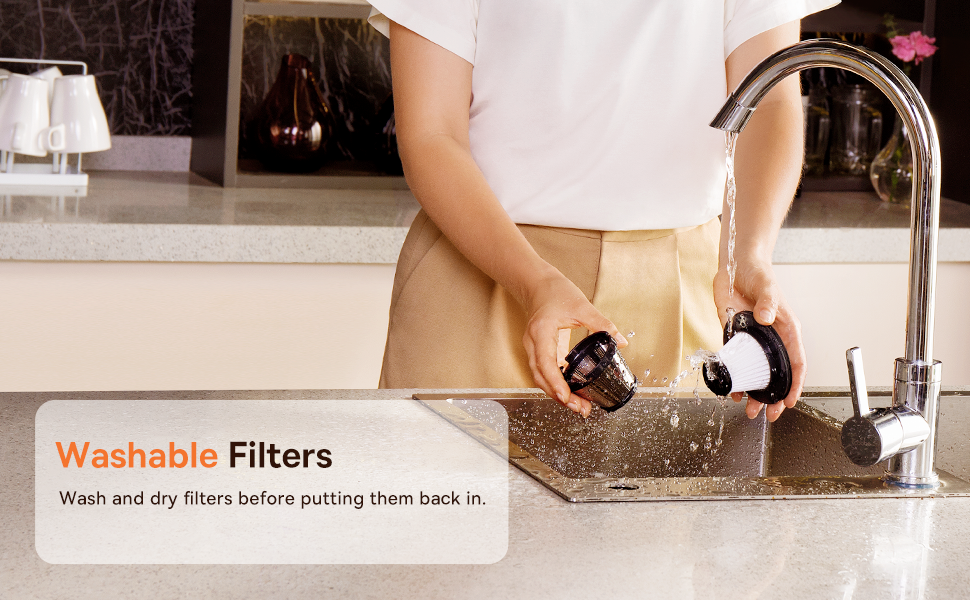
Figure 3.2: Powerful and Portable Design
Ezaugarri nagusiak:
- Haririk gabeko eta eramangarria: Designed for easy handling and use in various locations.
- Bi xurgapen maila: Standard (4500PA) for general cleaning and High (8000PA) for tougher debris.
- USB-C kargagarria: Convenient charging with a modern USB-C port.
- HEPA Iragazkia: Hauts fina eta alergenoak harrapatzen ditu.
- 500 ml-ko hauts-kutxa: Large capacity for extended cleaning sessions.
4. Konfigurazioa eta kargatzea
4.1 Hasierako karga
Before first use, fully charge the vacuum cleaner. The charging time is approximately 3 to 3.5 hours.
4.1 irudia: USB-C kargatzea
- Connect the provided USB-C charging cable to the charging port on the vacuum cleaner.
- Konektatu kablearen beste muturra USB elikatze-egokitzaile bateragarri batera (ez dago barne) edo USB ataka batera.
- The indicator light will show charging status (refer to the device for specific light patterns).
- Once fully charged, disconnect the vacuum from the power source.
4.2 Osagarriak eranstea
Select the appropriate attachment for your cleaning task and firmly attach it to the vacuum's suction inlet.
- Flexible Extender Tube: For reaching deep or awkward spaces.
- 2-in-1 Crevice Tool (Silicone Brush/Precision Extensions): Use the narrow end for tight corners and crevices, or slide the brush attachment forward for delicate surfaces.
5. Funtzionamendu-argibideak
5.1 Piztea/Itzaltzea eta Xurgatze Mailak
- To turn on the vacuum, press the power button. It will start in Standard suction mode (4500PA).
- Press the power button again to switch to High suction mode (8000PA).
- Sakatu pizteko botoia hirugarren aldiz hutsean itzaltzeko.
5.2 Garbiketa aplikazioak
The Baseus A7 is versatile for various cleaning tasks:

Figure 5.1: Versatile Cleanups

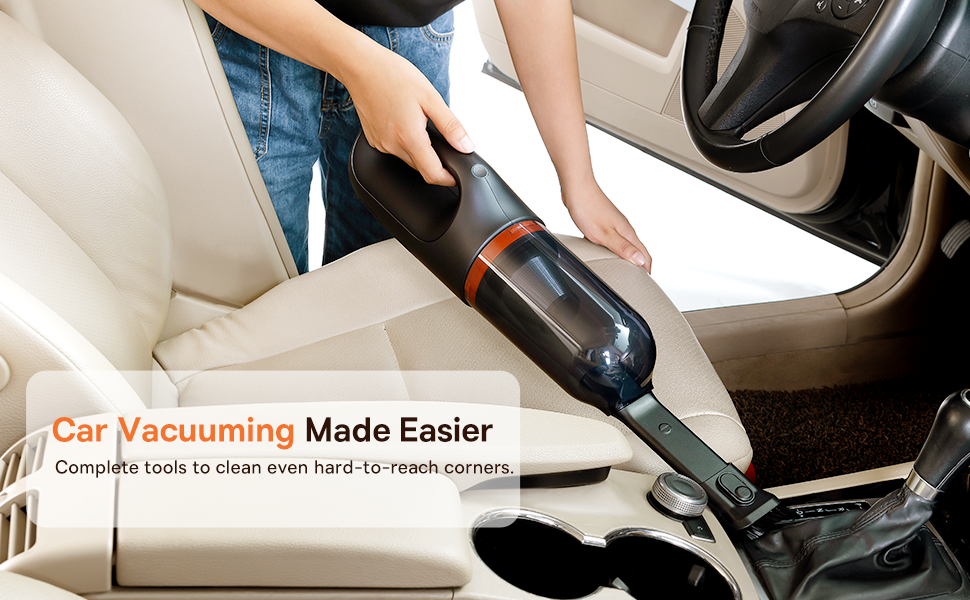
Figure 5.2: Car Vacuuming Made Easier
- Autoen barnealdeak: Use the crevice tool for tight spots between seats and the flexible tube for under seats.
- Household Surfaces: Effective for quick cleanups on tables, countertops, and furniture.
- Maskoten ilea: Can be used for light pet hair removal on upholstery.
- Keyboards and Electronics: Use the brush attachment for delicate cleaning.
For optimal performance, ensure the dust box is not overfilled and the filter is clean.
6. Mantentzea
6.1 Hauts-kutxa hustea
Empty the dust box regularly to maintain suction power and prevent blockages.
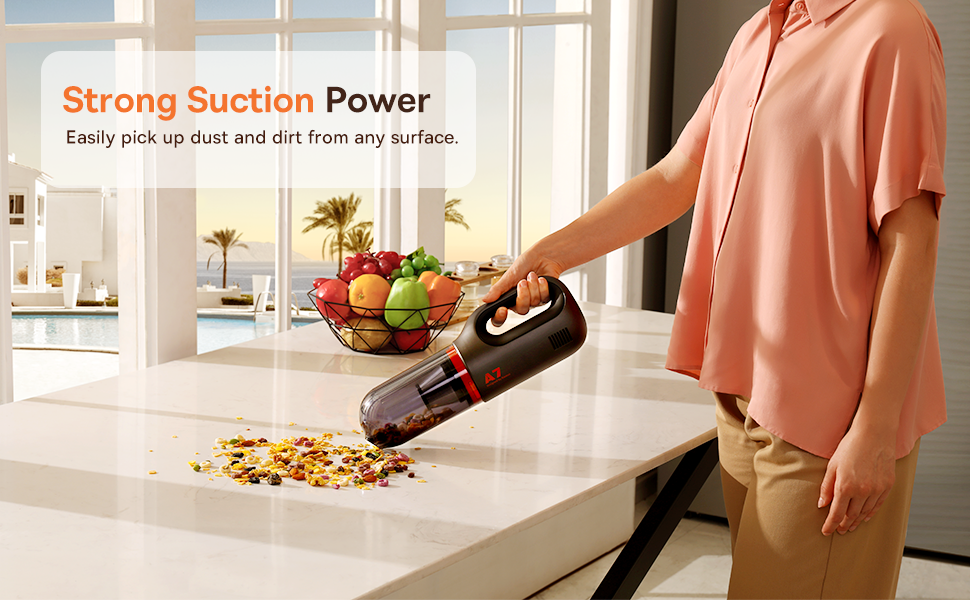
Figure 6.1: Easy to Empty Dust Box
- Ziurtatu xurgagailua itzalita dagoela.
- Twist or unlatch the dust box from the main body of the vacuum (refer to device for specific mechanism).
- Carefully empty the collected debris into a trash receptacle.
- Reattach the dust box securely.
6.2 Iragazkia garbitzea
The HEPA filter is washable and should be cleaned periodically to ensure efficient filtration and suction.

Figure 6.2: Washing the HEPA Filter
- Remove the dust box and then carefully remove the HEPA filter.
- Rinse the filter under cool, running water until clean. Do not use detergents.
- Allow the filter to air dry completely for at least 24 hours before reinserting it into the vacuum. Do not use the vacuum with a wet filter.
- Ensure the filter is fully dry and properly seated before reassembling the vacuum.
7. Arazoak
If you encounter issues with your Baseus A7 vacuum, refer to the following common problems and solutions:
| Arazoa | Kausa posiblea | Irtenbidea |
|---|---|---|
| Argindarrik gabe / Ez da pizten | Bateria agortuta dago. | Charge the vacuum fully (approx. 3-3.5 hours). |
| Xurgatze potentzia ahula | Hauts-kutxa beteta dago. Iragazkia beteta dago. Attachment is not properly sealed. | Huts hauts kutxa. Garbitu eta lehortu HEPA iragazkia. Ensure attachments are firmly connected. |
| Xurgagailua ustekabean gelditzen da | Bateria gutxi dago. Gehiegi berotzearen aurkako babesa aktibatuta. | Kargatu bateria. Turn off the vacuum and let it cool down for 30 minutes before resuming use. |
| Kargatzeko adierazlea ez dabil | Kargatzeko kablearen edo egokitzailearen arazoa. Kargatzeko atakaren arazoa. | Try a different USB-C cable and power adapter. Ensure the cable is fully inserted. If the issue persists, contact customer support. |
If the problem persists after trying these solutions, please contact Baseus customer support.
8. Zehaztapenak
| Ezaugarri | Xehetasuna |
|---|---|
| Marka | Baseus |
| Ereduaren izena | A7 |
| Ezaugarri Berezia | HEPA, Portable |
| Iragazki mota | Kartutxoa (HEPA) |
| Haririk gabekoa | Bai |
| Edukiera | 500 mililitro |
| Wattage | 120 watt |
| Kargatzeko Denbora | 3 - 3.5 Ordu |
| Gomendatutako Erabilerak | Car, Carpet, Household |
| Forma-faktorea | Eskukoa |
| Kolorea | Beltza |
| Produktuaren neurriak | 4"L x 3"Z x 13"A |
| Bateria mota | Lithium-Ion (2 batteries included) |
| Zarata Maila | 75 dezibelio |
| Amparoa | 1.4 Amps |
| Abiadura kopurua | 2 |
| Elementuaren pisua | 3.43 kilo |
| Energia iturria | Bateriaren bidez |
9. Bermea eta Laguntza
The Baseus A7 Handheld Vacuum comes with a warranty to ensure your satisfaction.
- Bermea: Includes a 1-year warranty card and a 3-year guarantee. Please refer to the warranty card included in your package for specific terms and conditions.
- Bezeroarentzako laguntza: For any questions, technical assistance, or warranty claims, please contact Baseus customer support through their official webgunea edo berme-txartelean emandako harremanetarako informazioa.
10. Produktuaren bideoa
Watch the official product video for a visual guide on the Baseus A7 Handheld Vacuum's features and usage.
Video 10.1: Baseus A7 Handheld Vacuum Overview and Demonstration. This video showcases the vacuum's design, suction capabilities, and how to use its various attachments for different cleaning scenarios.


