1. Sarrera
Thank you for choosing the Satisfyer Heat Wave Connect App Vibrator. This device is designed to provide enhanced pleasure through a combination of powerful vibrations, a warming function, and innovative app control. Please read this manual carefully before first use to ensure safe and optimal operation.
2. Segurtasun informazioa
Zure segurtasuna da garrantzitsuena. Jarraitu jarraibide hauek:
- Materialen segurtasuna: The device is made from medical-grade silicone, which is body-safe and non-irritating.
- Lubrifikazioa: Always use a water-based lubricant with this product to prevent damage to the silicone material. Oil-based or silicone-based lubricants may degrade the silicone.
- Garbiketa: Clean the device thoroughly before and after each use with warm water and a mild, toy-safe cleaner.
- Biltegiratzea: Store the device in a clean, dry place, away from direct sunlight and extreme temperatures. Keep out of reach of children.
- Kargatzen: Use only the provided magnetic USB charging cable. Ensure the charging contacts are dry before connecting.
- Xedapena: Do not dispose of the device with household waste. Follow local regulations for electronic waste disposal.
Lege-oharra
The Bluetooth® word mark and logos are registered trademarks owned by Bluetooth SIG, Inc. and any use of such marks by EIS GmbH is under license. Apple, the Apple logo and Apple Watch are trademarks of Apple Inc., The Android name and the logo are trademarks and property of Google LLC.
3. Produktuaren ezaugarriak
The Satisfyer Heat Wave Connect App Vibrator combines innovative technology with ergonomic design for a unique experience:
- Estimulazio bikoitza: Features two powerful motors for both internal and external stimulation.
- Berotze funtzioa: Integrated heat function provides a realistic and sensual warmth.
- Connect App Control: Seamlessly connect to the Satisfyer Connect App for limitless programs, remote control, and customizable vibration patterns.
- Body-Friendly Silicone: Crafted from medical-grade silicone for a soft, comfortable, and hygienic experience.
- Diseinu iragazgaitza: Fully waterproof (IPX7 rated) for easy cleaning and use in wet environments.

Irudia: Gainetikview of the Satisfyer Heat Wave's key features, including app connectivity, vibration, and heat.

Image: Visual representation of the vibrator's benefits, such as app control, combined vibration and heat, powerful motors, waterproof design, silicone material, and quiet operation.
4. Konfigurazioa
4.1. Hasierako kargatzea
Before first use, fully charge your Satisfyer Heat Wave. Connect the magnetic USB charging cable to the charging contacts on the device and plug the USB end into a compatible USB power source (e.g., computer, USB wall adapter). The indicator light will show charging status and turn solid when fully charged.

Image: The Satisfyer Heat Wave vibrator shown with its magnetic USB charging cable, illustrating how to connect it for charging.
4.2. Connecting to the Satisfyer Connect App
Enhance your experience by connecting your device to the Satisfyer Connect App:
- Download the free Satisfyer Connect App from the Apple App Store or Google Play Store.
- Ensure your device is charged and Bluetooth is enabled on your smartphone.
- Turn on your Satisfyer Heat Wave by pressing and holding the power button for 2 seconds.
- Open the Satisfyer Connect App and follow the on-screen instructions to pair your device.

Image: Multiple smartphones displaying the Satisfyer Connect App interface, highlighting its diverse control features.
5. Funtzionamendu-argibideak
5.1. Oinarrizko Kontrolak
- Piztu/Itzali: Luze sakatu pizteko botoia 2 segundoz gailua pizteko edo itzaltzeko.
- Vibration Programs: Press the program button to cycle through 12 vibration programs when the device is on.
- Bero funtzioa: Press and hold the heat button for 2 seconds to activate the warming function. The device heats up to 39 °C / 102 °F.
- Bluetooth bidezko lotura Press and hold the Bluetooth button for 5 seconds until you feel a double pulse. The LED light will flash, indicating it's ready for pairing with the app.

Irudia: Xehetasun zehatza view of the Satisfyer Heat Wave, showing the location and function of its control buttons for power, programs, Bluetooth, and heat.
5.2. Aplikazioen kontrola
Once connected to the Satisfyer Connect App, you can access advanced features:
- Urruneko kontrola: Control the device from a distance.
- Vibration Creator: Design and save your own custom vibration patterns.
- Playlist Vibration: Sync vibrations to your favorite music.
- Ambient Stimulation: Use your phone's microphone to create vibrations based on ambient sounds.
- Chat Function: Connect with partners and control devices remotely.
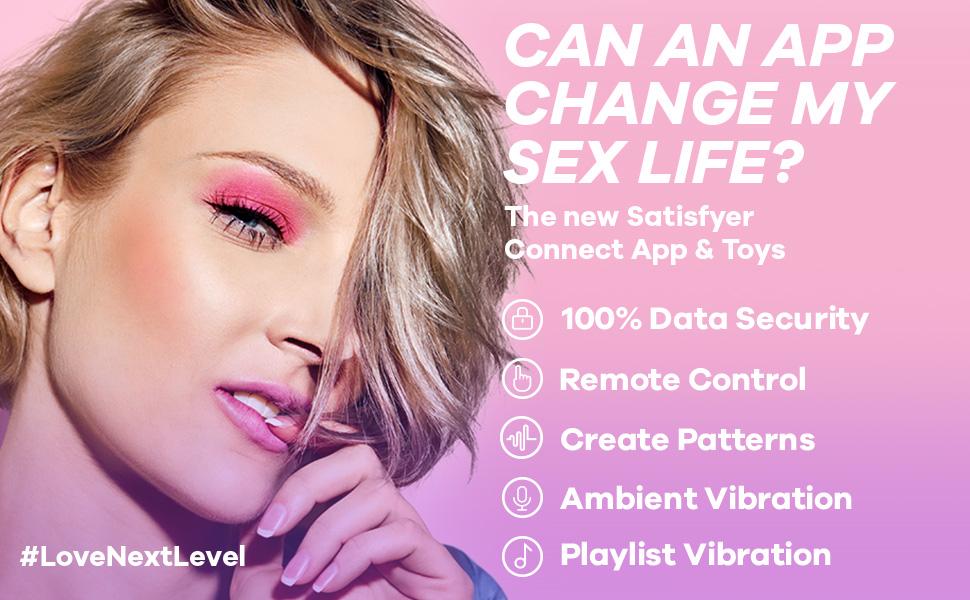
Image: A visual highlighting the advanced features available through the Satisfyer Connect App, including remote control, custom patterns, and music synchronization.
5.3. Official Product Video (Satisfyer Pro 2 Gen 3 App)
Video: This video demonstrates the features and app connectivity of the Satisfyer Pro 2 Gen 3. While a different model, it showcases the brand's app functionality and general product operation, which is similar to the Heat Wave Connect App Vibrator.
6. Mantentzea
6.1. Garbiketa
To maintain hygiene and prolong the life of your device:
- Beti garbitu gailua erabili aurretik eta ondoren.
- Wash with warm water and a mild, antibacterial toy cleaner or soap.
- Garbitu ondo xaboi hondakin guztiak kentzeko.
- Dry completely with a lint-free cloth or air dry before storing.

Image: The Satisfyer Heat Wave vibrator covered in water droplets, demonstrating its waterproof design for easy cleaning.
6.2. Biltegiratzea
Store your Satisfyer Heat Wave in a cool, dry place, away from direct sunlight and extreme temperatures. Avoid storing it with other toys made of different materials to prevent material degradation.
7. Arazoak
If you encounter any issues with your Satisfyer Heat Wave, please refer to the following common solutions:
- Gailua ez da pizten: Ziurtatu gailua guztiz kargatuta dagoela. Bateria baxua bada, konektatu kargagailura.
- No Vibration/Heat: Check if the device is powered on. Cycle through programs or activate the heat function as described in the 'Operating Instructions'.
- Aplikazioen konexio-arazoak: Make sure Bluetooth is enabled on your smartphone and the device is in pairing mode. Restart both the app and the device if necessary. Ensure the app is updated to the latest version.
- Weak Performance: Fully charge the device. Performance may decrease with low battery levels.
If problems persist, please contact Satisfyer customer support for further assistance.
8. Zehaztapenak
| Produktuaren neurriak | 10 x 2 x 2.7 hazbete; 6.21 ontza |
| Elementuaren eredu-zenbakia | 4002569 |
| Pilak | 1 litio ioi bateriak behar dira (barne) |
| Materiala | Silikona |
| Kolorea | Menta |
| Fabrikatzailea | Asebetetzailea |
| Iragazgaitzaren balorazioa | IPX7 |
9. Bermea
Satisfyer offers a 15 urteko bermea on this product, ensuring long-lasting satisfaction and peace of mind. For detailed warranty terms and conditions, please refer to the official Satisfyer webwebgunean edo jarri harremanetan bezeroarentzako laguntzarekin.
10. Bezeroarentzako arreta
For any questions, concerns, or technical support regarding your Satisfyer Heat Wave Connect App Vibrator, please visit the official Satisfyer website or contact their customer service team. Contact information can typically be found on the product packaging or the brand's official webgunea.


