1. Sarrera
Thank you for choosing the HTC True Wireless Earbuds 1. This manual provides essential information to help you set up, operate, and maintain your earbuds for optimal performance.
Paketearen edukia
Ziurtatu elementu guztiak zure paketean daudela:
- 1 Pair HTC True Wireless Earbuds
- 1 USB-C kargatzeko kablea
- 2 Pairs of Rubber Eartips (S/L)
- 1 Gida azkarra
- 1 Berme Txartela
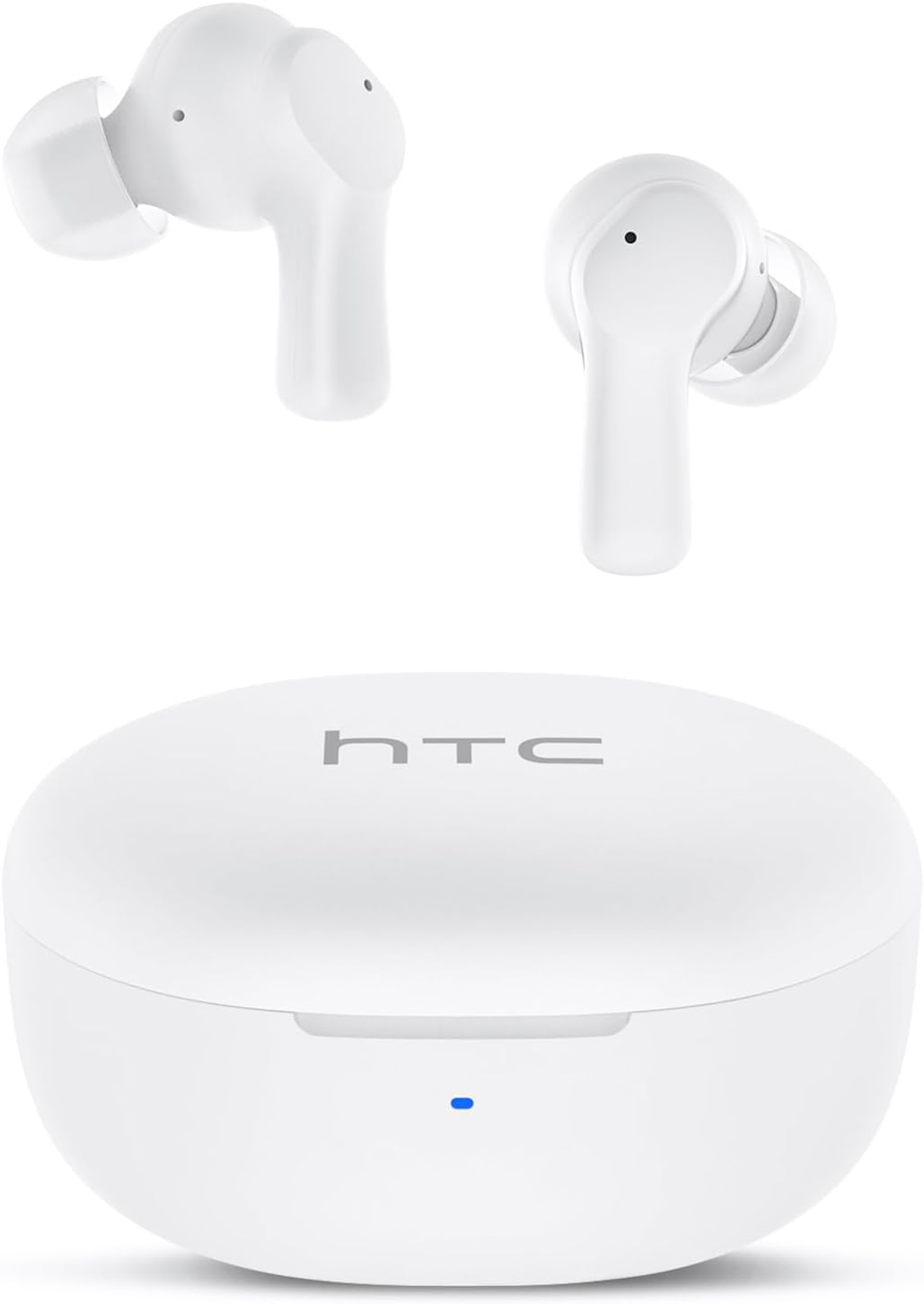
Image: HTC True Wireless Earbuds 1 and their charging case.

Image: The charging case opened, showing the two earbuds nestled inside.
2. Konfigurazioa eta parekatzea
Hasierako konfigurazioa
- Kendu film babeslea: Before first use, remove the protective film from the charging contacts on both earbuds.
- Charge Earbuds: Place the earbuds back into the charging case and close the lid. Connect the charging case to a USB power source using the provided USB-C cable. Ensure the earbuds and case are fully charged before initial use.
- Piztu: Ireki kargatzeko zorroaren estalkia. Aurikularrak automatikoki piztuko dira eta parekatze moduan sartuko dira.
Bluetooth parekatzea
The HTC True Wireless Earbuds 1 feature one-step auto-pairing after the initial setup.
- Aktibatu Bluetootha: Zure gailuan (telefono adimenduna, tableta, ordenagailua), gaitu Bluetooth-a.
- Bilatu Gailuak: Zure gailuaren Bluetooth ezarpenetan, bilatu eskuragarri dauden gailuak.
- Select 'HTC TWS2': From the list of found devices, select 'HTC TWS2' to connect.
- Berrespena: Behin konektatuta, audio-abisu bat entzungo duzu, eta entzungailuak erabiltzeko prest egongo dira.
After the first successful pairing, the earbuds will automatically connect to the last paired device when taken out of the charging case, provided Bluetooth is enabled on the device.

Image: Illustration of the one-step auto-pairing process, showing earbuds connecting to a smartphone.
3. Nola jantzi
For optimal sound quality and comfort, it is important to wear the earbuds correctly.
- Choose Eartips: Select the rubber eartips (S, M, L) that best fit your ear canal. A proper seal enhances bass response and noise isolation.
- Txertatu entzungailuak: Gently insert each earbud into its corresponding ear (L for left, R for right).
- Biratu blokeatzeko: Rotate the earbud slightly forward or backward until it feels secure and comfortable in your ear canal.

Image: Diagram showing how to properly insert the earbuds and the available S/M/L silicone eartips.
4. Operating Instructions (Touch Control)
The HTC True Wireless Earbuds 1 feature intuitive touch controls on each earbud. The following actions can be performed:
| Ekintza | Kontrola | Funtzioa |
|---|---|---|
| Musika erreproduzitzea | Ukitu bakarra (entzungailuetako edozeinetan) | Erreproduzitu / Pausatu |
| Musika erreproduzitzea | Sakatu birritan ezkerreko aurikularra | Aurreko Abestia |
| Musika erreproduzitzea | Sakatu birritan eskuineko aurikularra | Hurrengo Abestia |
| Deiak | Ukitu bakarra (entzungailuetako edozeinetan) | Erantzun / amaitu deia |
| Deiak | Luze sakatuta (entzungailuetako edozeinetan) | Deia baztertu |
| Ahots Laguntzailea | Hiru aldiz sakatu (entzungailuetako edozeinetan) | Aktibatu ahots-laguntzailea (Siri, Google Assistant, etab.) |
| Bolumen kontrola | Sakatu luze ezkerreko entzungailua | Bolumena jaitsi |
| Bolumen kontrola | Sakatu luze eskuineko entzungailua | Bolumena igo |
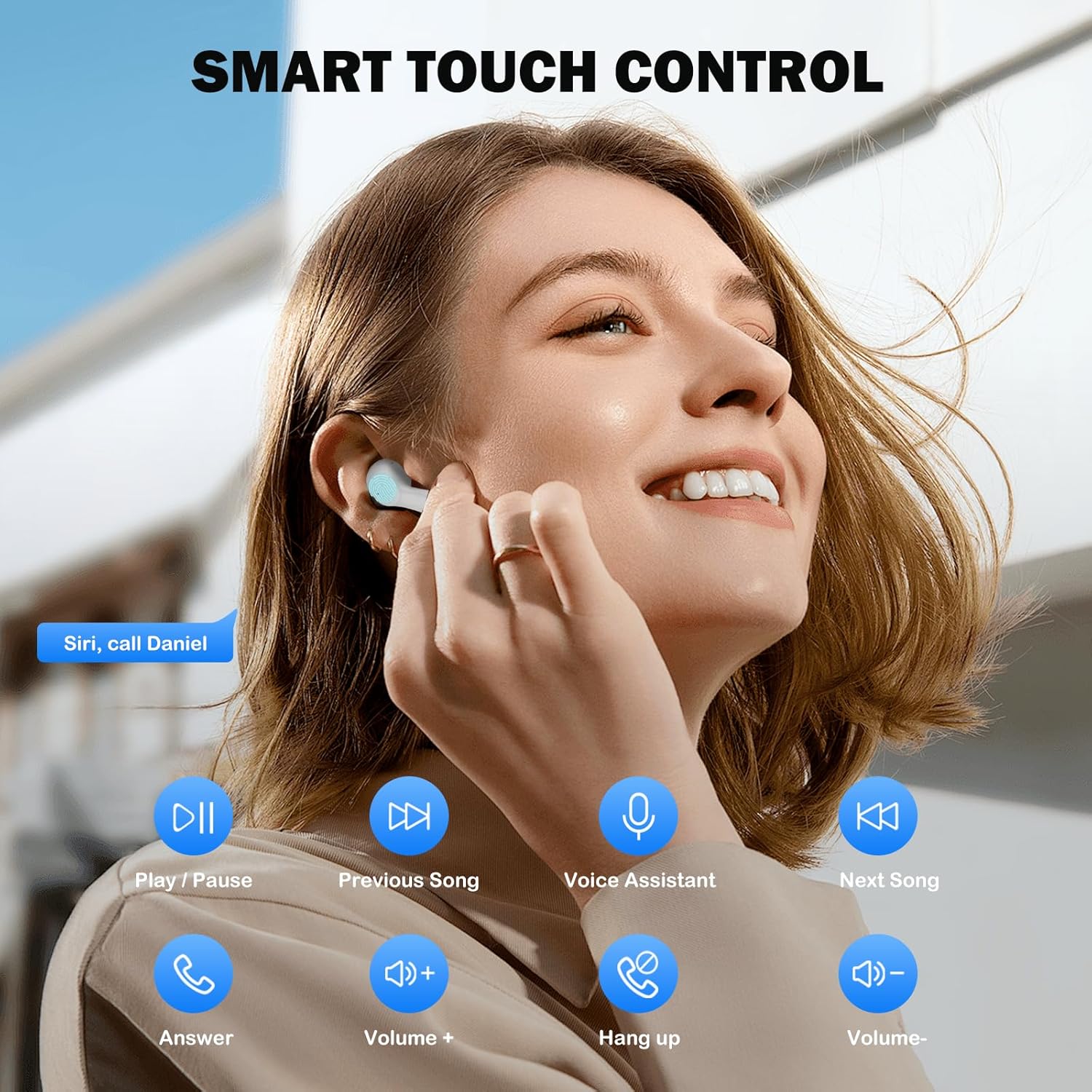
Image: Visual guide to the smart touch controls for music, calls, and voice assistant.
5. Kargatzea
The earbuds and charging case are powered by internal rechargeable batteries.
Entzungailuak kargatzen
Jarri entzungailuak kargatzeko zorroan. Automatikoki kargatzen hasiko dira. Zorroko LED adierazleak kargatzeko egoera erakutsiko du.
Kasua kargatzen
Connect the provided USB-C cable to the charging port on the case and to a USB power adapter (not included). The LED indicator on the case will show charging progress. A full charge for the earbuds takes approximately 40 minutes.
Bateriaren iraupena
- Entzungailuak: Up to 8 hours of listening time on a single charge (at 50% volume).
- Kargatzeko zorroarekin: Up to 40 hours of total playtime with multiple charges from the case.
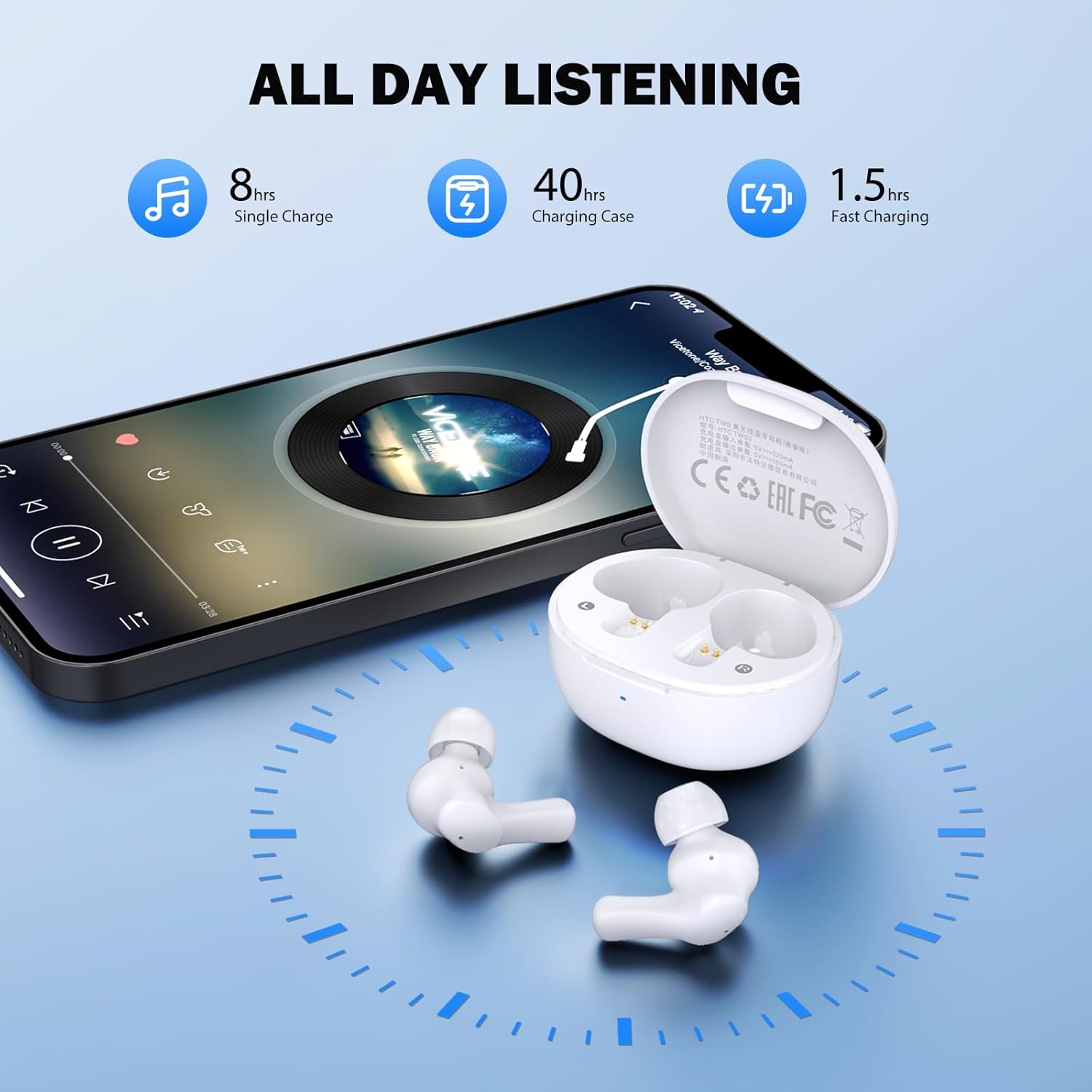
Image: Visual representation of 8 hours single charge, 40 hours with charging case, and 1.5 hours fast charging for the case.
6. Mantentzea eta Zainketa
Behar bezalako zaintzak zure entzungailuen iraupena eta errendimendua bermatzen ditu.
Garbiketa
- Garbitu aldizka entzungailuak eta kargatzeko zorroa oihal leun, lehor eta lihorik gabeko batekin.
- Kendu belarri-puntak eta garbitu xaboi leun eta urarekin, eta gero lehortu ondo berriro jarri aurretik.
- Ensure charging contacts on both earbuds and inside the case are clean and free of debris.
Uraren Erresistentzia
Entzungailuak sailkatuta daude IPX4 urarekiko erresistentea, meaning they are protected against splashing water from any direction. They are suitable for exercise and light rain, but should not be submerged in water or exposed to heavy downpours.
Biltegiratzea
Erabiltzen ez dituzunean, gorde entzungailuak kargatzeko zorroan babesteko eta kargatuta mantentzeko.
7. Arazoak
Arazoak aurkitzen badituzu, saiatu irtenbide hauek:
- Soinurik ez: Ensure earbuds are charged, connected to your device, and volume is up on both the earbuds and your device.
- Parekatzeko arazoak: Ziurtatu Bluetooth gaituta dagoela zure gailuan eta entzungailuak parekatze moduan daudela. Saiatu Bluetooth-a itzaltzen eta berriro pizten zure gailuan.
- Aurikular batek ez du funtzionatzen: Jarri bi entzungailuak berriro kargatzeko zorroan, itxi tapa, itxaron segundo batzuk eta atera berriro. Honek askotan berriro sinkronizatzen ditu.
- Etengabeko konexioa: Ensure there are no obstructions between the earbuds and your device. Keep your device within the 10-meter Bluetooth range.
Fabrika berrezarri
If problems persist, a factory reset may resolve them:
- Jarri bi entzungailuak kargatzeko zorroan.
- With the earbuds in the case, quickly tap each earbud 5 times.
- The LED on the earbuds will flash red, then turn off, indicating a successful reset.
- Close the charging case lid, then open it again to re-initiate pairing.

Image: Visual instructions for initial setup, wearing the earbuds, and performing a factory reset.
8. Zehaztapenak
| Ezaugarri | Xehetasuna |
|---|---|
| Ereduaren izena | HTC TWS2 |
| Konektibitate Teknologia | Haririk gabekoa (Bluetooth 5.3) |
| Bluetooth barrutia | Gehienez 10 metro (33 oin) |
| Audio kontrolatzaile mota | 10 mm-ko gidari dinamikoa |
| Maiztasun barrutia | 20 Hz - 20,000 Hz |
| Aurikularretako bateriaren iraupena | Gehienez 8 ordu (karga bakarra) |
| Jolas-denbora osoa (zorroarekin) | Gehienez 40 ordu |
| Entzungailuak kargatzeko denbora | 40 minutu inguru |
| Uraren Erresistentzia Maila | IPX4 (Sweatproof, Splash Resistant) |
| Kontrol mota | Ukitu Kontrola |
| Mikrofonoa | Built-in with Call Noise Cancellation |
| Latentzia baxua | 40ms (Joko Modua) |
| Earbud pisua | Gutxi gorabehera 3.8 g entzungailu bakoitzeko |
| Gailu bateragarriak | iOS, Android, Windows gailuak |

Image: Diagram illustrating the 10mm diameter loud speaker for HiFi stereo sound.

Image: Visual representation of Bluetooth 5.3 technology benefits: low consumption, faster transmission, lower latency, and built-in microphone.
9. Bermea eta Laguntza
Bermearen informazioa
Your HTC True Wireless Earbuds 1 come with a warranty. Please refer to the included Warranty Card for detailed terms and conditions, including coverage period and what is covered.
Bezeroarentzako Arreta
For any questions, technical assistance, or warranty claims, please contact HTC customer support. Refer to the contact information provided in your Quick Guide or on the official HTC webgunea.


