1. Sarrera
The MageGee V650 Wireless Keyboard and Mouse Combo is designed for efficient and comfortable use with your computer. This combo features a full-size 104-key keyboard with a number pad and multimedia shortcuts, paired with a sensitive and quiet mouse. Both devices connect wirelessly via a single 2.4G USB receiver, offering a stable connection within a 10-meter range.

Image 1.1: MageGee V650 Wireless Keyboard and Mouse Combo.

Image 1.2: Key features of the MageGee V650 combo.
2. Paketearen edukia
Mesedez, egiaztatu paketea elementu hauek dituen:
- 1 x haririk gabeko teklatua
- 1 x Haririk gabeko sagua
- 1 x USB Receiver (stored inside the keyboard)
- 1 x AA bateria (saguarentzat)
- 2 x AAA bateria (teklatuarentzat)
- 1 x Erabiltzailearen eskuliburua
3. Konfiguratzeko argibideak
3.1. Bateriaren instalazioa
- Teklatuarentzat: Bilatu bateriaren konpartimentua teklatuaren azpialdean. Sartu bi AAA bateria, polaritate zuzena ziurtatuz (+/-).
- Saguarentzat: Bilatu saguaren azpialdean dagoen bateriaren konpartimentua. Sartu AA bateria bat, polaritate zuzena ziurtatuz (+/-).

Image 3.1: Keyboard battery compartment and USB receiver storage.
3.2. USB hargailua konektatzea
- Locate the USB receiver. It is typically stored in a dedicated slot on the underside of the keyboard for safekeeping.
- Plug the USB receiver into an available USB port on your computer (PC, desktop, laptop, or notebook).
- The system should automatically detect and install the necessary drivers. No additional software download is required.
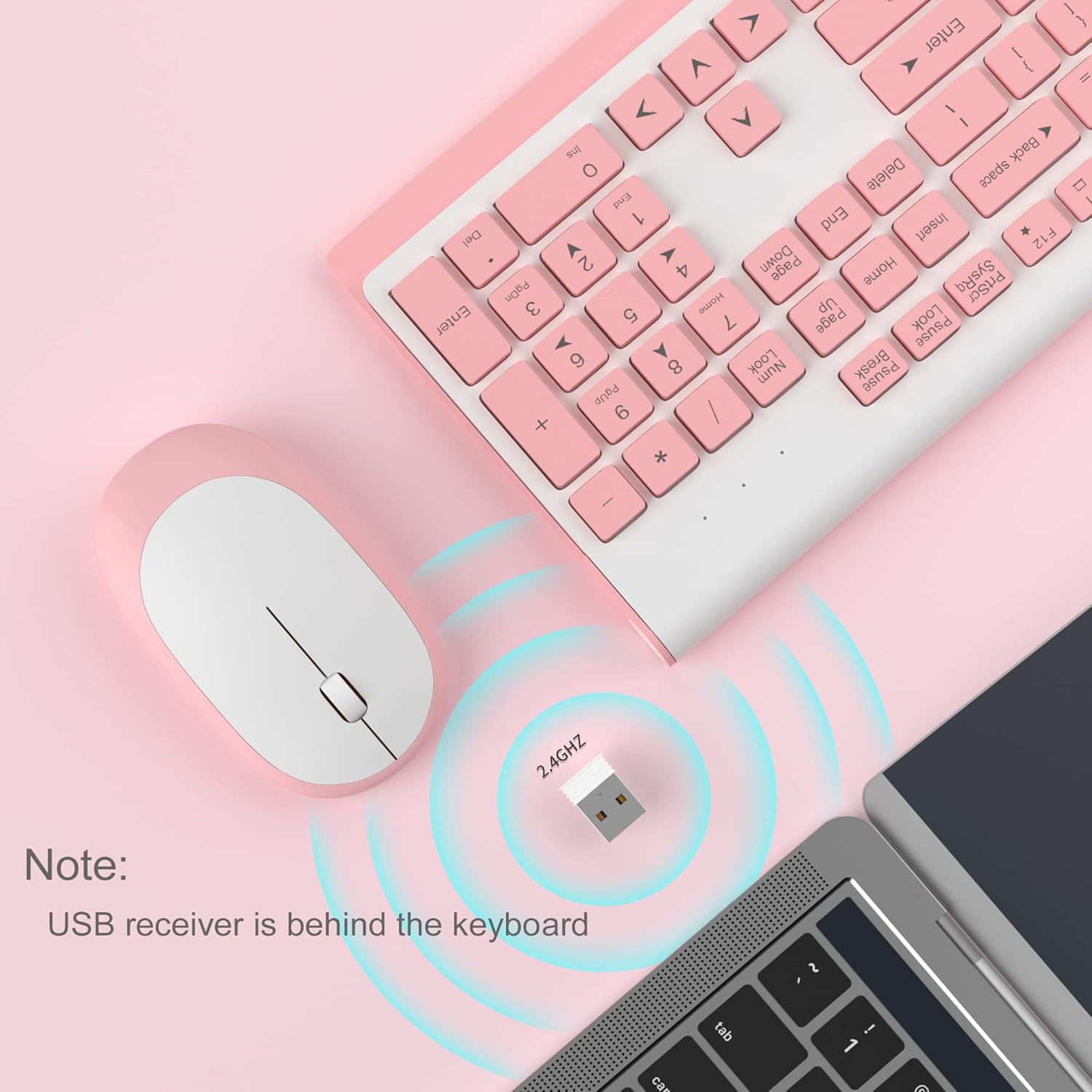
Image 3.2: USB receiver connection and storage location.

Image 3.3: 2.4G wireless connection diagram.
3.3. Piztu
Ensure the power switches on both the keyboard and mouse are in the 'ON' position. The devices should now be ready for use.
4. Funtzionamendu-argibideak
4.1. Teklatuaren funtzioak
The V650 keyboard features a standard 104-key layout, including a full number pad for data entry and dedicated arrow keys. The keys are designed for quiet and responsive typing.
Multimedia Lasterbideak
The keyboard includes 12 multimedia shortcuts accessible by pressing the Fn key in combination with the F1-F12 function keys. These shortcuts allow quick access to common functions such as volume control, media playback, and more.

Image 4.1: Keyboard multimedia function key combinations.
| Konbinazioa | Funtzioa |
|---|---|
| Fn + F1 | Multimedia |
| Fn + F2 | Bolumena - |
| Fn + F3 | Bolumena + |
| Fn + F4 | Isildu |
| Fn + F5 | Aurreko Pista |
| Fn + F6 | Hurrengo Pista |
| Fn + F7 | Erreproduzitu/Pausatu |
| Fn + F8 | Gelditu |
| Fn + F9 | Hasierako orria |
| Fn + F10 | Posta elektronikoa |
| Fn + F11 | Nire Ordenagailua |
| Fn + F12 | Gogokoak |
4.2. Saguaren funtzioak
The wireless mouse offers precise 1200 DPI tracking and quiet clicks. It features standard left and right click buttons and a scroll wheel for navigation.

Image 4.2: Mouse features: 1200 DPI and quiet operation.
4.3. Lo egiteko modu automatikoa
To conserve battery life, both the keyboard and mouse will enter an automatic sleep mode after a period of inactivity. To wake them up, simply press any key on the keyboard or move the mouse.
5. Mantentzea eta Zainketa
- Garbiketa: Erabili zapi leun eta lehor bat teklatuaren eta saguaren gainazalak garbitzeko. Zikinkeria egoskorra bada, garbitu zapi pixka bat.amp cloth can be used, but ensure no liquid enters the devices. Avoid harsh chemicals or abrasive cleaners.
- Bateria ordezkatzea: Replace batteries when performance degrades or devices stop responding. Always use new batteries of the specified type (AAA for keyboard, AA for mouse) and dispose of old batteries responsibly.
- Biltegiratzea: When not in use for extended periods, turn off the devices to save battery life. Store the USB receiver in its dedicated slot on the keyboard to prevent loss.
- Ingurumena: Avoid exposing the devices to extreme temperatures, direct sunlight, or excessive moisture.
6. Arazoak
If you encounter issues with your MageGee V650 combo, please refer to the following common solutions:
- No Connection / Lag:
- Ensure both the keyboard and mouse are powered on and have fresh batteries.
- Egiaztatu USB hartzailea ordenagailuko USB ataka funtzional batera ondo konektatuta dagoela.
- Saiatu USB hargailua beste USB ataka batera konektatzen.
- Move the keyboard and mouse closer to the USB receiver to ensure they are within the 10-meter operating range.
- Saihestu hartzailea beste haririk gabeko gailu edo interferentziak sor ditzaketen metalezko objektu handien ondoan jartzea.
- Keys Not Responding / Stuck Keys:
- Egiaztatu bateriaren maila eta ordeztu behar izanez gero.
- Gently clean around the affected keys to remove any debris that might be causing them to stick.
- Re-establish the connection by unplugging and re-plugging the USB receiver.
- Mouse Not Working / Cursor Jumps:
- Ensure the mouse has a fresh AA battery and is powered on.
- Garbitu saguaren azpialdeko sentsore optikoa.
- Erabili sagua gainazal egoki batean (ez oso islatzailea edo gardena).
- Re-establish the connection by unplugging and re-plugging the USB receiver.
- Letters Fading on Keys:
- This is typically a result of prolonged use and wear. While not a functional defect, it can affect visibility.
7. Produktuaren zehaztapenak
| Ezaugarri | Xehetasuna |
|---|---|
| Eredua | V650 |
| Konektibitate Teknologia | 2.4G Wireless (Radio Frequency), USB Receiver |
| Teklatuaren diseinua | Full Size, 104 Keys with Number Pad and 12 Multimedia Shortcuts |
| Teklatu mota | Scissor-cross low profile, Quiet Keys |
| Sagua DPI | 1200 DPI |
| Gailu bateragarriak | PC, Desktop, Laptop, Notebook |
| Sistema Eragileak | Windows XP / Vista / 7/8/10 |
| Teklatuaren neurriak | 16.06 x 6.6 x 1.3 hazbete (gutxi gorabehera 40.8 x 16.8 x 3.3 cm) |
| Saguaren neurriak | 4.25 x 2.4 x 1.18 hazbete (gutxi gorabehera 10.8 x 6.1 x 3 cm) |
| Elementuaren pisua | 1.63 libra (gutxi gorabehera 0.74 kg) |
| Teklatuaren bateria | 2 x AAA bateria |
| Saguaren bateria | 1 x AA bateria |
| Ezaugarri Berezia | Round Keycaps, Ultra-Thin Design, Automatic Sleep Mode |

7.1 irudia: Produktuaren neurriak.
8. Bermea eta bezeroarentzako laguntza
MageGee products are designed for reliability and performance. For any warranty inquiries, technical support, or assistance with your product, please contact MageGee customer support through the retailer where you purchased the item or visit the official MageGee store online.
Informazio gehiago eta harremanetarako datuak aurki ditzakezu hemen: MageGee denda Amazonen.


