Sarrera
Thank you for choosing the Nedis SmartLife Wireless Camera System SLNVR201CWT. This system is designed to provide comprehensive home security with advanced features. This manual will guide you through the installation, operation, and maintenance of your new camera system, ensuring optimal performance and security.
The system includes a Network Video Recorder (NVR) and two Full HD (1080p) wireless cameras. Key features include motion and sound detection with adjustable sensitivity, instant smartphone notifications, a wide 180-degree viewing angle, night vision capabilities up to 5 meters, and two-way audio communication. Recordings are stored on a Micro SD card (not included) for convenient playback.
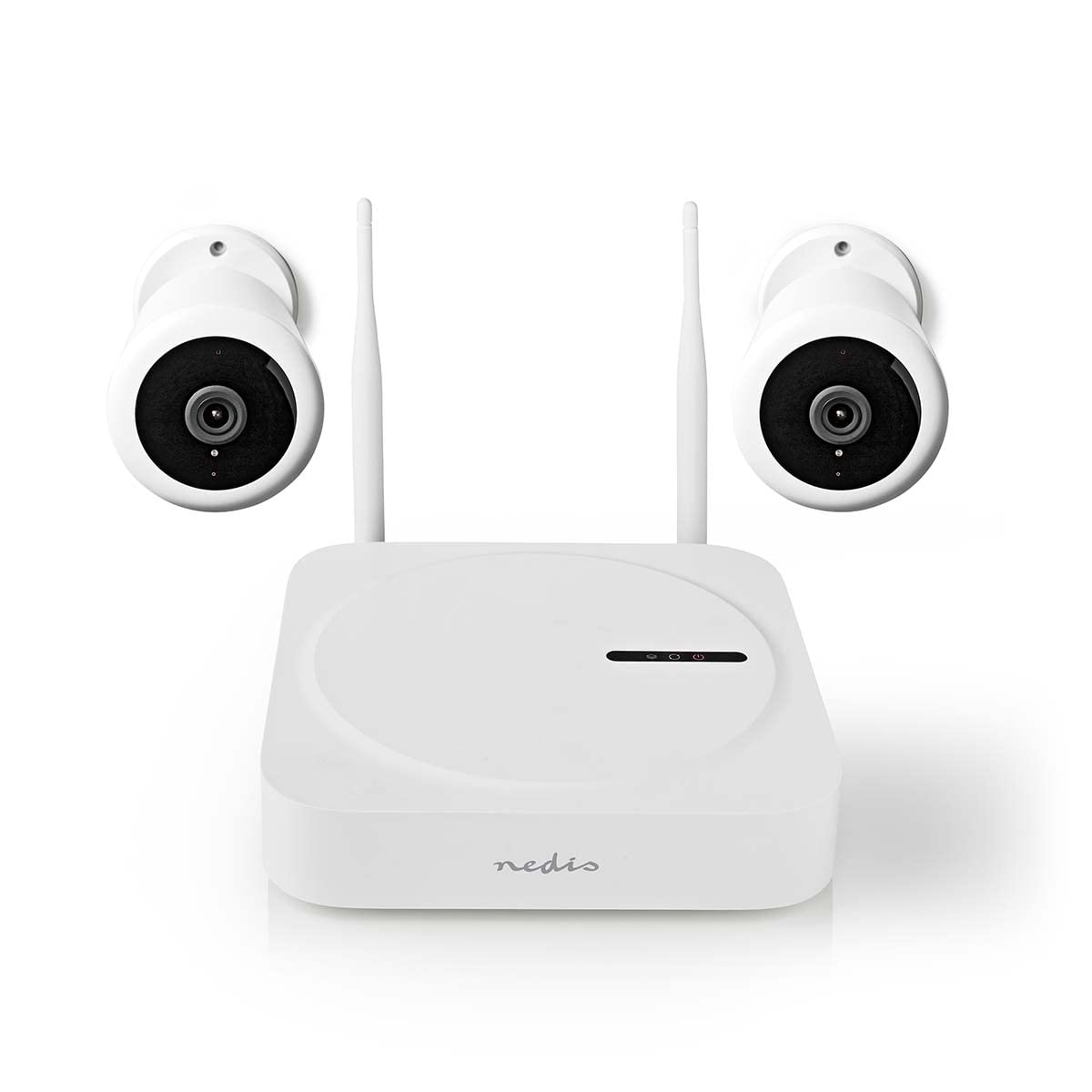
Image: The Nedis SmartLife Wireless Camera System, showing the central NVR unit and two wireless cameras.
Segurtasun Informazioa
- Irakurri arretaz argibide guztiak erabili aurretik.
- Gorde eskuliburu hau etorkizunean erreferentzia izateko.
- Use only the power adapters supplied with the product. Using unauthorized power sources may damage the device and void the warranty.
- Ez jarri gailua muturreko tenperatura, hezetasun edo eguzki-argitara.
- Ensure proper ventilation around the NVR unit to prevent overheating.
- Avoid placing the cameras in locations where they could be easily tampered with or damaged.
- Produktu hau ez da jostailu bat. Mantendu haurren eskura.
- For indoor and outdoor use. Ensure outdoor cameras are installed in a sheltered location to protect from direct heavy rain.
Paketearen edukia
Carefully unpack the box and ensure all items are present and in good condition. If any items are missing or damaged, please contact your retailer.
- 1 x Nedis SmartLife Wireless NVR Unit
- 2 x Nedis SmartLife Wireless Cameras
- 3 x Power Adapters (for NVR and cameras)
- 1 x USB sagua
- Muntatzeko torlojuak eta hormako takoak
- Zulatzeko txantiloiak
- Erabiltzailearen eskuliburua (dokumentu hau)
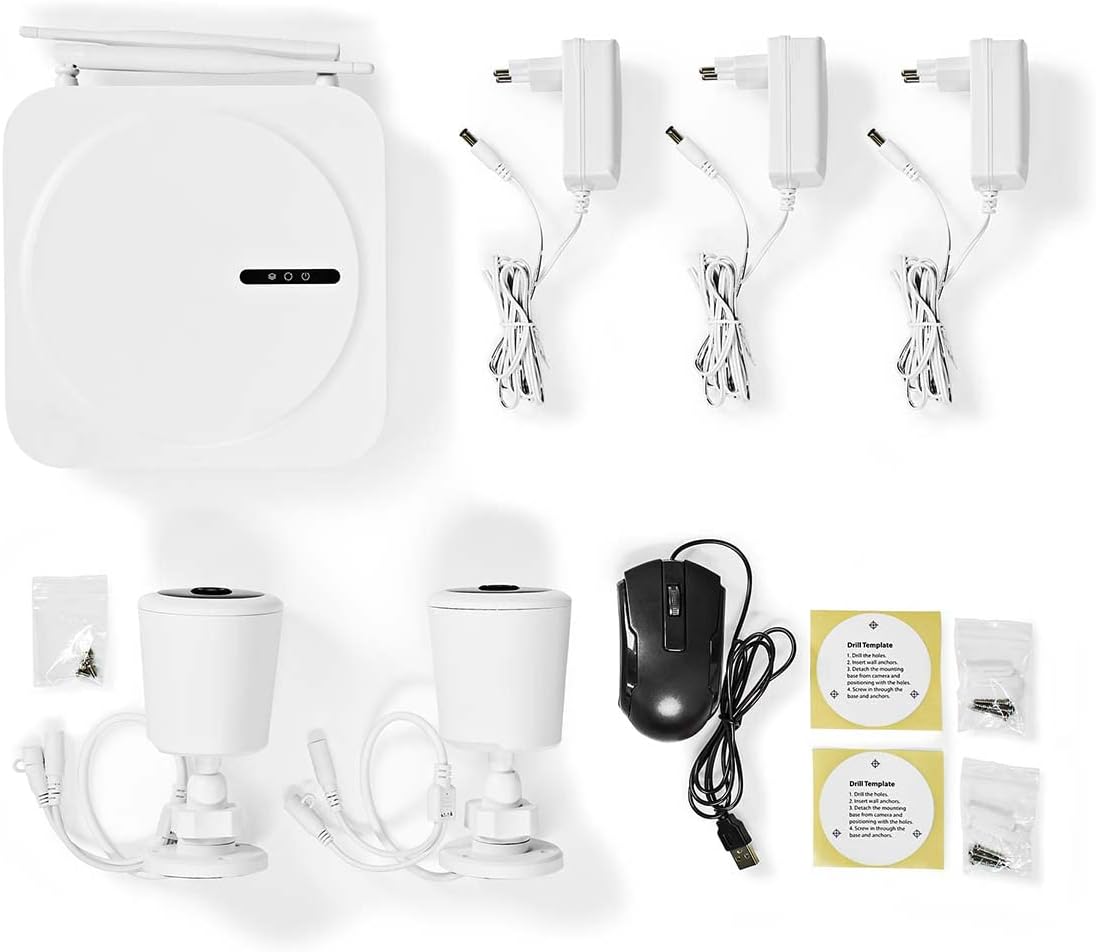
Image: All components included in the Nedis SmartLife Wireless Camera System package.
Konfigurazioa
1. NVR Unit Connection
- Place the NVR unit in a central location, ensuring good Wi-Fi signal strength for the cameras.
- Connect the NVR to a power outlet using one of the provided power adapters.
- Konektatu USB sagua NVR-aren USB atakara.
- If desired, connect the NVR to your router via an Ethernet cable for a stable network connection.

Irudia: Aurrealdea view of the Nedis SmartLife NVR unit with indicator lights.
2. Kameraren instalazioa
- Choose suitable locations for your cameras, considering the 180-degree viewing angle and night vision range (up to 5 meters).
- Use the drill templates to mark the screw positions on the wall or ceiling.
- Drill holes, insert wall plugs, and secure the camera mounts with screws.
- Attach the cameras to their mounts and adjust the angle as needed.
- Connect each camera to a power outlet using the remaining power adapters.

Image: Close-up of a Nedis SmartLife camera, highlighting the lens and sensor.
3. Aplikazioaren instalazioa eta parekatzea
- Download the 'Nedis SmartLife' app from your smartphone's app store (available for Android and iOS).
- Erregistratu kontu berri bat lortzeko edo hasi saioa dagoeneko baduzu.
- Follow the in-app instructions to add your NVR system. The app will guide you through the pairing process for the cameras.
- Insert a Micro SD card (up to 128GB, not included) into the NVR for local storage of recordings.
Sistema ustiatzea
Zuzenean View eta Erreprodukzioa
- Open the Nedis SmartLife app on your smartphone.
- Select your camera system to view konektatutako kamera guztien zuzeneko jarioak.
- Use the app interface to switch between cameras, access recorded footage, eta doikuntzak egokitu.
- To view foo grabatuatage, navigate to the playback section in the app and select the desired date and time.
Mugimendua eta soinua hautematea
- The system is equipped with motion and sound detection. When triggered, it sends instant notifications to your smartphone.
- Adjust the sensitivity of both motion and sound detection within the Nedis SmartLife app settings for each camera to minimize false alarms.
- You can set specific detection zones for motion detection to focus on critical areas.
Bi norabideko audioa
- The cameras feature built-in microphones and speakers, enabling two-way communication.
- Zuzenetik view in the app, tap the microphone icon to speak through the camera's speaker. Tap again to end.
- This feature allows you to communicate with visitors or deter intruders remotely.
Gaueko Ikusmena
- The cameras automatically switch to night vision mode in low-light conditions.
- Night vision provides clear black-and-white video footage up to 5 meters, ensuring 24-hour surveillance.
Mantentzea
Garbiketa
- Garbitu aurretik, ziurtatu gailua itzalita eta deskonektatuta dagoela.
- Use a soft, dry cloth to clean the NVR unit and camera bodies.
- For camera lenses, use a specialized lens cleaning cloth to avoid scratches.
- Do not use liquid or aerosol cleaners, as they may damage the components.
Firmware eguneraketak
- Periodically check the Nedis SmartLife app for available firmware updates.
- Keeping your system's firmware up-to-date ensures optimal performance, security, and access to new features.
- Jarraitu arretaz aplikazio barruko argibideei eguneraketak egiterakoan.
Biltegiratzea
- If storing the system for an extended period, ensure it is clean and dry.
- Gorde leku fresko eta lehor batean, eguzki-argitik eta muturreko tenperaturatik urrun.
Arazoak konpontzea
| Arazoa | Kausa posiblea | Irtenbidea |
|---|---|---|
| Ez dago kameratik ateratako irudi/bideorik | Camera not powered on; Wi-Fi signal too weak; Camera not paired. | Check power connection; Move camera closer to NVR/router; Re-pair camera via app. |
| Ez da jakinarazpenik jaso | Notifications disabled in app/phone settings; Detection sensitivity too low. | Enable notifications in Nedis SmartLife app and phone settings; Increase motion/sound sensitivity. |
| Gaueko ikusmenaren kalitate eskasa | Obstruction in front of camera; Camera too far from subject. | Clear any obstructions; Ensure subject is within 5-meter night vision range. |
| Bi norabideko audioa ez da funtzionatzen | Mikrofonoaren/bozgorailuaren baimenak ez dira eman; Bolumena baxuegia da. | Check app permissions for microphone; Adjust volume settings in app. |
| System offline in app | NVR not connected to internet; NVR powered off. | Check NVR's internet connection (Ethernet/Wi-Fi); Ensure NVR is powered on. |
Zehaztapenak
| Ezaugarri | Zehaztapena |
|---|---|
| Modelo zenbakia | SLNVR201CWT |
| Marka | Nedis |
| Bideo Harrapaketa Ebazpena | 1080p (HD osoa) |
| Kolorea | Zuria |
| Kanal kopurua | 4 |
| Haririk gabeko Teknologia | Wi-Fi |
| Viewangelua | 180 gradu |
| Fotograma-tasa | 30 fotograma segundoko |
| liburukiatage | 220 Volt |
| Wattage | 48 Watt |
| Sistema eragileen bateragarritasuna | Android, iOS |
| Pilak barne | Ez |
| Gomendatutako Erabilerak | Night Vision, Home Security |
| Ezaugarri bereziak | High Definition, Motion Sensor, Two-Way Audio |
| Erabilera-ingurunea | Barruan, Kanpoan |
| Gailu bateragarriak | Smartphone |
| Energia iturria | Kable elektrikoa |
| Komunikazio Protokoloa | Wi-Fi |
Bermea eta Laguntza
Nedis products are manufactured to high quality standards and are covered by a warranty period from the date of purchase. For detailed warranty terms and conditions, please refer to the warranty card included with your product or visit the official Nedis webgunea.
For technical support, troubleshooting assistance, or to report any issues with your product, please contact Nedis customer service. Contact information can typically be found on the Nedis webgunean edo zure produktuaren ontzian.
Please have your model number (SLNVR201CWT) and proof of purchase ready when contacting support.