DAREU EK807G

DAREU EK807G Wireless TKL Mechanical Keyboard User Manual

Model: EK807G | Brand: DAREU

1. Sarrera

This manual provides comprehensive instructions for the DAREU EK807G Wireless TKL Mechanical Keyboard. Designed for office use, this keyboard features an aluminum alloy panel, function keys, and stable 2.4G wireless connectivity, compatible with PC, Mac, and Windows systems. Please read this manual thoroughly to ensure proper use and longevity of your device.

Kutxan dagoena

  • DAREU EK807G Wireless TKL Mechanical Keyboard
  • USB hartzailea (2.4G)
  • Keycap tiratzailea
  • Erabiltzailearen eskuliburua
DAREU EK807G Wireless TKL Mechanical Keyboard on a desk setup

Image 1.1: The DAREU EK807G Wireless TKL Mechanical Keyboard in a typical office setup.

2. Konfigurazioa

2.1 Inserting Batteries and USB Receiver

The DAREU EK807G keyboard requires two AAA batteries (not included) for operation. The 2.4G USB receiver is conveniently stored within the keyboard's battery compartment.

  1. Bilatu bateriaren konpartimentuaren estalkia teklatuaren azpialdean.
  2. Remove the cover to access the battery slots and the stored USB receiver.
  3. Carefully remove the 2.4G USB receiver from its storage slot.
  4. Insert two AAA batteries into the compartment, ensuring correct polarity (+/-).
  5. Jarri bateriaren konpartimentuaren estalkia.
Underside of DAREU EK807G keyboard showing battery compartment and USB receiver

Image 2.1: The battery compartment and USB receiver storage on the keyboard's underside.

2.2 Zure gailura konektatzea

The keyboard uses a 2.4G wireless connection for stable and reliable performance.

  1. Plug the 2.4G USB receiver into an available USB port on your computer, laptop, or tablet.
  2. Locate the ON/OFF switch on the upper side of the keyboard.
  3. Slide the switch to the "ON" position.
  4. Your device should automatically detect and connect to the keyboard. No additional drivers are typically required.
DAREU EK807G keyboard overview with 2.4G wireless icon

Image 2.2: The keyboard features 2.4G wireless connectivity.

3. Funtzionamendu-argibideak

3.1 Basic Typing and Ergonomics

The DAREU EK807G features a classic TKL (Tenkeyless) 87-key layout, providing a comfortable typing experience. The keyboard is designed with an ergonomic 5° optimum slope when the folding holder is used, preventing wrist strain during long typing sessions. Anti-slide pads ensure stability.

This model is equipped with DAREU Red Switches, known for their linear and quiet operation, making them suitable for office and study environments where minimal noise is preferred.
Close-up of DAREU Red Switches on the keyboard

Image 3.1: The DAREU EK807G features quiet Red Switches for comfortable typing.

3.2 Function (Fn) Key Shortcuts

The keyboard includes 12 hotkeys accessible via the Fn key, allowing for quick access to various functions.

  • Fn+F1: Nire Ordenagailua
  • Fn+F2: Hasierako orria
  • Fn+F3: Posta elektronikoa
  • Fn+F4: Kalkulagailua
  • Fn+F5: Gelditu (komunikabideak)
  • Fn+F6: Last Song (Media)
  • Fn+F7: Play/Pause (Media)
  • Fn+F8: Next Song (Media)
  • Fn+F9: Bolumena jaitsi
  • Fn+F10: Bolumena igo
  • Fn+F11: Isildu
  • Fn+F12: Switch Left Win & Left Alt keys
Diagram showing Fn key combinations for shortcuts

Image 3.2: Shortcut keys activated by pressing the Fn key in combination with F1-F12.

3.3 Anti-Ghosting Technology

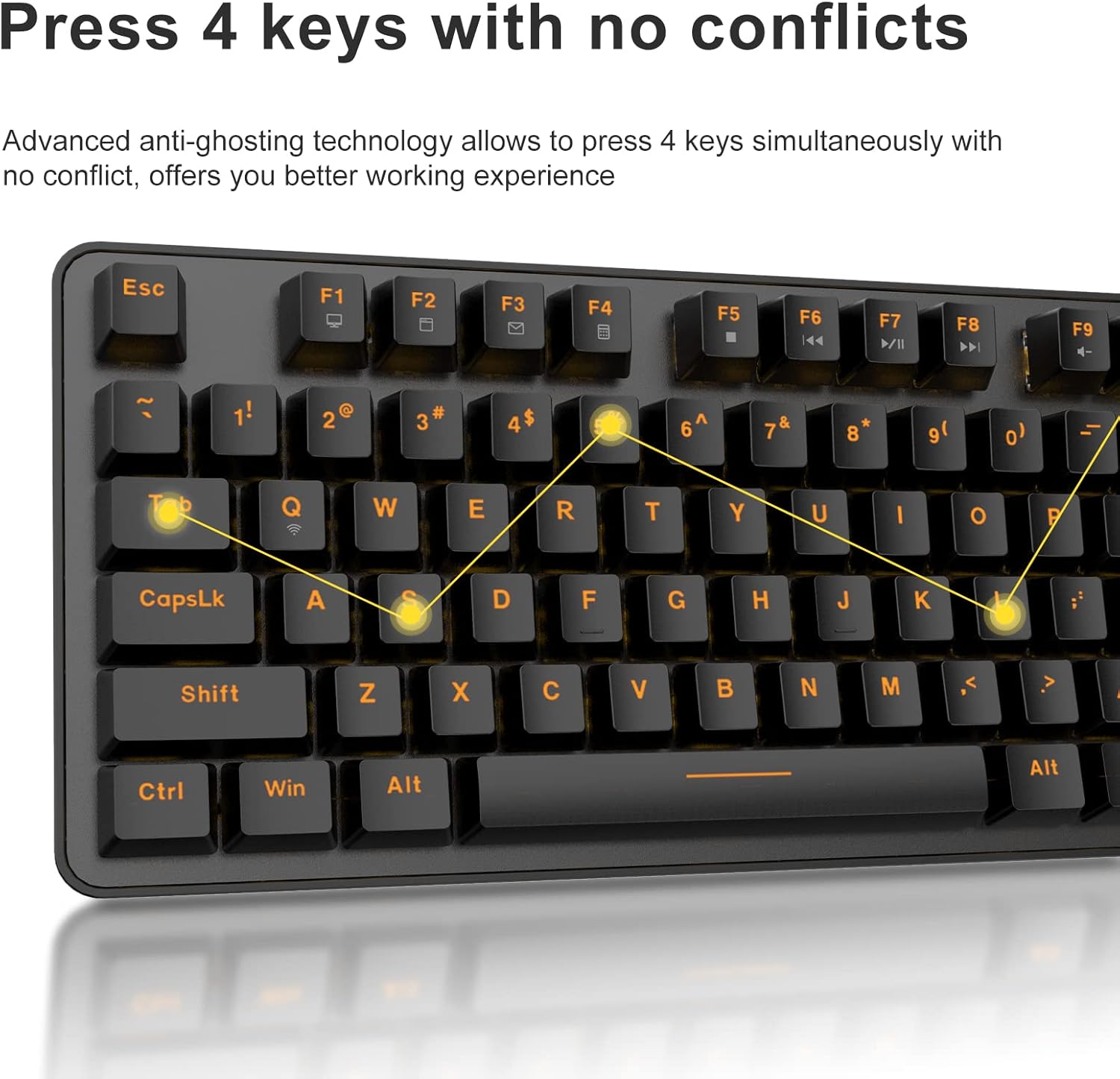
The DAREU EK807G features advanced anti-ghosting technology, allowing up to 6 keys to be pressed simultaneously without conflict. This ensures all your commands are registered accurately, improving efficiency.

Diagram illustrating anti-ghosting technology on the keyboard

Image 3.3: Anti-ghosting technology ensures multiple key presses are registered accurately.

3.4 Automatic Power Saving

To conserve battery life, the keyboard enters an automatic sleeping mode after 6 seconds of inactivity. To wake the keyboard, simply press any key. With this feature, the keyboard can last approximately 90 days of continuous use, and up to half a year between battery changes.

Image depicting long battery life and automatic sleep mode

Image 3.4: The keyboard features automatic power saving for extended battery life.

4. Mantentzea

4.1 Teklatua garbitzea

Aldian-aldian garbitzeak teklatuaren errendimendua eta itxura mantentzen laguntzen du.

  • Garbiketa orokorra: Erabili zapi leun eta lehor bat teklatuaren gainazala garbitzeko. Zikinkeria egoskorra bada, garbitu zapi pixka bat.amp xaboi leun batekin oihal bat erabil daiteke, likidorik teklatuan sartzen ez dela ziurtatuz.
  • Tekla-tapoien garbiketa: The DAREU EK807G features removable double-shot keycaps, which are resistant to fading and easy to clean. Use the included keycap puller to carefully remove keycaps. Clean them with a soft brush or a damp cloth. Ensure keycaps are completely dry before reattaching.
  • Aluminum Alloy Panel: The aluminum alloy panel is designed to be sweat-resistant and anti-rust. Wipe it with a soft cloth to keep it clean.

5. Arazoak

5.1 Konexio arazoak

  • Teklatuak ez du erantzuten:
    • Ensure the keyboard's ON/OFF switch is in the "ON" position.
    • Check if the AAA batteries are correctly inserted and have sufficient charge. Replace if necessary.
    • Verify that the 2.4G USB receiver is securely plugged into a working USB port on your device. Try a different USB port.
    • Berrabiarazi ordenagailua edo gailua.
  • Konexio etengabea:
    • Ensure the keyboard is within the operating distance of 33 feet (10m) from the USB receiver.
    • Avoid placing the keyboard near strong electromagnetic interference sources (e.g., Wi-Fi routers, other wireless devices).

5.2 Funtzionaltasun arazo nagusiak

  • Giltzak ez dira erregistratzen edo mamuak agertzen dira:
    • While the keyboard has anti-ghosting for up to 6 keys, excessive simultaneous presses beyond this limit may not register.
    • Ensure keycaps are properly seated. If a key feels stuck, gently remove the keycap with the puller and reattach it.
    • Clean any debris under the keycaps (refer to Maintenance section).
  • Fn key shortcuts not working:
    • Ensure you are pressing the Fn key simultaneously with the desired F-key.
    • If Fn + F12 (Switch L-Win & L-Alt) was accidentally activated, press it again to revert the key functions.

6. Zehaztapenak

MarkaDAREU
Modelo zenbakiaEK807G
Teklatuaren deskribapenaMechanical (Red Switch)
Konektibitate Teknologia2.4G Haririk gabekoa
Distantzia eragileaGehienez 33 oin (10 m)
Gailu bateragarriakLaptop, PC, Tablet (Mac, Windows, Chromebook)
Energia iturria2 x AAA bateria (ez daude barne)
MaterialaAluminum Alloy Panel
Produktuaren neurriak14.17"L x 5.31"Z x 1.57"A (36.0 x 13.5 x 4.0 cm)
Elementuaren pisua1.65 libra (0.75 kg)
Ezaugarri bereziakErgonomic design, Hotkeys, Multimedia Keys, Anti-ghosting, Removable Double-shot Keycaps

7. Bermea eta Laguntza

7.1 Berme Zerbitzua

DAREU provides a 180-day warranty service for the EK807G Wireless TKL Mechanical Keyboard from the date of purchase. This warranty covers manufacturing defects and issues arising from normal use.

7.2 Bezeroarentzako laguntza

If you encounter any problems during the use of your DAREU keyboard, please contact DAREU customer support. Our team is available to assist you with troubleshooting, product inquiries, and warranty claims.

Please refer to the contact information provided on the product packaging or the official DAREU webgunea laguntza-kanal eguneratuenetarako.

Erlazionatutako dokumentuak - EK807G

Aurreview Dareu EK807G Teklatuaren Erabiltzaile Eskuliburua
Dareu EK807G teklatuaren erabiltzailearen eskuliburua, produktuaren xehetasunak barne. views, konfigurazio argibideak, tekla lasterbideak, zehaztapenak eta FCCren betetze-informazioa.
Aurreview Dareu Z82 Teklatu Mekanikoaren Erabiltzailearen Eskuliburua eta Gida
Dareu Z82 teklatu mekanikoaren erabiltzailearen eskuliburu osoa, konfigurazioa, konexio aukerak (2.4G, Bluetooth, kable bidezkoa), kontrolatzaileen instalazioa eta errendimendu optimoa lortzeko ezaugarri nagusiak zehaztuz.
Aurreview DAREU EK75 Teklatuaren Erabiltzaile Eskuliburua - Ezaugarriak eta Zehaztapenak
DAREU EK75 teklatuaren erabiltzailearen eskuliburua, "Kutxaren barruan dagoena" barne hartzen duena, zehaztapen fisiko eta elektrikoak, produktuaren ezaugarriak eta xehetasunak barne hartzen dituena. viewak, eta funtzio-tekla konbinatuen eta atzeko argiztapenaren ezarpen pertsonalizatuen azalpen zehatza.
Aurreview DAREU A87 Serieko Teklatu Mekanikoaren Erabiltzaile Eskuliburua
DAREU A87 Serieko teklatu mekanikoaren erabiltzailearen eskuliburua, oinarrizko informazioa eta produktuaren xehetasunak biltzen dituena.view, argiztapen moduak, konfigurazioa, instalazioa eta gidariaren erabilera.
Aurreview DAREU A87 Hirukoitzeko Moduko Teklatu Mekanikoaren Erabiltzaile Eskuliburua
DAREU A87 Hirukoitzeko Moduko Teklatu Mekanikoaren gida osoa, konfigurazioa, konexio metodoak, ezaugarriak eta etengailuen ordezkapena azaltzen dituena. Bermeari buruzko informazioa barne hartzen du.
Aurreview Dareu H101X Bluetooth haririk gabeko joko-panelaren erabiltzailearen eskuliburua
Ezagutu Dareu H101X Bluetooth haririk gabeko joko-padaren erabiltzailearen eskuliburua, PC, Switch, iOS, Mac eta Android gailuetan konexioari, funtzioei eta konfigurazioari buruzko argibide osoak eskaintzen dituena. Ikasi bere 6 ardatzeko giroskopioari, Turbo funtzioari eta Xinput/Dinput moduei buruz joko-esperientzia optimizatua izateko.