1. Sarrera
This manual provides detailed instructions for the operation and maintenance of your Coby CVR42BK Portable Cassette Player and Recorder. Please read this manual thoroughly before using the device to ensure proper function and longevity.
2. Paketearen edukia
Egiaztatu behean zerrendatutako elementu guztiak zure paketean daudela:
- Coby CVR42BK Portable Cassette Player and Recorder
- Kanpoko boom mikrofonoa
- 120V AC egokitzailea
- Erabiltzailearen eskuliburua (dokumentu hau)

Figure 2.1: Included items in the Coby CVR42BK package.
3. Produktua amaitu daview
The Coby CVR42BK is a portable cassette player and recorder designed for both playback and one-touch recording. It features a built-in handle for portability and includes an external boom microphone for enhanced recording quality.

Figure 3.1: Coby CVR42BK Portable Cassette Player and Recorder.
3.1 Kontrolak eta adierazleak
Familiarize yourself with the controls and ports on your device:
- Erreproduzitzeko botoia: Kasetearen erreprodukzioa abiarazten du.
- Grabatu botoia: Activates recording function (requires a blank cassette).
- Fast Forward Button: Zinta azkar aurreratzen du.
- Rewind Button: Zinta azkar atzeratzen du.
- Stop/Eject Button: Stops playback/recording and opens the cassette compartment.
- Bolumen kontrola: Erreprodukzioaren bolumena doitzen du.
- Aurikularretarako Jack (3.5 mm): Entzun pribaturako.
- External Microphone Input: Connects the included boom microphone.
- Korronte alternoko egokitzailearen ataka: For connecting the 120V AC adapter.
- Bateriaren konpartimendua: Holds 4 C batteries for portable power.
4. Konfigurazioa
4.1 Gailua piztea
The CVR42BK can be powered by either the included AC adapter or 4 C batteries (not included).
- AC potentzia: Connect the 120V AC adapter to the AC adapter port on the device and then plug it into a standard wall outlet.
- Bateria Potentzia: Open the battery compartment on the underside of the unit. Insert 4 C batteries, ensuring correct polarity (+/-). Close the compartment securely.

Figure 4.1: Power options for the CVR42BK.
4.2 Loading a Cassette Tape
- Sakatu Gelditu / Kanporatu kasetearen konpartimentuko atea irekitzeko botoia.
- Insert a cassette tape with the open edge facing upwards and the tape side facing you.
- Itxi kasetearen konpartimentuko atea astiro klik egin arte.

Figure 4.2: Loading a cassette tape.
5. Funtzionamendu-argibideak
5.1 Kasete bat erreproduzitzea
- Ensure a cassette tape is loaded (refer to Section 4.2).
- Sakatu Jolastu botoia. Zinta erreproduzitzen hasiko da.
- Egokitu Bolumen kontrola nahi duzun entzute-mailara.
- Bizkor aurreratzeko, sakatu Aurrera azkarra botoia. Atzera egiteko, sakatu Atzera egin botoia.
- Erreprodukzioa gelditzeko, sakatu Gelditu / Kanporatu botoia.
- For private listening, connect headphones to the 3.5mm headphone jack.
5.2 Recording Audio (One-Touch Recording)
The CVR42BK features one-touch recording and Automatic Level Control (ALC) to optimize recording levels.
- Load a blank or recordable cassette tape into the device. Note: Re-using older cassettes may affect sound quality. New cassettes are recommended for optimal results.
- Sakatu Grabatu botoia. The Jolastu button will also engage simultaneously. The device will begin recording audio from its built-in microphone or the connected external microphone.
- Grabaketa gelditzeko, sakatu Gelditu / Kanporatu botoia.
- The device includes an auto-stop feature that will automatically stop recording when the tape reaches its end.
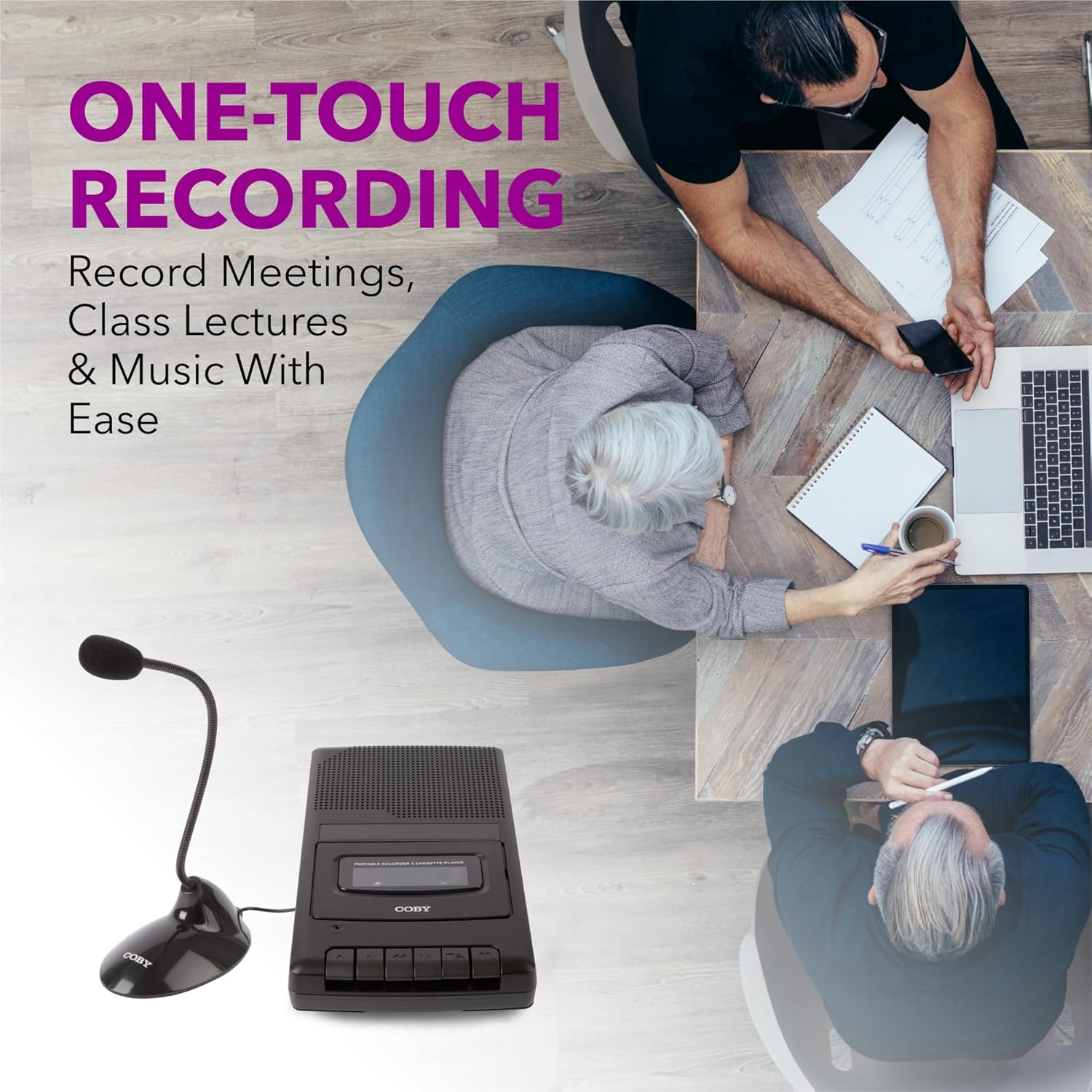
Figure 5.1: Using the CVR42BK for recording.
5.3 Using the External Boom Microphone
For higher quality recordings, especially for lectures or meetings, connect the included external boom microphone.
- Locate the external microphone input port on the CVR42BK.
- Plug the external boom microphone into this port.
- Position the microphone appropriately for the sound source you wish to record.
- Proceed with recording as described in Section 5.2. The device will automatically prioritize the external microphone when connected.

Figure 5.2: External boom microphone in use.
6. Mantentzea
- Garbiketa: Erabili zapi leun eta lehor bat unitatearen kanpoaldea garbitzeko. Ez erabili garbitzaile likidorik edo disolbatzailerik.
- Zinta-buruaren garbiketa: Periodically clean the tape heads with a specialized cassette head cleaning kit to ensure optimal sound quality and prevent tape damage.
- Biltegiratzea: When not in use for extended periods, remove batteries to prevent leakage. Store the device in a cool, dry place away from direct sunlight and extreme temperatures.
- Kaseteen zaintza: Store cassette tapes in their cases to protect them from dust and physical damage. Avoid exposing tapes to strong magnetic fields.
7. Arazoak
| Arazoa | Kausa posiblea | Irtenbidea |
|---|---|---|
| Botererik ez | AC adapter not connected or faulty; batteries depleted or incorrectly inserted. | Check AC adapter connection and power outlet. Replace batteries or ensure correct polarity. |
| Erreprodukzioan ez dago soinurik | Volume too low; headphones connected; tape head dirty; tape damaged. | Increase volume. Disconnect headphones. Clean tape heads. Try a different tape. |
| Grabaketa ez dabil | Tape is write-protected; tape is full; microphone not connected or faulty. | Ensure the write-protect tab on the cassette is intact. Use a blank tape. Check microphone connection. |
| Soinu-kalitate eskasa | Dirty tape heads; old or damaged cassette tape; external interference. | Clean tape heads. Use a new or known-good cassette tape. Move away from electronic devices. |
| Zinta ez da mugitzen | Tape jammed; mechanism fault. | Gently open compartment and check for tape jams. If problem persists, contact support. |
8. Zehaztapenak
| Modelo zenbakia | CVR42BK |
| Energia iturria | 120V AC Adapter (included) or 4 x 'C' Batteries (not included) |
| Ezaugarriak | Automatic Level Control (ALC), One-Touch Recording, Fast Forward, Rewind, Volume Control, Auto-Stop |
| Mikrofonoa | Built-in microphone, External Boom Microphone (included) |
| Aurikularretarako Jack | 3.5mm estereoa |
| Produktuaren neurriak (L x W x H) | 10.2 x 5.83 x 1.97 hazbete (25.9 x 14.8 x 5 cm) |
| Elementuaren pisua | 1.75 libra (0.79 kg) |
| UPC | 810071491450 |
9. Bermea eta Laguntza
Bermeari buruzko informazioa edo laguntza teknikoa lortzeko, kontsultatu zure produktuarekin batera datorren berme-txartela edo bisitatu Coby-ren webgune ofiziala. webgunea. Gorde erosketa-agiria erosketaren frogagiri gisa, berme-erreklamazioetarako.
Fabrikatzailea: Summit Electronics LLC


