1. Produktua amaitu daview
The REOLINK Argus PT 5MP is a wireless, battery-powered security camera designed for outdoor use, featuring pan-tilt capabilities, 2K night vision, and dual-band Wi-Fi connectivity. It comes bundled with a solar panel for continuous charging and a 128GB microSD card for local storage.
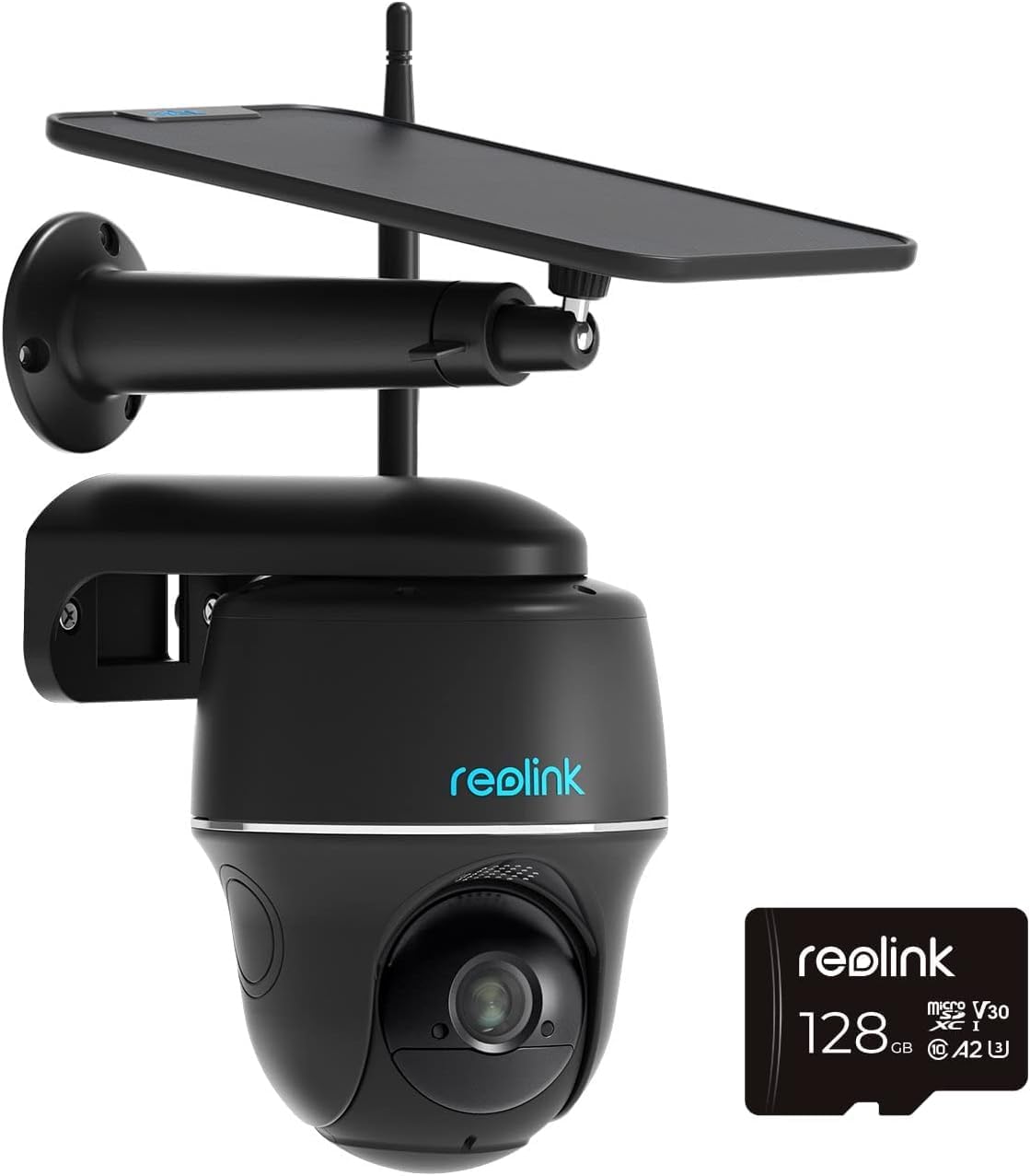
Image: REOLINK Argus PT 5MP Wireless Security Camera.
2. Zer dago kutxan
- REOLINK Argus PT 5MP Camera (Black)
- REOLINK Solar Panel (Black)
- REOLINK 128GB MicroSD Card
- Muntatzeko euskarria eta torlojuak
- USB kargatzeko kablea
- Hasierako gida azkarra

Image: REOLINK Solar Panel for continuous power.

Image: Included 128GB MicroSD card for local storage.
3. Konfigurazioa eta instalazioa
3.1 Hasierako karga
Before first use, fully charge the camera battery using the provided USB cable and a 5V/2A power adapter (not included). A full charge ensures optimal performance and allows the solar panel to maintain the charge effectively.
3.2 Aplikazioaren instalazioa eta kameraren parekatzea
- Download the REOLINK App from the App Store (iOS) or Google Play (Android).
- Open the app and tap the '+' icon in the top right corner to add a new device.
- Eskaneatu kameraren gorputzean dagoen QR kodea.
- Follow the on-screen instructions to connect the camera to your 2.4GHz or 5GHz Wi-Fi network. Ensure your router is within range.
3.3 MicroSD txartelaren instalazioa
Insert the provided 128GB microSD card into the camera's microSD card slot. Ensure the camera is powered off before inserting or removing the card.

Image: Location of the MicroSD card slot on the camera.
3.4 Kamera eta eguzki-panela muntatzea
Choose a suitable location for the camera and solar panel. The camera should be mounted at a height that provides optimal viewing angles and detection range. The solar panel should be placed in an area that receives direct sunlight for several hours each day to ensure continuous charging. Use the provided mounting bracket and screws for secure installation.
4. Kameraren funtzionamendua
4.1 Panoramika eta inklinazio kontrola
The Argus PT 5MP camera offers 355° pan and 140° tilt capabilities. Use the REOLINK App to remotely adjust the camera's viewing angle. You can also set up to 32 preset points for quick navigation to specific areas.

Image: Demonstrates pan and tilt control through the REOLINK app.
4.2 Bizi View eta bi norabideko audioa
Access the live feed of your camera through the REOLINK App. The built-in microphone and speaker enable two-way audio communication, allowing you to listen and speak to visitors or deter intruders.

Image: Illustrates the two-way audio functionality.
4.3 Person/Vehicle Detection
The camera features smart detection capabilities to distinguish between people and vehicles, reducing false alarms from pets or swaying branches. You will receive specific alerts based on the detected object.

Irudia: Adibample of person detection with alerts.
4.4 2K Night Vision
The camera provides clear 2K resolution night vision, allowing you to monitor your property effectively even in low-light conditions up to 33 feet.

Image: Comparison of day and 2K night vision quality.
4.5 Grabaketa eta erreprodukzioa
Recordings are stored on the installed 128GB microSD card. You can access and play back recorded footage directly from the REOLINK App. The app allows you to filter recordings by event type (person, vehicle) and time.

Image: Playback interface within the REOLINK app.
4.6 Alert Settings and Motion Zones
Configure alert types (push notifications, email, siren) and sensitivity settings within the REOLINK App. You can also define specific motion zones to monitor critical areas and ignore irrelevant movements, further reducing false alarms.
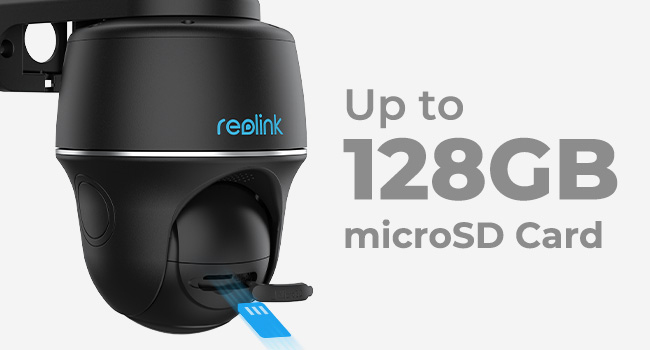
Image: Setting up motion detection zones in the app.

Irudia: Adibample of alert notifications (siren, push, email).
5. Mantentzea
5.1 Cleaning the Camera and Solar Panel
Periodically clean the camera lens and the surface of the solar panel with a soft, damp oihal bat erabili irudiaren kalitate garbia eta eguzki-kargatze eraginkorra bermatzeko. Saihestu produktu kimiko gogorrak edo material urratzaileak erabiltzea.
5.2 Bateriaren kudeaketa
While the solar panel provides continuous charging, monitor the battery level in the REOLINK App. If the camera is installed in an area with limited sunlight, occasional manual charging via USB may be required.
5.3 Firmware eguneraketak
Regularly check for and install firmware updates through the REOLINK App. Firmware updates often include performance improvements, new features, and security enhancements.
6. Arazoak
6.1 Konexio arazoak
- Kamera konexiorik gabe: Ensure the camera is powered on and within range of your Wi-Fi router. Check your Wi-Fi network status.
- Failed to connect to Wi-Fi: Verify your Wi-Fi password and ensure you are connecting to a 2.4GHz or 5GHz network. Try moving the camera closer to the router during setup.
6.2 Detection Problems
- Too many false alarms: Adjust the motion sensitivity settings and configure motion zones in the REOLINK App to exclude irrelevant areas.
- Missed detections: Ziurtatu kameraren eremua view covers the desired area and that there are no obstructions. Increase motion sensitivity if necessary.
6.3 Energia arazoak
- Bateria ez da kargatzen: Ziurtatu eguzki-panela garbi dagoela eta eguzki-argia zuzenean jasotzen duela. Egiaztatu eguzki-panelaren eta kameraren arteko konexioa.
- Bateriaren iraupen laburra: Reduce the number of motion detections, live view sessions, or adjust recording quality to conserve battery. Ensure the solar panel is optimally positioned.
7. Zehaztapenak
- Eredua: Argus PT 5MP
- Bideoa ateratzeko ebazpena: 2K (2560x1920)
- Geldiaren ebazpen eraginkorra: 4 MP
- Panoramazio/inklinazio tartea: 355° Panorama, 140° Inklinazioa
- Gaueko ikuspegia: Gehienez 33 oin
- Konektibitatea: 2.4/5Ghz Wi-Fi
- Energia iturria: Battery Powered, Solar Powered (via included solar panel)
- Biltegiratzea: 128 GB arteko MicroSD txartela onartzen du (128 GB barne)
- Eguraldiarekiko erresistentzia: IP65 Ziurtagiria
- Funtzionamendu-tenperatura: 14 °F eta 131 °F (-10 °C eta 55 °C)
- Audioa: Bi norabideko audioa
- Detekzio adimenduna: Pertsona/Ibilgailuen Detekzioa
7.1 MicroSD Card Recording Time
The following table provides estimated recording times based on different bitrates and MicroSD card capacities:
| Max. BitRate/kbps | Recording Time/h (32GB) | Recording Time/h (64GB) | Recording Time/h (128GB) | Recording Time/h (256GB) |
|---|---|---|---|---|
| 1024 | 72.8 | 145.6 | 291.3 | 582.5 |
| 1536 | 48.5 | 97.1 | 194.2 | 388.4 |
| 2048 | 36.4 | 72.8 | 145.6 | 291.3 |
| 3072 | 24.3 | 48.5 | 97.1 | 194.2 |
| 4096 | 18.2 | 36.4 | 72.8 | 145.6 |
| 5120 | 14.6 | 29.1 | 58.3 | 116.5 |
| 6144 | 12.1 | 24.2 | 48.5 | 97.1 |
| 7168 | 10.4 | 20.8 | 41.6 | 83.2 |
| 8192 | 9.1 | 18.2 | 36.4 | 72.8 |
8. Bermea eta Laguntza
REOLINK provides a 2-year warranty for the Argus PT 5MP camera and lifetime technical support. For assistance, please visit the official REOLINK support webgunera edo jarri harremanetan zuzenean bezeroarentzako arreta-zerbitzuarekin.
REOLINK Support: reolink.com/support/


