1. Sarrera
The VIZIO 43-inch V-Series 4K LED HDR Smart TV (Model V435M-K04) delivers stunning 4K picture quality with enhanced Dolby Vision HDR Bright Mode and HDR10+. Experience superior contrast and brightness thanks to Full Array LED Backlight and Active Pixel Tuning, all powered by the IQ Active Processor. This smart TV offers instant access to millions of titles across your favorite apps and over 250 free channels on WatchFree+. Enjoy powerful performance with ultra-quick app navigation and reduced load times.

Irudia: Aurrealdea view of the VIZIO 43-inch V-Series 4K LED HDR Smart TV, showcasinbere diseinu dotorea eta pantaila bizia ditu.
2. Zer dago kutxan
Upon unboxing your VIZIO V-Series Smart TV, please ensure all the following items are present:
- VIZIO 43-inch V-Series 4K LED HDR Smart TV
- XRT260 Voice Remote
- 2 x AAA bateria (urrutiko agintearentzat)
- Elikatze-kablea
- Telebista-euskarria (2 pieza)

Image: Diagram illustrating the VIZIO 43-inch 4K Smart TV and its included accessories, such as the VIZIO Voice Remote.
3. Konfigurazioa
3.1 Physical Setup (Stand Installation)
- Kontu handiz jarri telebistaren pantaila beherantz gainazal leun eta garbi batean, marradurak saihesteko.
- Lerrokatu euskarri-hanka bakoitza telebistaren behealdeko dagokien zirrikituekin.
- Lotu euskarriaren hankak emandako torlojuak erabiliz.
- Kontu handiz altxatu telebista eta jarri gainazal egonkor eta mailakatu batean.

Irudia: Alboko profesionalafile of the VIZIO 43-inch TV, showing the attached stand legs.
3.2 Energia-konexioa
Connect the power cable to the AC IN port on the back of the TV, then plug the other end into a grounded electrical outlet.
3.3 Hasierako konfigurazioa
- Insert the AAA batteries into the XRT260 Voice Remote.
- Sakatu urrutiko agintearen pizteko botoia telebista pizteko.
- Follow the on-screen instructions to select your language, connect to your Wi-Fi network, and complete the initial setup of VIZIO SmartCast.
4. Funtzionamendu-argibideak
4.1 Ahots-urrutiko agintea erabiltzea
The XRT260 Voice Remote provides intuitive control over your VIZIO Smart TV. Use the dedicated app buttons for quick access to popular streaming services. The built-in microphone allows for voice commands to search for content, change settings, and control smart home devices.

Image: The VIZIO Voice Remote with a user demonstrating voice control, alongside screenshots of the VIZIO Mobile App.
4.2 VIZIO SmartCast and Apps
VIZIO SmartCast is your central hub for entertainment. It features an extensive App Catalog with automatically updated apps. Explore VIZIO WatchFree+ for over 250 free live streaming channels and thousands of on-demand titles without subscriptions or fees.

Image: The VIZIO Home screen, showing a variety of streaming services and features like WatchFree+ and mobile app integration.

Image: The VIZIO WatchFree+ interface, highlighting the availability of free channels and on-demand content.
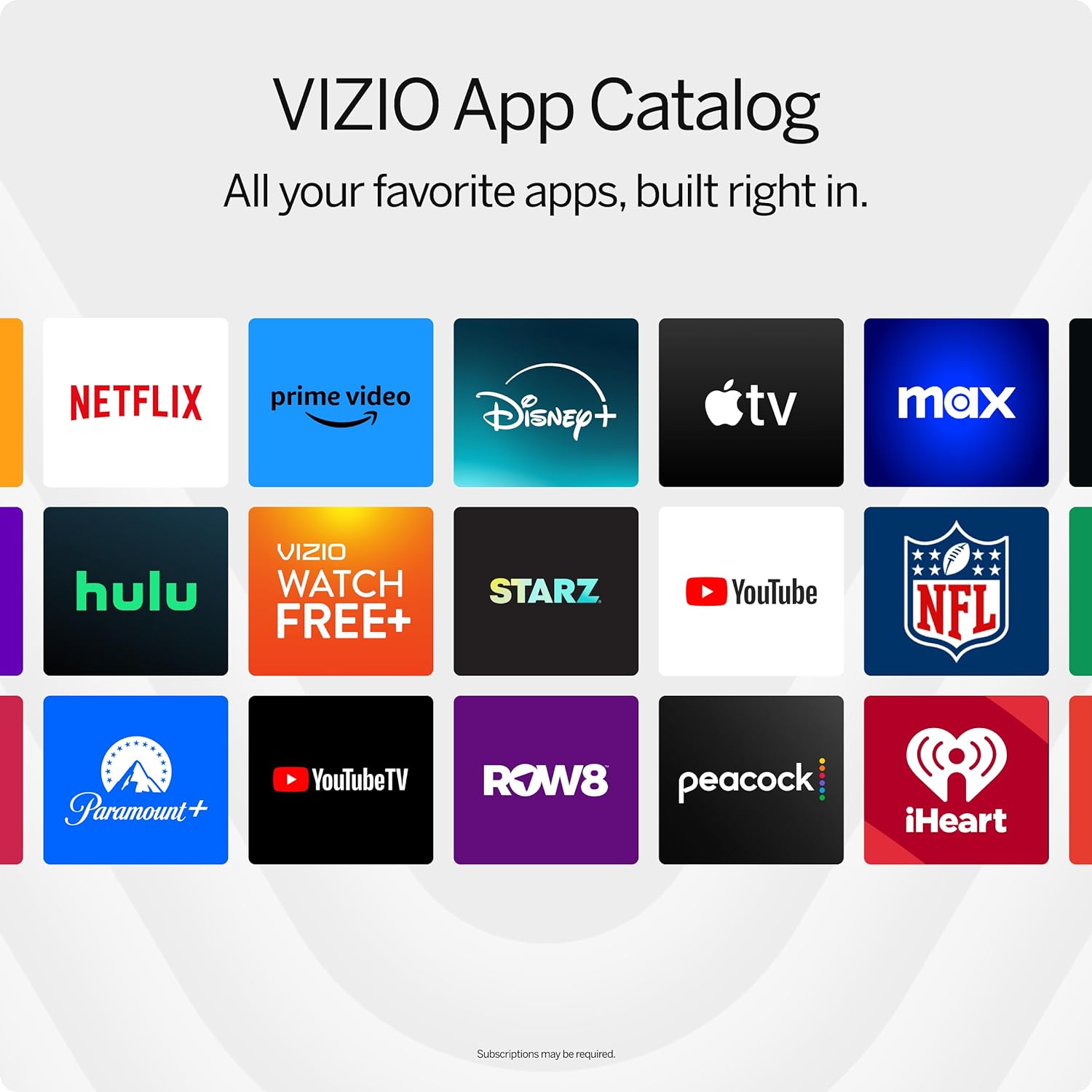
Image: A grid display of the VIZIO App Catalog, featuring icons for popular streaming services.
4.3 Picture Modes and Settings
Optimizatu zure viewing experience with various picture modes. Access these settings through the remote's menu button. Available modes include Vivid, Bright, Calibrated, Calibrated Dark, Game, and Sports. Each mode adjusts brightness, contrast, and color to suit different content types.

Image: A close-up of the VIZIO TV screen displaying breathtaking details for a crystal-clear 4K picture.

Image: A gaming scene displayed on the VIZIO TV, highlighting features like 4K Gaming, AMD FreeSync, HDR10 Gaming, and ultra-low input lag.
Video: A seller-provided video showcasing the VIZIO 43-inch 4K Smart TV with HDR and Dolby Vision, demonstrating various picture modes and their effects.
4.4 Bluetooth Headphone Connectivity
Connect your Bluetooth headphones to the TV for a private listening experience. This feature is ideal for watching content without disturbing others.

Image: A person enjoying TV content with Bluetooth headphones, emphasizing uninterrupted personal audio.
5. Konektibitatea
The VIZIO V-Series TV offers a variety of ports for connecting external devices:
- HDMI atakak: Multiple HDMI inputs for connecting gaming consoles, Blu-ray players, soundbars, and other HDMI-compatible devices. One port supports eARC for enhanced audio return.
- USB ataka: USB biltegiratze gailuak konektatzeko view photos, videos, or play music.
- Ethernet ataka: Interneteko konexio egonkor bat kable bidez lortzeko.
- Audio Out (Optical & RCA): Kanpoko audio sistemak konektatzeko.
- Antena sarrera: For connecting an over-the-air antenna.
- Wi-Fi 6E: High-speed wireless internet connectivity.
- Bluetootha: For wireless audio devices like headphones.

Irudia: Xehetasun zehatza view of the VIZIO TV's connectivity ports, including HDMI, USB, Antenna, Audio Out (Optical and RCA), and Ethernet.
Video: A seller-provided video demonstrating the connectivity options of the VIZIO -K Collection, highlighting various ports and their uses.
6. Zehaztapenak
| Ezaugarri | Xehetasuna |
|---|---|
| Marka | VIZIO |
| Modelo zenbakia | V435M-K04 |
| Pantailaren tamaina | 43 hazbetekoa |
| Bistaratzeko Teknologia | LED |
| Ebazpena | 4K (3840 x 2160) |
| Freskatze tasa | 60 Hz |
| HDR euskarria | Dolby Vision HDR Bright Mode, HDR10+ |
| Prozesadorea | IQ Active Processor |
| Konektibitatea | Bluetooth, Ethernet, HDMI, USB, Wi-Fi 6E |
| Neurriak (euskarriarekin) | 9.4" L x 37.7" W x 24.2" H |
| Elementuaren pisua | 23.9 kilo |
| Energia-kontsumoa | 152 watt |

Image: The Energy Guide label for the VIZIO V435M-K04, indicating an estimated yearly energy cost of $20.
7. Mantentzea
To ensure the longevity and optimal performance of your VIZIO Smart TV, follow these maintenance guidelines:
- Pantaila garbitzea: Garbitu pantaila astiro-astiro zapi leun eta pelusik gabeko batekin. Orban egoskorrak izanez gero, garbitu astiro-astiro.ampGarbitu zapi bat urarekin edo pantaila-garbitzaile espezializatu batekin. Saihestu produktu kimiko gogorrak edo material urratzaileak.
- Armairuen garbiketa: Erabili zapi leun eta lehor bat telebistaren armairua garbitzeko.
- Aireztapena: Ziurtatu telebistaren aireztapen-irekidurak ez daudela blokeatuta gehiegi berotzea saihesteko.
- Elikatze kablea: Aldian-aldian egiaztatu elikatze-kablea kalterik duen.
8. Arazoak
If you encounter any issues with your VIZIO Smart TV, try the following basic troubleshooting steps:
- Potentziarik gabe: Ziurtatu kablea telebistara eta entxufe elektriko funtzional batera ondo konektatuta dagoela. Saiatu beste gailu bat entxufean konektatzen korrontea duela baieztatzeko.
- Irudi/soinurik ez: Verify that the correct input source is selected. Check all cable connections (HDMI, audio) for looseness.
- Urrunekoa ez dabil: Ordeztu urrutiko agintearen pilak. Ziurtatu ez dagoela oztoporik urrutiko agintearen eta telebistaren artean.
- Sareko konexio arazoak: Restart your router and modem. Reconnect the TV to your Wi-Fi network through the settings menu. For wired connections, ensure the Ethernet cable is properly connected.
- Irudiaren kalitate arazoak: Adjust the picture mode and settings (brightness, contrast, sharpness) to your preference.
For more detailed troubleshooting or persistent issues, refer to the comprehensive user manual available through the TV's settings menu or the VIZIO support webgunea.
9. Bermea eta Laguntza
Your VIZIO 43-inch V-Series 4K LED HDR Smart TV is covered by a limited warranty. For specific warranty terms and conditions, please refer to the documentation included with your product or visit the official VIZIO support website. VIZIO offers lifetime technical support to assist with any questions or issues you may have.
Image: VIZIO's commitment to Lifetime Technical Support, indicating various contact methods.


