Sarrera
This manual provides detailed instructions for the operation and maintenance of your Kuephom Portable Bluetooth CD Walkman. Designed for versatility, this device supports CD, Bluetooth, USB, and AUX playback, featuring anti-skip protection and a built-in speaker. Please read this manual thoroughly before use to ensure proper functionality and longevity of your device.
Paketearen edukia
Egiaztatu behean zerrendatutako elementu guztiak zure paketean sartuta daudela:
- CD player X 1
- Entzungailuak X 1
- Audio kablea X 1
- Kargatzeko kablea X 1
- Pouch X 1
Produktua amaituview

Figure 1: Kuephom Portable Bluetooth CD Walkman and its accessories, including earbuds, audio cable, charging cable, and pouch.

Figure 2: Detailed diagram illustrating the various buttons and ports on the Kuephom Portable CD Walkman, including volume controls, playback buttons, mode selection, Bluetooth transmit, USB slot, AUX in jack, earphone jack, and speaker.
Konfigurazioa
Gailua kargatzen
The CD player has a built-in rechargeable lithium battery. Before first use, fully charge the device.
- Connect the provided USB charging cable to the charging port (DC 5V) on the device.
- Connect the other end of the USB cable to a compatible USB power source (e.g., wall charger, power bank, car charger, or computer USB port).
- The charging indicator light will illuminate during charging and turn off when fully charged. A full charge takes approximately 4 hours.

Figure 3: The portable CD player connected to a power source via its USB charging cable, demonstrating various charging options.
Piztu/Itzaltzea
Irristatu ON/OFF switch located on the side of the device to turn it on or off.
CD bat txertatzea
- Irristatu IREKI switch to open the CD compartment cover.
- Carefully place a CD (CD, CD-R, CD-RW, MP3, WMA, WAV formats supported) onto the spindle with the label side facing up.
- Sakatu CDaren erdialdea astiro-astiro klik egin arte.
- Itxi ondo CDaren konpartimentuaren estalkia, sartu arte.
Video 1: Demonstration of inserting a CD into the Kuephom Portable CD Player and closing the compartment. This video also shows the supported disc formats.
Connecting Headphones or External Speakers (AUX)
For private listening or connecting to non-Bluetooth devices:
- Insert the 3.5mm jack of your headphones into the Aurikularretarako Jack.
- To connect to external speakers or a car audio system, use the provided 3.5mm audio cable. Insert one end into the AUX Jack-en on the CD player and the other end into the AUX input of your external device.

Figure 4: The portable CD player connected to a car's audio system via an AUX cable, demonstrating its use in a vehicle with anti-shock protection for uninterrupted playback.
Funtzionamendu-argibideak
Oinarrizko erreprodukzioa
- Sakatu Erreproduzitu/Pausatu button (►▮▮) to start or pause playback.
- Sakatu Hurrengoa button (►►) to skip to the next track.
- Sakatu Aurrekoa button (◄◄) to go to the beginning of the current track or the previous track.
- Sakatu Gelditu botoia (■) erreprodukzioa gelditzeko.
- Doitu bolumena Vol+ eta Bol- botoiak.
Bluetooth funtzionaltasuna
The device supports two-way Bluetooth connection:
Bluetooth Transmitting (Connecting to Bluetooth Headphones/Speakers)
- Ensure the CD player is powered on and a CD is inserted.
- Sakatu Bluetooth bidezko transmisioa button (labeled "TRANSMIT" or "BT" on some models) to enter Bluetooth transmitting mode. The Bluetooth icon on the display will flash.
- Jarri zure Bluetooth entzungailuak edo bozgorailua parekatze moduan.
- The CD player will automatically search for and connect to nearby Bluetooth devices. Once connected, the Bluetooth icon will stop flashing.

Figure 5: The portable CD player actively transmitting audio via Bluetooth to both headphones and a separate Bluetooth speaker, illustrating its wireless output capability.
Bluetooth Receiving (Connecting to Smartphone/Laptop)
- Sakatu BT modua button (labeled "BT" or "MODE" on some models) to switch the CD player into Bluetooth receiving mode.
- Zure telefonoan, tabletan edo ordenagailu eramangarrian, gaitu Bluetooth eta bilatu eskuragarri dauden gailuak.
- Select "Kuephom CD Player" (or similar name) from the list of devices to pair.
- Once connected, you can play audio from your smart device through the CD player's built-in speaker.
Video 2: This video demonstrates the Bluetooth playback feature, showing the CD player connecting to a smartphone to stream audio, highlighting its versatility as a Bluetooth speaker.
Other Playback Modes
- USB erreprodukzioa: Sartu USB flash drive bat USB zirrikitua. The player will automatically switch to USB mode and begin playing compatible audio files.
- Errepikatu funtzioa: Sakatu Errepikatu botoia errepikapen moduen artean aldatzeko (adibidez, bat errepikatu, dena errepikatu).
- A-B Repeating: Sakatu AB button to set a starting point (A) and an ending point (B) for a section of audio to repeat. Press again to clear.
- Abiadura doitzea: Erabili Abiadura doitzea buttons (labeled "SPEED" or "SPEED +/-") to increase or decrease the playback speed. This feature is particularly useful for language learning.
- Programming Playback: Refer to the detailed product diagram (Figure 2) for the "PROG." button if available on your model for custom track sequencing.
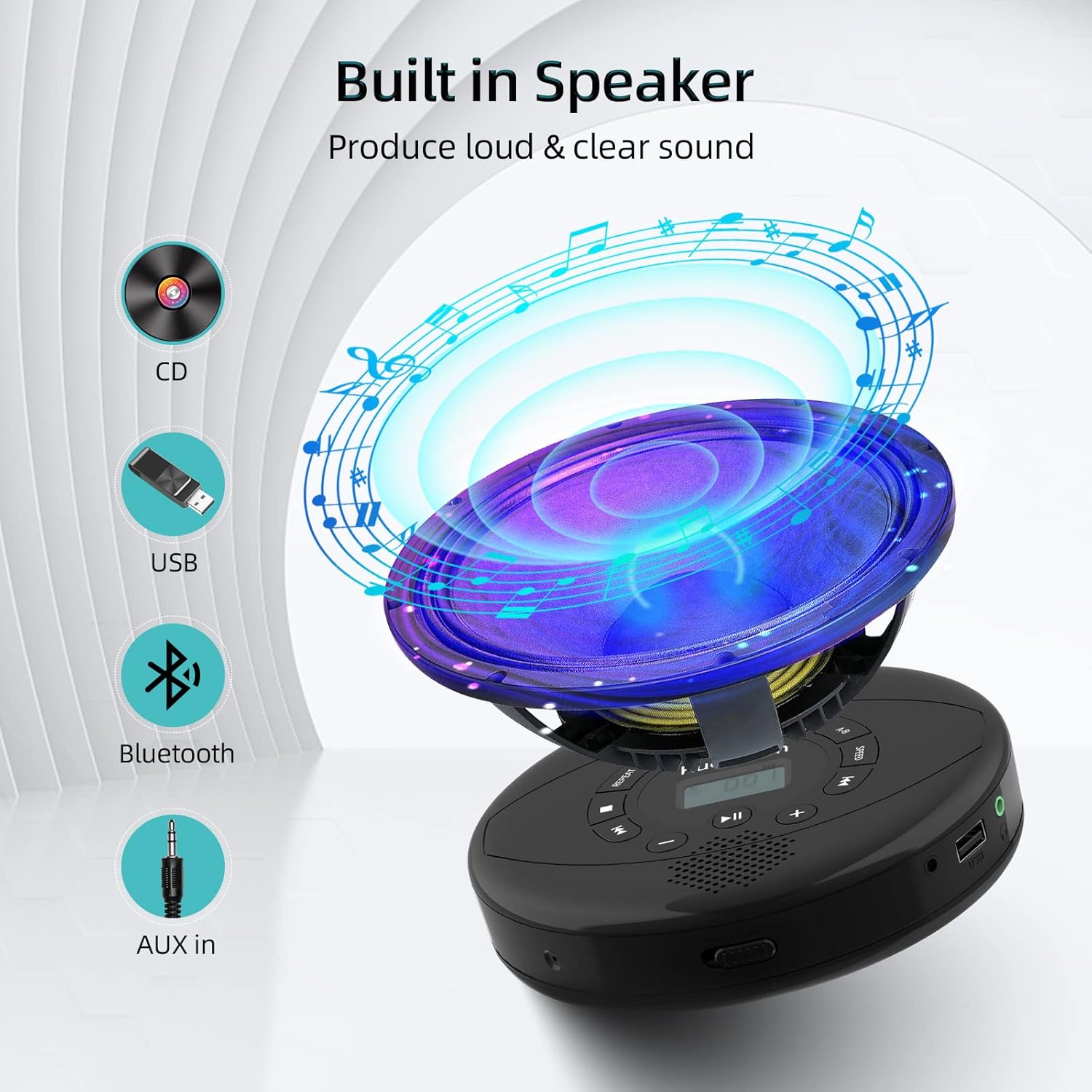
Figure 6: Illustration of the built-in speaker and the various audio input options supported by the device, including CD, USB, Bluetooth, and AUX in.
Mantentzea
- Mantendu gailua garbi zapi leun eta lehor batekin garbituz. Saihestu garbitzaile edo disolbatzaile urratzaileak erabiltzea.
- Ez jarri gailua tenperatura altuen, eguzki-argiaren eraginpean edo hezetasun handiaren eraginpean.
- Handle CDs by their edges to prevent scratches and smudges. Clean CDs with a soft, lint-free cloth, wiping from the center outwards.
- Denbora luzez erabiltzen ez baduzu, gorde gailua leku fresko eta lehor batean.
Arazoak konpontzea
| Arazoa | Kausa posiblea | Irtenbidea |
|---|---|---|
| Gailua ez da pizten. | Battery is low or depleted. Power switch is off. | Charge the device fully. Ensure the ON/OFF switch is in the "ON" position. |
| CDak salto egiten du edo ez da erreproduzitzen. | CD is dirty, scratched, or damaged. Device is unstable. | Clean the CD. Try another CD. Ensure the device is on a stable surface or utilize its anti-skip protection during movement. |
| Ez dago soinurik entzungailuetatik/bozgorailuetatik. | Volume is too low. Headphones/speakers not properly connected. Incorrect mode selected. | Increase volume. Re-insert headphone/AUX cable firmly. Ensure correct mode (CD, Bluetooth, USB, AUX) is selected. |
| Bluetooth parekatzeak huts egiten du. | Device not in pairing mode. Bluetooth device too far. Interference. | Ensure the CD player is in Bluetooth transmitting/receiving mode. Move devices closer. Turn off other Bluetooth devices to reduce interference. |
Zehaztapenak
| Ezaugarri | Xehetasuna |
|---|---|
| Produktuaren neurriak | 5.7 x 5.7 x 1.2 hazbete |
| Elementuaren pisua | 1.21 kilo |
| Modelo zenbakia | PM10-Black |
| Bateria | 1 litio-polimeroko bateria (barne) |
| Marka | Kuephom |
| Konektibitate Teknologia | Bluetootha, laguntzailea, USBa |
| Onartutako formatuak | CD, CD-R, CD-RW, MP3, WMA, WAV |
| Ezaugarri Berezia | Portable, Anti-Skip, Built-in Speakers |
Bermea eta Laguntza
For warranty information or technical support, please refer to the contact details provided with your purchase or visit the official Kuephom webgunea. Gorde erosketa-agiria erosketaren frogagiri gisa, berme-erreklamazioetarako.


