Sarrera
Welcome to the Alecto FR-115RD Kids Walkie Talkie Set instruction manual. This guide provides essential information for setting up, operating, maintaining, and troubleshooting your new walkie-talkies. Designed for children, these walkie-talkies offer reliable communication with a range of up to 7 kilometers, featuring an integrated flashlight and an illuminated display.
Kutxan dagoena
- 2 x Alecto FR-115RD Walkie Talkies
- 2 x Gerriko Klipak
- Argibide eskuliburua (dokumentu hau)
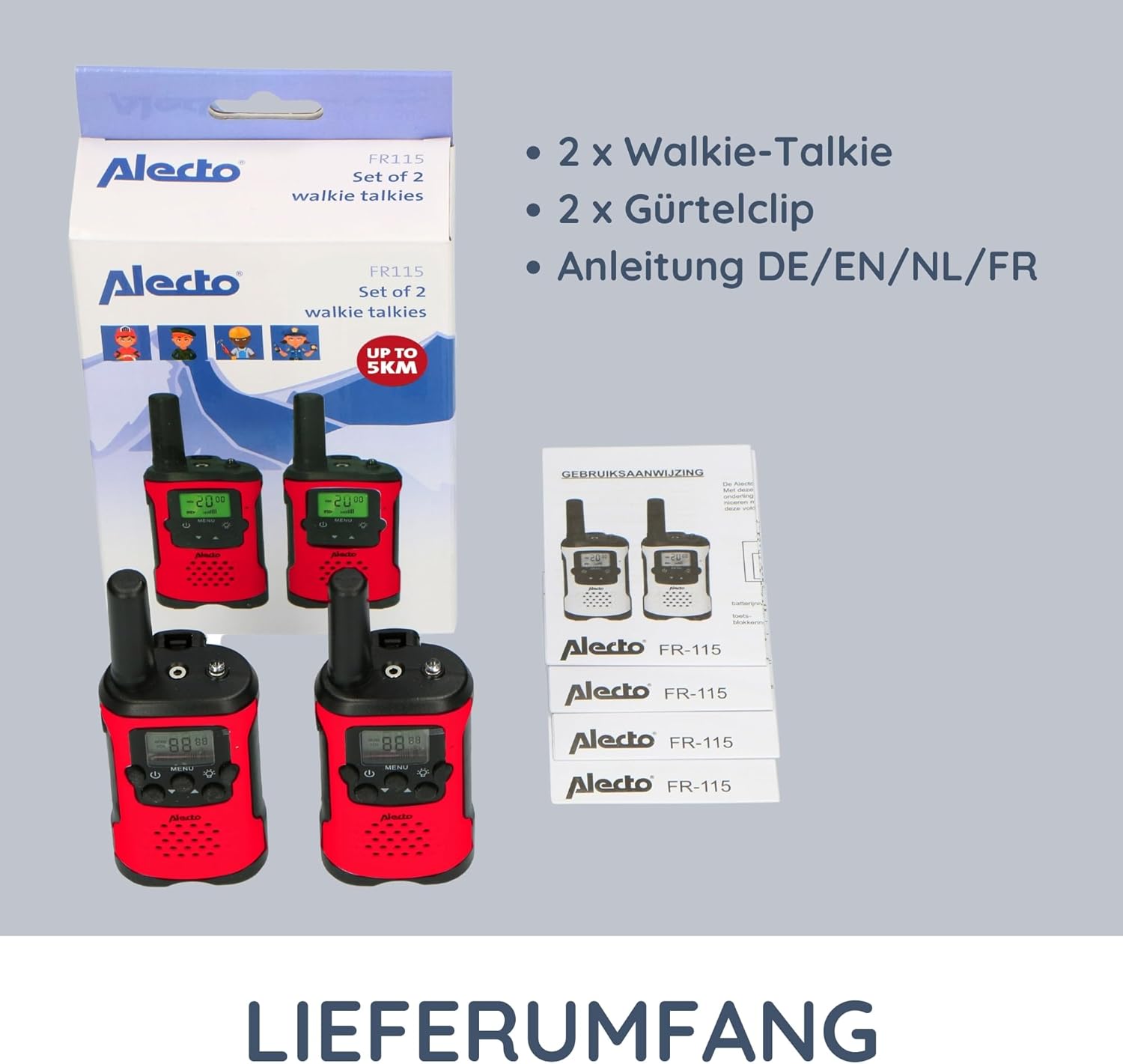
Image: The complete contents of the Alecto FR-115RD package, including the two walkie-talkies, their respective belt clips, and the instruction manual.
Konfigurazioa
Bateriaren instalazioa
The Alecto FR-115RD walkie-talkies require 3 AAA batteries each (not included).
- Locate the battery compartment cover on the back of the walkie-talkie.
- Irristatu edo askatu estalkia irekitzeko.
- Insert 3 AAA batteries, ensuring correct polarity (+ eta -).
- Itxi bateriaren konpartimenduaren estalkia ondo.
Note: A battery warning indicator will appear on the display when batteries are low.
Gerriko Klipa eranstea
Each walkie-talkie comes with a removable belt clip for convenient carrying.
- Align the belt clip with the slot on the back of the walkie-talkie.
- Slide the clip downwards until it clicks into place.
- To remove, push the release tab (if present) and slide the clip upwards.
Funtzionamendu-argibideak
Piztu/Itzali
Eduki sakatuta Pizteko botoia (usually marked with a power symbol) to turn the walkie-talkie on or off.
Kanalaren hautaketa
The FR-115RD features 8 main channels. To change channels:
- Sakatu MENU botoia. The channel number will flash.
- Erabili Gora / Behera botoiak nahi duzun kanala (1-8) hautatzeko.
- Sakatu MENU botoia again to confirm, or wait a few seconds for it to auto-confirm.
For optimal communication, ensure both walkie-talkies are on the same channel.
Sub-Tone (CTCSS) Selection
The device supports 38 CTCSS codes to reduce interference from other users on the same channel.
- Sakatu MENU botoia twice. The sub-tone code will flash.
- Erabili Gora / Behera botoiak to select your desired CTCSS code (0-38).
- Sakatu MENU botoia berriro baieztatzeko.
Both walkie-talkies must have the same channel and CTCSS code for communication.
Transmititzea eta jasotzea
To transmit (speak): Press and hold the Push-to-Talk (PTT) botoia (usually on the side of the device). Speak clearly into the microphone. Release the PTT button to listen.
To receive: Ensure the PTT button is not pressed. The walkie-talkie will automatically receive signals on the selected channel.
Bolumenaren doikuntza
Erabili Gora / Behera botoiak (when not in menu mode) to adjust the speaker volume.
Linterna integratua
Sakatu Linterna botoia (usually marked with a light bulb icon) to turn the integrated flashlight on or off. Useful in low-light conditions.
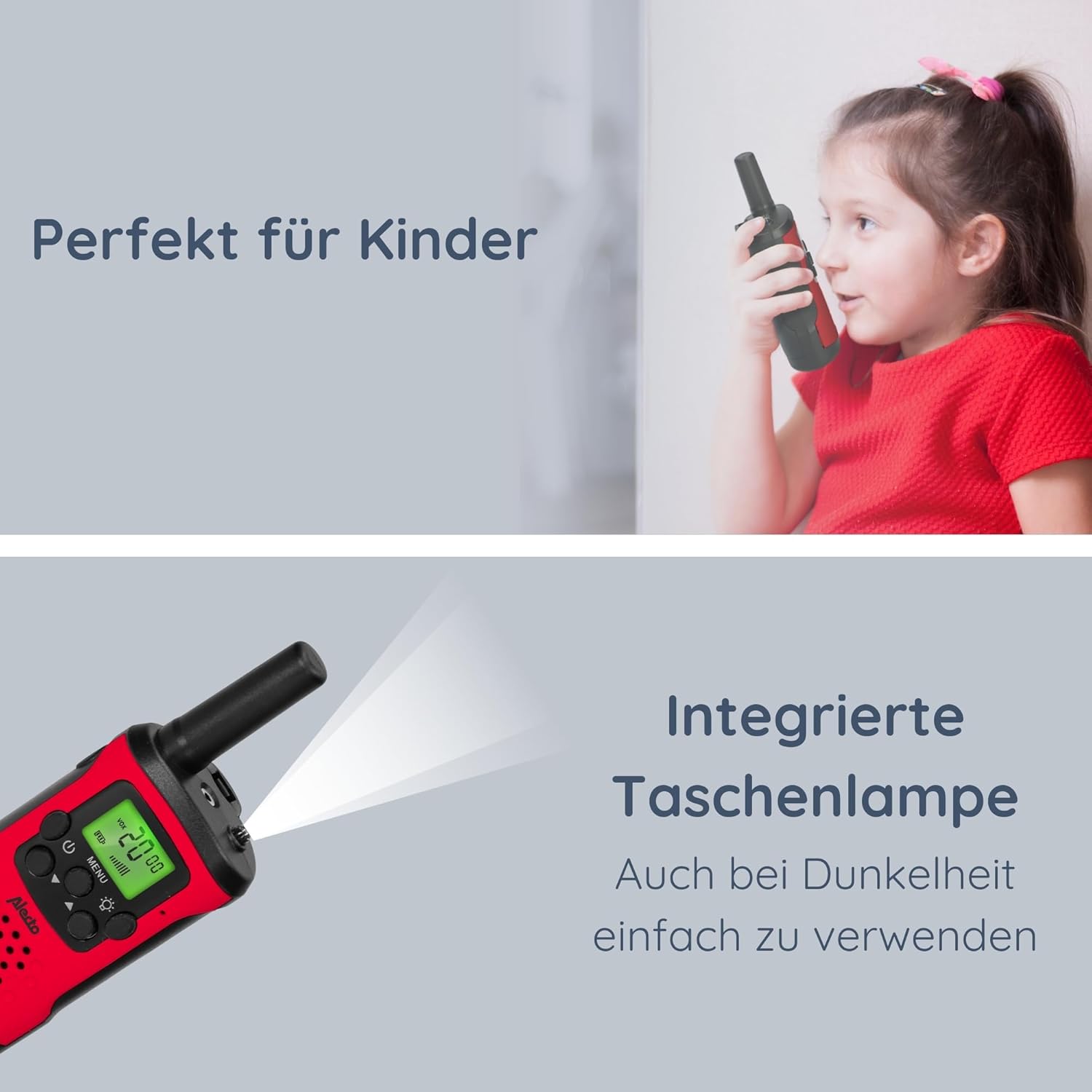
Image: The Alecto FR-115RD walkie-talkie in use by a child, highlighting the integrated flashlight feature for visibility in dark environments.

Image: The illuminated LCD display of the Alecto FR-115RD, showing channel and VOX status, emphasizing its readability and the voice-activated transmission feature.
VOX Function (Voice-Activated Transmission)
The VOX function allows for hands-free transmission. When activated, the walkie-talkie will transmit automatically when it detects your voice.
- Sakatu MENU botoia three times. "VOX" will appear on the display.
- Erabili Gora / Behera botoiak to select the VOX sensitivity level (e.g., 1-3, with 3 being most sensitive) or "OFF" to disable.
- Sakatu MENU botoia baieztatzeko.
When VOX is active, the walkie-talkie will only transmit when speech is detected.
Entzungailuen irteera
A 2.5 mm headphone output is available for private listening. Connect compatible headphones (not included) to this port.
Mantentzea
Garbiketa
Garbitu walkie-talkie-ak zapi leun batekin,amp oihal. Ez erabili garbitzaile edo disolbatzaile urratzailerik.
Biltegiratzea
If storing for extended periods, remove the batteries to prevent leakage and damage.
Gorde leku fresko eta lehor batean, eguzki-argitik eta muturreko tenperaturatik urrun.
Uraren Erresistentzia
These walkie-talkies are ez iragazgaitzaSaihestu euriarekiko, zipriztinekiko edo uretan murgiltzea.
Arazoak konpontzea
| Arazoa | Kausa posiblea | Irtenbidea |
|---|---|---|
| Botererik ez | Pilak agortuta daude edo gaizki instalatuta daude. | Ordeztu bateriak edo egiaztatu polaritatea. |
| Cannot communicate with other walkie-talkie | Kanal edo CTCSS kode desberdinak. Eremutik kanpo. | Ensure both units are on the same channel and CTCSS code. Move closer to the other unit. |
| Soinu kalitate eskasa / Estatikoa | Weak signal. Interference. Low battery. | Move to an open area. Change channel/CTCSS. Replace batteries. |
| Linterna ez dabil | Low battery. Faulty button. | Replace batteries. If problem persists, contact support. |
Zehaztapenak
- Eredua: FR115
- Marka: Alecto
- Kolorea: Gorria
- Neurriak: 3 x 4.9 x 12.9 cm (L x W x H)
- Pisua: 224 grams (per set, approximate)
- Energia iturria: 3 x AAA batteries (per unit)
- liburukiatage: 4.5 V DC
- Kanal kopurua: 8 main channels
- CTCSS kodeak: 38
- Maiztasun-tartea: 446 MHz
- Max. Speaking Range: Up to 7 kilometers (in optimal conditions)
- Ezaugarri bereziak: Integrated flashlight, Illuminated LCD display, VOX function, 2.5 mm Headphone output
- Uraren erresistentzia: Ez iragazgaitza
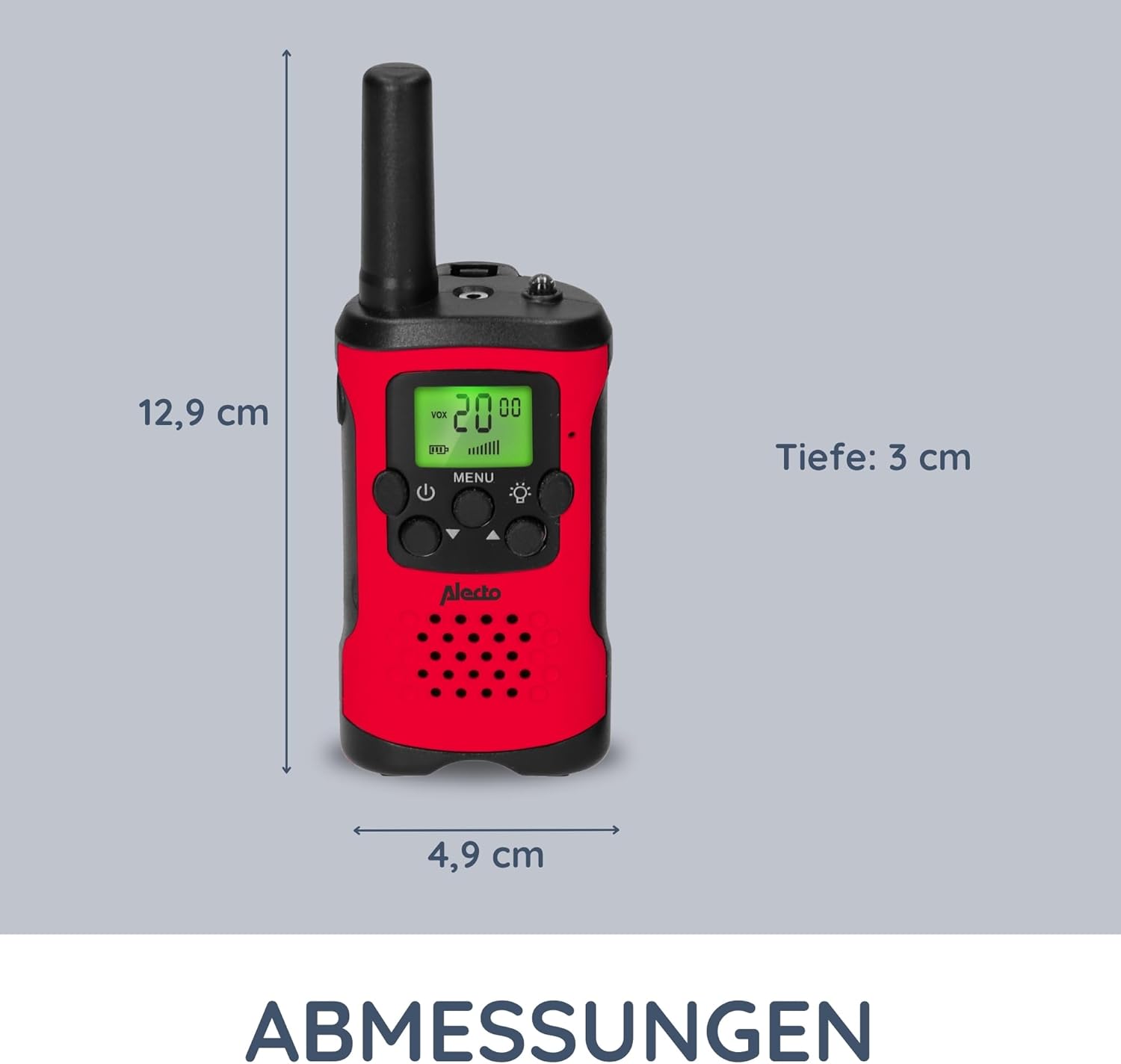
Image: Detailed dimensions of the Alecto FR-115RD walkie-talkie for reference.

Irudia: Gainetikview of the main benefits and features of the Alecto FR-115RD walkie-talkies.

Image: Visual representation of the impressive 7-kilometer communication range of the walkie-talkies.
Bermea eta Laguntza
For warranty information or technical support, please refer to the official Alecto webwebgunera edo jarri harremanetan zuzenean bezeroarentzako arreta-zerbitzuarekin. Gorde erosketa-agiria erosketaren frogagiri gisa.
Alecto Baby is committed to providing reliable products and support. You can find more information and contact details on the Alecto Brand Store.


