1. Sarrera
Thank you for choosing the SLuB 12000mAh Ultra-Thin Power Bank. This portable charger is designed to provide reliable power for your mobile devices on the go. Its compact and lightweight design makes it an ideal companion for travel, work, and daily use. Please read this manual carefully to ensure proper operation and to maximize the lifespan of your device.
2. Produktua amaitu daview
Ezaugarri nagusiak:
- 12000mAh edukiera: Provides multiple charges for most smartphones and other mobile devices.
- Ultra-Thin and Lightweight Design: Easy to carry in pockets or bags.
- High-Speed 3A USB-C Output/Input: Supports fast charging for compatible devices and quick recharging of the power bank itself.
- Irteera bikoitzeko atakak: Includes one USB-C (5V/3A) and one USB-A (5V/2A) port, allowing simultaneous charging of two devices.
- LED pantaila digitala: Clearly indicates the remaining battery percentage (25%, 50%, 75%, 100%).
- Segurtasun Babes Integrala: Built-in smart chip protects against over-voltage, over-current, over-charge, over-temperature, and short circuits.
- Airline Compliant: CE and UL certified, safe for air travel.
- Bateragarritasun zabala: Works with iPhone, Samsung, Huawei, iPad, and other USB-powered devices.
Paketearen edukia:
- 1 x SLuB 12000mAh Portable Charger (Model J33)
- 1 x USB-C kablea
- 1 x Erabiltzailearen eskuliburua
Produktuen diagrama:
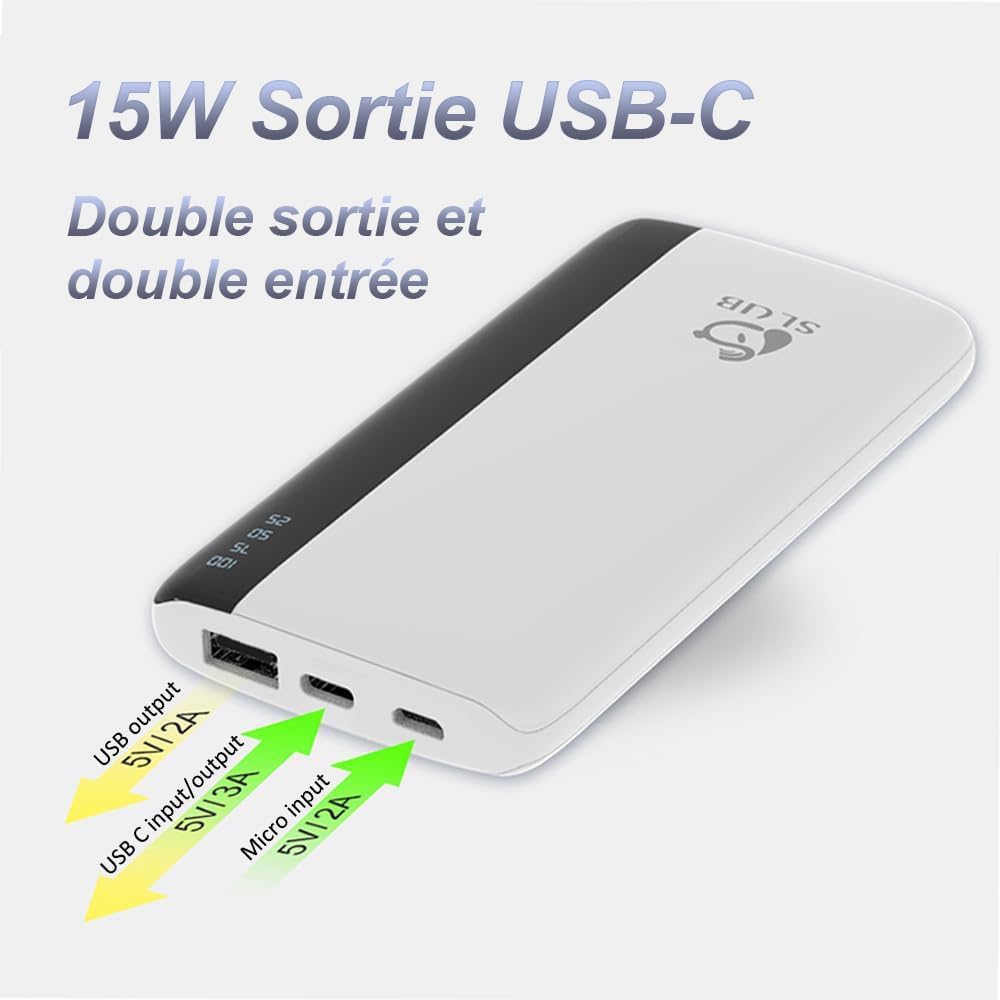
Irudi honek goiko aldea erakusten du view of the SLuB power bank, highlighting its various ports. From left to right, you can see a standard USB-A output port, a USB-C port that functions as both input and output, and a Micro USB input port. Arrows indicate the voltage eta amperage for each port.
Gailuen bateragarritasun zabala:
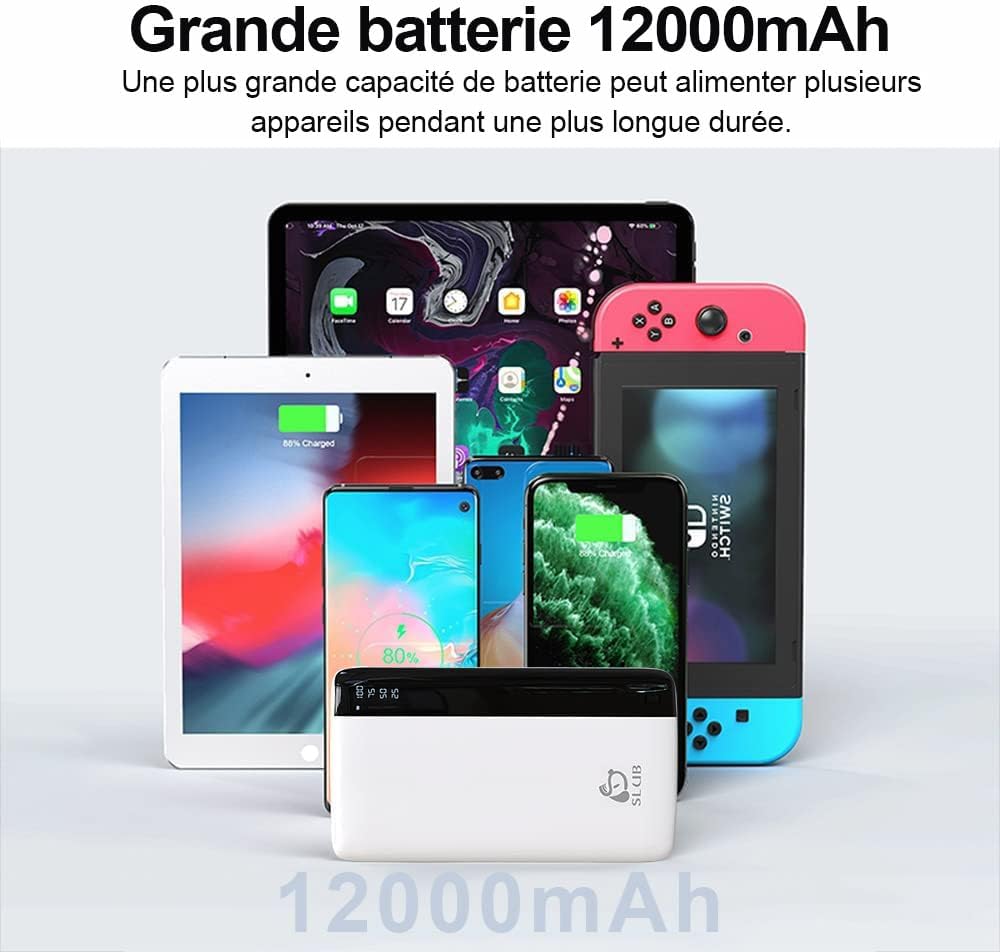
This image illustrates the broad compatibility of the SLuB power bank, showing it alongside various electronic devices such as smartphones, tablets, and a Nintendo Switch, all of which can be charged using this portable power source.
3. Konfigurazioa
Hasierako karga:
Before first use, fully charge your SLuB Power Bank. This ensures optimal battery performance and longevity.
- Connect the provided USB-C cable to the USB-C input/output port on the power bank, or use a Micro USB cable with the Micro USB input port.
- Konektatu kablearen beste muturra USB hormako kargagailu bateragarri batera (ez dago barne).
- LED pantaila digitalak kargatze-aurrerapena erakutsiko du, bateriaren ehunekoa adieraziz.tage.
- The power bank is fully charged when the display shows "100".

This image illustrates the LED digital display on the SLuB power bank, which clearly shows the remaining battery charge in percentages (25, 50, 75, 100). This allows users to quickly check the power bank's status.
4. Funtzionamendu-argibideak
Bateriaren maila egiaztatzea:
Press the power button once to activate the LED digital display and view egungo bateria ehunekoatage.
Zure gailuak kargatzen:
The power bank can charge two devices simultaneously using its USB-A and USB-C output ports.
- Connect your device's charging cable to either the USB-A output port (5V/2A) or the USB-C output port (5V/3A) on the power bank.
- Konektatu kablearen beste muturra zure gailu mugikorrera.
- The power bank will automatically begin charging your device. The LED display will remain active during charging.
- Deskonektatu gailua guztiz kargatuta dagoenean edo kargatu beharrik ez duzunean.

This image demonstrates the SLuB power bank's capability to charge two smartphones at the same time. One phone is connected via a USB-C cable, and the other via a USB-A cable, showcasing the dual output functionality.
5. Mantentzea
- Mantendu bateria eramangarria uretatik, hezetasunetik eta muturreko tenperaturetatik urrun.
- Saihestu potentzia-bankua erortzea edo eragin gogorrak jasan behar izatea.
- Garbitu gailua zapi leun eta lehor batekin. Ez erabili produktu kimiko gogorrik edo material urratzailerik.
- Gorde power banka leku fresko eta lehor batean erabiltzen ez duzunean.
- For optimal battery health, fully charge and discharge the power bank at least once every three months if stored for extended periods.
6. Arazoak
| Arazoa | Kausa posiblea | Irtenbidea |
|---|---|---|
| Power banka ez da kargatzen | Cable not connected properly; faulty cable; charger not working; power bank battery depleted. | Ensure cables are securely connected. Try a different charging cable or wall adapter. Allow the power bank to charge for a few minutes. |
| Gailua ez da energia bankutik kargatzen | Power bank battery depleted; faulty cable; device not compatible; power bank in protection mode. | Check power bank battery level. Try a different charging cable. Ensure your device is compatible. Disconnect and reconnect the device. |
| Karga motela | Using a low-power charger/cable; device's charging input limit; multiple devices charging simultaneously. | Use a high-quality, fast-charging cable and wall adapter. Charge one device at a time for faster charging. |
| LED pantaila ez dabil | Power button not pressed; power bank completely discharged; internal fault. | Press the power button. Charge the power bank. If the issue persists, contact customer support. |
7. Zehaztapenak
| Ezaugarri | Xehetasuna |
|---|---|
| Modelo zenbakia | J33 |
| Bateria Edukiera | 12000 mAh |
| USB-C sarrera/irteera | 5V/3A |
| Mikro USB sarrera | 5V/2A |
| USB-A irteera | 5V/2A |
| Neurriak | 16.4 x 10.5 x 2 cm (gutxi gorabehera) |
| Pisua | 200 g |
| Bateriaren konposizioa | Litio-ioi |
| Ezaugarri bereziak | Digital Display, Fast Charge, Slim Design |
| Kolorea | Zuria |
8. Segurtasun informazioa
- Ez desmuntatu, aldatu edo konpondu gailua zeuk.
- Do not expose the power bank to fire, direct sunlight, or high temperatures.
- Mantendu haurren eskura.
- Ez erabili bateria eramangarria hondatuta, puztuta edo isuriz badago.
- Tokiko araudien arabera bota bateria eramangarria arduraz.
- Avoid using the power bank in poorly ventilated areas.
- The power bank is designed for charging electronic devices. Do not use it for any other purpose.

This image visually confirms that the SLuB power bank meets airline safety standards, allowing it to be carried on flights. The power bank is depicted within an airplane window, emphasizing its portability for travelers.
9. Bermea eta Laguntza
Your SLuB Power Bank comes with a standard warranty. For detailed warranty information, customer service, or technical support, please refer to the contact information provided on the product packaging or visit the official SLuB webgunea. Gorde erosketaren egiaztagiria bermearen erreklamazioetarako.
10. Produktuaren bideoaview
Bideo honek ikuspegi orokorra eskaintzen duview of the SLuB 12000mAh portable charger, demonstrating its unboxing, physical features, LED display, ultra-slim design, pocket size, fast charging capabilities for iPhones, and dual output functionality for charging multiple devices simultaneously. It also shows the Micro USB input for recharging the power bank.


