1. Sarrera
This manual provides essential instructions for the safe and efficient operation, setup, and maintenance of your Twotrees TS3-10W Laser Engraving and Cutting Machine. Please read this manual thoroughly before operating the device to ensure proper usage and to prevent damage or injury.
The Twotrees TS3-10W is a versatile 10W laser machine designed for engraving and cutting various materials, featuring compressed laser technology, multiple offline control modes, and an integrated design for ease of use.
2. Segurtasun-argibideak
OHARRA: Laser radiation can cause eye damage and skin burns. Always follow safety precautions.
- Begietako babesa: Although the machine features an integrated protective cover, always exercise caution. Avoid direct exposure to the laser beam.
- Aireztapena: Ensure adequate ventilation during operation. The machine includes an internal circulation purification system and external exhaust options to manage smoke and fumes.
- Materialen bateragarritasuna: Only engrave or cut materials suitable for laser processing. Avoid highly reflective, flammable, or toxic materials.
- Gainbegiratzea: Ez utzi inoiz makina arretarik gabe funtzionatzen ari den bitartean.
- Larrialdi geldialdia: Familiarize yourself with the location of the emergency stop button.
- Haurrak eta maskotak: Mantendu haurrak eta maskotak makinatik urrun funtzionatzen ari diren bitartean.
3. Produktua amaitu daview
The Twotrees TS3-10W is a compact and powerful laser engraving and cutting machine. Its integrated design means it's ready to use out of the box, eliminating complex assembly. The machine features a retro-colored body with seamless splicing and a mellow arc design.
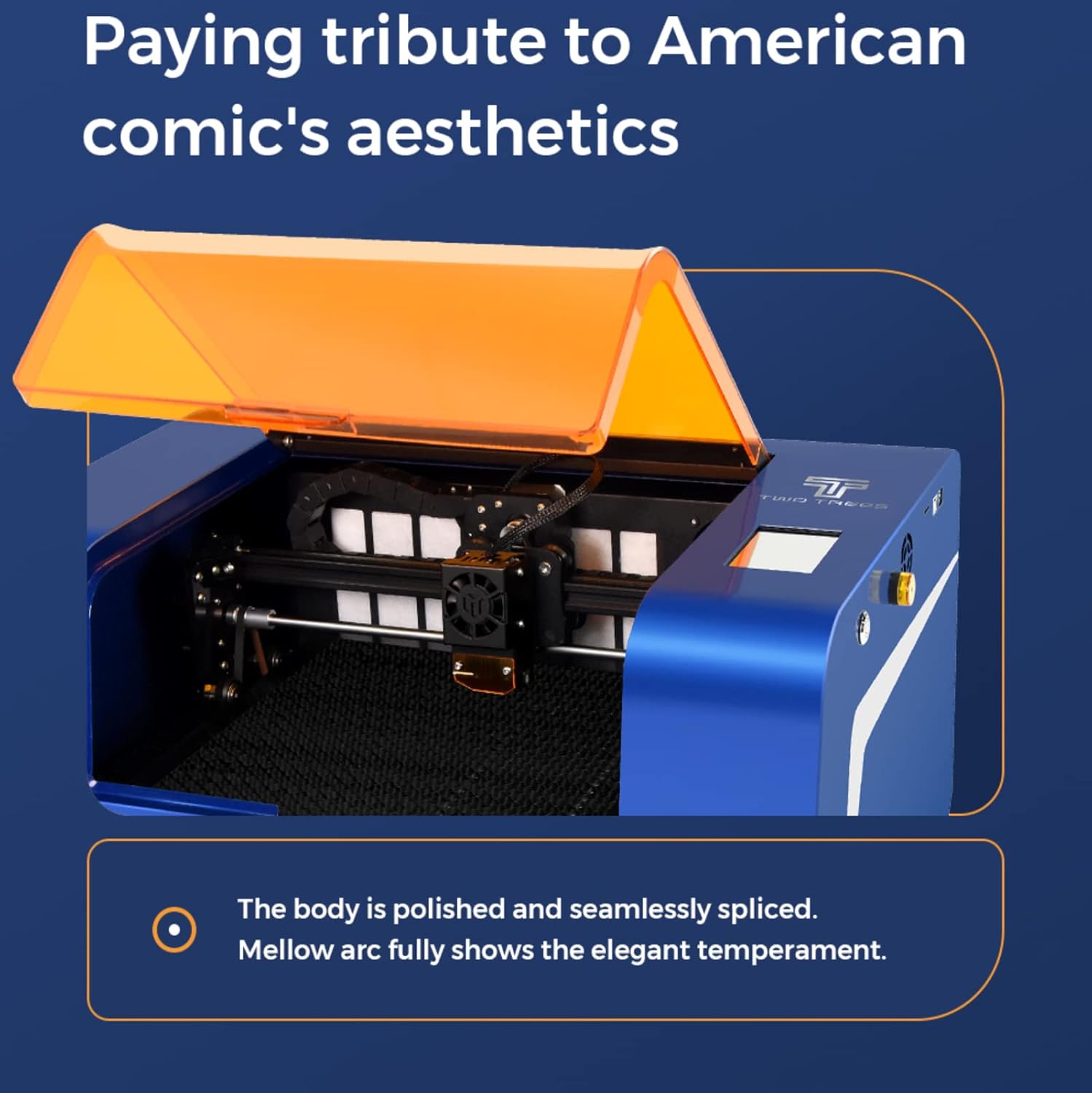
3.1. irudia: Twotrees TS3-10W Laser Engraving Machine with its orange protective cover open, revealing the internal laser module and work area.
3.1 Ezaugarri nagusiak
- Diseinu Integratua: No assembly required; ready to use directly from the box.
- 10W Laser Module: Utilizes LD+FAC+C compressed laser technology for precise and powerful engraving and cutting. Capable of cutting 8mm plywood in a single pass.
- Babes-estalkia: Integrated orange protective cover eliminates the need for external goggles during operation.
- Dual Exhaust Modes:
- Internal circulation purification system with a filter to effectively remove harmful particles.
- External exhaust pipe connection for direct smoke and dust evacuation.
- Multiple Offline Control Modes:
- Screen Engraving (TF card insertion).
- WIFI Engraving (wireless transmission from computer or mobile phone).
- APP Engraving (dedicated mobile application for drawing, transferring, and engraving).
- Rotary Module Support: Optional rotary module for engraving curved surfaces.

3.2. irudia: The Twotrees TS3-10W machine with its protective orange cover closed, indicating readiness for operation without external goggles.

3.3. irudia: Xehetasun bat view of the laser module and the work surface, highlighting the precision of the laser beam.

3.4. irudia: An illustration demonstrating the advanced LD+FAC+C compressed laser technology used in the TS3-10W, which enhances cutting and engraving capabilities.
4. Konfigurazioa
4.1 Paketatzea
- Kontu handiz atera makina eta osagarri guztiak paketetik.
- Makina garraioan zehar kalterik izan duen egiaztatu. Kalterik aurkitzen bada, jarri harremanetan berehala bezeroarentzako arreta-zerbitzuarekin.
- Gorde ontzia etorkizunean biltegiratzeko edo garraiatzeko.
4.2 Hasierako kokapena
Place the machine on a stable, level, and non-flammable surface. Ensure there is sufficient space around the machine for ventilation and operation.
4.3 Energia-konexioa
- Konektatu korronte-egokitzailea makinaren sarrera-atakara.
- Entxufatu korronte-egokigailua entxufe elektriko egoki batean.
- The machine is designed for immediate use upon unboxing, requiring no complex assembly.
4.4 Softwarea eta Konektibitatea
The TS3-10W supports multiple control methods:
- GRBL Control: For advanced users, the machine is compatible with GRBL control software. Refer to the manufacturer's website for recommended software and drivers.
- WIFI konexioa: Connect the machine to your local Wi-Fi network for wireless control from a computer or mobile device. Follow the on-screen instructions on the machine's display or refer to the dedicated app for setup.
- Mugikorreko APLIKAZIOA: Download the official Twotrees mobile application from your device's app store. The app allows for design, transfer, and engraving directly from your smartphone.
- TF Card (Screen Engraving): Insert a TF card containing your design files into the designated slot on the machine for direct engraving without external connection.
5. Funtzionamendu-argibideak
5.1 Materialaren prestaketa
- Place the material to be engraved or cut securely on the work platform.
- Ziurtatu materiala laua eta behar bezala lerrokatuta dagoela.
- For cutting, the machine's cellular platform provides deeper penetration.
5.2 Focusing the Laser (if applicable)
The TS3-10W typically features a fixed-focus laser or an auto-focus mechanism. If manual focusing is required, follow the specific instructions provided on the machine's display or in the app.
5.3 Starting an Engraving/Cutting Job
- Aukeratu modua: Choose your preferred operating mode (TF card, WIFI, or APP).
- Karga-diseinua: Kargatu zure diseinua file through the chosen method.
- Doitu parametroak: Set the laser power, speed, and number of passes according to the material and desired effect. Refer to material test guides for optimal settings.
- Aurreview (eskuragarri badago): Erabili preview function to ensure the design is positioned correctly on the material.
- Start Job: Close the protective cover and initiate the engraving/cutting process.
- Monitorea: Supervise the machine during operation.

5.1. irudia: Visual comparison demonstrating the faster engraving speed and efficient cutting penetration of the TS3-10W compared to other machines.
5.4 Exhaust System Operation
The TS3-10W offers two exhaust options:
- Internal Purification: The built-in filter system automatically purifies smoke and particles. Ensure the filter is clean for optimal performance.
- External Exhaust: For heavy smoke or specific materials, connect an exhaust hose to the designated port on the machine and direct it outside through a window or ventilation system.

5.2. irudia: Hainbat examples of intricate designs engraved and cut on different materials, showcasinmakinaren aldakortasunari esker.
6. Mantentzea
Regular maintenance ensures the longevity and optimal performance of your laser machine. Always disconnect power before performing any maintenance.
6.1 Cleaning the Laser Lens
- Periodically inspect the laser lens for dust or debris.
- Gently clean the lens using a lint-free cloth and specialized lens cleaning solution or isopropyl alcohol. Avoid abrasive materials.
6.2 Garbiketa orokorra
- Wipe down the machine's exterior with a soft, damp oihal.
- Clean the work platform and remove any accumulated debris or residue from engraved/cut materials.
- Ensure the linear rails and moving parts are free from dust and obstructions.
6.3 Internal Purification Filter
- The internal circulation purification system contains a filter that needs periodic cleaning or replacement.
- Refer to the manufacturer's guidelines for accessing and maintaining this filter.
7. Arazoak
| Arazoa | Kausa posiblea | Irtenbidea |
|---|---|---|
| Makina ez da pizten. | Power cable not connected; power outlet faulty. | Egiaztatu konexio elektrikoak; saiatu beste entxufe batekin. |
| Laserra ez dabil edo ahula da. | Laser lens dirty; incorrect power settings; laser module fault. | Clean the laser lens; verify power settings in software/app; contact support if issue persists. |
| Engraving/cutting results are poor or inconsistent. | Incorrect speed/power settings; material not flat; laser out of focus; dirty lens. | Adjust settings; ensure material is flat; clean lens; check focus. |
| Machine not connecting via WIFI/APP. | Incorrect network settings; machine not in pairing mode; app outdated. | Verify network credentials; restart machine and app; ensure app is updated. |
| Excessive smoke/fumes. | Internal filter clogged; external exhaust not connected/functioning. | Clean or replace internal filter; ensure external exhaust is properly connected and clear. |
8. Zehaztapenak
| Ezaugarri | Xehetasuna |
|---|---|
| Eredua | TS3-10W |
| Marka | Twotrees (as per product title) |
| Laser Potentzia | 10W (Optical Output) |
| Laser Teknologia | LD+FAC+C Compressed Laser Technology |
| Kontrol Softwarea | GRBL compatible, WIFI, Mobile APP, TF Card (Offline) |
| Materiala | Wood (as per product spec, but capable of more) |
| Energia iturria | Kable elektrikoa |
| Ihes Sistema | Internal Circulation Purification, External Exhaust Port |
| Batzarra | Zero Assembly (Ready out of box) |
9. Bermea eta Laguntza
Information regarding product warranty and customer support was not provided in the available data. For warranty details, technical assistance, or to purchase replacement parts, please refer to the official Twotrees webwebgunean edo jarri harremanetan zure dendara.
Always ensure you have your product model number (TS3-10W) and purchase date available when contacting support.


