1. Sarrera
The Lenco PDR-046GY is a portable DAB+ radio designed to provide high-quality digital audio reception. This device also functions as a portable Bluetooth speaker, allowing wireless streaming from compatible devices. Featuring an integrated rechargeable battery, it offers portability for use in various locations. The PDR-046GY incorporates sustainable design principles, utilizing eco-friendly materials and packaging.
2. Segurtasun informazioa
- Ez jarri unitatea euripean edo hezetasunean, suteak edo deskarga elektrikoak saihesteko.
- Do not expose the unit to direct sunlight, heat sources, or extreme temperatures.
- Ziurtatu aireztapen egokia; ez blokeatu aireztapen-irekidurak.
- Use only the specified power adapter/USB-C cable for charging.
- Ez saiatu unitatea desmuntatzen edo aldatzen. Konponketa-lanak langile kualifikatuei eskatu.
- Mantendu unitatea eremu magnetiko indartsuetatik urrun.
- Garbitu unitatea zapi leun eta lehor batekin. Ez erabili garbitzaile edo disolbatzaile urratzailerik.
3. Paketearen edukia
Egiaztatu elementu guztiak bertan daudela paketea desegiten duzunean:
- Lenco PDR-046GY DAB+ Portable Radio
- USB-C kargatzeko kablea
- Quick Start Guide (Full manual available online)
4. Produktuaren ezaugarriak
- DAB+ eta FM irratia: Enjoy digital and analog radio broadcasts.
- Bluetooth 5.0: Wireless audio streaming from smartphones, tablets, and other Bluetooth-enabled devices.
- Bateria kargagarria integratua: Provides up to 7 hours of wireless playback.
- 2.4 hazbeteko koloretako LCD pantaila: Shows station information, track details, time, and other relevant data.
- Dual 2.5W Speakers with Passive Cooler: Delivers clear audio with enhanced bass.
- Erlojuaren funtzioa: Features dual alarms, snooze, and dimmable display.
- 30 Preset Stations: Store your favorite DAB+ and FM stations for quick access.
- Lo egiteko tenporizadorea: Automatically turns off the radio after a set duration.
- AUX sarrera: Konektatu kanpoko audio gailuak 3.5 mm-ko kable baten bidez.
- Aurikularrak Jack: Entzun pribaturako.
5. Kontrolak eta pantaila
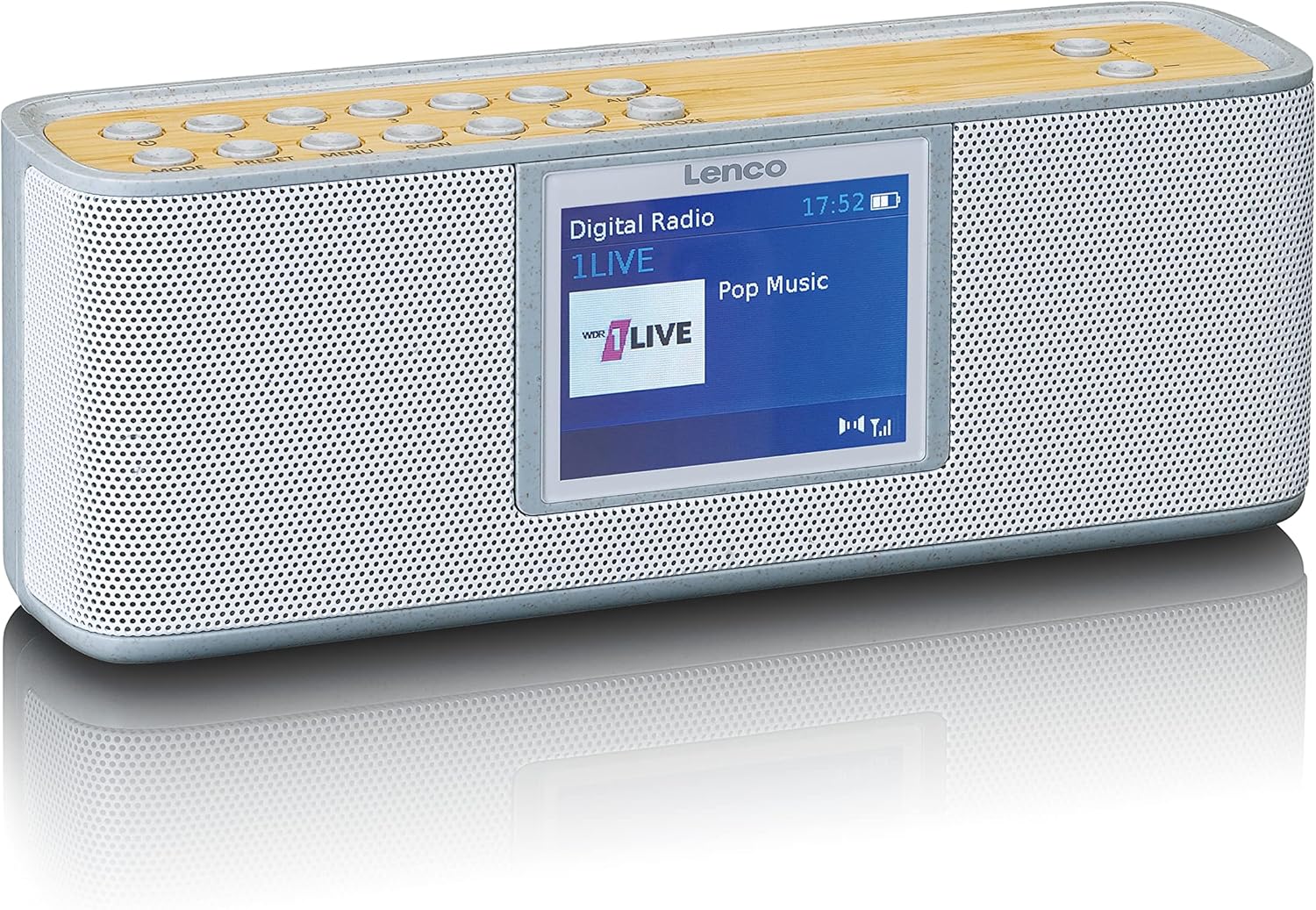
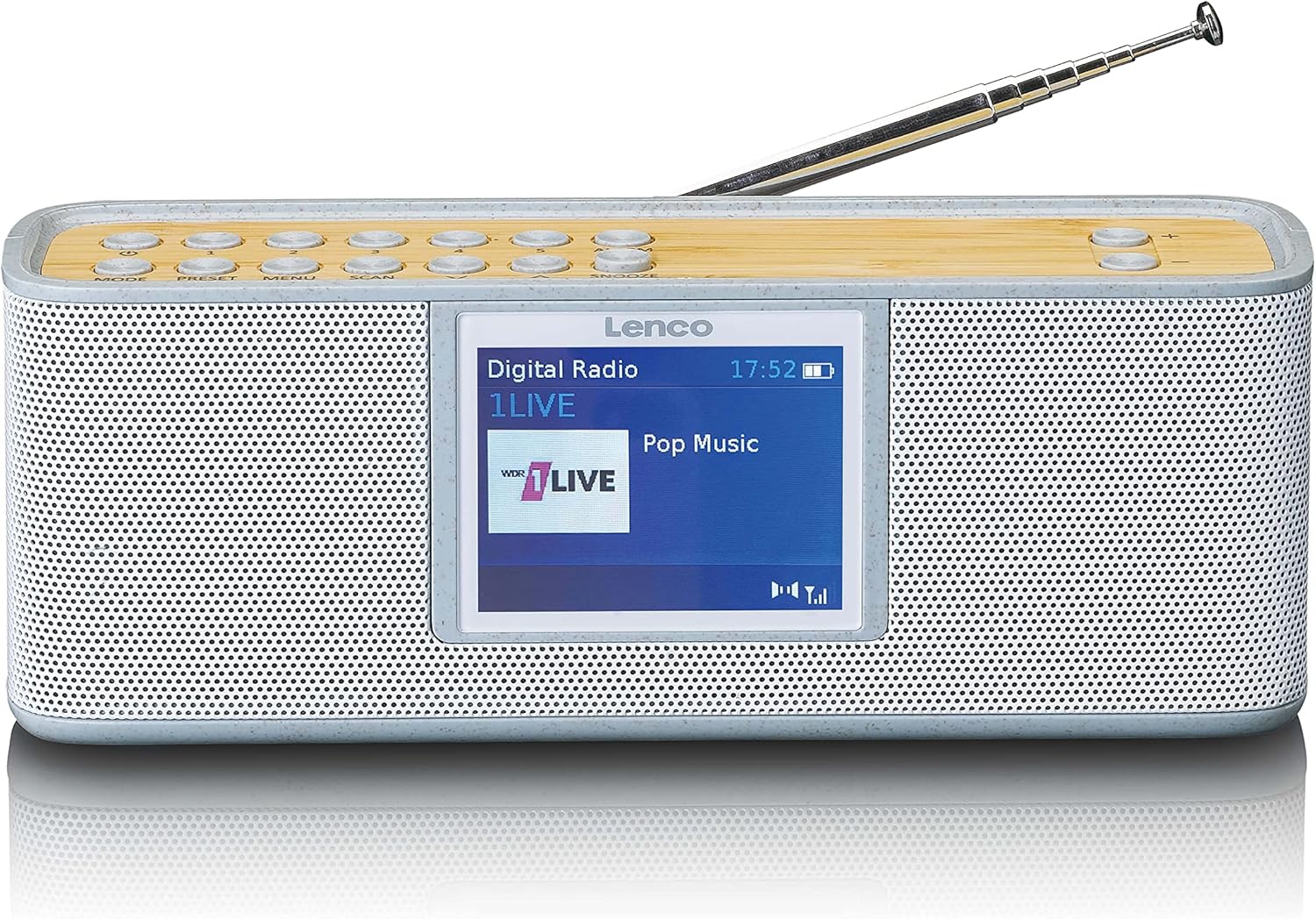
Control Buttons (Top Panel)
- JARRAIBIDEAK: Switches between DAB+, FM, Bluetooth, and AUX modes.
- AURRE AURREZARPENA: Accesses and saves preset radio stations.
- MENUA: Enters the system menu for settings and options.
- ESKANEA: Eskuragarri dauden irrati-kateen bilaketa abiarazten du.
- ALARMA: Sets and manages alarm functions.
- SNOOZE: Alarma aldi baterako isilarazten du.
- +/- bolumena: Audioaren bolumena doitzen du.
- Nabigazio botoiak: Used for navigating menus and tuning stations.
Bistaratzea
The 2.4-inch color LCD display provides visual feedback on the current mode, station information, track details, time, and menu options.
6. Konfigurazioa
6.1. Bateria kargatzea
- Connect the supplied USB-C cable to the charging port on the back or side of the radio.
- Connect the other end of the USB-C cable to a compatible USB power adapter (not included) or a powered USB port.
- The charging indicator on the display will show the charging status. A full charge typically takes several hours.
- Guztiz kargatuta dagoenean, deskonektatu USB-C kablea.
6.2. Hasierako piztea
- Extend the telescopic antenna fully for optimal reception.
- Press and hold the Power button (usually combined with MODE) to turn on the radio.
- Upon first use, the radio may automatically perform a DAB+ scan to find available stations.
7. Funtzionamendu-argibideak
7.1. DAB+ Radio Mode
- Sakatu MODUA button until "DAB+" is displayed.
- If it's the first time or if stations need updating, press ESKANETATU to perform a full scan.
- Use the navigation buttons to browse through the list of available stations.
- Sakatu SELECT/OK button to choose a station.
- To save a station as a preset, press and hold the PRESET button, then use navigation to select a preset number and confirm.
7.2. FM Irrati modua
- Sakatu MODUA botoia sakatu "FM" agertu arte.
- Sakatu ESKANETATU to automatically search for and store available FM stations.
- Alternatively, use the navigation buttons to manually tune to a frequency.
- To save a station as a preset, press and hold the PRESET button, then use navigation to select a preset number and confirm.
7.3. Bluetooth modua
- Sakatu MODUA button until "Bluetooth" is displayed. The radio will enter pairing mode, indicated by a flashing Bluetooth icon.
- Zure telefonoan edo tabletan, gaitu Bluetootha eta bilatu eskuragarri dauden gailuak.
- Select "Lenco PDR-046GY" from the list of devices.
- Once paired, the Bluetooth icon will stop flashing, and you can stream audio from your device to the radio.
7.4. AUX sarrera modua
- Connect one end of a 3.5mm audio cable (not included) to the AUX IN port on the radio.
- Connect the other end to the headphone jack or audio output of your external audio device.
- Sakatu MODUA botoia sakatu "AUX" agertu arte.
- Kontrolatu erreprodukzioa eta bolumena kanpoko gailutik.
7.5. Alarma-erlojuaren funtzioa
- Sakatu ALARMA button to access alarm settings.
- Use navigation buttons to set Alarm 1 or Alarm 2.
- Configure the alarm time, source (buzzer, DAB+, FM), volume, and frequency (daily, weekdays, weekends, once).
- Sakatu SELECT/OK ezarpenak berresteko.
- Alarmak jotzen duenean, sakatu SNOOZE to temporarily pause it, or press the Power button to turn it off.
7.6. Lo egiteko tenporizadorea
- Sakatu MENUA botoia.
- Navigate to the "Sleep Timer" option.
- Select a duration (e.g., 15, 30, 45, 60, 90 minutes). The radio will automatically turn off after the selected time.
8. Mantentzea
- Garbiketa: Wipe the radio with a soft, dry, lint-free cloth. Do not use liquid cleaners or aerosols.
- Antena: Handle the telescopic antenna carefully to avoid damage.
- Biltegiratzea: If storing for an extended period, ensure the battery is partially charged (around 50%) and store in a cool, dry place.
9. Arazoak
| Arazoa | Kausa posiblea | Irtenbidea |
|---|---|---|
| Ez dago energiarik / Unitatea ez da pizten | Bateria agortuta dago. | Kargatu bateria USB-C kablea erabiliz. |
| DAB+/FM harrera eskasa | Antena ez dago luzatuta edo seinale eskasa dago eremuan. | Extend the telescopic antenna fully. Try repositioning the radio. Perform a full scan. |
| Bluetooth gailua ezin da parekatu | Radio not in pairing mode or device too far. | Ensure the radio is in Bluetooth mode and flashing. Move the device closer. Forget the device on your phone and try pairing again. |
| Ez dago soinurik AUX sarreratik | Cable not connected properly or incorrect mode. | Ensure the 3.5mm cable is fully inserted. Select AUX mode on the radio. Check volume on both the radio and the external device. |
| Alarma ez da jotzen | Alarma ez dago aktibatuta edo gaizki konfiguratuta. | Verify alarm settings (time, source, volume, frequency). Note: Alarm function may require AC power for continuous operation in some models. |
10. Zehaztapenak
- Eredua: PDR-046GY
- Irrati-sintonizatzailea: DAB+, FM
- Audio irteera: 2.0 estereo
- Aurrez ezarritako geltokiak: 30
- Bluetooth bertsioa: 5.0
- Bluetooth barrutia: Gehienez 10 metro (33 oin)
- Hizlariak: 2 x 2.5 W with passive cooler
- Sarrerak: 3.5 mm-ko AUX sarrera
- Irteerak: 3.5 mm-ko aurikularretarako konektua
- Bateria: Integrated rechargeable 2000 mAh Lithium-ion
- Bateriaren iraupena: Up to 7 hours (wireless listening)
- Neurriak (H x W x D): 6.8 x 18 x 5.50 cm (2.68 x 7.09 x 2.17 hazbete)
- Energia iturria: Battery powered / USB-C (for charging)
11. Bermea eta Laguntza
Lenco products are designed and manufactured to the highest quality standards. For warranty information, please refer to the warranty card included with your product or visit the official Lenco website. For technical support or service inquiries, please contact Lenco customer service through their official channels. Keep your proof of purchase for warranty claims.
Sareko baliabideak: For the most up-to-date information, full manuals, and support, please visit the official Lenco webgunea: www.lenco.com


