1. Sarrera
This manual provides detailed instructions for the installation, operation, and maintenance of your A-Tech 4GB DDR4 2400MHz PC4-19200 SODIMM RAM module. This memory module is specifically designed for compatibility with the Acer TravelMate TX520-G2-MG laptop, enhancing its performance and multitasking capabilities.
A-Tech memory modules are rigorously tested to ensure dependable and reliable performance, providing a seamless upgrade experience for your system.
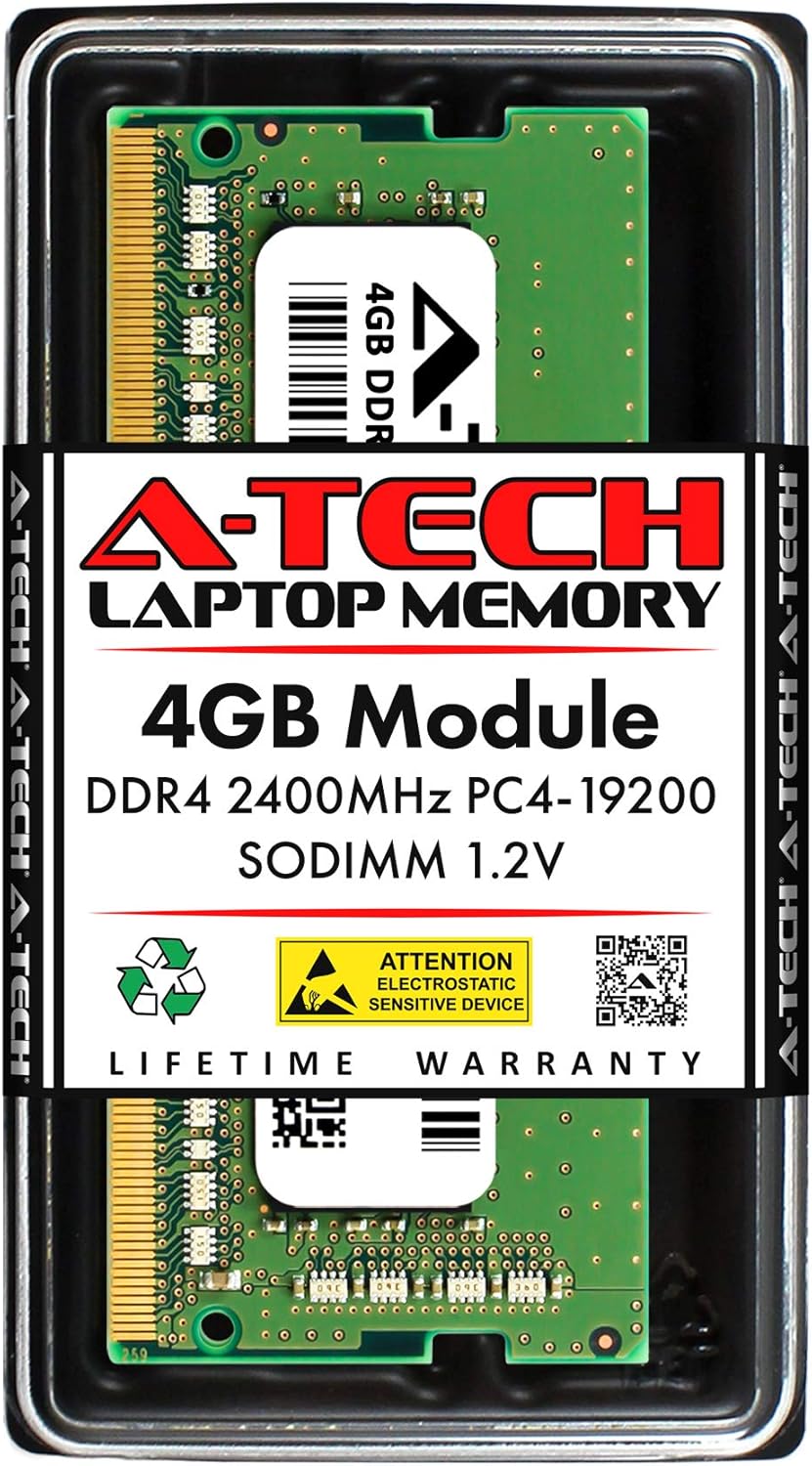
The A-Tech 4GB DDR4 SODIMM RAM module is presented in its protective retail packaging. For more information, scan the QR code or visit atechmemory.com/pages/qr.

This image conveys the reliability of A-Tech memory, emphasizing that all modules undergo extensive quality control testing to ensure dependable performance.
2. Segurtasun-neurriak
Before handling any computer components, please observe the following safety guidelines:
- Deskarga Elektrostatikoen (ESD) Babesa: Static electricity can damage electronic components. Always ground yourself before touching the RAM module or internal computer parts. Use an anti-static wrist strap if available, or touch a grounded metal object (like an unpainted metal part of your computer chassis) before and during the installation process.
- Itzali: Ensure your laptop is completely powered off and unplugged from the AC adapter. Remove the battery before opening the chassis.
- Kontuz maneiatu: Hold the RAM module by its edges, avoiding contact with the gold connector pins or the integrated circuits.
- Refer to Laptop Manual: Always consult your Acer TravelMate TX520-G2-MG's official service manual for specific instructions on opening the laptop and accessing memory slots.
3. Instalazio gida
Follow these steps to install your A-Tech 4GB DDR4 SODIMM RAM module:
- Prestatu zure ordenagailu eramangarria:
- Shut down your Acer TravelMate TX520-G2-MG completely.
- Deskonektatu AC egokigailua eta kendu bateria.
- Discharge any residual power by holding the power button for 10-15 seconds.
- Place the laptop on a clean, flat, and static-free surface.
- Sarbide Memoriaren Zirrikituak:
- Carefully open the laptop chassis to access the memory slots. Refer to your laptop's service manual for precise instructions on how to do this, as procedures vary by model.
- Install the RAM Module:
- Locate an available SODIMM slot. If replacing an existing module, gently push the metal clips outward to release it, then pull it out at an angle.
- Align the notch on the A-Tech RAM module with the notch in the SODIMM slot.
- Insert the module firmly into the slot at a 45-degree angle.
- Push down on the module until the metal clips on both sides snap into place, securing the module horizontally.
- Berriro muntatu eta probatu:
- Carefully reassemble your laptop, ensuring all screws and covers are properly secured.
- Reinsert the battery and reconnect the AC adapter.
- Power on your laptop. The system should automatically detect the new memory. You can verify the installed RAM in your operating system's system information or BIOS/UEFI settings.

Xehetasun bat view of the A-Tech 4GB DDR4 PC4-19200 2400MHz 1.2V SODIMM memory module, showing its components and label.
4. System Operation and Benefits
Once installed, your A-Tech 4GB DDR4 2400MHz SODIMM RAM module will immediately begin to enhance your Acer TravelMate TX520-G2-MG's performance. RAM (Random Access Memory) is crucial for your computer's speed and efficiency, especially when running multiple applications or handling large files.
- Boosted Performance: Experience faster application loading times and smoother overall system responsiveness.
- Enhanced Multitasking: With increased memory, your laptop can handle more programs simultaneously without slowing down, allowing you to switch between tasks with ease.
- Eraginkortasun hobetua: The 2400MHz speed ensures data is processed quickly, contributing to a more efficient computing experience.

An image depicting a laptop with a rocket launching from its screen, representing the significant performance upgrade and reduced bottlenecks achieved by installing A-Tech memory.

This image illustrates the A-Tech 4GB DDR4 SODIMM RAM module, emphasizing its 2400MHz speed and its ability to boost system performance. Learn more at atechmemory.com.

A user is shown easily managing multiple tasks on a laptop, demonstrating the improved multitasking capabilities provided by upgrading with A-Tech memory.
5. Zainketa eta Mantentzea
RAM modules generally require minimal maintenance once installed. However, proper handling and care are essential to ensure their longevity and optimal performance:
- Inguru garbia: Ensure your laptop operates in a clean, dust-free environment to prevent dust buildup on components, which can affect cooling and performance.
- Tratamendu egokia: If you ever need to remove or reinstall the RAM, always follow the ESD precautions outlined in the Safety Precautions section. Avoid touching the gold contacts.
- Biltegiratzea: If storing a RAM module, keep it in an anti-static bag and in a cool, dry place away from direct sunlight and extreme temperatures.
- Sistemaren eguneraketak: Keep your operating system and drivers updated. While not directly related to RAM hardware, software optimization can ensure your system utilizes memory efficiently.
6. Arazoak
If you encounter issues after installing your A-Tech RAM module, consider the following troubleshooting steps:
- System Does Not Boot / Black Screen:
- Ensure the RAM module is seated correctly. Remove and reinsert it, making sure the clips snap into place.
- Verify that the laptop's battery is properly connected and the AC adapter is plugged in.
- If you installed multiple modules, try booting with only one module at a time to identify a potentially faulty module or slot.
- RAM kantitate okerra detektatu da:
- Check your system's BIOS/UEFI settings or operating system's system information to confirm the detected RAM.
- If the amount is incorrect, try reseating the module. If the issue persists, ensure your laptop's BIOS is up to date, as older BIOS versions might not fully support newer memory modules.
- Sistemaren ezegonkortasuna / Pantaila urdinak:
- This could indicate a faulty module or improper installation. Try reseating the module.
- Exekutatu memoria diagnostiko tresna bat (adibidez, Windows Memory Diagnostic) erroreak egiaztatzeko.
- Bateragarritasun arazoak:
- While this module is designed for the Acer TravelMate TX520-G2-MG, always double-check your laptop's specifications to ensure it supports DDR4 SODIMM memory at 2400MHz.
If these steps do not resolve your issue, please contact A-Tech Customer Support for further assistance.
7. Produktuaren zehaztapenak
| Ezaugarri | Xehetasuna |
|---|---|
| Marka | A-Tech |
| Moduluaren Edukiera | 4 GB |
| Memoria Mota | DDR4 SODIMM |
| Pin zenbaketa | 260-Pin |
| Abiadura | 2400MHz (PC4-19200 / PC4-2400T) |
| liburukiatage | 1.2V |
| Akatsen zuzenketa | NON-ECC Unbuffered |
| Bateragarritasuna | Acer TravelMate TX520-G2-MG |
| Produktuaren neurriak | 2.74 x 1.18 x 0.15 hazbete (69.60 x 30 x 3.81 mm) |
| ASIN | B0B9293835 |

A technical diagram detailing the physical dimensions (length, width, height) of the A-Tech DDR4 SODIMM memory module. More information is available at atechmemory.com.

A user interacting with a laptop, highlighting that A-Tech memory is designed for easy installation into a wide range of DDR4 capable Laptop, Notebook, and All-in-One (AIO) computers. Note: Not compatible with Desktop PC/Computers.
8. Bermearen informazioa
A-Tech stands behind the quality and reliability of its products. This A-Tech 4GB DDR4 SODIMM RAM module is backed by a Bizi osorako berme mugatua.
This warranty covers defects in materials and workmanship for the lifetime of the product. For specific terms, conditions, and to initiate a warranty claim, please refer to the official A-Tech webwebgunean edo jarri harremanetan bezeroarentzako laguntzarekin.

The A-Tech Limited Lifetime Warranty badge, signifying the product's long-term reliability and manufacturer support.
9. Bezeroarentzako arreta
Should you require assistance with installation, troubleshooting, or have any questions regarding your A-Tech memory module, our dedicated Tech Support Team is available to help before and after your purchase.
For support, please visit the official A-Tech website or contact us through the details provided on your purchase documentation.
- Lineako laguntza: Bisitatu atechmemory.com maiz egiten diren galderen, produktuen informazioaren eta laguntza-baliabideen bilaketarako.
- Harremanetarako: Refer to your product packaging or the A-Tech webzuzeneko harremanetarako metodoetarako gunea (telefonoa, posta elektronikoa).


