1. Sarrera
This manual provides essential instructions for the safe and effective use of your Xiaomi Mi Portable Photo Printer. Please read this manual thoroughly before operating the device and retain it for future reference. This portable printer allows you to print 2x3 inch photos instantly from your iOS or Android device using ZINK inkless printing technology, featuring AR photos and dynamic video capabilities.
2. Paketearen edukia
Egiaztatu behean zerrendatutako elementu guztiak zure paketean sartuta daudela:
- Mi Portable Photo Printer x 1
- Photo paper pack (5-sheet) x 1
- USB kablea x 1
- Erabiltzailearen eskuliburua x 1

Figure 2.1: Package Contents Diagram. This image illustrates the printer, USB cable, instruction manual, and a 5-sheet photo paper pack included in the box.
3. Produktua amaitu daview
The Xiaomi Mi Portable Photo Printer is a compact and lightweight device designed for on-the-go photo printing. It utilizes ZINK (Zero Ink) technology, eliminating the need for ink cartridges.
3.1 Ezaugarri nagusiak
- Diseinu trinkoa: Small and portable, easily fits into a pocket or bag.
- ZINK Inkless Printing: Prints vibrant 2x3 inch photos without ink.
- AR Photos & Dynamic Videos: Scan printed photos with the Mi Home/Xiaomi Home app to view augmented reality effects or dynamic videos.
- Bluetooth konexioa: Connects wirelessly to iOS and Android devices.
- Gailu anitzeko konexioa: Supports simultaneous Bluetooth connections for shared printing.
- Aplikazioaren integrazioa: Offers various templates, collages, and filters via the Mi Home/Xiaomi Home app.
3.2 Gailuaren osagaiak

3.1. irudia: Aurrealdea view of the Xiaomi Mi Portable Photo Printer with a photo being ejected. This image highlights the printer's compact size and its primary function.
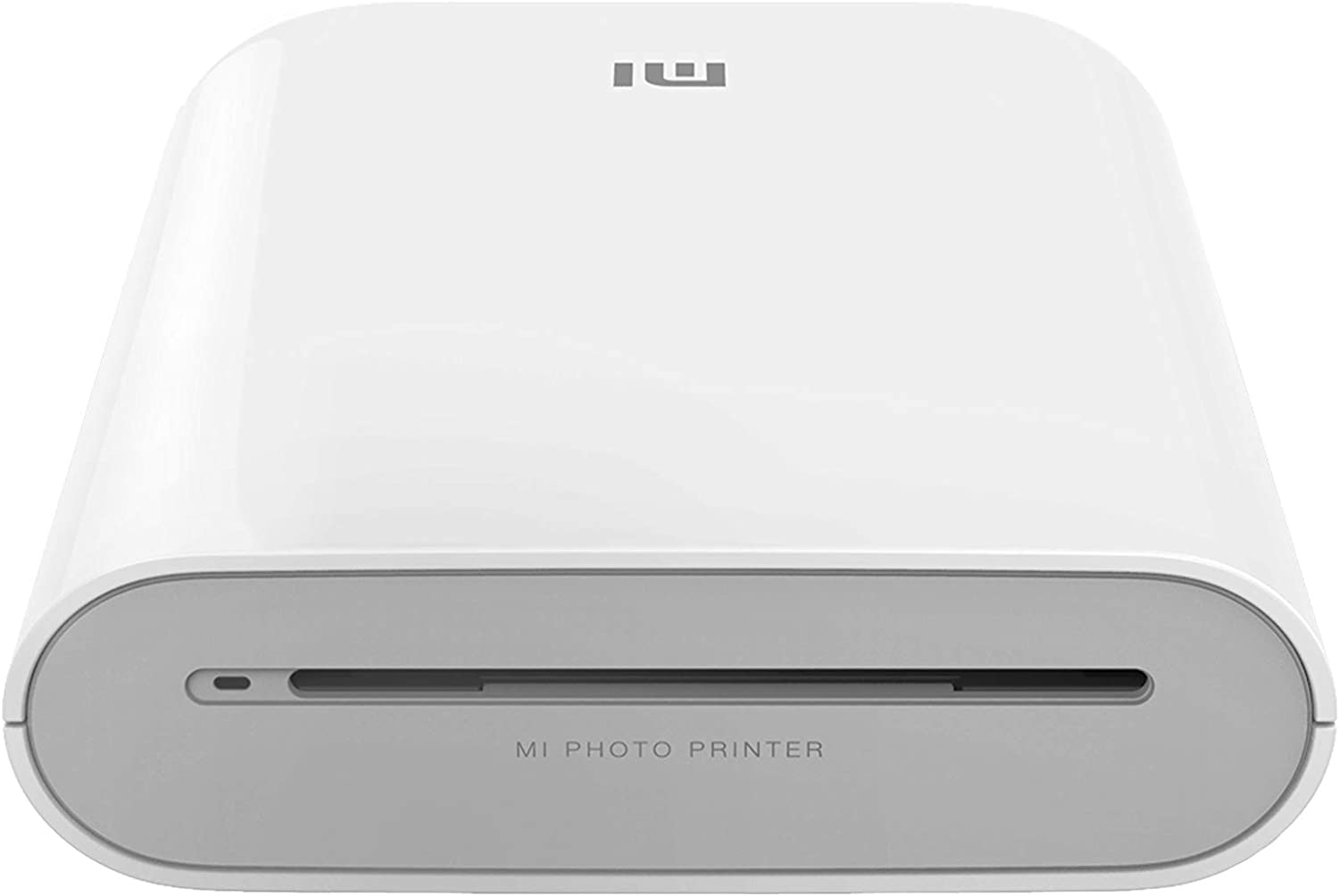
3.2. irudia: Aurrealdea view of the printer, displaying the photo output slot and branding.
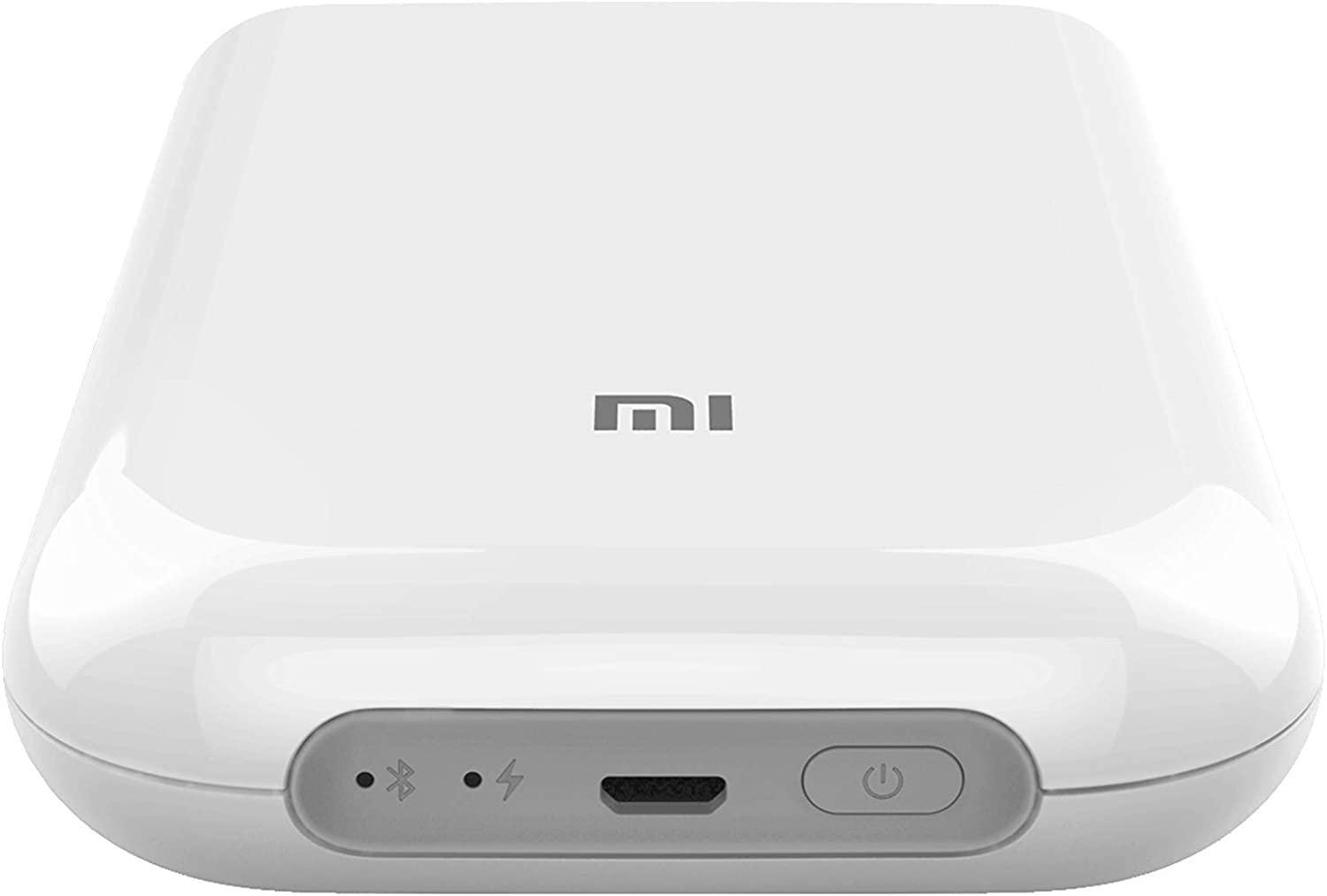
3.3. irudia: Goikoa view of the printer, illustrating the control panel with the power button, charging port, and status indicators.

Figure 3.4: The printer held in a hand, emphasizing its compact and portable design.
4. Konfigurazioa
4.1 Inprimagailua kargatzea
Before first use, fully charge the printer. Connect the provided USB cable to the printer's charging port and a suitable USB power adapter (not included). The indicator light will show charging status.
4.2 Loading Photo Paper
- Ireki inprimagailuaren paper-erretiluaren estalkia.
- Insert the ZINK photo paper pack into the tray with the blue calibration card facing down, followed by the photo paper with the glossy side facing up.
- Itxi paper-erretiluaren estalkia ondo itxita.
4.3 Mi Home/Xiaomi Home aplikazioa instalatzea
Download and install the 'Mi Home' or 'Xiaomi Home' app from your device's app store (Google Play Store for Android, Apple App Store for iOS). Follow the on-screen instructions to create an account or log in.
Ohar garrantzitsua: Some users have reported regional restrictions with the app, limiting device usability to specific regions. Please ensure the app and device are compatible with your geographical location before use.
4.4 Bluetooth bidezko parekatzea
- Ensure your printer is charged and powered on.
- Gaitu Bluetootha zure iOS edo Android gailuan.
- Open the Mi Home/Xiaomi Home app and tap the '+' icon to add a new device.
- Select the Xiaomi Mi Portable Photo Printer from the list of available devices.
- Follow the app's instructions to complete the pairing process.
5. Funtzionamendu-argibideak
5.1 Piztu/Itzali
- Piztu: Sakatu eta eutsi inprimagailuko pizteko botoia adierazle-argia piztu arte.
- Itzali: Sakatu eta eutsi berriro pizteko botoia adierazle-argia itzali arte.
5.2 Argazkiak inprimatzea
- Ensure the printer is connected to your device via Bluetooth and has sufficient paper loaded.
- Ireki Mi Home/Xiaomi Home aplikazioa.
- Select the photo you wish to print from your device's gallery or take a new photo within the app.
- Utilize the app's editing features, such as filters, collages, or templates, if desired.
- Tap the print icon in the app to send the image to the printer. The photo will emerge from the output slot.

Figure 5.1: Printer in use with the companion app, showcasing printed photos and creative possibilities.
5.3 AR Photos and Dynamic Videos
The printer supports AR (Augmented Reality) photos and dynamic videos. When printing a photo, you can record or upload a video within the Mi Home/Xiaomi Home app. After printing, scan the physical photo using the app's AR feature to experience the embedded virtual effects or play the dynamic video.
5.4 Erabiltzaile anitzeko konexioa
The printer supports multiple simultaneous Bluetooth connections. Up to three devices can connect to the printer at once. Print jobs from different devices will be added to a queue and printed sequentially.
6. Mantentzea
6.1 Inprimagailua garbitzea
To maintain optimal print quality, periodically clean the exterior of the printer with a soft, dry cloth. Do not use liquid cleaners or abrasive materials. The ZINK printing technology does not require print head cleaning as there are no ink cartridges.
6.2 Replacing Photo Paper
When the paper supply is depleted, follow the instructions in Section 4.2 to load a new pack of ZINK 2x3 inch photo paper. Always use genuine Xiaomi ZINK photo paper for best results.
6.3 Bateria zaintzea
To prolong battery life, avoid exposing the printer to extreme temperatures. If the printer will not be used for an extended period, charge it to approximately 50% before storage and recharge it every few months.
7. Arazoak
If you encounter issues with your Xiaomi Mi Portable Photo Printer, refer to the following common problems and solutions:
| Arazoa | Irtenbide posiblea |
|---|---|
| Inprimagailua ez da pizten | Ziurtatu inprimagailua guztiz kargatuta dagoela. Konektatu energia-iturri batera eta saiatu berriro. |
| Ezin da Bluetooth bidez konektatu | Verify Bluetooth is enabled on your device and the printer. Restart both devices. Ensure the printer is not already connected to another device. Check app permissions. |
| Poor print quality / Blank prints | Ensure genuine ZINK photo paper is loaded correctly with the glossy side up. Check if the blue calibration card was used with the paper pack. The paper may be expired or damaged. |
| Paper ataskatzea | Power off the printer. Carefully open the paper tray and remove any jammed paper. Do not force the paper out. Reload paper correctly. |
| App not functioning correctly / Regional restrictions | Ensure the Mi Home/Xiaomi Home app is updated to the latest version. Check your device's region settings. Some app features or device functionality may be restricted based on geographical location. |
If the problem persists, consult the official Xiaomi support webwebgunean edo jarri harremanetan bezeroarentzako zerbitzuarekin.
8. Zehaztapenak
| Ezaugarri | Zehaztapena |
|---|---|
| Eredua | Mi Argazki Inprimagailu eramangarria |
| Marka | XIAOMI |
| Inprimatzeko Teknologia | Zink Teknologia |
| Konektibitate Teknologia | Bluetootha |
| Sistema eragile bateragarriak | Android, iOS |
| Gehienezko euskarriaren tamaina | 2 x 3 hazbete |
| Orri-tamaina | 2 x 3 hazbete |
| Inprimatze-bereizmen maximoa | 313 x 400 ppp |
| Inprimagailuaren irteera | Kolorea |
| Bi aldeetatik inprimatzea | Ez (Simplex) |
| Gehienezko sarrera-orriaren edukiera | 1 |
| Kontrol-metodoa | Aplikazioa |
| Bateria mota | Litio ioia (barne) |
| Produktuaren neurriak (LxWxH) | 12.42 x 2.46 x 8.51 cm (124 x 25 x 85 mm) |
| Elementuaren pisua | 281 g |
| Kolorea | Zuria |
9. Segurtasun informazioa
- Ez desmuntatu, konpondu edo aldatu gailua zeuk.
- Mantendu inprimagailua uretatik, hezetasunetik eta tenperatura altuetatik urrun.
- Saihestu inprimagailua erortzea edo kolpe gogorren eraginpean jartzea.
- Use only the specified charging cable and genuine ZINK photo paper.
- Mantendu haurren eskura.
10. Bermea eta Laguntza
Bermeari buruzko informazioa, laguntza teknikoa edo zerbitzu-kontsultak egiteko, jo ezazu zure produktuarekin batera datorren berme-txartelera edo bisitatu Xiaomiren laguntza ofiziala. website. Ensure you have your product model and purchase details available when contacting support.


