1. Sarrera
Eskerrik asko erosketagatik.asing the Yifeng Wireless Keyboard. This keyboard offers versatile connectivity options, supporting both 2.4 GHz USB wireless and Bluetooth connections. It is designed for multi-device use, allowing simultaneous pairing with up to four devices and quick switching between them. Featuring a comfortable scissor-switch mechanism and an integrated stand, it enhances productivity across various platforms including Windows, iOS, and Android devices.
2. Segurtasun informazioa
- Ez jarri teklatua likidoen edo tenperatura altuen eraginpean.
- Avoid disassembling or attempting to repair the device yourself.
- Mantendu haurren eskura.
- Erabili emandako USB kablea soilik kargatzeko.
3. Paketearen edukia
Mesedez, egiaztatu elementu guztiak bertan daudela:
- Yifeng Wireless Keyboard
- USB kargatzeko kablea
- 2.4 GHz USB Receiver (may be stored in the keyboard's battery compartment)
- Erabiltzailearen eskuliburua (dokumentu hau)
4. Konfigurazioa
4.1. 2.4 GHz USB Wireless Connection
- Locate the 2.4 GHz USB receiver. It is often stored in a dedicated slot on the keyboard.
- Konektatu USB hartzailea zure ordenagailuko edo gailuko USB ataka libre batera.
- Piztu teklatua pizteko etengailua erabiliz (normalean alboan edo atzealdean dago).
- The keyboard should automatically connect to your device. If not, press the dedicated 2.4GHz connection key (often labeled with a '4' or '2.4G' icon) to activate pairing mode.
4.2. Bluetooth konexioa
- Ziurtatu teklatua kargatuta eta piztuta dagoela.
- Sakatu eta eutsi Bluetooth kanaleko tekletako bat (adibidez, Bluetooth 1, Bluetooth 2, edo Bluetooth 3) for 3-5 seconds until the indicator light flashes, indicating pairing mode.
- On your device (tablet, smartphone, PC), go to Bluetooth settings and enable Bluetooth.
- Bilatu available devices. The keyboard should appear as "Yifeng Keyboard" or similar.
- Select the keyboard to pair. Follow any on-screen prompts, such as entering a pairing code.
- Once paired, the indicator light will stop flashing and remain solid for a few seconds.
4.3. Multi-Device Pairing
This keyboard supports connecting up to 4 devices simultaneously: one via 2.4 GHz USB and three via Bluetooth. Follow the steps above to pair each device to a different channel (2.4GHz, Bluetooth 1, Bluetooth 2, Bluetooth 3).
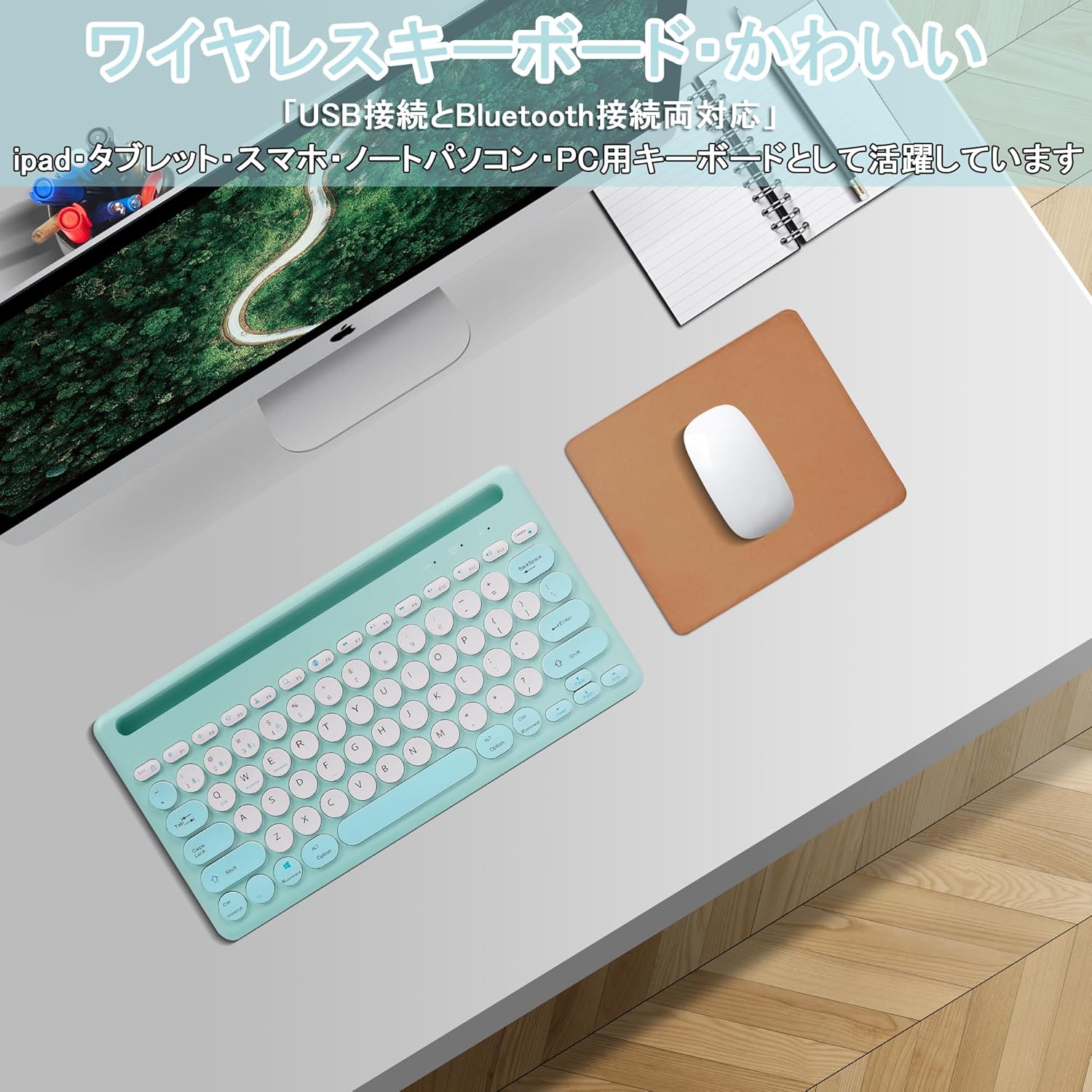
Image: The Yifeng Wireless Keyboard connected to a tablet, smartphone, and laptop, demonstrating its multi-device pairing capability.
5. Funtzionamendu-argibideak
5.1. Konektatutako gailuen artean aldatzea
To switch between your paired devices, simply press the corresponding connection key:
- Sakatu Bluetooth 1 to switch to the first Bluetooth device.
- Sakatu Bluetooth 2 to switch to the second Bluetooth device.
- Sakatu Bluetooth 3 to switch to the third Bluetooth device.
- Sakatu 2.4 GHz key (often labeled with a '4' or '2.4G' icon) to switch to the USB wireless device.
5.2. System Compatibility Switching
The keyboard supports Windows, iOS, and Android operating systems. Use the dedicated system keys to optimize key functions for your current device:
- Sakatu Fn + Q iOSerako.
- Sakatu Fn + W Androiderako.
- Sakatu Fn + E Windows-erako.
5.3. Teklatua kargatzea
The keyboard features a built-in rechargeable lithium-ion battery. A single full charge provides approximately 30 days of continuous use.
- Connect the included USB charging cable to the charging port on the keyboard.
- Konektatu USB kablearen beste muturra USB elikatze iturri batera (adibidez, ordenagailuko USB ataka, USB hormako egokigailua).
- Kargatzeko adierazlearen argia piztuko da kargatzen ari den bitartean eta itzali egingo da guztiz kargatzen denean.

Image: The Yifeng Wireless Keyboard connected to a power strip via its USB charging cable, indicating the rechargeable feature.
5.4. Using the Integrated Stand
The keyboard includes an integrated stand slot at the top, designed to hold your tablet or smartphone upright. This allows for comfortable viewing and typing, making it ideal for document creation, chatting, or watching media while commenting.
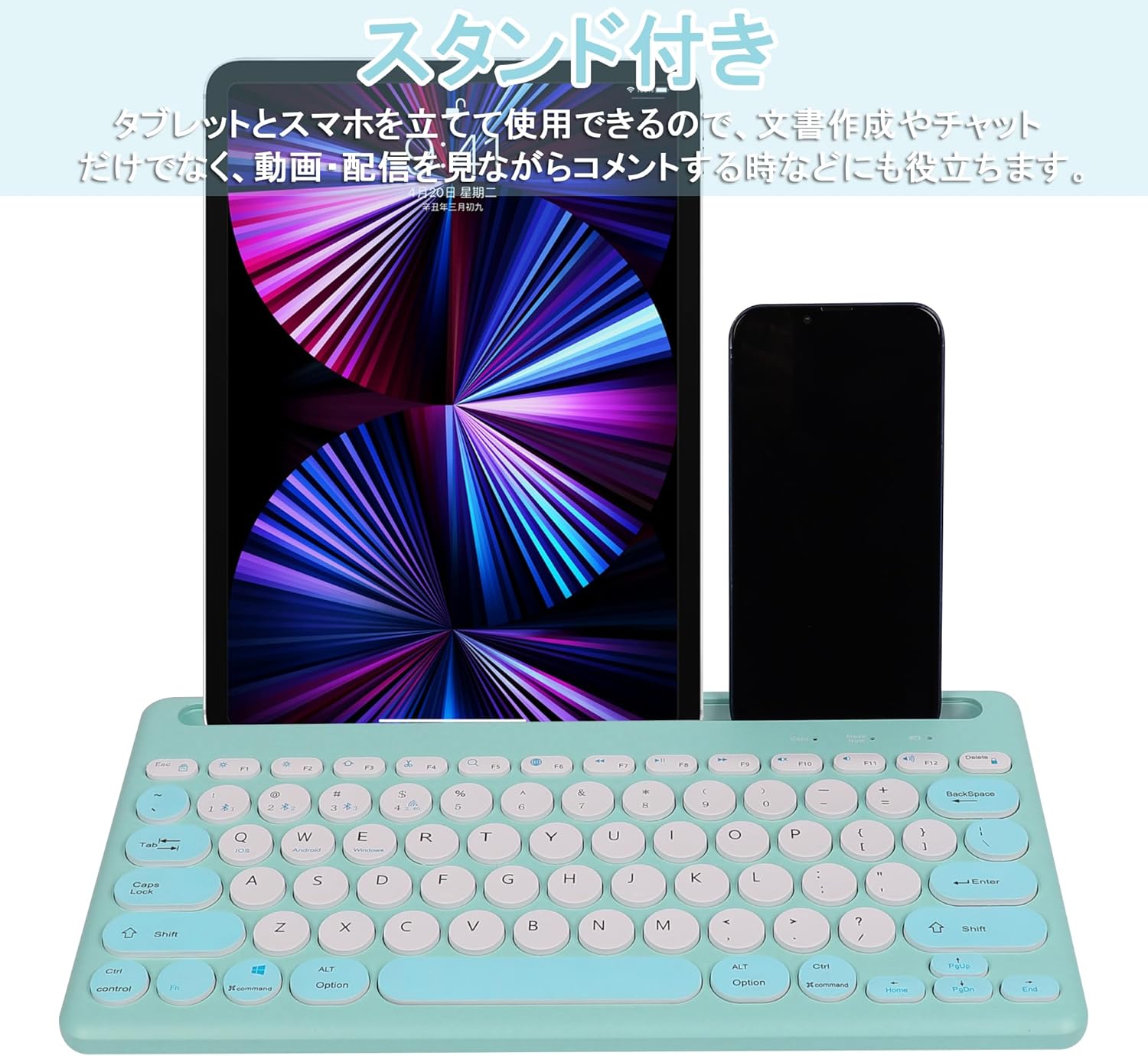
Image: The Yifeng Wireless Keyboard with a tablet and smartphone securely positioned in its integrated stand, demonstrating its utility for multi-device setups.
6. Mantentzea
- Clean the keyboard regularly with a soft, dry cloth. For stubborn dirt, a slightly damp cloth can be used, ensuring no moisture enters the keyboard.
- Saihestu produktu kimiko gogorrak edo garbitzaile urratzaileak erabiltzea.
- Gorde teklatua leku fresko eta lehor batean erabiltzen ez duzunean.
- The keyboard features anti-slip pads on the back for stable use. Ensure these pads are clean and intact for optimal stability.

Image: The underside of the Yifeng Wireless Keyboard, highlighting the four anti-slip pads designed for stable placement on various surfaces.
7. Arazoak
7.1. Teklatua ez da konektatzen
- Egiaztatu potentzia: Ziurtatu teklatua piztuta dagoela eta bateria nahikoa duela.
- Parekatu berriro: For Bluetooth, delete the keyboard from your device's Bluetooth list and attempt to pair again. For 2.4 GHz USB, try plugging the receiver into a different USB port.
- Aldatu kanalak: Ensure you have selected the correct channel (Bluetooth 1/2/3 or 2.4GHz) for your device.
- Gailuaren Bluetooth-a: Verify that Bluetooth is enabled on your device and that it is discoverable.
7.2. Teklek ez dute erantzuten
- Bateria maila: Kargatu berriro teklatua bateria baxua bada.
- Sistema modua: Ensure the keyboard is set to the correct operating system mode (Windows, iOS, Android) using Fn + Q/W/E.
- Interferentzia: Hurbildu teklatua gailura eta urrundu interferentziak sor ditzaketen beste haririk gabeko gailuetatik.
7.3. Kargatzeko arazoak
- Kablearen egiaztapena: Ensure the USB charging cable is securely connected to both the keyboard and the power source.
- Energia iturria: Saiatu beste USB ataka edo hormako egokitzaile batekin.
- Argi adierazlea: If the charging indicator light does not turn on, the cable or power source may be faulty.
8. Zehaztapenak
| Marka | Yifeng |
| Modelo zenbakia | AMWS0584A-L |
| Konektibitate Teknologia | Bluetooth, 2.4 GHz Wireless (USB) |
| Gailu bateragarriak | Tablets, Smartphones, PCs, Laptops (Windows, iOS, Android) |
| Teklatuaren diseinua | QWERTY (US Layout) |
| Mekanismo nagusia | Guraize-Etengailua |
| Ezaugarri Berezia | Rechargeable, Integrated Stand, Multi-Pairing (4 devices) |
| Bateria mota | Litio-ioizko bateria 1 (barne) |
| Bateriaren iraupena | Approx. 30 days (per charge) |
| Neurriak | 33.7 x 16.7 x 2.9 cm |
| Pisua | 820 g |
| Dakarten osagaiak | USB kablea |
9. Bermea eta Laguntza
Produktu hau a 1 urteko kalitate-bermea from the date of purchase. In case of initial defects or malfunctions occurring within the warranty period, we offer return or exchange services.
Should you encounter any issues or require assistance, please contact us directly through your purchase platform:
- Zoaz zurera Eskaeraren Historia.
- Select the order for this product.
- Egin klik Jarri harremanetan saltzailearekin.
Our support team will be happy to assist you.


