Sarrera
Thank you for choosing the Platinum Karaoke DK-88 Duo Speaker System. This manual provides essential information for the safe and efficient operation of your new device. Please read it thoroughly before use and retain it for future reference.
The DK-88 Duo is an all-in-one karaoke solution, featuring a built-in song library, wireless microphones, and various connectivity options. Its robust design and versatile features make it ideal for home parties, family gatherings, and outdoor events.
Segurtasun Informazioa
- Ez jarri unitatea euripean edo hezetasunean, suteak edo deskarga elektrikoak saihesteko.
- Ez ireki c-a.asing. Konponketa guztiak langile kualifikatuen esku utzi.
- Ziurtatu unitatearen inguruko aireztapen egokia dagoela. Ez blokeatu aireztapen-irekidurak.
- Erabili emandako kargatzeko egokitzailea soilik.
- Mantendu unitatea eguzki-argitik, bero-iturrietatik eta hauts gehiegizkotik urrun.
- Saihestu objektu astunak unitatearen gainean jartzea.
- Mantendu haurren eskura.
Paketearen edukia
Mesedez, egiaztatu behean zerrendatutako elementu guztiak zure paketean sartuta daudela:
- Main Unit (DK-88 Duo Speaker)
- Kargatzeko egokitzailea
- 2 x Haririk gabeko mikrofonoak
- Urruneko Kontrola
- Batteries (for remote control and microphones)
- AV Kable
- Erabiltzailearen eskuliburua
- Berme Txartela

Figure 1: Included Accessories and Components
Produktua amaituview
Aurrealdea View

2. irudia: Aurrealdea View of the DK-88 Duo with LED Lighting
Goiko paneleko kontrolak

3. irudia: Goiko paneleko kontrolak eta sarrerak
Atzeko panela

Figure 4: Rear Panel with Connectivity Ports
Konfigurazioa
1. Piztea/Kargatzea
- AC potentzia: Connect the charging adapter to the 'DC IN 20V/4A' port on the top panel and plug it into a wall outlet. The unit can be used while charging.
- Bateria Potentzia: The unit has a built-in rechargeable battery providing up to 6 hours of playback. Ensure the unit is charged before portable use. The battery indicator on the display will show the current charge level.
2. Mikrofonoaren konfigurazioa
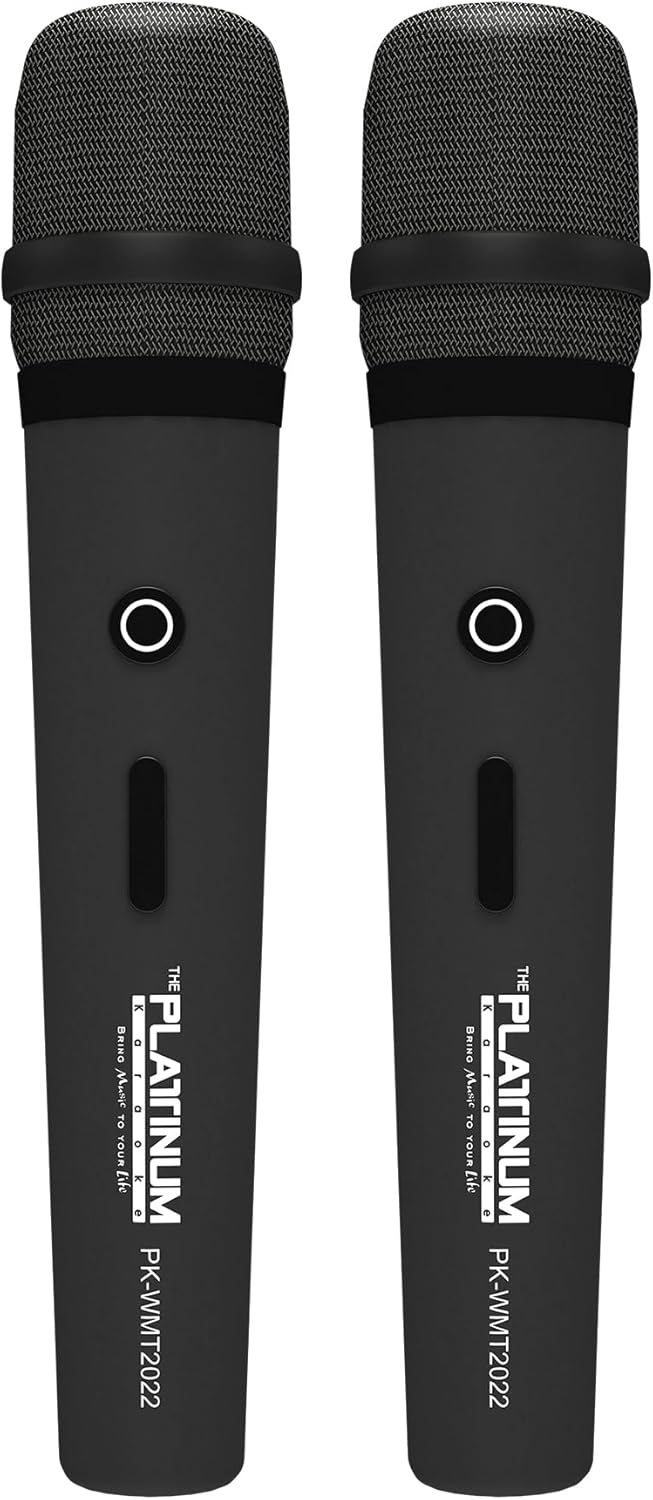
Figure 5: Wireless Microphones
- Insert the provided batteries into each wireless microphone.
- Turn on the microphones using their power switches. They will automatically connect to the DK-88 Duo unit.
- Adjust the 'MIC VOLUME' knob on the top panel to control the microphone output level.
3. Audio iturriak konektatzea
- Bluetootha: Turn on the unit. The Bluetooth indicator will flash. Enable Bluetooth on your mobile device and select 'DK-88 Duo' from the list of available devices to pair.
- USB unitatea: Sartu MP3 musika duen USB flash drive bat files into the 'USB' port on the top panel. The system will automatically detect and play the files.
- Mikro SD txartela: Insert a Micro SD card (up to 32GB, pre-loaded with songs) into the 'MICRO SD' slot on the top panel. The system will automatically detect and play the songs.
- AUX sarrera: Use the provided AV cable to connect external audio devices (e.g., DVD player, TV) to the 'AUX' input on the top panel.
- Gitarra Sarrera: Connect a guitar to the 'GUITAR IN' port on the top panel. Adjust the dedicated 'GUITAR' volume knob.
Funtzionamendu-argibideak
1. Oinarrizko Funtzionamendua
- Piztu/Itzali: Use the 'POWER' switch on the top panel to turn the unit on or off.
- Bolumen kontrola: Rotate the 'VOLUME' knob to adjust the overall sound output.
- Modu aukeraketa: Press the 'MODE' button to switch between input sources (Bluetooth, USB, Micro SD, AUX).
2. Karaoke Features
- Abestien aukeraketa: Use the 'SKIP' buttons (|< / >> |) to navigate through songs.
- Oihartzun efektua: Adjust the 'ECHO' knob to add or reduce echo to your vocals. This helps blend your voice with the music.
- Abestien grabaketa: Press the 'REC' button to start recording your performance. The system will save the music and your vocals to the inserted Micro SD card or USB drive. To share, simply copy the recorded file ordenagailu batera.
- Vocal Assist (Training Songs): For training songs, the main vocals will automatically fade out when you sing into the microphone and reappear when you stop.
3. Audioaren doikuntza
- Treble Kontrola: Use the 'TREBLE' knob to adjust the high-frequency sounds of the music.
- Baxuen kontrola: Use the 'BASS' knob to adjust the low-frequency sounds of the music.
4. Argi-efektuak
- Press the 'LIGHT' button on the top panel to cycle through different colorful fire lighting modes. The lights glow and dance with the music, enhancing the party atmosphere.
5. Platinum Link App
- Download the 'Platinum Link' app from your mobile device's app store (available on Android and iOS).
- Connect your mobile phone to the DK-88 Duo via Bluetooth.
- Use the app to control song selection, browse the song library, reserve songs, and display karaoke lyrics directly on your phone screen.
- The app also features a karaoke recording function to measure your vocal performance and improve your singing skills.
Mantentzea
- Garbitu unitatea zapi leun eta lehor batekin. Ez erabili garbitzaile likidorik edo aerosolik.
- Gorde unitatea leku fresko eta lehor batean erabiltzen ez duzunean.
- Remove batteries from the remote control and microphones if storing for extended periods to prevent leakage.
Arazoak konpontzea
| Arazoa | Kausa posiblea | Irtenbidea |
|---|---|---|
| Botererik ez | Unit is not charged or not connected to AC power. | Connect the charging adapter and ensure it's plugged into a working outlet. Check battery level. |
| Mikrofonoen soinurik ez | Microphones are off, batteries are low, or volume is too low. | Turn on microphones, replace batteries, increase 'MIC VOLUME' knob. |
| Bluetootha ez da konektatzen | Bluetooth is not enabled on the unit or mobile device, or device is too far. | Ensure unit is in Bluetooth mode, enable Bluetooth on your device, move closer to the unit. |
| Cannot play songs from USB/SD | Okerra file format, corrupted files, or card/drive not inserted properly. | Ziurtatu files are MP3 format. Reinsert the USB drive/SD card. Try a different drive/card. |
| Argiak ez dira funtzionatzen | Light feature is turned off. | Press the 'LIGHT' button to activate the lighting effects. |
Zehaztapenak
| Ezaugarri | Xehetasuna |
|---|---|
| Modelo zenbakia | DK-88 |
| Neurriak (L x W x H) | 35 x 38 x 78 cm |
| Pisua | 13 kg |
| Energia iturria | Battery Powered (1 x 12V battery included), AC Powered |
| Bateria jolasteko denbora | Gehienez 6 ordu |
| Konektibitate Teknologia | USB, Bluetootha |
| USB atakak | 1 |
| Hiztun kopurua | 2 |
| Ezaugarri Berezia | Built-in Song Track |
| Kolorea | Beltza |
| Gomendatutako Erabilerak | Home parties, family gatherings, karaoke bars, outdoor events, musical performances |
Bermea eta Laguntza
Your Platinum Karaoke DK-88 Duo comes with a warranty. Please refer to the included Warranty Card for detailed terms and conditions, including warranty period and coverage.
For technical support, service, or inquiries not covered in this manual, please contact Platinum Karaoke customer service. Contact information can typically be found on the Warranty Card or the official Platinum Karaoke webgunea.