Sarrera
Thank you for choosing the Varmilo Minilo VXB67 65% Bluetooth Mechanical Keyboard. This manual provides detailed instructions for setting up, operating, and maintaining your new keyboard. The VXB67 offers a compact 65% layout, dual-mode connectivity (wired USB-C and Bluetooth), and a comfortable typing experience with Varmilo EC Daisy V2 switches and durable ABS double-shot keycaps. It also features a Type-Cool sound dampening structure for a clear typing sound.

Image: The Varmilo Minilo VXB67 keyboard, showcasing its compact design and color scheme.
Paketearen edukia
Mesedez, egiaztatu paketearen edukia elementu guztiak daudela ziurtatzeko:
- Varmilo Minilo VXB67 Mechanical Keyboard
- USB-C kablea
- Keycap tiratzailea
- Switch Puller
- Hauts Estalkia
- Erabiltzailearen eskuliburua (dokumentu hau)

Image: The Varmilo Minilo VXB67 keyboard alongside its USB-C cable, keycap puller, switch puller, and a clear dust cover.
Konfigurazioa
1. Kable bidezko konexioa
- Bilatu USB-C ataka teklatuan.
- Konektatu emandako USB-C kablearen mutur bat teklatura.
- Konektatu USB-C kablearen beste muturra zure ordenagailuko USB ataka libre batera.
- Teklatua automatikoki ezagutuko du zure sistema eragileak.
2. Bluetooth konexioa
The VXB67 keyboard can connect to up to 3 devices via Bluetooth.
- Ziurtatu teklatua kargatuta dagoela edo USB-C bidez konektatuta dagoela.
- Turn on Bluetooth on your device (computer, tablet, or smartphone).
- Teklatuan, sakatu eta eutsi botoiari Fn tekla eta Bluetooth tekletako bat (Q, W, edo E) for 3-5 seconds to enter pairing mode. The indicator light will flash.
- On your device, search for Bluetooth devices and select "Varmilo VXB67" (or similar) from the list.
- Behin parekatuta, teklatuko adierazle-argia keinu egiteari utziko dio eta piztuta geratuko da.
- Errepikatu beste bi gailurekin gehienez, beste Bluetooth giltzak erabiliz.
3. Teklatuaren angelua doitzea
The keyboard features 3-level adjustable kickstands on the bottom to customize your typing angle for comfort.

Image: The underside of the keyboard, highlighting the foldable kickstands for ergonomic adjustment.
Video: Demonstrates the features of the Varmilo Minilo Eucalyptus keyboard, including the adjustable kickstands and multi-device connectivity.
Funtzionamendu-argibideak
1. Tekla-tapoia eta etengailuaren ordezkapena
The VXB67 features hot-swappable switches, allowing you to change switches without soldering. Use the provided keycap and switch pullers for this process.
- Tekla-tapoiak kentzea: Use the keycap puller to gently grip the keycap and pull upwards.
- Etengailuak kentzea: Use the switch puller to carefully grip the top and bottom clips of the switch and pull upwards.
- Etengailuak instalatzea: Lerrokatu etengailu berriaren pinak PCBko zuloekin. Sakatu ondo etengailua bere lekuan klik egin arte. Ziurtatu pinak ez daudela tolestuta.
- Tekla-tapoiak instalatzea: Jarri giltza-tapa etengailuaren zurtoinaren gainean eta sakatu astiro-astiro ondo finkatu arte.
Video: Demonstrates the process of changing switches and keycaps on the Varmilo Minilo 67 keyboard.
2. Atzeko argiaren kontrola
The keyboard features white LED backlighting. Use the following key combinations to control the backlight:
- Fn + \ |: Atzeko argiaren efektuak aldatu.
- Fn + ↑: Atzeko argiaren distira handitu.
- Fn + ↓: Atzeko argiaren distira txikitu.
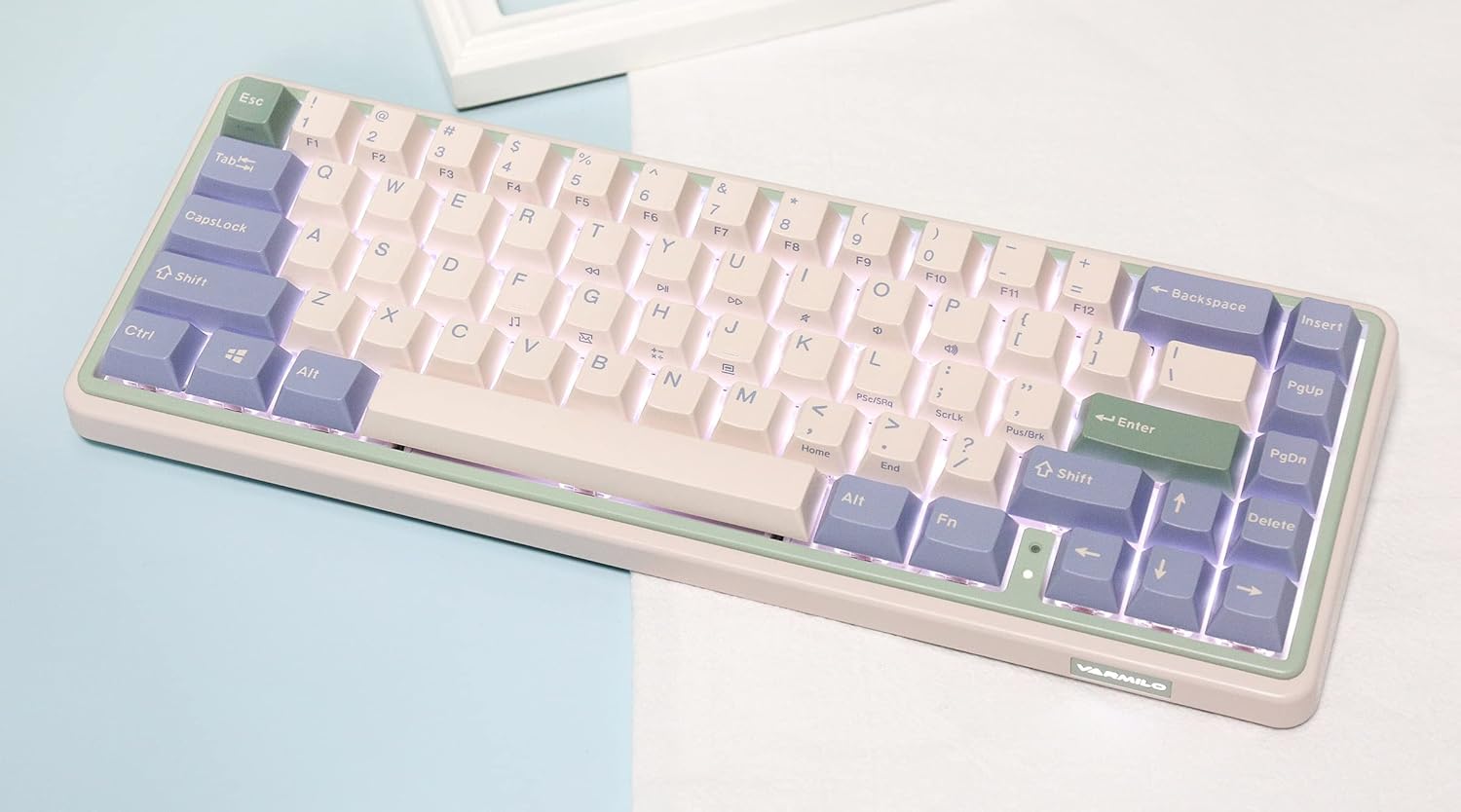
Image: The Varmilo Minilo VXB67 keyboard illuminated by its white LED backlighting.
3. Gailu anitzeko kommutazioa
To switch between paired Bluetooth devices:
- Sakatu Fn + Q to switch to Bluetooth Device 1.
- Sakatu Fn + W to switch to Bluetooth Device 2.
- Sakatu Fn + E to switch to Bluetooth Device 3.
The keyboard will quickly connect to the selected device.
Mantentzea
- Garbiketa: Use a soft, dry cloth to wipe the keyboard surface. For deeper cleaning, remove keycaps using the provided keycap puller and use compressed air to clear debris.
- Bateria kargatzea: Connect the keyboard via the USB-C cable to a power source (computer USB port or USB wall adapter). The Escape key will light up while charging and flash when the battery is low.
- Biltegiratzea: When not in use, store the keyboard in a cool, dry place. Use the provided dust cover to protect it from dust and spills.
Arazoak konpontzea
- Teklatuak ez du erantzuten (Kable bidezkoa):
- Ziurtatu USB-C kablea ondo konektatuta dagoela teklatura eta ordenagailura.
- Probatu beste USB ataka bat zure ordenagailuan.
- Probatu beste USB-C kable batekin.
- Keyboard not responding (Bluetooth):
- Ziurtatu Bluetootha gaituta dagoela zure gailuan.
- Ziurtatu teklatua kargatuta dagoela.
- Re-enter pairing mode (Fn + Q/W/E) and attempt to re-pair with your device.
- Forget the device on your computer/tablet/phone and try pairing again.
- Giltzak ez dira erregistratzen:
- Ensure the keycap and switch are properly seated. Remove and re-install if necessary.
- If using hot-swappable switches, ensure the switch pins are not bent.
- Atzeko argia ez dabil:
- Egiaztatu atzeko planoaren distira ezarpenak (Fn + ↑/↓).
- Ensure the keyboard is not in a low power state.
Zehaztapenak
| Eredua | VXB67 |
| Diseinua | % 65 (67 tekla) |
| Konektibitatea | Bluetooth 5.0, USB-C kable bidezkoa |
| Etengailuak | Varmilo EC Daisy V2 (Hot-swappable) |
| Giltzak | 1.5mm thick ABS Double Shot |
| Atzeko argia | LED zuria |
| Bateria Edukiera | 3400mAh |
| Gailu bateragarriak | PC (and other Bluetooth-enabled devices) |
| Materiala | Akrilonitrilo Butadieno Estirenoa (ABS) |
| Neurriak | Approx. 15 x 7 x 2.5 inches (based on package dimensions) |
| Pisua | 3.21 kilo |
Bermea eta Laguntza
For warranty information and technical support, please refer to the official Varmilo webwebgunearekin edo jarri harremanetan zure saltzailearekin. Gorde erosketaren frogagiria bermearen erreklamazioetarako.
Varmilo Ofiziala Webgunea: www.varmilo.com