Sarrera
This manual provides detailed instructions for the setup, operation, maintenance, and troubleshooting of your MageGee Star98 Wired Mechanical Gaming Keyboard. This keyboard features a 98-key layout, Red mechanical switches, and customizable backlighting, designed for an enhanced typing and gaming experience.
Kutxan dagoena
- MageGee Star98 Mechanical Keyboard
- USB kablea
- Additional Red Keycaps (quantity may vary)
Konfigurazio Argibideak
- Konektatu teklatua: Plug the provided USB cable into the USB port on the keyboard and then into an available USB port on your computer.
- Gidariaren instalazioa: The keyboard is plug-and-play and does not require additional driver installation for basic functionality. Your operating system (Windows, Mac, Linux, Android) will automatically recognize the device.
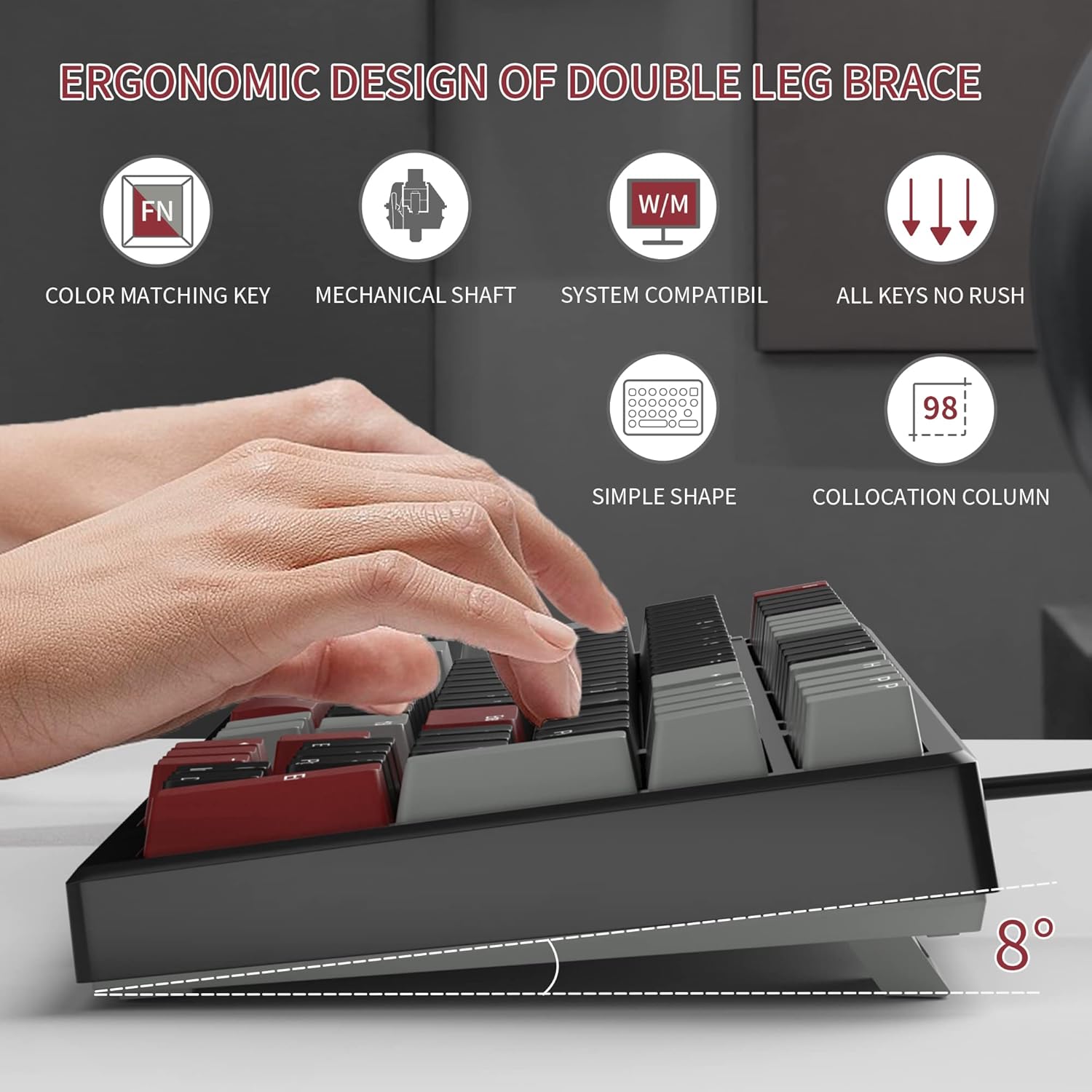
- Adjust Tilt Legs: For ergonomic comfort, you can extend the adjustable tilt legs located on the underside of the keyboard.
Funtzionamendu-argibideak
Ezaugarri nagusiak
- 98 teklako diseinua: This compact layout retains most standard keyboard functionality while saving desk space.
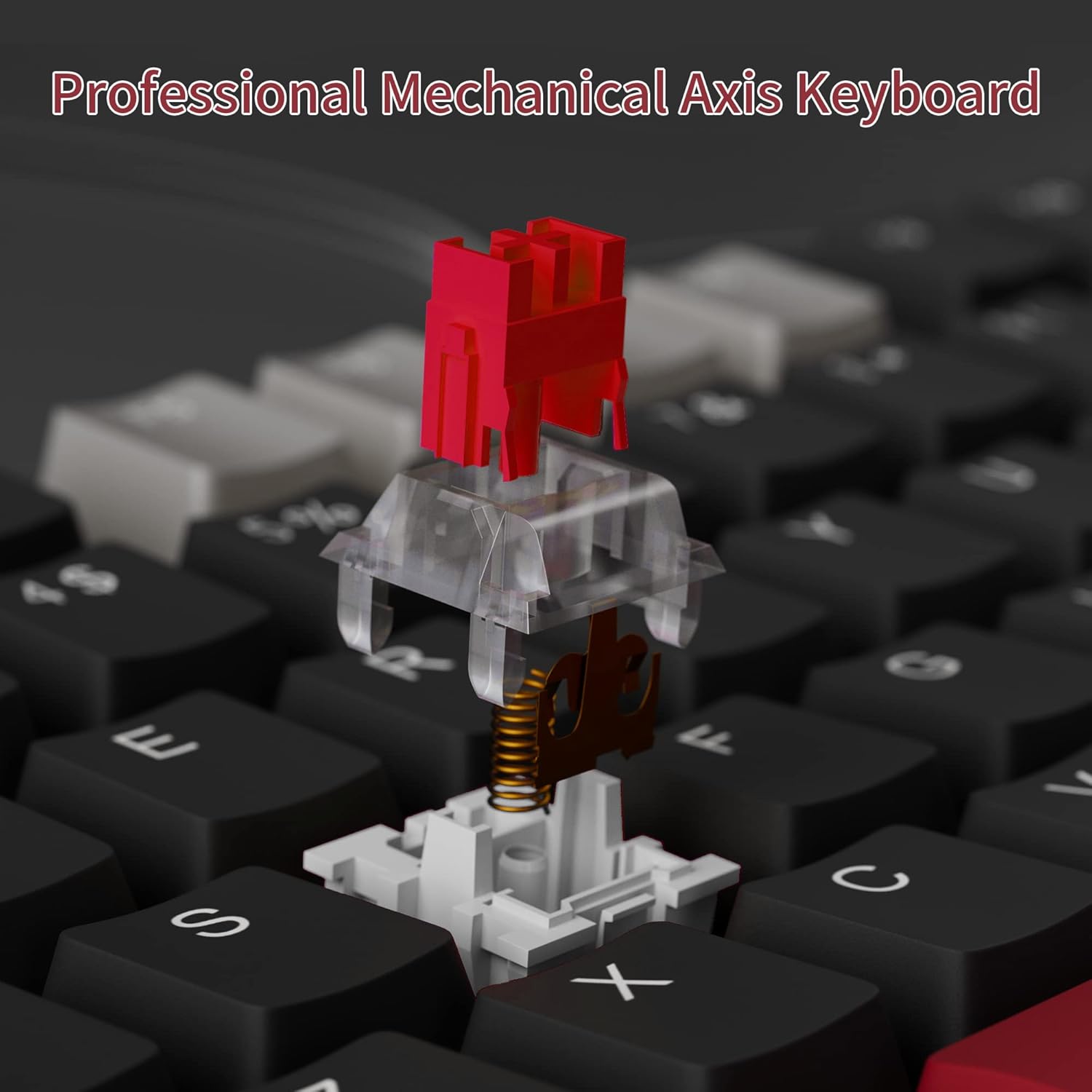
- Etengailu mekaniko gorriak: Provides a fast response with tactile feedback for typing and gaming.
- Ghostingaren aurkakoa: All 98 keys support anti-ghosting for simultaneous key presses.
- Diseinu bero-aldagarria: Compatible with most 3-pin and 5-pin mechanical switches, allowing for customization.
- Atzeko argia: Features solid sea blue backlighting with multiple operational modes.
- WIN giltza blokeoa: Function to prevent accidental presses of the Windows key during gaming.
Atzeko argia moduak
The keyboard's backlight has multiple operational modes. Refer to the keyboard's function key combinations (usually Fn + specific keys) for cycling through modes or turning the backlight off. Specific key combinations are typically printed on the keycaps or detailed in a quick start guide.
Beroan alda daitezkeen etengailuak
The MageGee Star98 keyboard features a hot-swappable design, allowing users to change mechanical switches without soldering. This feature supports most 3-pin and 5-pin switches available on the market.
- Kendu tekla-tapoia: Erabili tekla-ateragailu bat nahi duzun tekla-ateragailua astiro-astiro kentzeko.
- Kendu etengailua: Use a switch puller to carefully extract the mechanical switch from its socket.
- Txertatu etengailu berria: Lerrokatu etengailu berriaren pinak PCBko zuloekin eta sakatu ondo klik egin arte. Ziurtatu pinak ez daudela tolestuta.
- Ordeztu tekla-tapoia: Jarri giltza-tapa berriro etengailu-zurtoin berriaren gainean.


Mantentzea
- Tekla-tapoiak garbitzea: Erabili biguna, damp cloth to wipe down keycaps. For deeper cleaning, keycaps can be removed using a keycap puller and washed with mild soap and water, then thoroughly dried before reattaching.
- Tekla azpiko garbiketa: Use compressed air to remove dust and debris from between the switches and under the keycaps.
- Kableen zainketa: Kalteak ekiditeko, saihestu USB kablea estutzea edo gehiegi tiratzea.
Arazoak konpontzea
- Teklatuak ez du erantzuten:
- Ziurtatu USB kablea ondo konektatuta dagoela bai teklatura bai ordenagailura.
- Saiatu teklatua ordenagailuko beste USB ataka batera konektatzen.
- Probatu teklatua beste ordenagailu batean sistemaren arazo espezifikoak baztertzeko.
- Giltzak ez dira erregistratzen edo bi aldiz idazten ari dira:
- Remove the keycap and switch for the affected key. Inspect for any debris or bent pins on the switch.
- If the switch is damaged, replace it with a new one (utilizing the hot-swappable feature).
- Ziurtatu etengailua bere entxufean guztiz sartuta dagoela.
- Backlight not working or incorrect mode:
- Refer to the keyboard's function key combinations to cycle through backlight modes or turn it on/off.
- Ziurtatu teklatuak USB atakatik nahikoa energia jasotzen duela.
Zehaztapenak
| Ezaugarri | Xehetasuna |
|---|---|
| Marka | MageGee |
| Eredua | Izarra98 |
| Konektibitate Teknologia | Kablez (USB) |
| Teklatuaren deskribapena | Mekanikoa |
| Aldatu mota | Red Switches |
| Gako zenbaketa | 98 giltzak |
| Atzeko argiztapena | Solid Sea Blue (Single Color) |
| Bateragarritasuna | Win2000, Win XP, Win ME, Vista, Win7, Win8, Win10, Android, Linux, Mac |
| Materiala | Akrilonitrilo Butadieno Estirenoa (ABS) |
| Elementuaren pisua | 2.16 kilo |
| Paketearen neurriak | 16.14 x 6.97 x 1.77 hazbete |
Bermea eta Laguntza
For warranty information and customer support, please refer to the official MageGee website or contact their customer service directly. Details are typically provided with the product packaging or on the manufacturer's webgunea.


