Sarrera
The Amazon Echo Show 8 (3rd Gen) is a smart display designed to enhance your daily life with its HD touchscreen, spatial audio, and integrated smart home hub. This manual provides essential information for setting up, operating, maintaining, and troubleshooting your device.
Ezaugarri nagusiak hauek dira:
- Immersive entertainment with spatial audio and an 8" HD touchscreen.
- Enhanced video calling with a 13 MP camera and noise reduction.
- Built-in smart home hub supporting Zigbee, Matter, and Thread.
- Adaptive Content for glanceable information and personalized experiences.
- Amazon Photos integration for a digital photo frame.
Konfigurazioa
Zer sartzen da
- Echo Show 8 gailua
- Power adapter (30W) with cable (4.9 ft.)
- Hasierako gida azkarra
Sistemaren eskakizunak
The Echo Show 8 requires a WiFi connection. The Alexa app is compatible with Fire OS, Android, and iOS devices, and is also accessible via a web browser. Certain skills and services may require subscriptions or additional fees.
Hasierako konfigurazioa
- Connect the power adapter to your Echo Show 8 and plug it into a power outlet.
- Follow the on-screen instructions to connect to your WiFi network.
- Log in with your Amazon account.
- Complete the setup process, including language selection and personal preferences.
The device supports Amazon WiFi simple setup for easy connection to your network.
Echo Show 8 erabiltzea
Ahots kontrola Alexa-rekin
Your Echo Show 8 is primarily controlled using your voice with Alexa. Simply say "Alexa" followed by your command or question. Alexa speaks English and Spanish.

1. irudia: The Echo Show 8 displaying a music interface, indicating voice control capabilities. Users can control music, shows, and other functions using voice commands.
Aisialdia eta Komunikabideak
Enjoy content from Prime Video, Netflix, Fire TV Channels, Amazon Music, Apple Music, and Spotify on the 8" HD display with spatial audio. Say "Alexa, play [content]" or "Alexa, stream [music service]."

2. irudia: The Echo Show 8 showcasing a music playlist, highlighting its compatibility with various streaming services like Amazon Music, Spotify, Apple Music, Prime Video, Netflix, and Fire TV Channels.
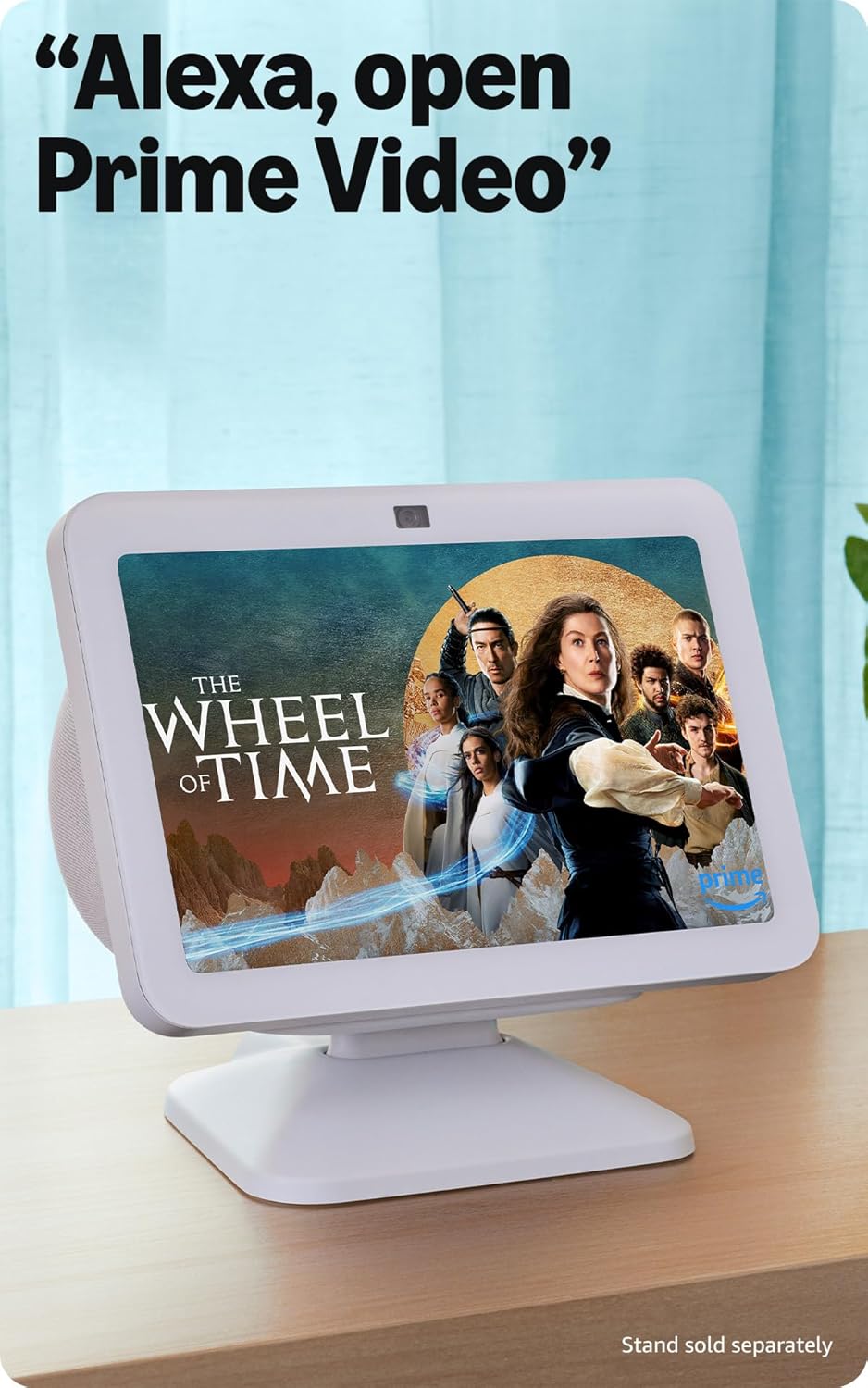
3. irudia: The Echo Show 8 displaying a video from Prime Video, demonstrating its capability to stream content from various platforms.
Smart Home Kontrola
The Echo Show 8 features a built-in smart home hub compatible with Zigbee, Matter, and Thread devices. You can pair and control smart cameras, lights, thermostats, and more using the display or your voice. Activate routines via motion detection.

4. irudia: The Echo Show 8 showing a smart home control interface, allowing users to manage connected devices like thermostats and lights directly from the screen.
Video Calling and Communication
Make hands-free video calls using your voice. The 13 MP camera features auto-framing and noise reduction for clearer conversations. Use the Top Connections widget for quick calls.
Argazki bistaratzea
Turn your Echo Show 8 into a digital photo frame with Amazon Photos. Adaptive color technology ensures your photos look great in any lighting condition. You can also invite family and friends to share photos to your device.
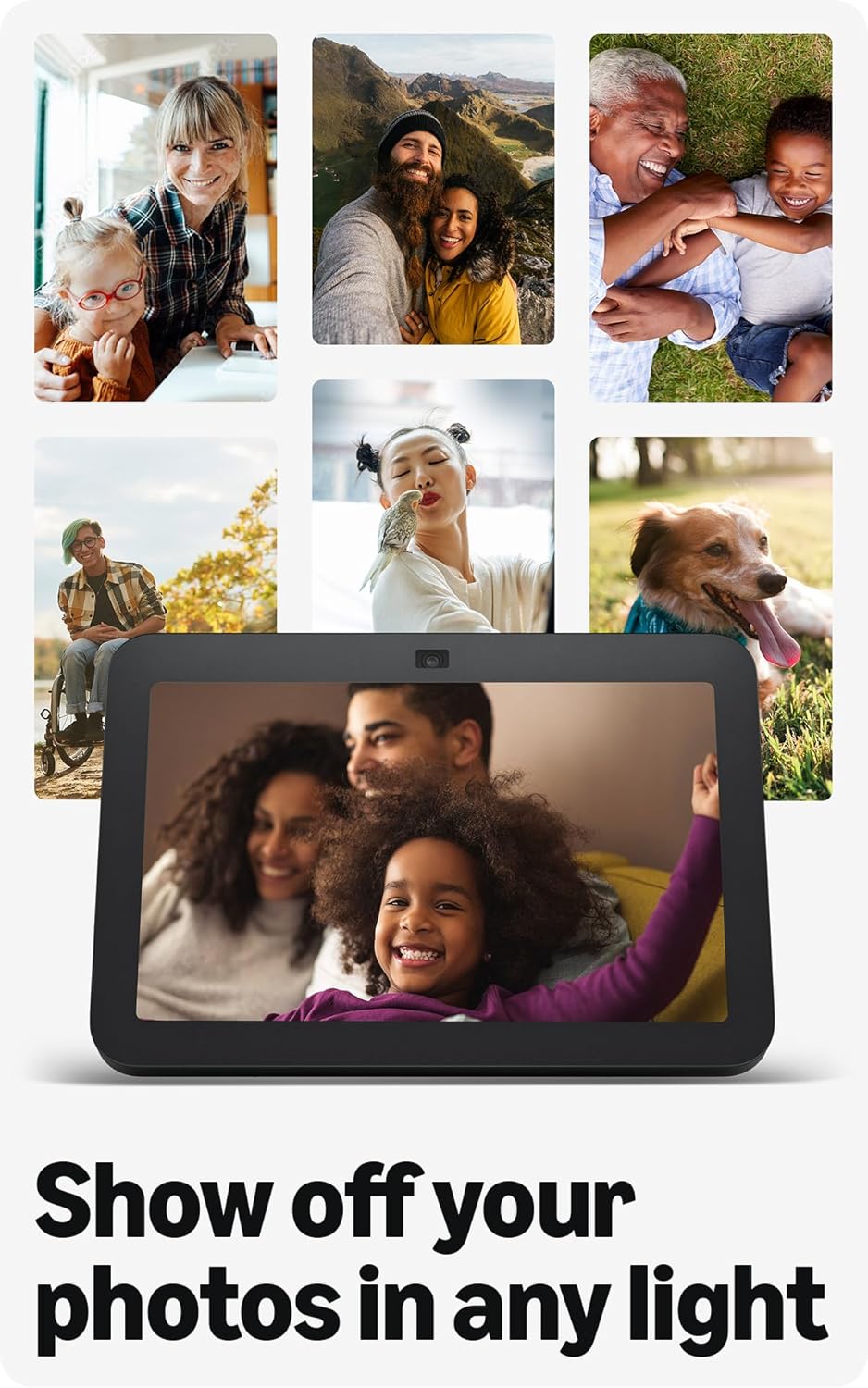
5. irudia: The Echo Show 8 displaying a collection of personal photos, demonstrating its use as a digital photo frame with adaptive color technology.
Eduki Egokigarriak
Adaptive Content allows you to view glanceable information like calendars or reminders from a distance, and more detailed content when you are closer to the device. Shortcut icons on the home screen provide quick access to frequently used widgets.
Mantentzea
Zure Echo Show 8-ren errendimendu eta iraupen optimoa bermatzeko:
- Garbiketa: Erabili zapi leun eta lihorik gabeko bat pantaila eta gailuaren kanpoaldea garbitzeko. Saihestu garbitzaile edo spray urratzaileak.
- Lekua: Jarri gailua gainazal egonkor eta lau batean, eguzki-argitik, bero-iturrietatik eta hezetasunetik urrun.
- Software eguneraketak: Ensure your device receives regular software security updates. These are typically automatic when connected to Wi-Fi.
Arazoak konpontzea
Echo Show 8-rekin arazoak badituzu, kontuan hartu ohiko irtenbide hauek:
- Potentziarik gabe: Ziurtatu korronte-egokitzailea ondo konektatuta dagoela bai gailura bai funtzionatzen duen entxufe batera.
- Wi-Fi konexio-arazoak: Check your router and internet connection. Try restarting both your router and the Echo Show 8. Ensure the device is within range of your Wi-Fi network.
- Alexak ez du erantzuten: Verify that the microphone is not muted (check the microphone/camera off button). Speak clearly and ensure you are within hearing range of the device.
- Pantailak ez du erantzuten: Saiatu gailua berrabiarazten segundo batzuetan deskonektatuz eta berriro konektatuz.
- Kameraren arazoak: Ensure the built-in camera shutter is open.

6. irudia: Gertu bat view of the Echo Show 8's top edge, illustrating the camera lens and the physical camera shutter for privacy control.
For more detailed troubleshooting or persistent issues, refer to the Amazon Alexa app help section or the official Amazon support webgunea.
Zehaztapenak
| Tamaina | 7.9" x 5.5" x 4.2" (200 mm x 139 mm x 106 mm) |
| Pisua | 36.6 oz (1034 gramo) |
| Bistaratzea | 8.0 hazbeteko HD ukipen-pantaila |
| Kamera | 13 MP-ko erdiko kamera obturadore integratua duena |
| WiFi Konektagarritasuna | Banda bikoitzeko WiFia (802.11a/b/g/n/ac) |
| Smart Home Hub | Zigbee + Materia + Hari-ertzeko bideratzailea |
| Bluetooth konexioa | A2DP support for audio streaming, AVRCP for voice control of mobile devices |
| Audioa | 2 x 2 hazbeteko neodimiozko gama osoko kontrolatzaileak, baxu-erradiadore pasiboarekin |
| Prozesadorea | Zortzi nukleoko SoC Amazon AZ2 sare neuronalaren motorrarekin |
| Hizkuntza | Alexak ingelesez eta gaztelaniaz hitz egiten du |

7. irudia: The Echo Show 8 with its physical dimensions clearly marked, illustrating its compact size.
Pribatutasun Ezaugarriak
Amazon Echo Show 8 is designed with multiple layers of privacy controls:
- Esnatzeko Hitzaren Teknologia: Gailuak esnatzeko hitza ("Alexa") detektatu ondoren bakarrik hasten da entzuten.
- Streaming adierazleak: Visual indicators show when audio is being streamed to the cloud.
- Mikrofonoa/Kamera itzaltzeko botoia: Botoi fisiko batek mikrofonoak eta kamera elektronikoki deskonektatzeko aukera ematen du.
- Kameraren obturadore integratua: Obturadore fisiko batek kameraren lentea estaltzeko aukera ematen dizu.
- Ahots-grabaketen kudeaketa: egiteko gaitasuna view eta ezabatu zure ahots-grabaketak.
For more information, visit the Alexa Privacy Hub.
Irisgarritasun Ezaugarriak
Echo Show 8-ak hainbat irisgarritasun funtzio ditu Alexa zure gaitasunetara pertsonalizatzeko. Hauek honen bidez eskura daitezke: Ezarpenak → Irisgarritasuna zure gailuan.
- Sakatu Alexa-ra: Interact with Alexa via touch using on-screen tiles or a keyboard.
- Entzute Egokitzailea: Alexak erantzun aurretik hitz egiten amaitzeko denbora gehiago ematen du.
- Hitz egiteko nahiago den tasa: Kontrolatu Alexaren hizkera-abiadura.
- Alexa azpitituluak, deien azpitituluak, azpititulu itxiak: Text captions for supported content and calls.
- Erakutsi eta kontatu: Helps visually impaired users identify products by saying "Alexa, what am I holding."
- AhotsaView Pantaila irakurgailua: Provides audio feedback for visually impaired users.
- Pantaila-lupa: Handitu/txikitu zooma eta mugitu pantailan zehar.
- Jakinarazi gertu dagoenean: Gailuaren ondoan detektatzen denean jakinarazpen-soinuak erreproduzitzen ditu.
- Kindle-n ozen irakurtzeko: Alexak Kindle liburuak ozen irakur ditzake.
- Denbora errealeko testua: Idatzi zuzeneko testua bideo-dei batean zehar.
- Additional settings include Color Inversion, Color Correction, and Request Sound.
Bermea eta Laguntza
Bermearen informazioa
The Echo Show 8 (3rd Gen) includes a 1-year limited warranty and service. An optional 1-year extended warranty is available for U.S. customers and sold separately. This device, being a Certified Refurbished Amazon device, comes with the same limited warranty as a new device.
Bezeroarentzako Arreta
Laguntza gehiago, laguntza teknikoa edo berme erreklamazioak lortzeko, bisitatu Amazonen laguntza ofiziala. website or contact Amazon customer service. You can also find helpful resources within the Alexa app.


