1. Sarrera
Thank you for choosing the Tunturi Centuri E100 Fitness Bike. This manual provides essential information for the safe assembly, operation, and maintenance of your new fitness equipment. Please read all instructions carefully before use and retain this manual for future reference.
The Tunturi Centuri E100 is designed to provide an effective and comfortable home workout experience, featuring adjustable resistance, various programs, and smart connectivity options.
2. Segurtasun informazioa
- Kontsultatu zure medikuari edozein ariketa-programa hasi aurretik.
- Ziurtatu pieza guztiak behar bezala muntatuta eta estututa daudela erabili aurretik.
- Mantendu haurrak eta maskotak ekipotik urrun funtzionatzen ari diren bitartean.
- Place the fitness bike on a flat, stable surface with adequate clearance around it.
- Jantzi ariketa fisikorako arropa eta oinetako egokiak.
- The maximum user weight for this device is 135 kg (297 lbs).
- Utzi ariketa fisikoa berehala zorabiatzen bazara, zorabiatzen bazara edo mina baduzu.
- Ez saiatu ekipamendua aldatzen.
3. Paketearen edukia
Before assembly, ensure all components are present and undamaged. Refer to the assembly diagram in the separate assembly guide for a complete list of parts.

Image 1: The Tunturi Centuri E100 Fitness Bike, showcasing its sleek black and gold design.
4. Konfigurazioa eta Muntaketa
The Tunturi Centuri E100 is designed for straightforward assembly. Follow the detailed instructions provided in the separate assembly manual. Key adjustable components include:
- Eserlekuaren doikuntza: The seat can be adjusted both vertically and horizontally to accommodate various user heights and preferences.
- Eskulekuaren doikuntza: The multi-grip handlebars can be adjusted for angle to find a comfortable riding position.
- Pedal Straps: Adjustable foot straps on the pedals ensure your feet remain secure during your workout.

Image 2: A user adjusting the seat of the fitness bike, demonstrating the vertical and horizontal adjustment knobs.

Image 3: Hands adjusting the angle of the handlebars on the Tunturi Centuri E100 for ergonomic comfort.
Bizikleta mugitzen
The Centuri E100 is equipped with transport wheels at the front base. To move the bike, carefully tilt it forward onto the wheels and roll it to your desired location. Ensure the area is clear before moving.
5. Funtzionamendu-argibideak
Kontsola amaitu daview
The 5.5-inch backlit LCD display provides real-time workout data. It shows:
- Denbora
- Distantzia
- Erretako kaloriak
- Abiadura
- Wattage
- Pulse (via hand sensors or compatible Bluetooth chest strap)

Image 4: The console of the Tunturi Centuri E100, displaying workout metrics and control buttons for mode, reset, recovery, start/stop, and up/down adjustments.
Entrenamendu programak eta erresistentzia
The Centuri E100 offers a variety of training options:
- Erresistentzia maila: Choose from 32 electronically controlled resistance levels to customize your workout intensity.
- Aurrez ezarritako programak: Access 26 diverse workout programs designed for various fitness goals.
- Watt Program: Train with a constant power output, adjustable from 10 to 350 Watts in 5 Watt increments.
Bluetooth Connectivity and Apps
Enhance your training experience by connecting your Centuri E100 via Bluetooth to popular fitness applications. The integrated smartphone/tablet holder allows for convenient placement of your device.

Image 5: A tablet securely placed in the console holder, showing a virtual cycling route from a fitness application.
Onartutako aplikazioak honako hauek dira:
- Tunturi ibilbideak: Explore over 50,000 real-world cycling routes with automatic resistance adjustment based on terrain.
- iConsole+ Training: A versatile app for tracking workouts and setting goals.
- Kinomap: Ride along to geolocated videos from around the world.
- Zwift: Immerse yourself in virtual worlds and train with a global community.
A compatible Bluetooth heart rate chest strap (not included) can also be connected for more accurate heart rate monitoring.
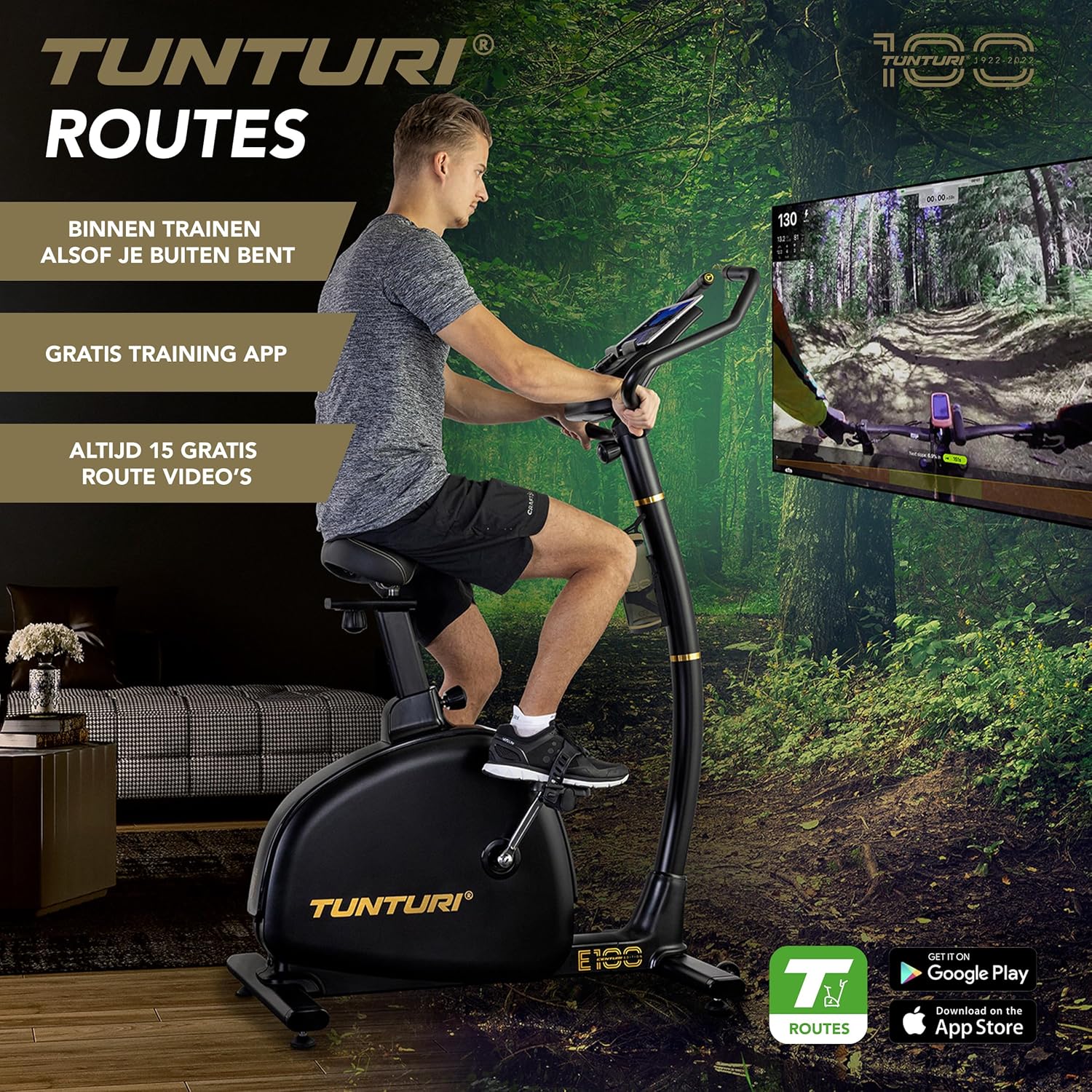
Image 6: A person using the Tunturi Centuri E100, with a large screen in the background displaying a virtual cycling route, highlighting the immersive training experience.

7. irudia: Xehetasun bat view of the Tunturi Routes application interface on a tablet, showing real video footage of a cycling path and various training options.
6. Mantentzea
Regular maintenance ensures the longevity and safe operation of your Tunturi Centuri E100 Fitness Bike.
- Garbiketa: Garbitu bizikleta iragarkiarekinamp Erabili ondoren zapi bat izerdia eta hautsa kentzeko. Saihestu garbitzaile urratzaileak.
- Egiaztatu konexioak: Periodically check all bolts, nuts, and moving parts to ensure they are securely tightened.
- Lubrifikazioa: No specific lubrication is required for the internal components. If you notice any squeaking, consult the troubleshooting section or contact customer support.
- Biltegiratzea: Gorde bizikleta leku lehor eta fresko batean, eguzki-argitik eta muturreko tenperaturetatik babestuta.
7. Arazoak
If you encounter issues with your Tunturi Centuri E100, refer to the following common problems and solutions:
| Arazoa | Kausa posiblea | Irtenbidea |
|---|---|---|
| Kontsolaren pantailak ez du funtzionatzen | Loose power connection, batteries depleted (if applicable) | Check power cable connection. If battery-operated, replace batteries. |
| Erresistentzia ez da aldatzen | Cable disconnection, motor issue | Ensure all cables are securely connected. If problem persists, contact customer support. |
| Bluetooth konexio arazoak | Device not discoverable, app issues | Ensure Bluetooth is enabled on your device. Restart the fitness bike and your device. Check app permissions. |
| Funtzionamenduan zehar ezohiko zaratak | Loose components, friction | Inspect all visible bolts and connections for tightness. If noise persists, discontinue use and contact support. |
If you cannot resolve the issue using the above table, please contact Tunturi customer support for assistance.
8. Zehaztapenak
| Ezaugarri | Zehaztapena |
|---|---|
| Eredua | Centuri E100 (22CBE10000) |
| Neurriak (L x W x H) | 990 x 600 x 1580 mm (39 x 23.6 x 62.2 hazbete) |
| Produktuaren pisua | 39 kg (86 lb) |
| Flywheel Pisua | 11 kg (24.2 lb) |
| Erresistentzia Mailak | 32 |
| Balazta Sistema | EMS (Electro-Magnetic System), Servomotor |
| Watt Program Range | 10-350 W (in 5 W increments) |
| Entrenamendu programak | 26 |
| Bistaratzeko mota | 5.5 hazbeteko LCD atzeko argiztapena |
| Konektibitatea | Bluetooth (iConsole+ Training, Kinomap, Zwift, Tunturi Routes) |
| Erabiltzaileen gehienezko pisua | 135 kg (297 lb) |
| Ezaugarri gehigarriak | Adjustable seat (horizontal & vertical), adjustable handlebars, heart rate sensors, bottle holder, transport wheels |
9. Bermea eta Laguntza
Bermeari buruzko informazioa lortzeko, kontsultatu zure produktuarekin batera datorren berme-txartela edo bisitatu Tunturi-ren webgune ofiziala. webgunea. Gorde erosketaren egiaztagiria bermearen erreklamazioetarako.
For technical support, spare parts, or any questions not covered in this manual, please contact Tunturi customer service through their official webproduktua erosi duzun gunea edo dendaria.


