1. Sarrera
The KUMA E-Zi Directional Antenna is a high-gain, waterproof LTE antenna designed to significantly improve your 2G, 3G, 4G LTE, and 5G mobile network signal. This antenna is ideal for enhancing internet reception in various environments, including homes, gardens, offices, camping vehicles, and caravans. Its robust design ensures durability and resistance to harsh environmental conditions.

Figure 1.1: KUMA E-Zi Directional Antenna with included accessories.
2. Zer dago kutxan
Mesedez, ziurtatu ondorengo osagai guztiak zure paketean daudela:
- KUMA E-Zi Directional Antenna
- Pole mounting kit (pole not included)
- 5-meter high-quality, low-loss cable with SMA plugs
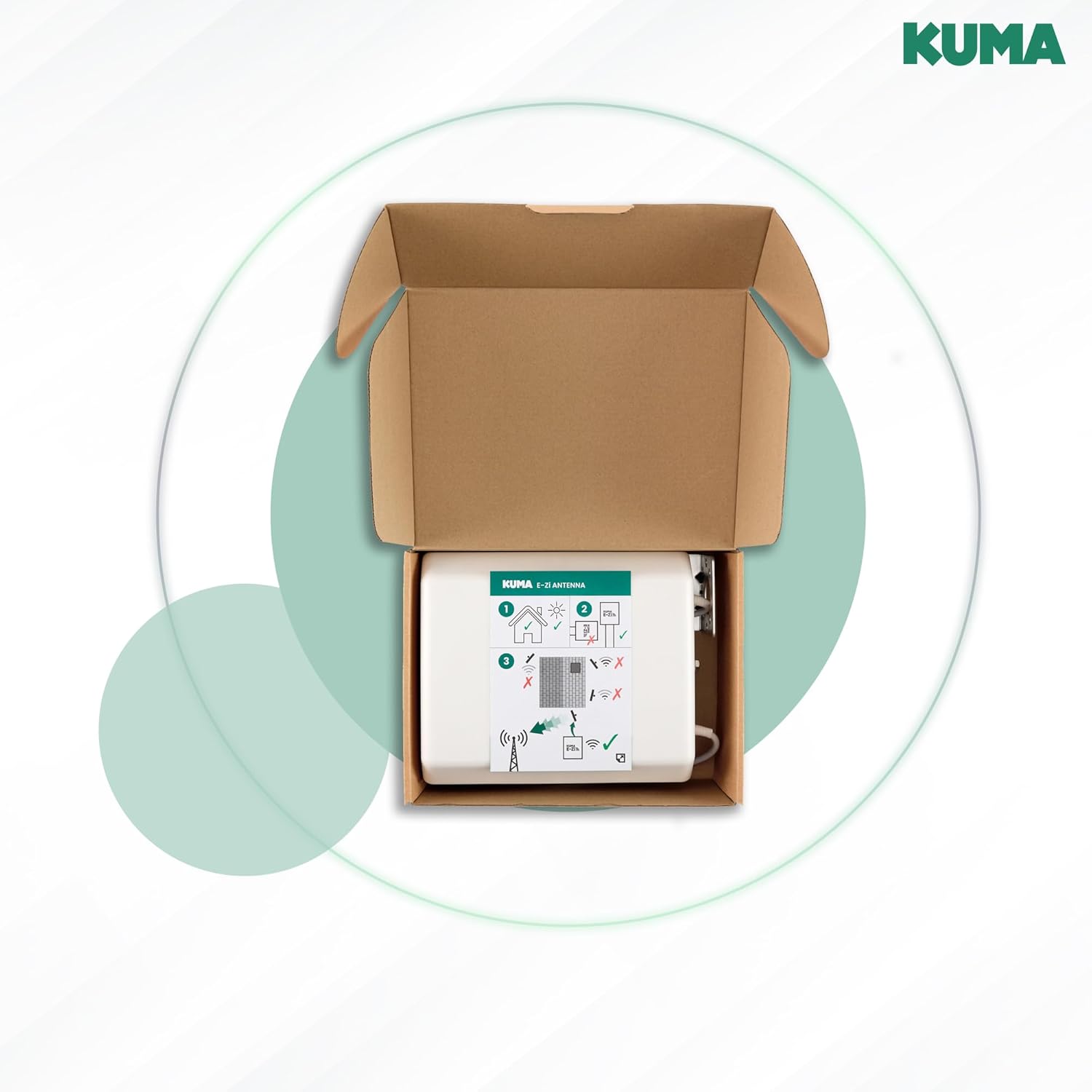
Figure 2.1: Antenna and contents as packaged.
3. Zehaztapenak
| Ezaugarri | Deskribapena |
|---|---|
| Maiztasun barrutia | 698 MHz - 3800 MHz (2G, 3G, 4G LTE, 5G) |
| Gain-irabazia | 7 dBi |
| Konektoreak | SMA Gizonezkoa |
| Kablearen luzera | 5 metro |
| Sarrera babesteko (IP) balorazioa | IP65 (iragazgaitza eta hautsaren aurkakoa) |
| Muntatzeko aukerak | Pole or Wall Mount (mounting kit included) |
| Kolorea | Zuria |
| Gailu bateragarriak | Mobile broadband routers, modems, hunting cameras, security surveillance cameras, TPlink routers, CPE devices, hotspots, IoT gateways, industrial terminal servers |
4. Konfigurazioa eta instalazioa
The KUMA E-Zi antenna is designed for outdoor use and can be mounted on a pole or a wall. Proper placement is crucial for optimal signal reception.
4.1. Kokapena aukeratzea
Mount the antenna as high as possible and in a location with a clear line of sight to the nearest mobile network tower. Obstructions like buildings, trees, or hills can significantly reduce signal strength.

Figure 4.1: Antenna mounted on a roof for optimal height.
4.2. Antena muntatzea
The antenna comes with a pole mounting kit. Follow these general steps for installation:
- Assemble the mounting bracket to the back of the antenna using the provided hardware.
- Secure the antenna to a sturdy pole or wall using the U-bolts or screws, ensuring it is firmly in place and can withstand wind.
- Ensure the antenna is oriented correctly towards the nearest cell tower.

4.2. Irudia: Atzealdea view of the antenna with mounting hardware attachment points.
4.3. Connecting to Your Router
The antenna features SMA male connectors. Connect the 5-meter low-loss cables from the antenna to the corresponding SMA ports on your 4G/5G router or modem. Ensure the connections are secure.

Figure 4.3: Detail of the SMA connector.
5. Funtzionamendu-argibideak
Once installed and connected, the KUMA E-Zi antenna works by receiving and amplifying mobile network signals. For optimal performance, fine-tuning the antenna's direction is recommended.
5.1. Finding the Best Signal Direction
To maximize signal gain, you need to point the antenna directly towards the nearest cell tower. An application like Opensignal (available on mobile app stores) can help you locate nearby cell towers and guide you in aligning your antenna.
- Download and install the Opensignal app on your smartphone.
- Use the app's 'Cell Towers' feature to identify the direction of the strongest signal.
- Slowly adjust the antenna's orientation while monitoring your router's signal strength indicator or using the Opensignal app's signal meter.
- Secure the antenna once the optimal signal strength is achieved.

Figure 5.1: Using the Opensignal app to find signal direction.

Figure 5.2: Opensignal app displaying cell tower locations on a map.
5.2. Typical Usage Scenarios
The antenna is versatile and can be used in various settings to improve mobile broadband connectivity:
- Home/Office: For areas with weak indoor mobile signal, mounting the antenna outdoors can provide a stable and faster internet connection.
- Camping/Caravan: Ideal for improving connectivity in remote or rural areas where mobile signal might be inconsistent.

Figure 5.3: Antenna installation examples on a house and a caravan.
6. Mantentzea
The KUMA E-Zi antenna is designed for durability and minimal maintenance due to its IP65 waterproof and dustproof rating.
- Garbiketa: Periodically clean the antenna's exterior with a soft, damp cloth to remove dirt or debris that might accumulate and potentially affect performance. Do not use harsh chemicals or abrasive materials.
- Ikuskapena: Annually inspect the mounting hardware and cable connections for any signs of wear, corrosion, or loosening. Tighten any loose connections and replace damaged components as necessary.
- Eguraldiarekiko erresistentzia: The antenna is built to withstand various weather conditions, including rain, wind, and temperature fluctuations. No special winterization or weather-proofing is typically required beyond proper installation.

Figure 6.1: The antenna is designed to be durable and resistant to various weather conditions.
7. Arazoak
If you experience issues with your KUMA E-Zi antenna, consider the following troubleshooting steps:
- Seinalearen hobekuntzarik ez:
- Antena lerrokatzea: Re-check the antenna's direction. Even a slight adjustment can significantly impact signal strength. Use an app like Opensignal to pinpoint the best direction.
- Oztopoak: Ensure there are no new obstructions (e.g., growing trees, new buildings) between the antenna and the cell tower.
- Kable konexioa: Verify that the SMA connectors are securely attached to both the antenna and the router. Loose connections can lead to signal loss.
- Bideratzaileen bateragarritasuna: Confirm your router has external antenna ports and is compatible with SMA connectors.
- Bideratzailearen ezarpenak: Some routers require manual configuration to switch from internal to external antennas. Consult your router's manual.
- Seinale etengabea:
- Kablearen kalteak: Inspect the antenna cable for any kinks, cuts, or damage. A damaged cable can cause intermittent signal.
- Mendi solteak: Ensure the antenna is securely mounted and not swaying in the wind, which could cause signal fluctuations.
- Lower Signal Than Expected:
- Antenaren altuera: The higher the antenna, the better the line of sight. Consider if the antenna can be mounted at a greater height.
- Local Interference: Other electronic devices or strong local radio signals might cause interference. Try relocating the antenna if possible.
8. Bermea eta Laguntza
8.1. Fabrikatzailearen bermea
The KUMA E-Zi Directional Antenna comes with a 2-year manufacturer's warranty. Please retain your proof of purchase for warranty claims.
8.2. Bezeroarentzako arreta
For further assistance, technical support, or warranty inquiries, please contact Kuma customer service through the retailer where you purchased the product or visit the official Kuma website for contact information. When contacting support, please have your product model number and purchase details ready.


