1. Produktua amaitu daview
The AUKEY LS02 Smart Watch is designed to help you monitor your daily activities and stay connected. It features a large 1.4-inch TFT screen with a 320 x 320 pixel resolution, providing clear display of information.
Funtzio nagusiak hauek dira:
- Display of daily activity information and phone notifications.
- Synchronization with the AUKEY Fit App for call, text, and chat message alerts.
- Control of your phone's music playlist directly from your wrist.
- Accurate fitness tracking for various activities like running, cycling, and walking.
- Monitoring of performance data such as steps, activity minutes, distance, and calories burned.
- Compatibility with both iPhone and Android smartphones.

1.1. irudia: Aurrealdea view of the AUKEY LS02 Smart Watch, showing the display with time, date, and various health metrics.
2. Konfigurazio gida
2.1. Zer dago kutxan
Kutxa irekitzean, egiaztatu osagai guztiak daudela:
- AUKEY LS02 Smart Watch (with strap attached)
- Kargatzeko kablea
- Argibide eskuliburua (dokumentu hau)
2.2. Hasierako kargatzea
Before first use, fully charge your AUKEY LS02 Smart Watch.
- Konektatu kargatzeko kable magnetikoa erlojuaren atzealdeko kargatzeko kontaktuetara.
- Plug the USB end of the charging cable into a standard USB power adapter (5V/1A recommended) or a computer's USB port.
- Erlojuaren pantailak kargatze-egoera adieraziko du. Itxaron 2 ordu inguru karga osoa egiteko.
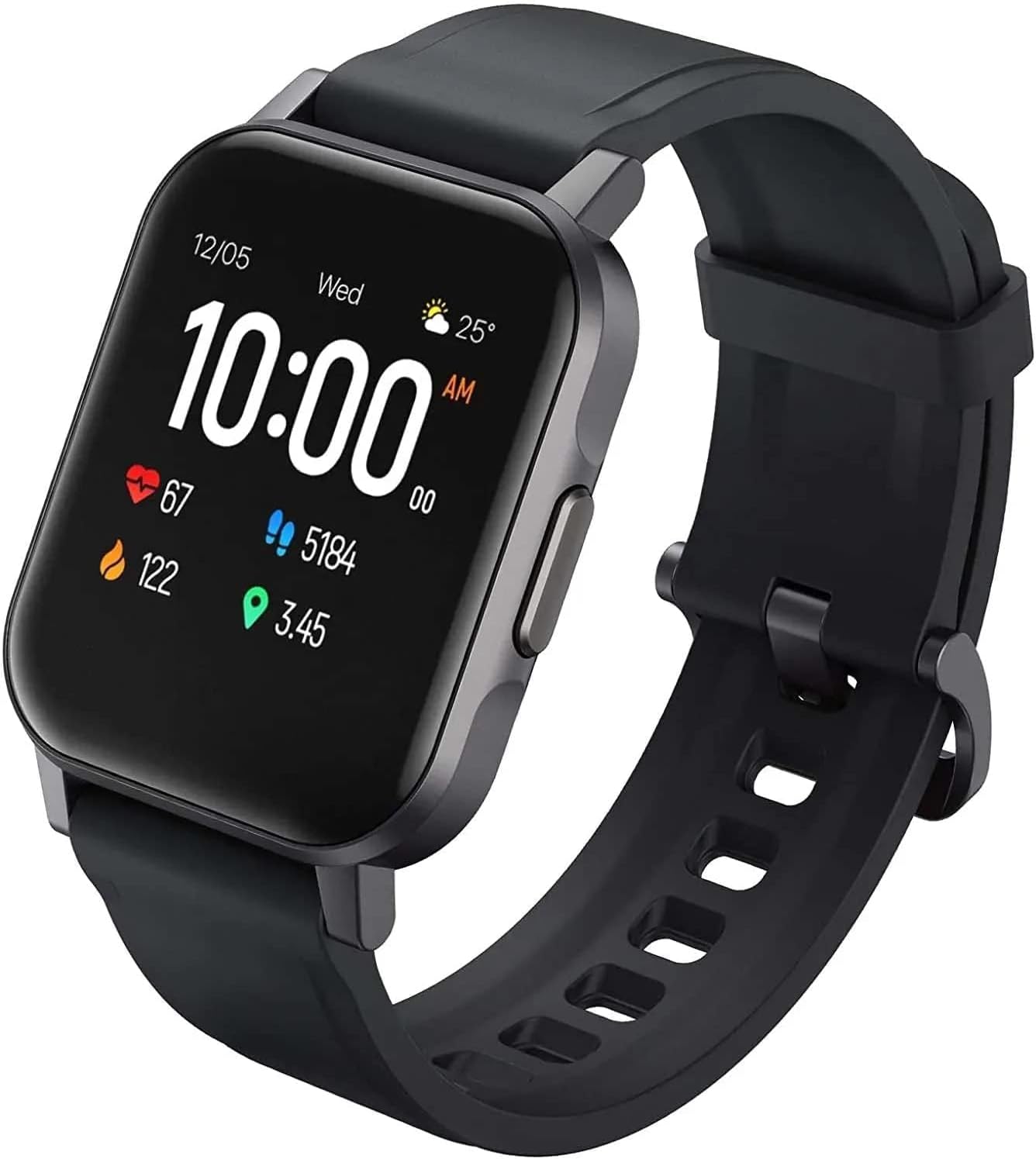
2.1. irudia: Angeludun view of the AUKEY LS02 Smart Watch, highlighting the watch body and strap connection.
2.3. Zure telefonoarekin parekatzea
To unlock the full features of your smartwatch, pair it with the AUKEY Fit App.
- Download the AUKEY Fit App: Bilatu "AUKEY Fit" in your smartphone's app store (Google Play Store for Android or Apple App Store for iOS) and install it.
- Gaitu Bluetootha: Ziurtatu Bluetootha gaituta dagoela zure telefonoan.
- Ireki aplikazioa: Launch the AUKEY Fit App and follow the on-screen instructions to create an account or log in.
- Gehitu gailua: In the app, navigate to the "Device" or "Add Device" section. The app will search for nearby AUKEY smartwatches.
- Aukeratu zure erlojua: From the list of found devices, select "AUKEY LS02" or a similar identifier.
- Berretsi parekatzea: A pairing request may appear on both your phone and the watch. Confirm the pairing on both devices.
- Sinkronizazioa: Once paired, the watch will synchronize data with the app, including time, date, and personal settings.
Oharra: Keep your watch close to your smartphone during the pairing process to ensure a stable connection.
3. Zure erloju adimenduna erabiltzea
3.1. Oinarrizko nabigazioa
- Ukipen-pantaila: Swipe left/right, up/down to navigate through menus and screens. Tap to select an option.
- Alboko botoia: Sakatu alboko botoia pantaila esnatzeko, hasierako pantailara itzultzeko edo menu nagusira sartzeko (funtzionalitatea testuinguruaren arabera alda daiteke).
3.2. Bistaratu informazioa
The main watch face typically displays:
- Ordua eta data
- Bateria maila
- Bluetooth konexioaren egoera
- Daily Steps Count
- Bihotz-taupadak
- Erretako kaloriak
- Joandako Distantzia
Swipe through different screens to access more detailed information or specific functions.
3.3. Jakinarazpenak
Once paired with the AUKEY Fit App, your watch can receive notifications from your smartphone.
- Ensure notification permissions are enabled for the AUKEY Fit App in your phone's settings.
- Within the AUKEY Fit App, select which applications you wish to receive notifications from (e.g., calls, SMS, WhatsApp, Facebook).
- When a notification arrives, the watch will vibrate and display the message content.
- Swipe up or down on the watch face to view azken jakinarazpenak.
3.4. Fitnessaren jarraipena
The watch automatically tracks your daily activity and offers modes for specific exercises.
- Eguneroko jarduera: Monitors steps, distance, calories, and active minutes throughout the day.
- Entrenamendu moduak: Select from various activities such as running, cycling, mountain climbing, and walking. The watch will record specific metrics for the chosen activity.
- Bihotz taupadaren jarraipena: Erlojuak etengabe zure bihotz-maiztasuna kontrolatzen du. View your current heart rate on the watch or detailed historical data in the AUKEY Fit App.
3.5. Musika Kontrola
Control your smartphone's music playback directly from your watch.
- Ziurtatu erlojua zure telefonoarekin konektatuta dagoela Bluetooth bidez.
- Navigate to the music control interface on your watch (usually by swiping or through the main menu).
- You can play/pause, skip tracks (next/previous), and adjust volume (if supported by the watch model).
4. Zainketa eta Mantentzea
4.1. Zure erloju adimenduna garbitzea
Erlojuaren itxura eta funtzionaltasuna mantentzen laguntzen du aldizka garbitzeak.
- Garbitu pantaila eta erlojuaren gorputza oihal leun eta lihorik gabeko batekin. Beharrezkoa bada, garbitu pixka bat.ampeu zapi urarekin.
- For the strap, use a mild soap solution and rinse thoroughly. Ensure the strap is completely dry before reattaching to the watch or wearing.
- Saihestu produktu kimiko gogorrak, garbitzaile urratzaileak edo disolbatzaileak erabiltzea, hauek erlojuaren akabera edo barneko osagaiak kaltetu baititzakete.
4.2. Urarekiko erresistentzia
The AUKEY LS02 Smart Watch is designed to be splash-proof and resistant to sweat and light rain. It is ez suitable for swimming, showering, or diving. Avoid prolonged exposure to water.
Garrantzitsua: Water damage is not covered under warranty if the watch is used beyond its specified water resistance capabilities.
4.3. Biltegiratzea
When not in use for extended periods, store your watch in a cool, dry place away from direct sunlight and extreme temperatures. Ensure the watch is partially charged (around 50%) before long-term storage to preserve battery health.
7. Bermea eta Laguntza
AUKEY products are designed with quality and reliability in mind. For specific warranty terms and conditions applicable to your AUKEY LS02 Smart Watch, please refer to the warranty card included with your purchase or visit the official AUKEY webgunea.
If you require technical assistance, have questions about product functionality, or need to report a defect, please contact AUKEY customer support through their official channels. Details for contacting support can typically be found on the AUKEY website or within the AUKEY Fit App.
Please have your product model number (AUKEY-LS02BLK) and purchase details ready when contacting support.


