Sarrera
Thank you for choosing the BUFFBEE Sound Machine & Alarm Clock. This versatile 2-in-1 device combines a high-quality sound machine with a fully functional alarm clock, designed to help you achieve restful sleep and wake up refreshed. Its intuitive controls and customizable features make it an essential addition to any bedroom.

Image: The Buffbee Sound Machine and Alarm Clock highlighting its dual functionality as both a sound machine and an alarm clock.
Segurtasun Informazioa
- Ez jarri gailua uraren edo hezetasun gehiegizkoaren eraginpean.
- Bero iturrietatik eta eguzki argia zuzenean mantendu.
- Erabili emandako korronte-egokigailua soilik.
- Ez saiatu gailua zuk zeuk desmuntatzen edo konpontzen. Jarri harremanetan bezeroarentzako laguntza eskatzeko.
- Ziurtatu gailua gainazal egonkor eta lau batean dagoela.
Paketearen edukia
- BUFFBEE Sound Machine & Alarm Clock (Model: BK11)
- Elikatze-moldagailua
- Erabiltzailearen eskuliburua
Produktua amaituview
Familiarize yourself with the device's components and controls:

Image: A detailed diagram illustrating the top panel controls (Alarm, Volume Control, Sound Machine, Night Light) and the rear panel (Display Dimmer, Adapter port).
- Goiko paneleko kontrolak: Alarm button, Timer button, Volume Up/Down, Previous/Next Sound, Sound Machine button, Night Light button.
- Aurrealdeko pantaila: Erloju digitalaren pantaila.
- Beheko argia: Integrated colored light.
- Atzeko Panel: DC 5V Adapter port, 0-100% Display Dimmer knob.
Konfigurazioa
- Lekua: Place the device on a stable surface, such as a nightstand or desk.
- Potentzia-konexioa: Insert the power adapter into the DC 5V port on the rear of the device, then plug it into a standard electrical outlet.
- Hasierako piztea: The clock display will illuminate.
- Ezarri ordua: Refer to the 'Operating Instructions' section for setting the current time.
Funtzionamendu-argibideak
Ordua ezartzea
- Eduki sakatuta Denbora button (clock icon) on the top panel until the hour digits flash.
- Erabili Aurrekoa (◀︎) or Hurrengoa (▶︎) buttons to adjust the hour.
- Sakatu Denbora botoia berriro sakatu ordua berresteko eta minutuen ezarpenera joateko.
- Erabili Aurrekoa (◀︎) or Hurrengoa (▶︎) buttons to adjust the minutes.
- Sakatu Denbora button one more time to confirm the minutes and exit time setting.
Alarma ezartzea
- Eduki sakatuta Alarma button (bell icon) on the top panel until the alarm hour digits flash.
- Erabili Aurrekoa (◀︎) or Hurrengoa (▶︎) buttons to adjust the alarm hour.
- Sakatu Alarma button again to confirm the hour and move to alarm minute setting.
- Erabili Aurrekoa (◀︎) or Hurrengoa (▶︎) buttons to adjust the alarm minutes.
- Sakatu Alarma button one more time to confirm the minutes. The alarm icon will appear on the display, indicating the alarm is set.
- Alarma itzaltzeko, sakatu Alarma button once. The alarm icon will disappear.
Using the Sound Machine
The device offers 18 soothing sounds, including 5 white noises, 3 fan sounds, and 10 nature sounds (ocean, lullaby, waves, rain, thunderstorm, brook, croaking, bird chirping, summer night, and campsute).
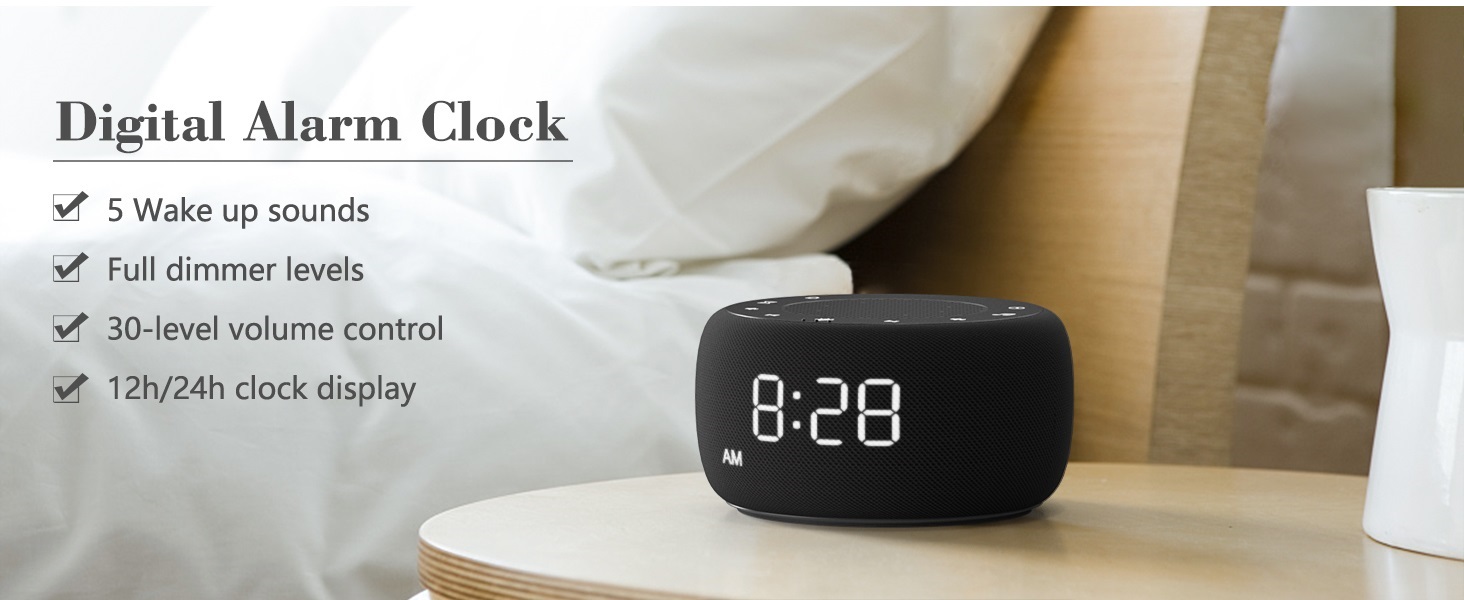
Image: An infographic displaying the 18 soothing sounds categorized into 3 fan sounds, 5 white noises, and 10 nature sounds, including ocean, lullaby, waves, rain, thunderstorm, brook, croaking, bird chirping, summer night, and campsua.
- Sakatu Soinu Makina button (music note icon) to cycle through the available sounds.
- Erabili Bolumena igo (▲) eta Bolumena jaitsi (▼) buttons to adjust the volume (30 levels).
- To turn off the sound, press the Soinu Makina button until no sound is playing.
Lo egiteko tenporizadorea
Set a timer for the sound machine to automatically turn off.

Image: The top panel of the Buffbee Sound Machine, highlighting the Auto-Off Timer button and the Volume Control buttons.
- Sakatu Tenporizadorea button (hourglass icon) to cycle through timer options: 15, 30, 60, 90, 120 minutes, or continuous play.
- The selected timer duration will be displayed on the screen.
Adjusting Clock Face Brightness
The clock display brightness can be adjusted from 0% (completely dark) to 100%.

Image: The Buffbee Sound Machine demonstrating its 0-100% display dimmer feature, showing the clock face at 0%, partial, and 100% brightness.
- Kokatu Erakutsi iluntasuna gailuaren atzealdean dagoen botoia.
- Rotate the knob to increase or decrease the brightness of the clock display to your preference.
Using the Bottom Colored Light
The device features a bottom light with 7 color options to create a relaxing ambiance.

Image: The Buffbee Sound Machine displaying its bottom colored light feature, showing various color options and the ability to turn it on or off.
- Sakatu Gau Argia button (light bulb icon) to cycle through the 7 color options.
- Continue pressing the button to turn the light off.
Mantentzea
- Garbiketa: Garbitu gailua zapi leun eta lehor batekin. Ez erabili garbitzaile edo disolbatzaile urratzailerik.
- Biltegiratzea: Denbora luzez erabiltzen ez baduzu, gorde gailua leku fresko eta lehor batean.
Arazoak konpontzea
| Arazoa | Kausa posiblea | Irtenbidea |
|---|---|---|
| Gailua ez da pizten. | Korronte-egokitzailea ez dago behar bezala konektatuta edo korronte-hartunearen arazoa. | Ensure the power adapter is securely plugged into the device and a working electrical outlet. Try a different outlet. |
| Clock display is too bright/dim. | Display dimmer setting needs adjustment. | Adjust the 0-100% Display Dimmer knob on the rear of the device. |
| Soinua ez da nahikoa ozen. | Bolumena baxuegi ezarri da. | Sakatu Bolumena igo (▲) button to increase the volume. The device has 30 volume levels. |
| Alarmak ez du jotzen. | Alarma ez dago konfiguratuta edo itzalita dago. | Ensure the alarm is set correctly and the alarm icon is visible on the display. |
Zehaztapenak
| Ezaugarri | Xehetasuna |
|---|---|
| Modelo zenbakia | BK11 |
| Neurriak | 5.63 x 4.57 x 3.03 hazbete |
| Pisua | 11.64 ontza |
| Energia iturria | Bateriaz elikatua (erreserboetarako) / Korronte-egokitzailea |
| Bozgorailuaren irteera | 5W |
| Soinu aukerak | 18 (5 white noises, 3 fan sounds, 10 nature sounds) |
| Bolumen-mailak | 30 |
| Lo egiteko tenporizadorea | 15, 30, 60, 90, 120 minutes, or continuous |
| Erlojuaren pantailaren distira | % 0-100 erregulagarria |
| Bottom Light Colors | 7 aukera |
| Materiala | Plastikoa, akrilonitrilo butadieno estirenoa (ABS) |
Bermea eta Laguntza
For warranty information and customer support, please refer to the contact details provided on the product packaging or visit the official BUFFBEE webgunea. Gorde erosketa-agiria berme-erreklamazioetarako.


