1. Sarrera
Thank you for choosing the ENDORFY Thock TKL Wireless Keyboard. This manual provides detailed instructions for setting up, operating, maintaining, and troubleshooting your new keyboard. Please read this manual carefully before use to ensure optimal performance and longevity of your device.
2. Paketearen edukia
Mesedez, egiaztatu elementu guztiak zure paketean daudela:
- ENDORFY Thock TKL Wireless Keyboard
- USB-C USB-A kablea
- 2.4 GHz-ko USB haririk gabeko hargailua
- Keycap/Switch Puller Tool
- Erabiltzailearen eskuliburua (dokumentu hau)
3. Konfigurazioa
3.1 Initial Setup and Charging
Before first use, it is recommended to fully charge the keyboard. Connect the provided USB-C cable to the keyboard's USB-C port and the USB-A end to a powered USB port on your computer or a wall adapter. The keyboard's indicator light will show charging status.
3.2 Konexio moduak
The ENDORFY Thock TKL Wireless Keyboard supports three connection modes: 2.4 GHz Wireless, Bluetooth, and Wired (USB-C).
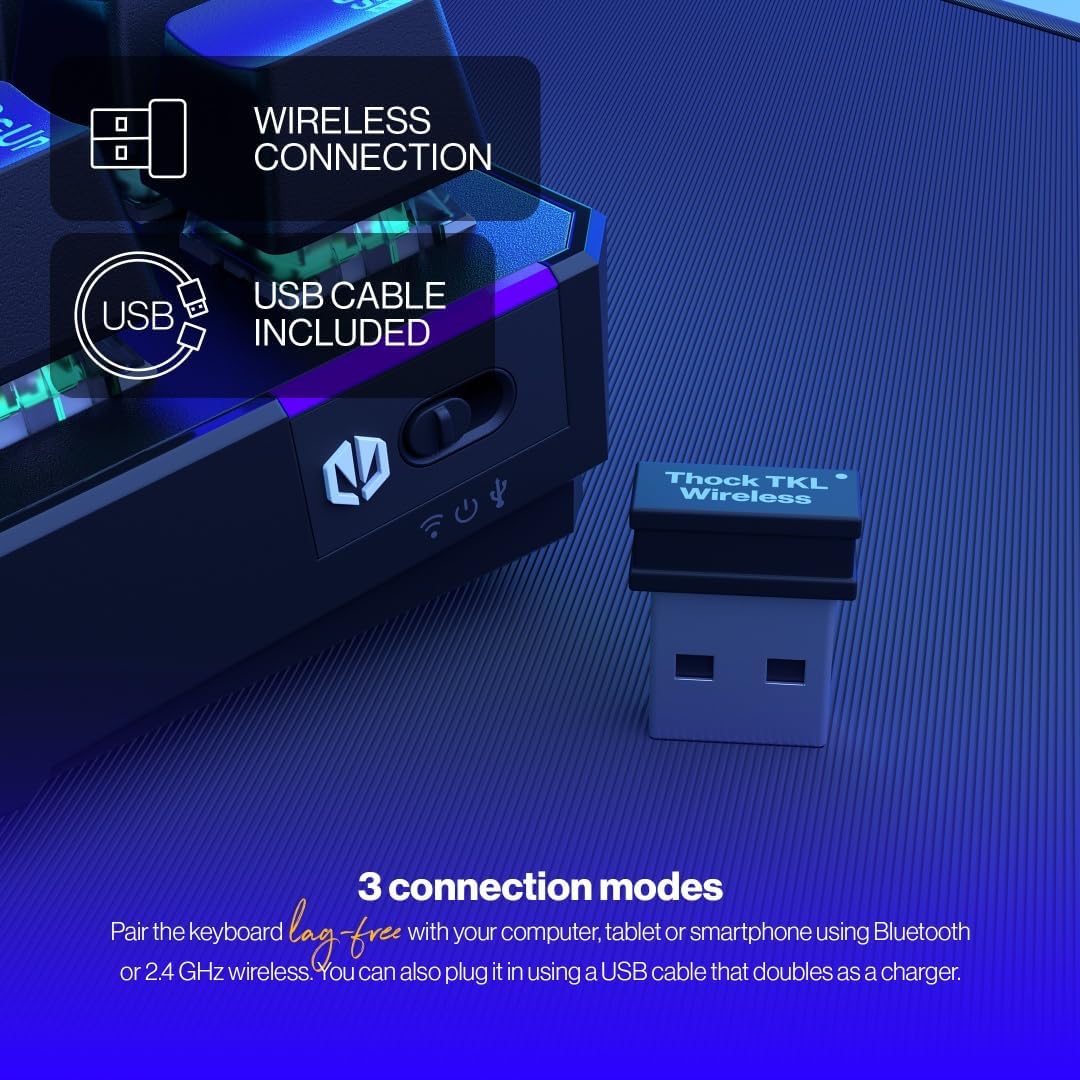
The keyboard offers versatile connectivity options including 2.4 GHz wireless, Bluetooth, and a wired USB connection.
3.2.1 2.4 GHz-ko haririk gabeko konexioa
- Locate the 2.4 GHz USB wireless receiver in your package.
- Konektatu USB hargailua zure ordenagailuko USB ataka erabilgarri batean.
- On the keyboard, locate the mode switch (usually on the side or back) and set it to the '2.4G' or wireless icon position.
- Teklatua automatikoki konektatu beharko litzateke zure ordenagailura.
3.2.2 Bluetooth konexioa
- On the keyboard, set the mode switch to the 'BT' or Bluetooth icon position.
- The keyboard will enter pairing mode (indicator light may flash).
- Zure ordenagailuan edo gailuan, ireki Bluetooth ezarpenak eta bilatu gailu berriak.
- Select 'ENDORFY Thock TKL' (or similar name) from the list of available devices to pair.
3.2.3 Kable bidezko konexioa
- Konektatu emandako kablearen USB-C muturra teklatuko USB-C atakara.
- Konektatu kablearen USB-A muturra ordenagailuko USB ataka libre batera.
- The keyboard will function as a wired keyboard and will also charge its internal battery.

The USB-C port on the side of the keyboard allows for wired connection and charging.
4. Funtzionamendu-argibideak
4.1 Funtzio nagusiak
The Thock TKL keyboard features a standard 87-key US layout. Many keys have secondary functions accessible via the 'Fn' key. Refer to the keycaps for specific Fn combinations (e.g., Fn + F1-F12 for media controls, volume, etc.).
4.2 RGB atzeko argiaren pertsonalizazioa
The keyboard features programmable ARGB backlighting. You can cycle through various lighting effects and colors directly on the keyboard using specific Fn key combinations, or through the dedicated software for more advanced customization.
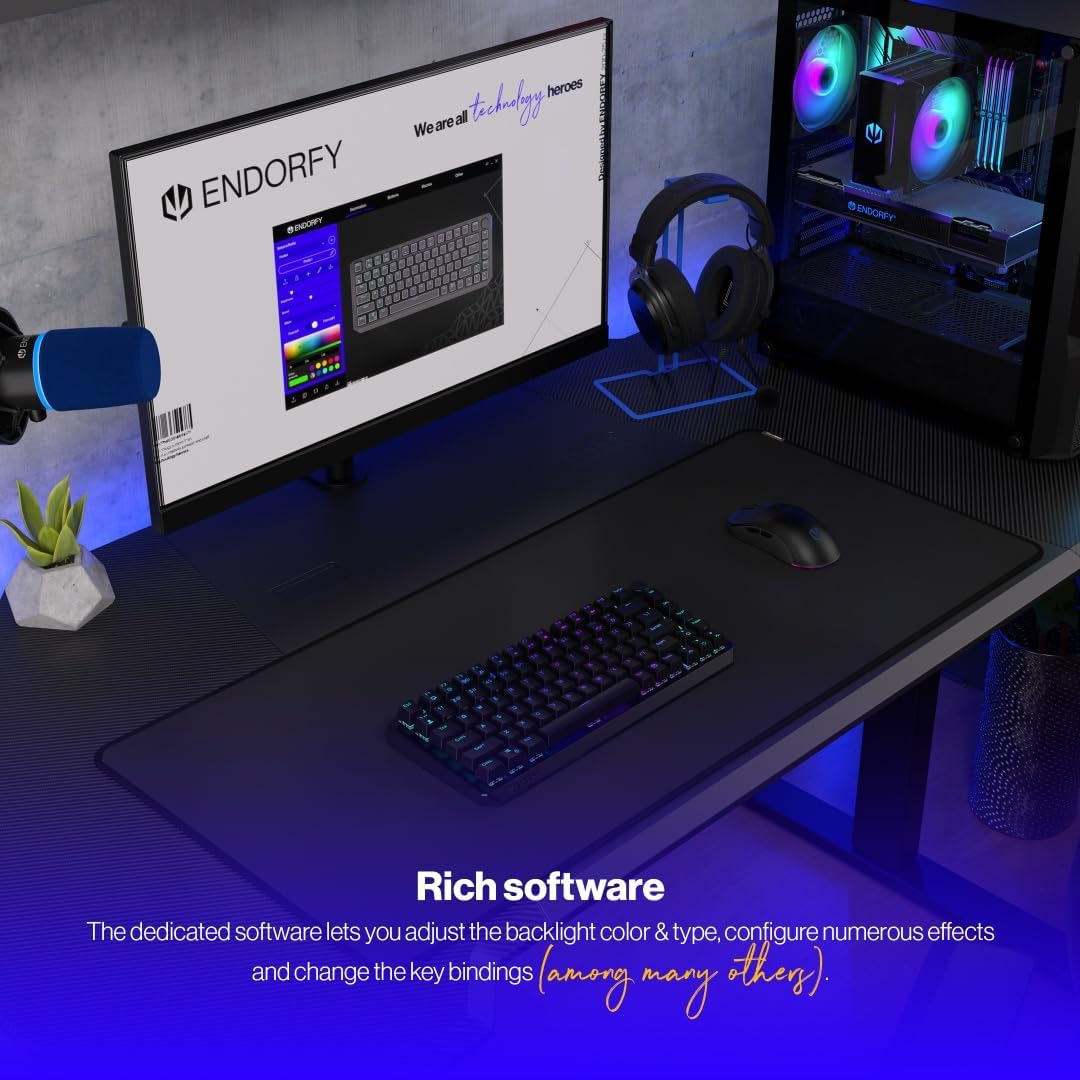
The keyboard features excellent ARGB backlighting, allowing for various color and effect customizations.
4.3 Software Usage
For advanced customization of key bindings, macros, and RGB lighting effects, download and install the dedicated ENDORFY software from the official website. The software provides a graphical interface to fine-tune your keyboard settings.

The dedicated software allows for comprehensive adjustment of backlight color, type, effects, and key bindings.
5. Mantentzea
5.1 Garbiketa
To clean your keyboard, first disconnect it from your computer. Use a soft, dry cloth to wipe down the keycaps and chassis. For deeper cleaning, you may use a can of compressed air to remove dust and debris from between the keys. Avoid using harsh chemicals or abrasive materials.
5.2 Bero-trukeko etengailuak
The ENDORFY Thock TKL keyboard features hot-swappable switches, allowing you to easily change them without soldering. Use the provided switch puller tool to carefully remove switches. Align the new switch with the pins and gently press it into place until it clicks.

The hot-swap feature allows for easy replacement of switches using the included tool.

The keyboard comes equipped with Kailh Box Red switches, known for their smooth and linear actuation.
5.3 Tekla-tapoien ordezkapena
The keyboard uses durable PBT Double Shot keycaps. To remove a keycap, use the keycap puller tool (often combined with the switch puller) to gently pull it upwards. To install a new keycap, align it with the switch stem and press down firmly until it is seated.

The durable PBT Double Shot keycaps are resistant to wear and maintain their appearance over time.
6. Arazoak
6.1 Teklatuak ez du erantzuten
- Ziurtatu teklatua kargatuta dagoela.
- Check the connection mode switch (2.4G, BT, Wired) is set correctly.
- For wireless connections, ensure the USB receiver is properly plugged in or Bluetooth is paired. Try a different USB port.
- For wired connection, try a different USB cable or port.
- Berrabiarazi ordenagailua.
6.2 Atzeko argia ez dabil edo ez dabil ondo
- Ensure the backlight is enabled via Fn key combinations.
- Check the brightness level.
- If using the software, ensure settings are applied correctly.
- Perform a factory reset if available (refer to software or advanced Fn commands).
6.3 Giltzak ez dira erregistratzen
- Ziurtatu teklatua garbi dagoela eta tekla-tapoien azpian hondakinik gabe.
- If a specific key is not working, try hot-swapping the switch with a known working one to diagnose if the issue is with the switch or the keyboard PCB.
- Update keyboard firmware if available.
7. Zehaztapenak
| Modelo zenbakia | EY5A080 |
| Teklatu mota | Mechanical, TKL (Tenkeyless) |
| Etengailuak | Kailh Box Red (Hot-Swappable) |
| Giltzak | PBT jaurtiketa bikoitza |
| Diseinua | US Layout, 87 Keys |
| Konektibitatea | 2.4 GHz Wireless, Bluetooth, USB-C Wired |
| Atzeko argia | ARGB Programmable |
| Bateria | 1 litio ioizko bateria (barne) |
| Produktuaren neurriak | 14.23 x 5.51 x 1.67 hazbete (361.50 x 140 x 42.50 mm) |
| Elementuaren pisua | 1.74 kilo |
| Gailu bateragarriak | PC, Gaming Consoles, Tablets, Smartphones |

Goiena view dimensions of the ENDORFY Thock TKL Wireless Keyboard.

Aldea view dimensions illustrating the adjustable height options of the keyboard.
8. Bermea eta Laguntza
The ENDORFY Thock TKL Wireless Keyboard comes with a 2 urteko bermea erosketa-datatik aurrera. Gorde erosketaren egiaztagiria berme-erreklamazioetarako.
For technical support, driver downloads, firmware updates, or further information, please visit the official ENDORFY webgunea:
http://endorfy.com/kb/EY5A-THOCK-TKL-WIRELESS
You may also contact ENDORFY customer support directly through the contact information provided on their webgunea.


