1. Sarrera
Eskerrik asko erosketagatik.asing the LFF LDR113-EU Kitchen Radio. This manual provides essential information for the safe and efficient operation of your device. Please read it thoroughly before use and retain it for future reference.
The LFF LDR113-EU is a versatile kitchen radio featuring DAB+, FM, and Bluetooth connectivity. It includes dual alarms, a sleep timer, and 60 station presets, designed for both tabletop use and under-cabinet mounting.
2. Segurtasun informazioa
- Energia iturria: Erabili emandako korronte-egokitzailea soilik. Ziurtatu bolumenatage zure tokiko elikadura hornidura bat dator.
- Ura eta hezetasuna: Do not expose the device to water, rain, or excessive moisture. Avoid placing liquids near the radio.
- Aireztapena: Ensure adequate ventilation around the device. Do not block ventilation openings.
- Beroa: Mantendu gailua bero-iturrietatik urrun, hala nola erradiadoreetatik, bero-erregistroetatik, sukaldeetatik edo beste beroa sortzen duten gailuetatik.
- Garbiketa: Disconnect from power before cleaning. Use a soft, dry cloth. Do not use liquid cleaners or aerosol cleaners.
- Zerbitzua: Ez saiatu produktu hau zuk zeuk ematen. Bidali zerbitzu guztiak zerbitzu kualifikatuko langileengana.
- Lekua: Place the radio on a stable, level surface or mount it securely according to the instructions.
3. Paketearen edukia
Mesedez, egiaztatu elementu guztiak paketean daudela:
- LFF LDR113-EU Kitchen Radio
- Elikatze-moldagailua
- Mounting Kit (screws, spacers, mounting template)
- Erabiltzailearen eskuliburua (dokumentu hau)
4. Produktua amaitu daview
Familiarize yourself with the radio's components and controls.

4.1. irudia: Aurrealdea view of the LFF LDR113-EU Kitchen Radio, showing the LCD display on the left, control buttons in the center, and a large rotary knob on the right. The buttons include power, mode, menu, info, preset, timer/sleep, and navigation arrows. The rotary knob is for volume and selection.

4.2. irudia: Diagram illustrating the key features of the LFF Kitchen Radio, including DAB/DAB+ radio, FM radio, two alarms, sleep timer, Bluetooth connectivity, and 60 station presets.
4.1. Kontrolak eta pantaila
- LCD koloreko pantaila: Shows current mode, station information, time, and settings.
- Pizteko botoia: Irratia pizten edo itzaltzen du.
- Modu botoia: Switches between DAB+, FM, and Bluetooth modes.
- Menu/Informazio botoia: Accesses menu options or displays station information.
- Aurrezarritako botoiak (1-5): Gordetako irratietarako sarbide azkarra.
- Timer/Sleep Button: Sets sleep timer or alarm functions.
- Nabigazio botoiak (Gora/Behera/Ezkerra/Eskuina): Navigates through menus and station lists.
- Rotary Knob (Volume/Enter): Adjusts volume, scrolls through options, and confirms selections.
5. Konfigurazioa
5.1. Energia-konexioa
- Connect the power adapter to the DC IN port on the back of the radio.
- Entxufatu korronte-egokigailua hormako entxufe batera.
- The radio will power on or enter standby mode.
5.2. Initial Scan (DAB+ and FM)
Upon first power-on, the radio will typically perform an automatic scan for DAB+ and FM stations. If not, follow these steps:
- Sakatu Modua botoia DAB+ edo FM modua hautatzeko.
- For DAB+, the radio will usually initiate a full scan automatically. If not, navigate to the 'Full Scan' option in the DAB+ menu and press the rotary knob to confirm.
- For FM, navigate to the 'Auto Scan' option in the FM menu and press the rotary knob to confirm.
- The radio will search for available stations and store them.

5.1. irudia: The LFF Kitchen Radio's LCD color screen displaying the main menu with icons for Digital Radio (DAB+), FM Radio, and Bluetooth, indicating available modes.
6. Funtzionamendu-argibideak
6.1. Piztu/Itzali
Sakatu Boterea button to turn the radio on or off (standby mode).
6.2. Modu hautaketa
Sakatu Modua botoia behin eta berriz sakatu DAB+, FM eta Bluetooth moduen artean aldatzeko.
6.3. DAB+ Radio Operation
- In DAB+ mode, use the Gora/Behera navigation buttons or the rotary knob to browse available stations.
- Press the rotary knob to select a station.
- Sakatu Menua/Informazioa to view katearen informazioa (adibidez, programa mota, seinalearen indarra).
6.4. FM Irratiaren funtzionamendua
- FM moduan, erabili Gora/Behera navigation buttons to tune to stations manually.
- Eduki sakatuta Gora/Behera buttons for automatic station seeking.
- Sakatu Menua/Informazioa to view geltokiaren informazioa.
6.5. Bluetooth konexioa
Connect your smartphone or other Bluetooth-enabled device to the radio.
- Sakatu Modua button to select Bluetooth mode. The display will show 'Bluetooth Pairing'.
- Zure gailu mugikorrean, gaitu Bluetootha eta bilatu eskuragarri dauden gailuak.
- Select 'LFF LDR113-EU' from the list of devices.
- Once connected, the radio display will show 'Bluetooth Connected'. You can now play audio from your device through the radio.
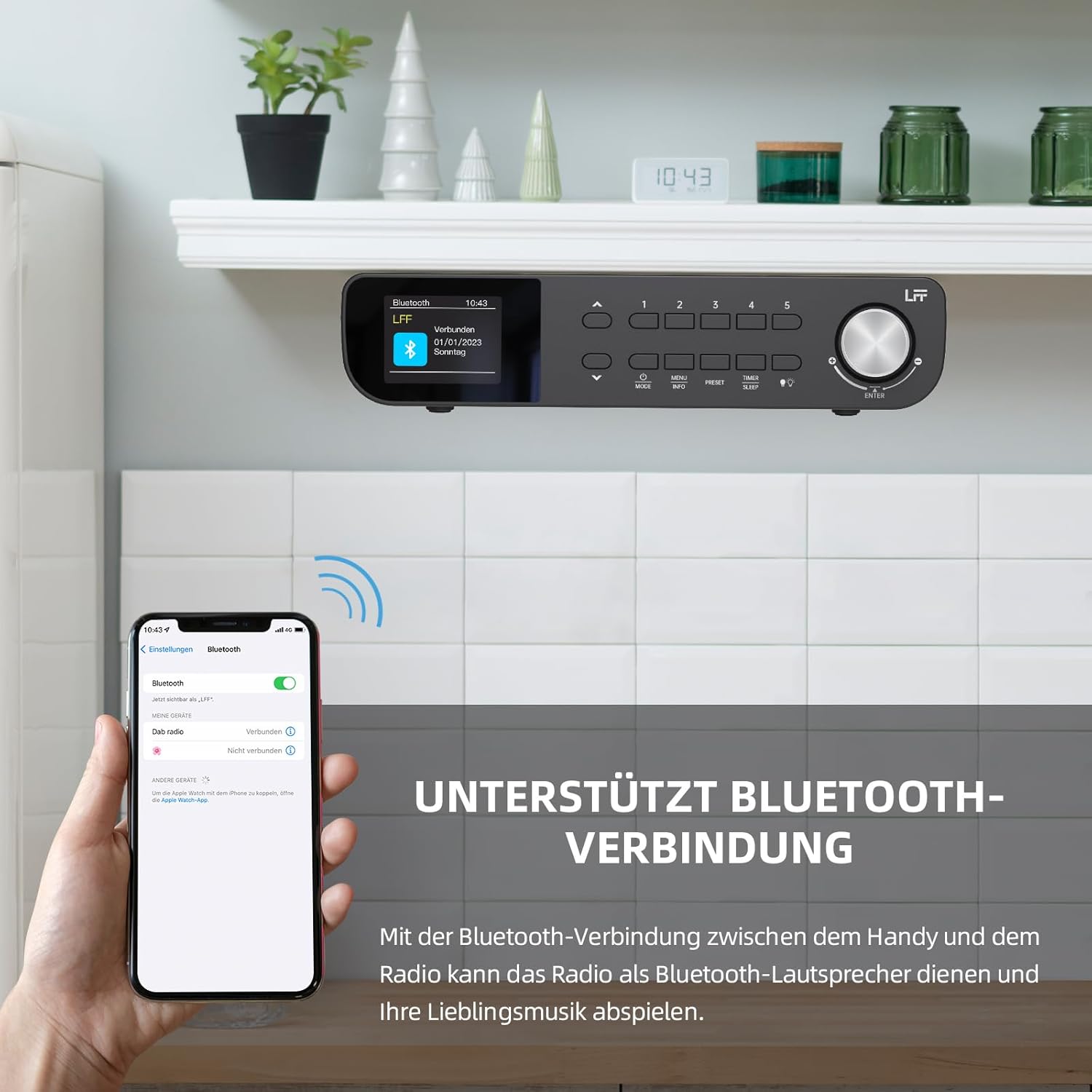
6.1. irudia: The LFF Kitchen Radio displaying a successful Bluetooth connection, with a smartphone screen showing the radio as a connected device.

6.2. irudia: Gertutik view of the radio's display indicating 'LFF' and 'Connected' under the Bluetooth menu, confirming a successful pairing.
6.6. Alarmak ezartzea
The radio features two independent alarms.
- Sakatu Tenporizadore/Lo button repeatedly until 'Alarm 1' or 'Alarm 2' appears.
- Use the navigation buttons and rotary knob to set the alarm time, source (DAB+, FM, or Buzzer), and frequency (daily, weekdays, weekends, once).
- Confirm settings by pressing the rotary knob.

6.3. irudia: Close-up of the radio's display showing the current time and options to activate or deactivate Alarm 1 and Alarm 2.
6.7. Lo egiteko tenporizadorea
Lo egiteko tenporizadoreak irratia automatikoki itzaltzea ahalbidetzen du denbora jakin baten ondoren.
- Sakatu Tenporizadore/Lo button repeatedly until 'Sleep Timer' appears.
- Use the navigation buttons or rotary knob to select the desired sleep duration (e.g., 15, 30, 60 minutes).
- Berretsi botoi birakaria sakatuz.

6.4. irudia: Close-up of the radio's display showing the 'Sleep Timer' setting, with an option to set the duration, for example, to 30 minutes.
6.8. Aurrezarpenak
Save up to 60 favorite stations for quick access.
- Aurrezarpen bat gordetzeko: Sintonizatu nahi duzun irratia. Sakatu eta eutsi bat Aurrezarpena (1-5) buttons until 'Preset Saved' appears. For additional presets, use the 'Preset Store' option in the menu.
- Aurrez ezarritako bat gogoratzeko: Sakatu laburren bat Aurrezarpena (1-5) buttons. For other presets, navigate to 'Preset Recall' in the menu.
6.9. LED argia
The radio includes an integrated LED light, useful for illuminating the area below if mounted under a cabinet.
- Sakatu Argia button (if available, or navigate through menu) to turn the LED light on or off.

6.5. irudia: The LFF Kitchen Radio mounted under a kitchen cabinet, with its integrated LED light providing illumination to the countertop below.
6.10. Erakutsi distira
Adjust the display backlight brightness to suit your environment.
- Access the 'Display' or 'Settings' menu.
- Select 'Brightness' and choose from High, Medium, or Low settings.

6.6. irudia: A visual comparison of the LFF Kitchen Radio's display at three different backlight brightness levels: High, Medium, and Low, demonstrating the adjustable visibility.
7. Muntatzeko jarraibideak
The LFF LDR113-EU Kitchen Radio offers flexible placement options: tabletop or under-cabinet mounting.
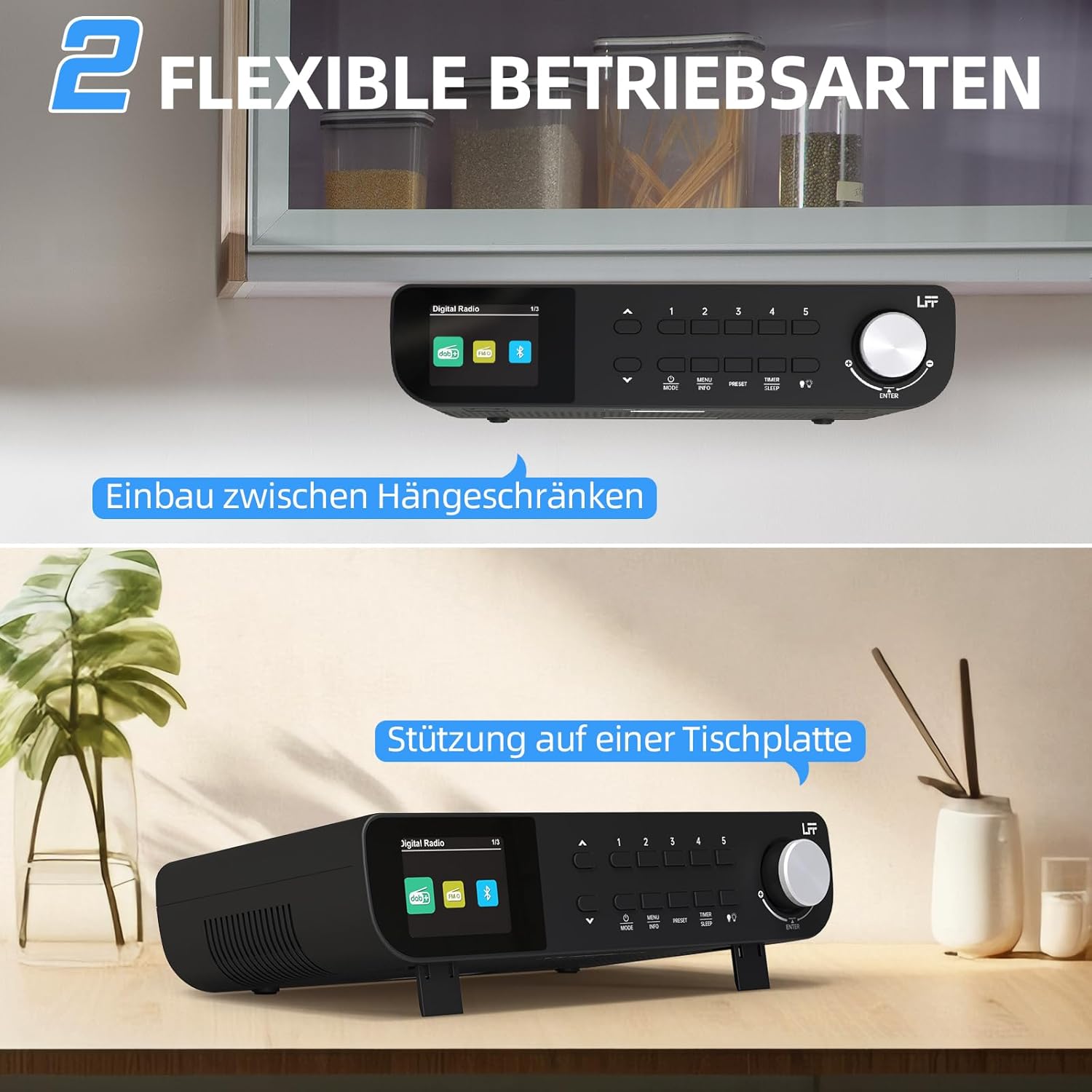
7.1. irudia: The LFF Kitchen Radio displayed in two common installation scenarios: mounted underneath a kitchen cabinet and placed freestanding on a tabletop.
7.1. Tabletop Placement
Simply place the radio on a stable, flat surface. Ensure it is not near the edge to prevent accidental falls.
7.2. Under-Cabinet Mounting
For under-cabinet installation, use the provided mounting kit.
- Prestatu kokapena: Choose a suitable location under a kitchen cabinet, ensuring there is enough space and access to a power outlet.
- Markatu zulatzeko zuloak: Use the provided mounting template to mark the drill holes on the underside of the cabinet.
- Zulatzeko zulo pilotuak: Egin zulo pilotuak markatutako posizioetan.
- Attach Mounting Plate (if applicable): Some models may include a separate mounting plate. Attach this to the cabinet using the screws.
- Seguru irratia: Align the radio with the mounting holes or plate and secure it using the provided screws. Ensure it is firmly attached.
- Konektatu energia: Entxufatu korronte-egokigailua.

7.2. irudia: Detailed diagram showing the steps for under-cabinet mounting, including measuring distances (e.g., 58mm) and securing the radio with screws.
8. Mantentzea
- Garbiketa: To clean the radio, disconnect it from the power supply. Use a soft, dry, lint-free cloth. Do not use abrasive cleaners, waxes, or solvents.
- Antena: Ensure the antenna is extended for optimal reception in DAB+ and FM modes. Handle it gently to avoid damage.
- Biltegiratzea: If storing the radio for an extended period, disconnect it from power and store it in a cool, dry place.
9. Arazoak
| Arazoa | Kausa posiblea | Irtenbidea |
|---|---|---|
| Botererik ez | Korronte-egokitzailea ez dago konektatuta edo entxufea akastuna da. | Egiaztatu konexioa. Saiatu beste entxufe batekin. |
| DAB+/FM harrera eskasa | Antena ez dago luzatuta, seinale ahula edo interferentziak. | Fully extend the antenna. Reposition the radio. Perform a full scan. |
| Bluetootha ez da konektatzen | Radio not in pairing mode, device too far, or already connected to another device. | Ensure radio is in Bluetooth mode. Move device closer. Disconnect from other devices. |
| Soinurik ez | Volume too low, mute activated, or incorrect mode. | Increase volume. Check if mute is active. Ensure correct mode (DAB+, FM, Bluetooth). |
| Pantailak ez du funtzionatzen | Brightness too low or device malfunction. | Adjust display brightness. If problem persists, contact support. |
10. Zehaztapenak

10.1. irudia: Diagram showing the dimensions of the LFF Kitchen Radio: 250mm length, 146mm width, and 55mm height.
| Ezaugarri | Xehetasuna |
|---|---|
| Marka | LFF |
| Modelo zenbakia | LDR113-EU |
| Kolorea | Beltza |
| Konektibitatea | Bluetootha |
| Doikuntza Teknologia | DAB Plus, FM |
| Energia iturria | Kable elektrikoa |
| Maiztasuna | 108 MHz (FM max) |
| Neurriak (L x W x H) | 250 mm x 146 mm x 55 mm |
| Aurrez ezarriak | 60 |
| Bistaratzea | LCD koloretako pantaila |
| Ezaugarri bereziak | Dual Alarms, Sleep Timer, Under-cabinet mounting option, LED Light |
11. Bermea eta Laguntza
This product comes with a standard manufacturer's warranty. Please refer to the warranty card included in your package for specific terms and conditions. For technical support, troubleshooting assistance, or warranty claims, please contact your retailer or the LFF customer service department.


