Sarrera
The Lexip PIXMINDS Steelplay Adventure Twinpads are designed to enhance your gaming experience on compatible systems. These controllers offer precise input and comfortable handling for extended play sessions. This manual provides essential information for setup, operation, maintenance, and troubleshooting.
Paketearen edukia
Paketea irekitzean, ziurtatu osagai guztiak daudela:
- Lexip PIXMINDS Steelplay Adventure Twinpads (Left and Right controllers)
- Erabiltzailearen eskuliburua (dokumentu hau)
- Required Lithium Ion batteries (pre-installed or included)

Image: The retail packaging for the Lexip PIXMINDS Steelplay Adventure Twinpads, showing the controllers and compatibility information.
Konfigurazioa
The Twinpads are compatible with Nintendo Switch™ and Nintendo Switch™ OLED models. They connect wirelessly via Bluetooth.
1. Charging the Twinpads
The Twinpads come with Lithium Ion batteries. Before first use, ensure they are fully charged. The LED indicators on the controllers will show charging status.
2. Zure gailuarekin parekatzea
- Ziurtatu zure Nintendo Switch kontsola piztuta dagoela eta sistemaren softwarearen azken bertsiora eguneratuta dagoela.
- HASIERA menutik, hautatu "Kontrolagailuak" > "Aldatu heldulekua/ordena".
- On each Twinpad, press and hold the small pairing button located on the side or back until the player LEDs begin to flash.
- Once the LEDs stop flashing and remain solid, the Twinpad is successfully paired.
- Repeat for the other Twinpad.
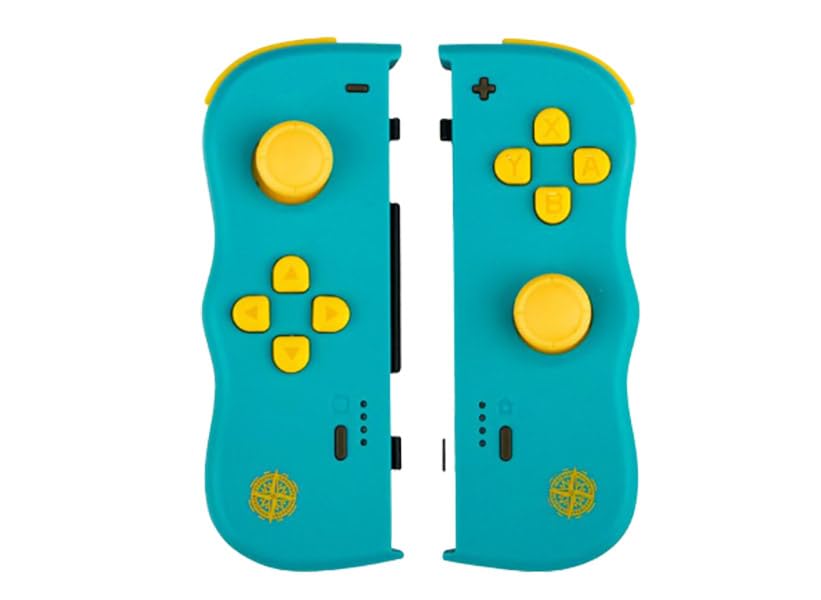
Irudia: Aurrealdea view of the Lexip PIXMINDS Steelplay Adventure Twinpads, showing the joysticks, D-pad, and action buttons.
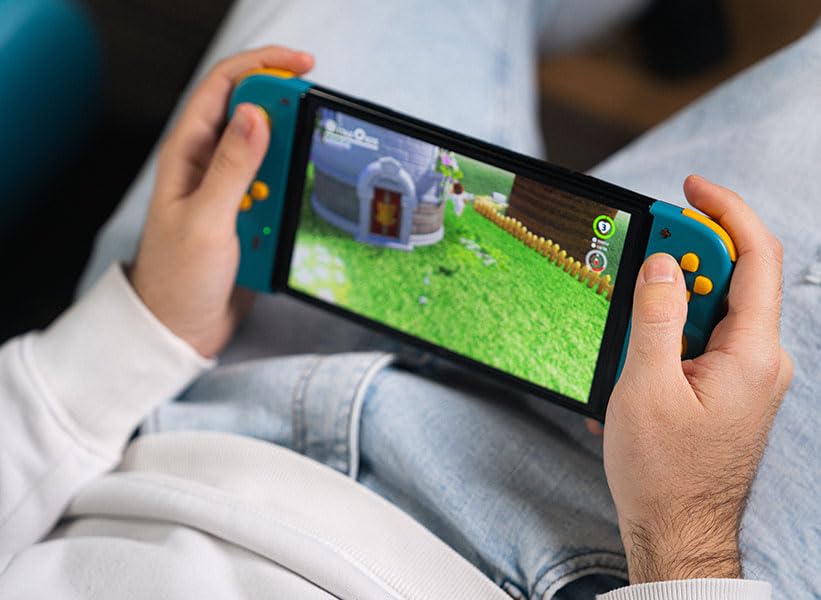
Irudia: Albokoa view of the Lexip PIXMINDS Steelplay Adventure Twinpads, highlighting the rail for attachment and potential pairing button location.
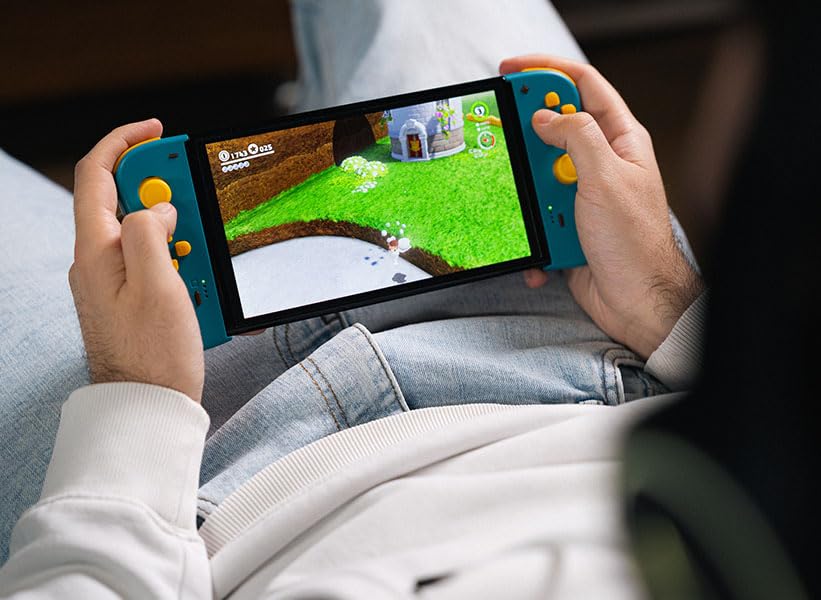
Irudia: Atzealdea view of the Lexip PIXMINDS Steelplay Adventure Twinpads, showing the ergonomic design and additional buttons.
Funtzionamendu-argibideak
Once paired, the Twinpads function as independent left and right controllers, similar to the original Joy-Con controllers. They can be used for various games that support detached controller play.
Botoien diseinua eta funtzioak
- Left Twinpad: Analog Stick, D-pad, Minus (-) Button, Screenshot Button, SL/SR Buttons (on side rail).
- Right Twinpad: Analog Stick, A/B/X/Y Buttons, Plus (+) Button, Home Button, SL/SR Buttons (on side rail).
- Note: Specific button functions may vary depending on the game.
Berriro konektatzen
If the Twinpads disconnect or you wish to reconnect them after turning off the console, simply press any button on each Twinpad. They should automatically reconnect to the last paired console.
Mantentzea
Proper care will extend the lifespan of your Twinpads.
- Garbiketa: Use a soft, dry cloth to wipe the surface of the controllers. For stubborn dirt, slightly dampGarbitu zapiarekin urarekin. Saihestu produktu kimiko gogorrak edo garbitzaile urratzaileak erabiltzea.
- Biltegiratzea: Store the Twinpads in a cool, dry place away from direct sunlight and extreme temperatures.
- Bateria zaintzea: If storing for an extended period, ensure the batteries are partially charged (around 50%) to maintain battery health. Avoid fully discharging the batteries for long periods.
Arazoak konpontzea
If you encounter issues with your Twinpads, try the following solutions:
- Controllers not pairing:
- Ensure the Twinpads are charged.
- Verify Bluetooth is enabled on your console.
- Try re-pairing the controllers by following the "Pairing with Your Device" steps.
- Move closer to the console to ensure a strong Bluetooth signal.
- Restart your Nintendo Switch console.
- Sarrerako atzerapena edo deskonexioa:
- Ensure there are no obstructions between the controllers and the console.
- Gutxitu beste haririk gabeko gailuen interferentziak.
- Egiaztatu bateriaren maila eta kargatu behar izanez gero.
- Erantzuten ez duten botoiak:
- Garbitu botoien inguruan hondakinak kentzeko.
- Ensure the controllers are properly paired and connected.
- Test the controllers in a different game or the console's controller test menu.
Zehaztapenak
| Ezaugarri | Xehetasuna |
|---|---|
| Eredua | JVASWI00101 |
| Marka | Lexip, PIXMINDS, Steelplay |
| Konektibitatea | Bluetootha |
| Bateragarritasuna | Nintendo Switch™, Nintendo Switch™ OLED |
| Bateria mota | 1 litio ioizko bateria (barne) |
| Elementuaren pisua | 5.6 ontza (158.76 gramo inguru) |
| Paketearen neurriak | 6.18 x 4.72 x 1.26 hazbete (gutxi gorabehera 15.7 x 12 x 3.2 cm) |
| Fabrikatzailea | PIXMINDS |
| Argitaratze data | 1ko urtarrilaren 2023a |
Bermea eta Laguntza
The Lexip PIXMINDS Steelplay Adventure Twinpads come with a 5 urteko bermea, as indicated on the product packaging. To register your product and activate your warranty, please visit the official warranty registration page:
Register Your Product for Warranty
For technical support or further inquiries, please refer to the official Lexip support channels or contact your retailer.


